The Best New Cell Phones (2025) to Buy Now

best new cell phones 2025

Is your current phone battery dying by noon, or are you just tired of staring at that cracked screen? I feel you—it’s definitely time for an upgrade. But with so many new releases dropping left and right, trying to pick a winner can feel totally overwhelming. Don’t worry, though, because I’ve done the heavy lifting for you. In this guide, we’re going to cut through the hype and look at the best new cell phones (2025) has to offer, so you can find the perfect match for your life (and your budget).


Quick Summary

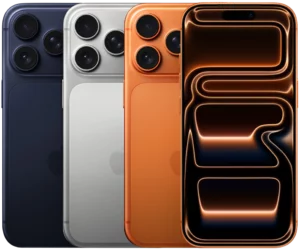
Apple iPhone 17 Pro Max
 

Best Overall Performance

★★★★⯪

Released in September 2025, it features the powerful A19 Pro chip, larger battery, a major physical redesign with vapor chamber cooling, and top-tier photo and video capture capabilities.


Click to read more below


Samsung Galaxy S25 Ultra

Best All-Round Android & Impressive Camera

★★★★⯪

Released in February 2025, the ultimate utility phone. Offers a versatile quad-camera system, the built-in S Pen, and the most comprehensive suite of integrated Galaxy AI features.


Click to read more below


Google Pixel 10 Pro

Best AI Integration & Photography

★★★★⯪

Introduced in August 2025, it leverages the Tensor G5 chip for unparalleled local AI features, including advanced photo editing and seamless Google Assistant/Gemini integration. It also excels at image processing.


Click to read more below


OnePlus 13

Best Flagship Value & Charging Speed

★★★★⯪

Provides flagship-level performance and a great camera experience at a lower price than the top two. Known for its huge battery and ultra-fast wired charging.


Click to read more below


Samsung Galaxy Z Fold 7

Best Book-Style Foldable

★★★★⯪

Introduced into the shelves in July 2025, it delivers the best large-screen foldable experience, achieving a thinner, lighter design than previous models. Ideal for power users who need a tablet-sized screen for multitasking.


Click to read more below


Motorola Razr Ultra (2025)


Best Flip-Style Foldable

★★★★⯪

Released on April 2025, it’s highly rated for its large, capable cover screen, stylish design (often Pantone-matched colors), and clean, simple Android software. A strong contender in the compact foldable market.


Click to read more below


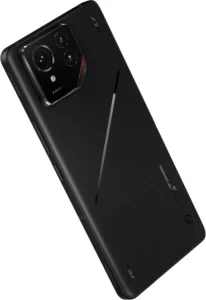
ASUS ROG Phone 9 Pro

Best Dedicated Gaming Phone

★★★★⯪

Released in November 2024, it’s optimized for mobile gamers with features like extreme performance, massive cooling, customizable controls, and a very high refresh rate display.

Click to read more below


7 Best New Cell Phones of 2025


1. Apple iPhone 17 Pro Max

★★★★⯪ 4.4 out of 5

Specs
  • DISPLAY: 6.9-inch, Super Retina XDR OLED, 120Hz ‘Promotion’ (1320 x 2868)
  • CPU: Apple A19 Pro | Apple GPU 6-core
  • MEMORY: 12GB RAM
  • STORAGE: 256GB/512GB/1TB/2TB
  • BATTERY: 4832 mAh (Nano SIM) | 5088 mAh (eSIM) | supports wired, wireless, & reverse wireless charging   
  • CAMERA: 48MP wide + 48MP ultrawide + 48MP telephoto | Up to 4K video capture at 120fps
  • SELFIE: 18MP wide | Up to 4K video capture at 60fps 
  • OS: iOS 26


Pros

  • Excellent performance
  • Incredible camera system
  • Stunning display
  • Better cooling features
  • All-day battery life

Cons

  • Very expensive
  • Chunky design
  • Downgrade material
  • AI features not groundbreaking

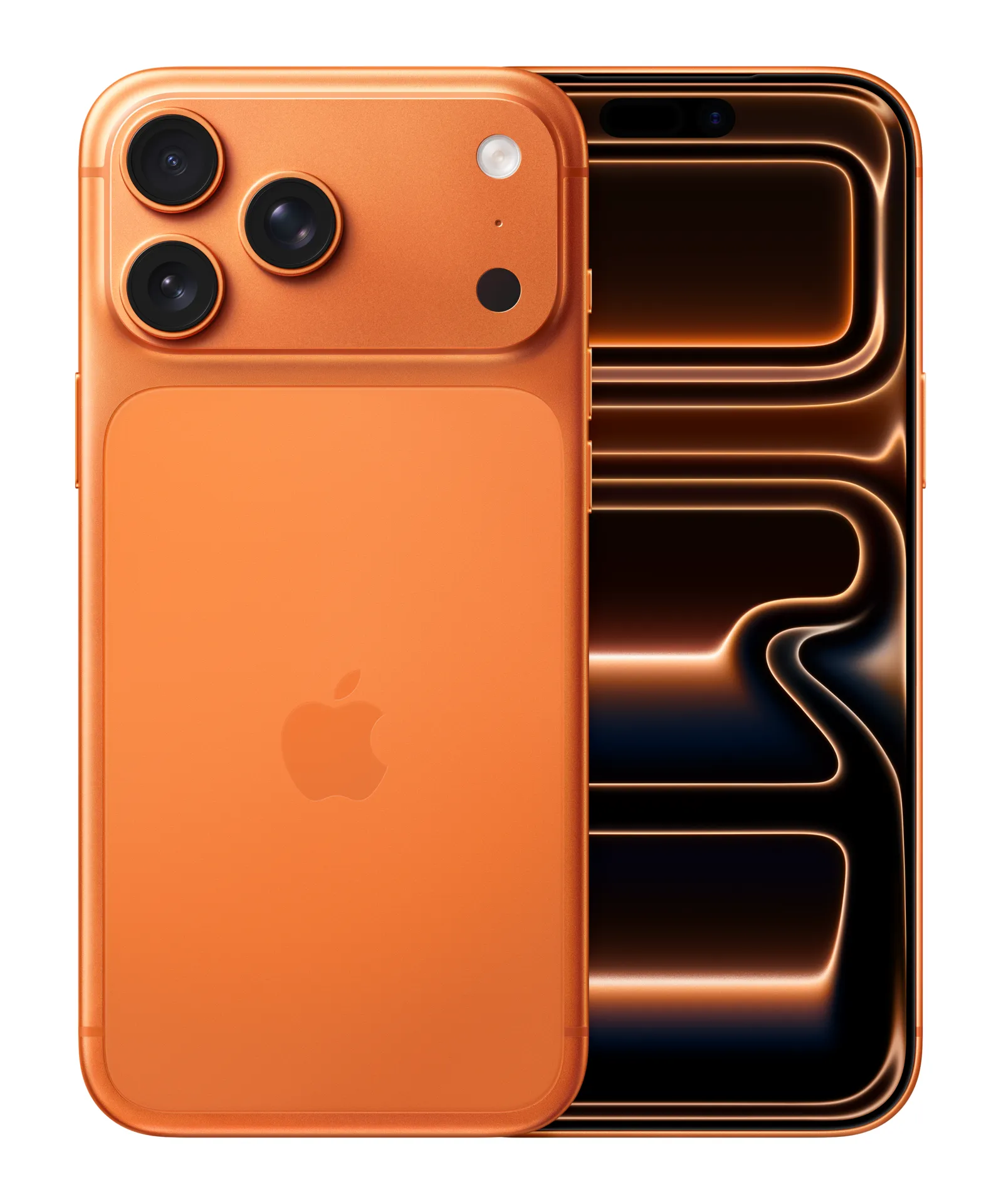
The iPhone 17 Pro Max definitely stands out as one of the top phones of 2025, especially if you’re looking for a beast of a device. It’s packed with a stunning, massive 6.9-inch Super Retina XDR display that gets incredibly bright—perfect for using outside—and the new A19 Pro chip is an absolute powerhouse, making everything from daily scrolling to intense gaming feel super fluid, thanks in part to the vapor chamber cooling that keeps things running smoothly. Plus, the camera system is impressive, featuring a triple 48MP setup that captures fantastic detail, and the improved 8x optical zoom is a game-changer for getting those distant shots.

However, it’s not all sunshine and rainbows; the Pro Max is pretty expensive, and it’s also a thicker and heavier phone than its predecessor, so it might feel a bit chunky in your pocket. The switch from titanium to an aluminum frame has also been a little controversial for some people who preferred the more premium feel and scratch resistance of the older material, and some users feel that the promised Apple Intelligence features still aren’t quite as revolutionary as competitors’ AI. 

Click to see review


2. Asus ROG Phone 9 Pro

★★★★⯪ 4.5 out of 5

Specs
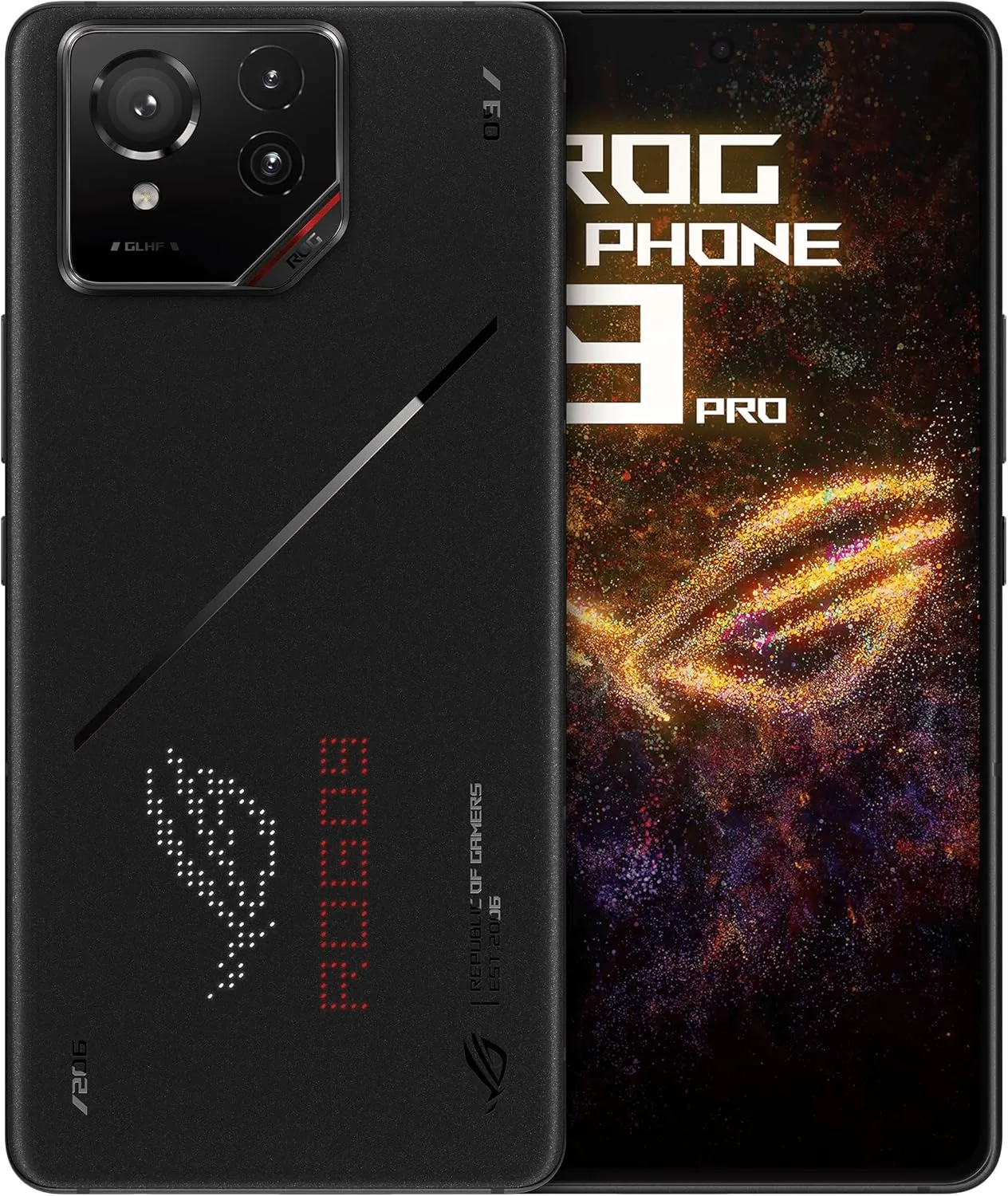
  • DISPLAY: 6.78-inch, LTPO AMOLED, 185Hz (1080 x 2400)
  • CPU: Snapdragon 8 Elite | Adreno 830 GPU
  • MEMORY: 16GB / 24GB RAM
  • STORAGE: 512GB / 1TB
  • BATTERY: 5800mAh | supports 65W, wireless and reverse wireless
  • MAIN CAMERA: 50MP wide + 32MP telephoto + 13MP ultrawide | Up to 8K video at 20fps
  • SELFIE CAMERA: 32MP wide | Up to 1080p at 30fps 
  • OS: Android 15


Pros

  • Excellent gaming performance
  • Includes AirTriggers for gaming control
  • Includes high refresh rate display
  • Massive battery life
  • Excellent cooling system
  • Includes dual charging ports

Cons

  • Camera system not that great
  • Limited software support
  • Large & heavy
  • Expensive price
  • Aggressive design

If you’re a serious mobile gamer, the Asus ROG Phone 9 Pro is absolutely a top-tier choice for 2025. This phone is a complete performance monster, rocking the super-fast Snapdragon 8 Elite chip and up to a ridiculous 24GB of RAM, making sure every game runs buttery smooth, especially on its lightning-fast 185Hz AMOLED display. Plus, it comes with dedicated gaming features like the customizable AirTriggers (which feel like console buttons!), a huge 5,800mAh battery that can handle marathon sessions, and dual USB-C ports, so you can charge easily even while gaming.

However, this powerhouse has a couple of drawbacks: its advanced camera system, while good, generally can’t quite keep up with mainstream flagships in terms of overall image quality, and Asus only promises a somewhat limited software support window (typically two major Android updates), which is a bit of a bummer for such an expensive phone. It’s also a big, heavy phone, and its gaming aesthetic might be too intense for some people’s everyday style.


3. Google Pixel 10 Pro

★★★★⯪ 4.5 out of 5

Specs
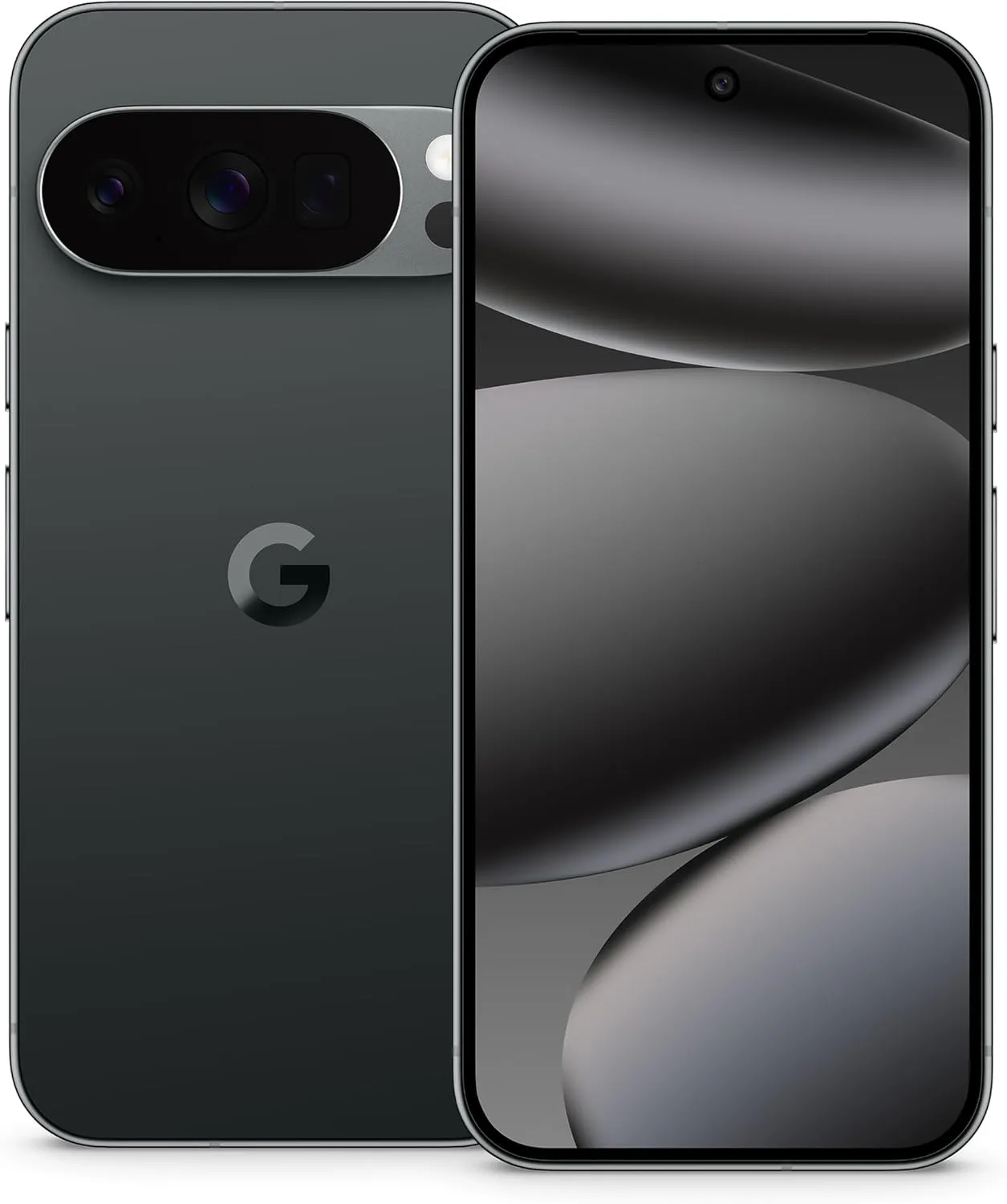
  • DISPLAY: 6.3-inch, LTPO OLED, 120Hz (1280 x 2856)
  • CPU: Google Tensor G5 | PowerVR GPU
  • MEMORY: 16GB RAM
  • STORAGE: 128GB / 256GB / 512GB / 1TB
  • BATTERY: 4870mAh | supports wireless & reverse wireless charging
  • MAIN CAMERA: 50MP wide + 48MP telephoto + 48MP ultrawide | Up to 8K video capture at 30fps
  • SELFIE CAMERA: 42MP ultrawide | Up to 4K video capture at 60fps    
  • OS: Android 16


Pros

  • Best AI experience
  • Excellent image quality
  • Includes 7-years of OS & security updates
  • Includes wireless charging

Cons

  • Short battery life
  • Slow charging speed
  • eSIM only (in some regions)

If you’re looking for the smartest phone of 2025, the Google Pixel 10 Pro is definitely up there, mainly because of how Google weaves its AI, powered by the new Tensor G5 chip and Gemini, into practically everything you do. You get an unparalleled, clean Android experience right out of the box, fantastic, reliable photos thanks to those top-tier 50MP cameras and legendary processing, and you can’t beat Google’s commitment to the future with a whopping seven years of OS and security updates! Plus, the addition of Qi2 magnetic charging is super convenient for accessories.

However, it’s not perfect: the raw performance of the Tensor G5 still lags behind the latest Snapdragon and Apple chips, especially for intense gaming, and the battery life is noticeably shorter than its main competitors. Charging is also not as fast as other high-end Android phones, and some users in the US might be annoyed that the phone is eSIM-only (no physical SIM tray).


4. Motorola Razr Ultra (2025) aka Razr 60 Ultra

★★★★⯪ 4.4 out of 5

Specs

  • MAIN DISPLAY: 7-inch, AMOLED, 165Hz (2992 x 1224) 
  • COVER DISPLAY: 4-inch, AMOLED, 165Hz (1272 x 1080)
  • CPU: Snapdragon 8 Elite | Adreno 830 GPU
  • MEMORY: 16GB RAM
  • STORAGE: 512GB / 1TB
  • BATTERY: 4700mAh | supports wireless charging
  • MAIN CAMERA: 50MP wide + 50MP ultrawide | Up to 8K video at 30fps
  • SELFIE CAMERA: 50MP wide | Up to 4K video at 60fps
  • OS: Android 15


Pros

  • Excellent external display & internal creaseless display
  • Slimmest foldable design
  • Snappy performance
  • Improved camera system
  • Enhanced durability

Cons

  • Battery life lags behind other foldables
  • Quite pricey
  • Average ultrawide & telephoto cameras 
  • Short software support

The Motorola Razr Ultra (2025) truly stands out in 2025, especially if you’re into foldable phones that combine style with substance. This phone is all about that amazing external 4-inch OLED display that lets you do so much without even flipping it open—it’s super functional! When it’s open, you get a gorgeous, creaseless 6.9-inch foldable OLED screen that’s a joy to use, and Motorola has really nailed the design with the slimmest profile yet for a foldable. Plus, the new Snapdragon 8 Gen 4 for Galaxy chip inside gives it snappy performance for daily tasks and even decent gaming, and the improved 50MP main camera now takes truly competitive photos.

However, it’s not without its quirks: the battery life, while better, still isn’t fantastic compared to slab phones, and the Razr Ultra (2025) is still pretty pricey. While the main camera is great, the ultrawide and telephoto lenses are still a bit weak, and Motorola’s software update policy isn’t as long as some competitors, typically offering only 3 years of OS updates.

Click here to see our review!


5. OnePlus 13

★★★★⯪ 4.4 out of 5

Specs

  • DISPLAY: 6.82-inch, AMOLED, 120Hz (1440 x 3168) 
  • CPU: Snapdragon 8 Elite | Adreno 830 GPU
  • MEMORY: 12GB / 16GB / 24GB RAM
  • STORAGE: 256GB / 512GB / 1TB
  • BATTERY: 6000mAh | supports wireless & reverse wireless charging
  • CAMERA: 50MP wide + 50MP periscope telephoto + 50MP ultrawide | Up to 8K video capture at 30fps
  • SELFIE CAMERA: 32MP wide | Up to 4K video capture at 60fps
  • OS: Android 15 


Pros

  • Excellent battery life
  • Elite performance
  • Excellent photo quality
  • Superb display
  • Exceptional durability
  • Fairly priced

Cons

  • Large & heavy
  • Shorter software support
  • Telephoto camera limitations
  • No charger in box

The OnePlus 13 is undeniably one of the best Android phones of 2025 because it completely crushes the “fundamentals” while offering a compelling price tag. You get insane, all-day-and-then-some battery life from the huge 6,000mAh silicon-carbon battery paired with blazing-fast 100W wired and 50W wireless charging—say goodbye to battery anxiety. It’s a powerhouse, thanks to the top-tier Snapdragon 8 Elite chip, which makes gaming feel effortless on the gorgeous QHD+ 120Hz display. Plus, the camera system is incredibly solid, featuring three great 50MP lenses that deliver consistent, high-quality Hasselblad-tuned photos.

However, it’s not without compromises: while the camera is good, its telephoto lens lacks the macro (close-focus) capability of some rivals, and the software update promise, while better than before at 4 years of OS updates, still falls short of Google and Samsung’s seven-year commitment. Also, some regional models are missing the charger in the box, which is annoying for a premium phone.


6. Samsung Galaxy S25 Ultra

★★★★⯪  4.5 out of 5

Specs
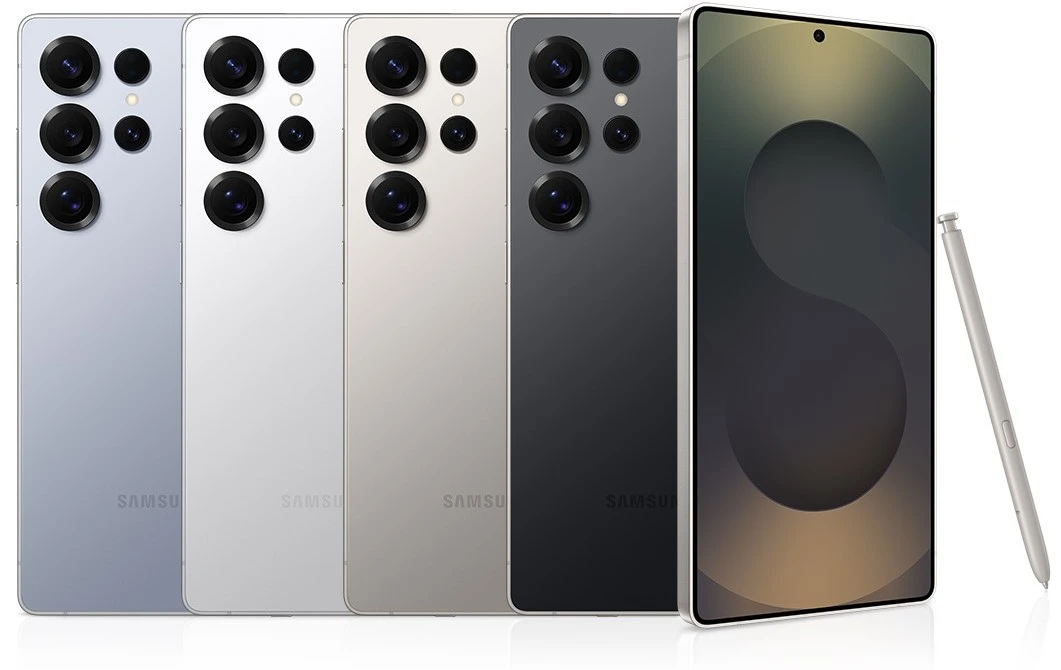
  • DISPLAY: 6.9-inch, LTPO AMOLED 2X, 120Hz (1440 x 3120)
  • CPU: Snapdragon 8 Elite | Adreno 830 GPU
  • MEMORY: 12GB / 16GB RAM  
  • STORAGE: 256GB / 512GB / 1TB
  • BATTERY: 5000mAh | supports wireless & reverse wireless
  • MAIN CAMERA: 200MP wide + 10MP telephoto + 50MP periscope telephoto + 50MP ultrawide | Up to 8K video capture at 30fps
  • SELFIE CAMERA: 12MP wide | Up to 4K video capture at 60fps
  • OS: Android 15


Pros

  • Includes built-in S Pen
  • Unmatched camera versatility
  • Longest support window
  • Best-in-class display
  • Elite performance
  • Premium titanium build & durability 

Cons

  • Very expensive
  • Slow wired charger
  • No charging in box
  • Gets warm upon prolong use

The Samsung Galaxy S25 Ultra is easily one of the best all-around flagships of 2025 because it just does everything at an elite level. It’s got a gorgeous, massive 6.9-inch QHD+ display with the new Gorilla Armor 2 that virtually eliminates reflections outdoors, making it the best screen you can buy. Performance is rock-solid and future-proofed with the powerful Snapdragon 8 Elite for Galaxy chip, and Samsung matches Google’s long-term commitment with an amazing seven years of OS and security updates! The camera system is phenomenal, featuring a new 50MP ultrawide and the signature 10x/5x zoom combo for unmatched versatility, plus you still get the built-in S Pen for productivity.

However, this powerhouse comes with a few trade-offs: the 45W charging speed feels slow compared to competitors like OnePlus, and for such a pricey phone, Samsung still doesn’t include the charger in the box. Plus, despite having a slightly larger vapor chamber, some users still report that the phone can run noticeably warm during intense gaming or charging sessions.

Click here to see our review!


7. Samsung Galaxy Z Fold7

★★★★⯪  4.5 out of 5

Specs

  • MAIN DISPLAY: 8-inch, LTPO AMOLED 2X, 120Hz (1968 x 2184) 
  • COVER DISPLAY: 6.5-inch, LTPO AMOLED 2X, 120Hz (1080 x 2520)   
  • CPU: Snapdragon 8 Elite |Adreno 830 GPU
  • MEMORY: 12GB / 16GB RAM
  • STORAGE: 256GB / 512GB / 1TB
  • BATTERY: 4400mAh | supports wireless & reverse wireless charging
  • MAIN CAMERA: 200MP wide + 10MP telephoto + 12MP ultrawide | Up to 8K video at 30fps
  • SELFIE CAMERA: 10MP ultrawide + 10MP wide cover camera | Up to 4K at 60fps    
  • OS: Android 16, One UI 8 


Pros

  • Crease-less main internal display
  • Wider & more conventional external display
  • Top-notch performance
  • Long software & security support

Cons

  • Very expensive
  • Still bulky & heavy
  • Average battery life
  • Slow charging
  • Camera system good but not great

The Samsung Galaxy Z Fold 7 is definitely one of 2025’s most innovative phones, especially if you’re looking for the ultimate device for productivity and media consumption. It brings a stunning, truly crease-less 7.8-inch main display that’s perfect for multitasking with the improved S Pen experience, and the outer display is now wider and feels much more like a regular smartphone. Powered by the Snapdragon 8 Elite for Galaxy, it handles anything you throw at it, and the under-display camera on the main screen is finally good enough for video calls. Plus, Samsung matches Google with a fantastic seven years of software support.

However, all that innovation comes at a cost: it’s still super expensive, and while the camera system is good, it can’t quite match the dedicated zoom capabilities of the S25 Ultra. It’s also still a bulky and heavy device when folded, and the battery life, though improved, can still be a bit tight for heavy users, especially given its advanced charging capabilities are still limited to 45W.

Click here to see our review!


Final Recommendations and In Closing

It’s not easier to recommend a smartphone especially from this list of the best top-rated smartphones of 2025. One thing I can say is this: they are all similar in fast performance, great-looking design and have gorgeous screens. Yet if I can be honest with you, I recommend the Galaxy S25 Ultra as the all-round best smartphone for Android users. They rest are all superb smartphones but excel because of their unique quality features.       

Choosing a new phone is a big commitment, right? It’s something you carry around every single day, so you want to get it right. Hopefully, this breakdown helped clear up the confusion and pointed you toward a winner. Honestly, whether you go for the camera beast or the battery champion, you really can’t go wrong with any of these top picks.

So let’s hear from you. Which cell phone feature matters most to you this year? Is it the zoom feature or that all-day battery life? Drop us a comment below and let’s chat about it! And if you’ve made up your mind, go ahead and click the buttons above to find out more or to grab your new smartphone and start enjoying that upgrade today. Take care now. Until next time 🙂

The Best Tablets (2025) To Buy Now

Best Tablets 2025

Ready to upgrade your digital life? In 2025, tablets are more powerful and versatile than ever, blurring the lines between a simple entertainment device and a genuine laptop replacement. Whether you’re a student who needs a stellar note-taker, a digital artist looking for a gorgeous screen, or just someone who wants a super-portable way to binge-watch a new series, the sheer number of options can be overwhelming. That’s where we come in. We’ve waded through the latest and greatest from Apple, Samsung, and more to bring you a friendly, no-fluff guide to the best tablets (2025) to buy now. We want to assure you that with what we have found, you will find the perfect tablet that fits your budget and, most importantly, your life. 


The Best Tablets (2025) Quick List

In a hurry to check out the best tablets? Here’s a brief overview of them on this list below, along with quick links that will let you jump straight down to a short review of whichever tablet caches your eye.


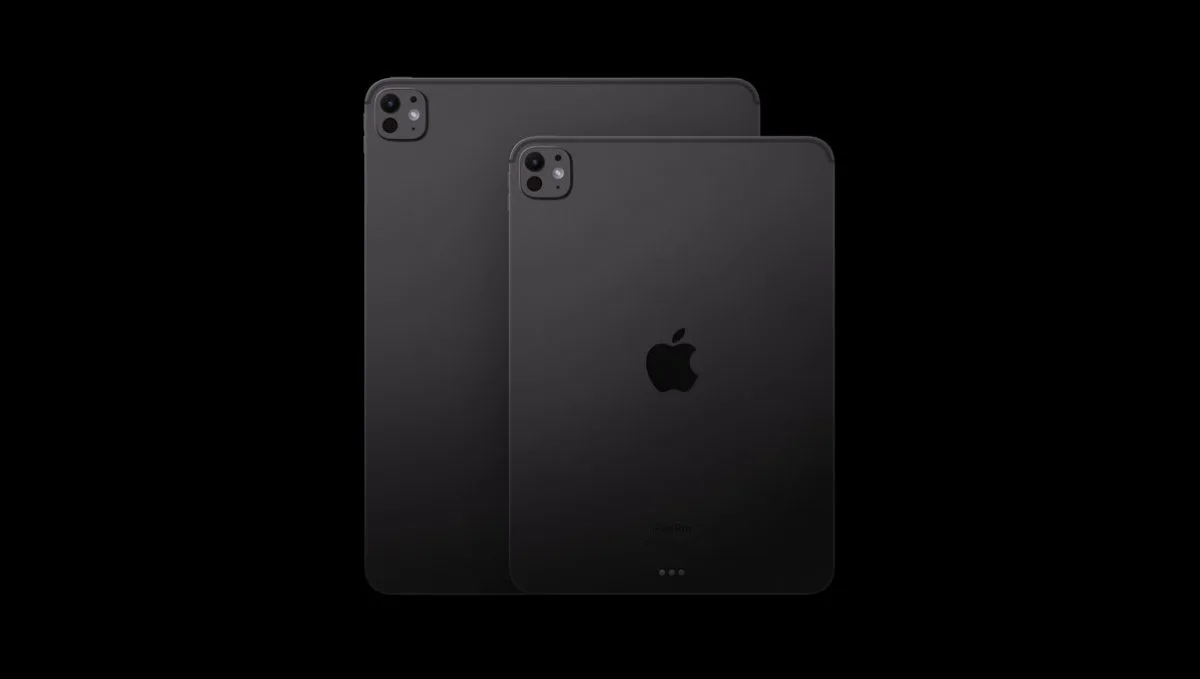
1 – Apple iPad Pro (M5) 2025

Best Overall Performance

★★★★★

Released in October 2025, the only problem with this new iPad Pro is the high price tag. Either than that, overall, this is the most powerful iPad release right now. Thanks to the new Apple M5 processing chip this one is an even better performer. 

Read more below

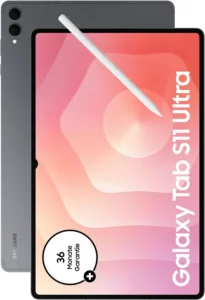
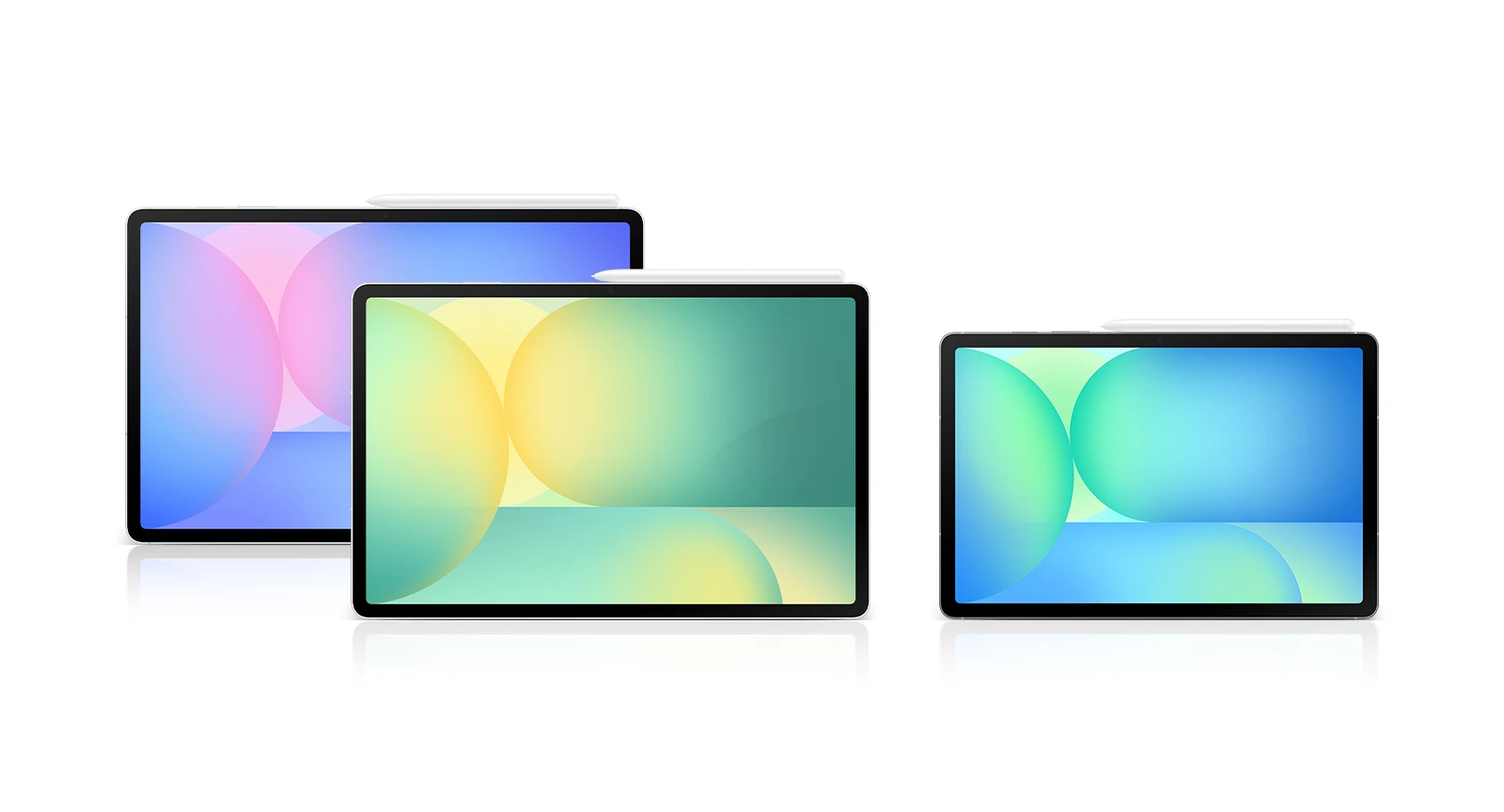
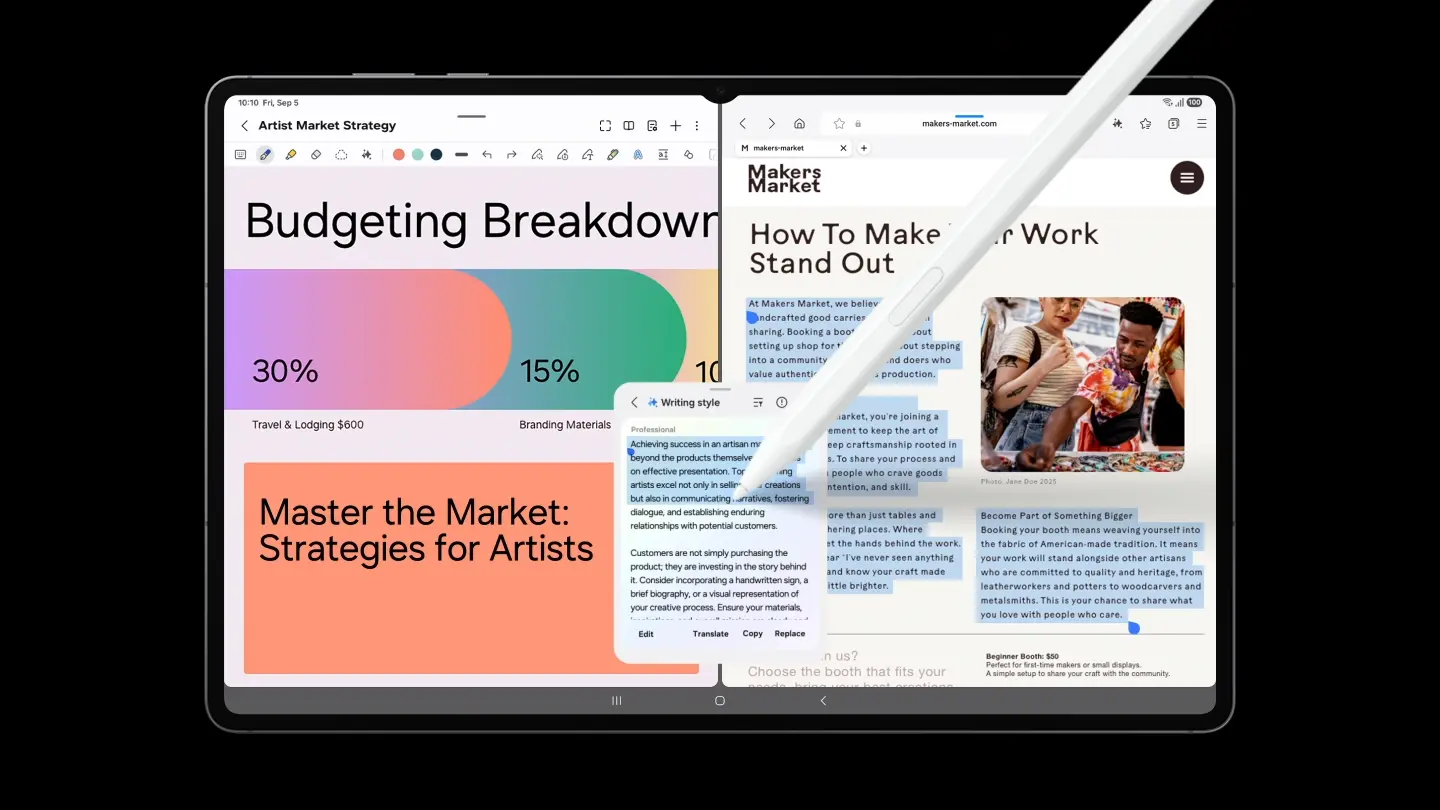
2 – Samsung Galaxy Tab S11 Ultra

Best Large Display

★★★★⯪

Packed with a 14-inch 120Hz OLED display, this is huge tablet, and one of the best performing Android tablets right now. With a fast MediaTek processing chip, smooth scrolling is guaranteed, and with Samsung’s Galaxy Tab S11 Ultra, this is one tablet you cannot miss.     

Read more below

3 – Apple iPad Air 11-inch (2025) 

Best iPad for Gaming

★★★★⯪

With a powerful Apple M3 processor inside, the iPad Air is the perfect tablet not only for daily use but also for gaming. With a fantastic display, long battery life, and amazing portability, you can practically use it anywhere on the go and be amazed at how much battery power left.

Read more below


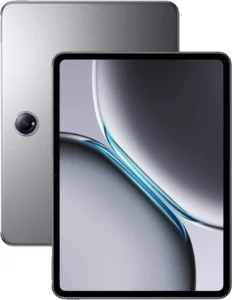
4 – OnePlus Pad 2

Best Android Performer

★★★★⯪

The OnePlus Pad 2 is an interesting tablet because it effectively offers flagship performance at a mid-range price, while introducing software features that actually make Android multitasking useful.

Read more below

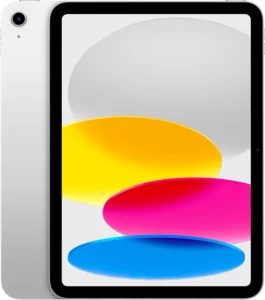
5 – Apple iPad (2025) 

Best iPad for Most People

★★★★☆

Though the latest iPad 11th generation iPad hasn’t broken any grounds since not much has change from  it’s last model, it’s still the simple, most reliable iPad to use tablet today. With good performance, good battery life and a bright display, this iPad is good enough to run your favorite apps for years to come.

Read more below

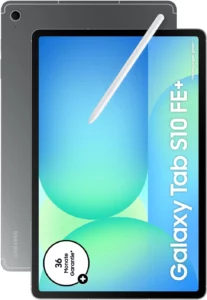
6 – Samsung Galaxy Tab S10 FE Plus 

Best Battery Life

★★★★☆

The Tab S10 FE Plus from Samsung is a surprisingly good tablet that challenges even the iPad Air (M3). Well-known for its superb battery life, it’s not as powerful as the iPad Air, yet it offers so much more features, such as water resistance, a premium design, multitasking capabilities, and an S Pen in the box. If you haven’t considered it, you really should.

Read more below


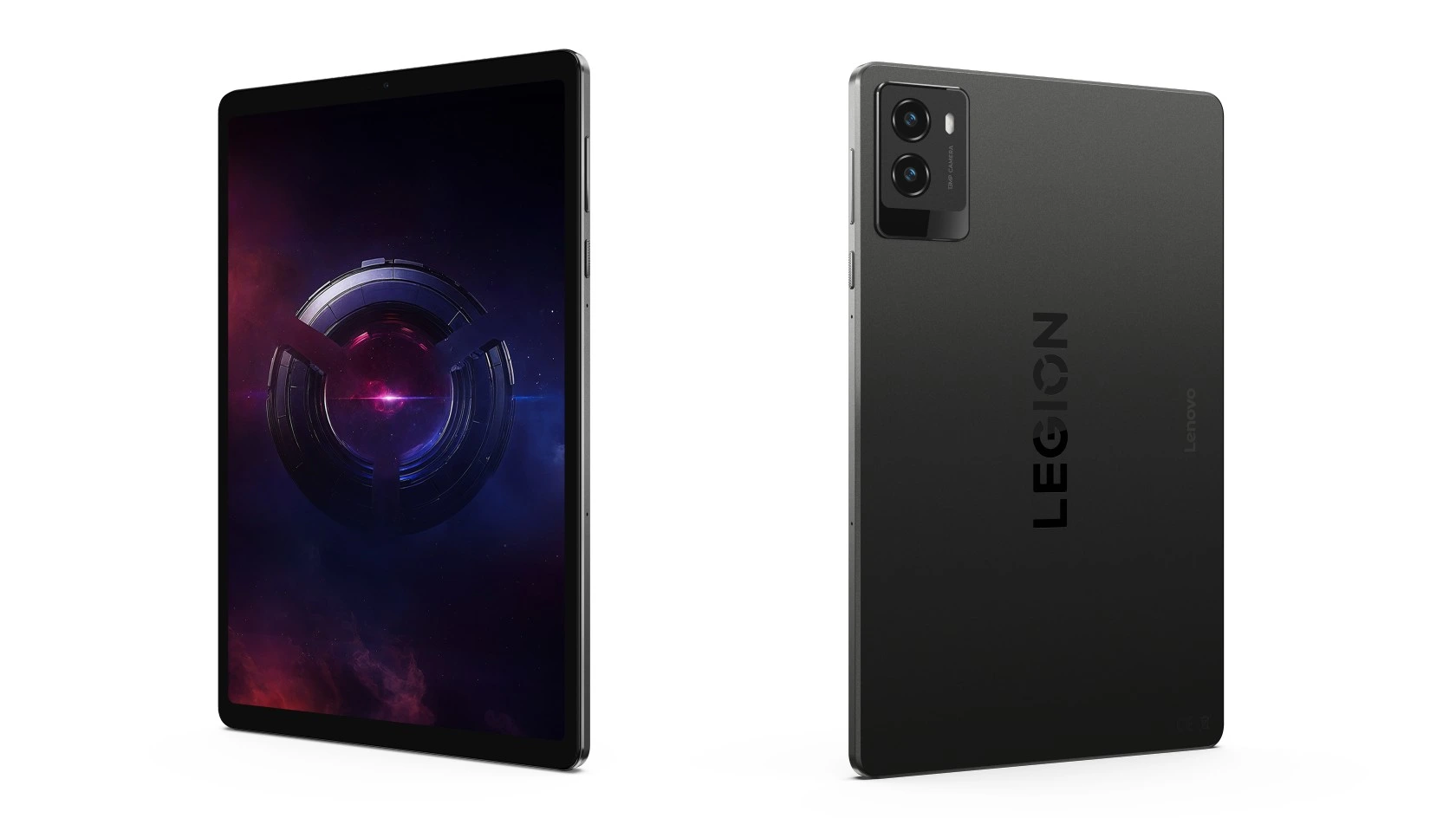
7 – Lenovo Legion Tab Gen 3 (Y700)

Best Android Tablet for Gaming

★★★★☆

The Legion Tab Gen 3 from Lenovo is an 8.8-inch Android gaming tablet that is slightly larger than the iPad Mini, however, it’s in the same price range. For that price, you a get strong performance tablet, with a solid build and an excellent set of features, which makes it worth considering. 

Read more below

8 – Microsoft Surface Pro 11


Best for Windows 

★★★★☆

If you’re a Windows user, get the Surface Pro from Microsoft. It’s touch-friendly, solid build, premium design, and it’s recommended for the new Windows 11 operating system. It’s a solid tablet that works well enough for getting things done. Just know that you need to get the detachable keyboard to fully enjoy the experience.

Read more below

9 – Apple iPad Mini

Best Compact iPad

★★★★☆

If size is not a problem for you, get the iPad Mini. It’s the most compact iPad today and it works very well for its size. It’s more powerful than the base model iPad, and even though the latest update are underwhelming, this is still a great iPad, especially if you like them small.

Read more below


The Best Tablets (2025) to Buy Now


9. Samsung Galaxy Tab S10 FE+

Best for Battery Life

★★★★☆ 4.0 out of 5


SPECS

  • DISPLAY: 13.1-inch IPS LCD (1800 x 2880) 90Hz refresh rate
  • PROCESSOR: Exynos 1580 | Xclipse 540 GPU
  • MEMORY: 8GB / 12GB RAM
  • STORAGE: 128GB / 256GB
  • BATTERY: 10090mAh
  • CAMERA: Main camera, 13 MP (wide) | Selfie camera, 12 MP (ultrawide)
  • VIDEO: Up to 4K video at 30fps
  • WEIGHT: 668g (1.46 lbs.)


REASONS TO BUY

  • Massive Screen
  • S Pen Included
  • IP68 Water Resistance
  • Includes Samsung DeX & Galaxy AI
  • Excellent Battery Life
  • Expandable Storage with MicroSD

THE DEALBREAKERS

  • Comes with IPS LCD
  • Lower refresh rate
  • Average Performance
  • Slow Charging
  • S Pen Limitations

If you’re looking for the absolute best value tablet of 2025, the Samsung Galaxy Tab S10 FE+ is the one to beat. It’s essentially the “student special” perfected—you get a massive 13.1-inch canvas that is water-resistant (IP68), which is something even the expensive iPads don’t offer, and it comes with the excellent S Pen right in the box so you don’t have to shell out extra cash just to take notes. It’s fantastic for anyone who wants that premium, large-screen experience for drawing or watching movies without paying the scary flagship prices, plus Samsung’s DeX mode turns it into a surprisingly capable laptop replacement for getting actual work done.

But, to keep it real with you, it’s definitely not the “best” if you care about raw specs. The screen is a standard LCD rather than the stunning, deep-black AMOLED panels you find on the more expensive Tab S10+ or Ultra, and it tops out at a 90Hz refresh rate, so it doesn’t feel quite as fluid as the 120Hz screens on flagship rivals. Also, the Exynos processor inside is decent for everyday stuff, but if you try to run heavy games like Genshin Impact at max settings, you’re definitely going to feel it struggle compared to an iPad Air or the regular Tab S10.


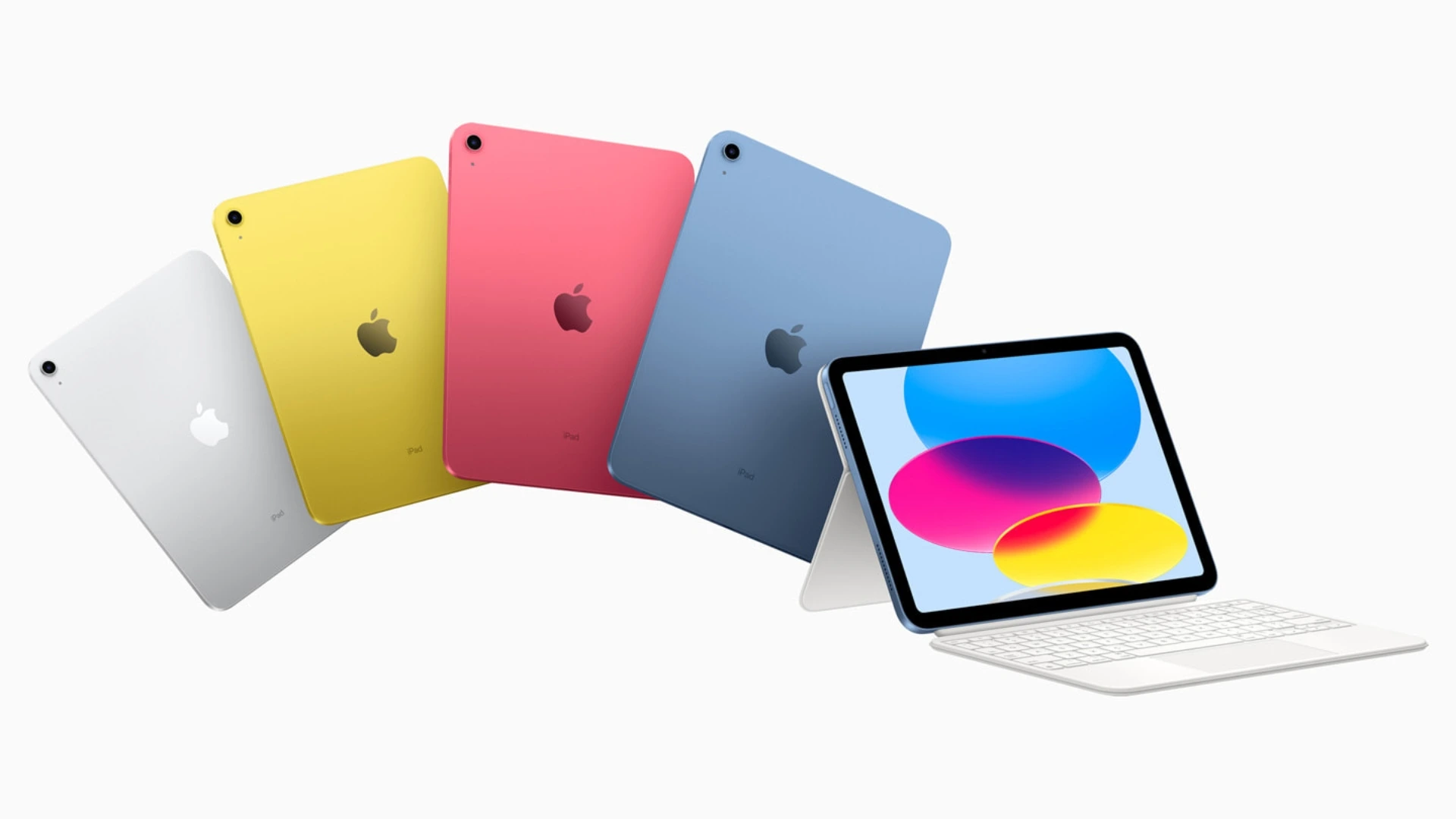
8. Apple iPad (2025)

Best iPad for Most People

★★★★☆ 4.0 out of 5


SPECS

  • DISPLAY: 11-inch Liquid Retina IPS LCD (1640 x 2360) 60Hz refresh rate
  • PROCESSOR: Apple A16 Bionic | Apple GPU (4-core)
  • MEMORY: 6GB RAM
  • STORAGE: 128GB / 256GB / 512GB
  • BATTERY: 28.93 watt-hours (Wh)
  • CAMERA: 12 MP (wide), 12 MP (ultrawide)
  • VIDEO: Up to 4K video at 60fps
  • WEIGHT: 477g (Wi-Fi) / 481g (LTE, eSIM)


REASONS TO BUY

  • Best value in the iPad series
  • Impressive A16 bionic performance
  • Increase base storage to 128GB
  • Well positioned selfie camera
  • Excellent software support
  • 20W charger included 

THE DEALBREAKERS

  • No Apple Intelligence support
  • Older screen technology
  • Slow USB-Type C port
  • Limited support for Apple Pencil
  • Expensive accessories

If you just want a reliable tablet that “just works” without draining your bank account, the iPad 11th Gen (2025) is hands down the best value pick of the year. Apple finally listened and bumped the base storage to 128GB, so you aren’t constantly deleting apps to make room for updates, and the A16 Bionic chip (the same one from the iPhone 15) is plenty snappy for streaming, schoolwork, and casual gaming. It’s the perfect “everyman” tablet—great battery life, that modern all-screen design, and a price tag that is actually reasonable for the quality you get.

However, it is definitely not the “best” if you want to future-proof your gear; the biggest letdown is that it does not support Apple Intelligence, so you miss out on all the cool new AI writing and Siri features that the iPad Air and Mini 7 have. Plus, the screen is still unlaminated (there’s a tiny air gap between the glass and the display) and stuck at 60Hz, which looks a bit dated and “floaty” compared to the crisp, laminated screens on almost every other Apple device.


7. OnePlus Pad 2

Best Android Performer

★★★★⯪ 4.5 out of 5


SPECS

  • DISPLAY: 12.1-inch 3K IPS (3000 x 2120) 144Hz adaptive refresh rate
  • PROCESSOR: Snapdragon 8 Gen 3 | Adreno 750 GPU
  • MEMORY: 8GB / 12GB RAM
  • STORAGE: 256GB 
  • BATTERY: 9510mAh
  • CAMERA: 13MP (wide) main camera | 8MP (wide) selfie camera
  • VIDEO: Up to 4K video capture at 30fps  
  • WEIGHT: 584g (1.29 lbs)


Reasons to Buy

  • Bright & Vivid HDR display with high refresh rate
  • Impressive performance
  • Strong battery Life with fast recharge
  • Unique tablet design
  • Loud speakers

The Dealbreakers

  • Poor main camera quality

Look, if you want the most bang for your buck in 2025, the OnePlus Pad 2 is arguably the best tablet you can grab. It’s running the Snapdragon 8 Gen 3 chip, which is still an absolute beast for gaming and multitasking, especially with that 144Hz refresh rate that makes everything feel incredibly snappy. The real game-changer, though, is the “Open Canvas” feature—it handles split-screen multitasking way better than the iPad, letting you keep three apps open and “nudged” off-screen without shrinking them down to useless tiny windows.

That said, it’s not perfect. If you’re a screen snob, you might be bummed that it’s using an LCD panel instead of the rich, deep-black OLED screens you get on the Samsung Galaxy Tab S series. Also, the Android tablet app ecosystem still feels a bit like a blown-up phone interface compared to the polished, tablet-first apps on iPadOS, and the lack of a secure fingerprint scanner (it only uses face unlock) can be a minor annoyance for banking apps.


6. Apple iPad Mini

The Best Compact iPad

★★★★☆ 4.0 out of 5


SPECS

  • DISPLAY: 8.3-inch Liquid Retina IPS LCD (1488 x 2266) 60Hz refresh rate
  • PROCESSOR: Apple A17 Pro | Apple GPU (5-core)
  • MEMORY: 8GB RAM
  • STORAGE: 128GB / 256GB / 512GB 
  • BATTERY: 5078mAh
  • CAMERA: Main 12 MP (wide) | Selfie 12 MP (ultrawide) 
  • VIDEO: Up to 4K video capture at 60fps
  • PORTS: USB Type-C
  • WEIGHT: 293g (Wi-Fi) / 297g (Wi-Fi + eSIM)


REASON TO BUY

  • Lightweight & portable
  • Impressive performance
  • Supports Apple Intelligence
  • Stylus support
  • Improved base storage

THE DEALBREAKERS

  • LCD display not OLED
  • Low refresh rate
  • No official Magic Keyboard 
  • Slow charging
  • No FaceID
  • Awkward camera placement

The iPad Mini (2024) is arguably the best tablet of the year if you prioritize pure portability and power—it’s basically the “Goldilocks” device that fits in a jacket pocket yet packs the serious punch of the A17 Pro chip (the same one in the iPhone 15 Pro), making it an absolute beast for handheld gaming and smooth multitasking with the new Apple Intelligence features. It’s fantastic for reading, taking notes with the new Apple Pencil Pro, or just lounging on the couch without the wrist fatigue you get from holding a massive 13-inch slate.

However, I wouldn’t call it the “best” if you’re a screen snob or a productivity power user; the display is still stuck at a 60Hz refresh rate (so you miss out on that buttery smooth ProMotion scrolling found on the Pro models), and the screen is just too cramped to be a true laptop replacement. Plus, the lack of an official Magic Keyboard case and the awkward portrait-oriented selfie camera make it a tough sell if you plan to use it for a lot of typing or Zoom calls.


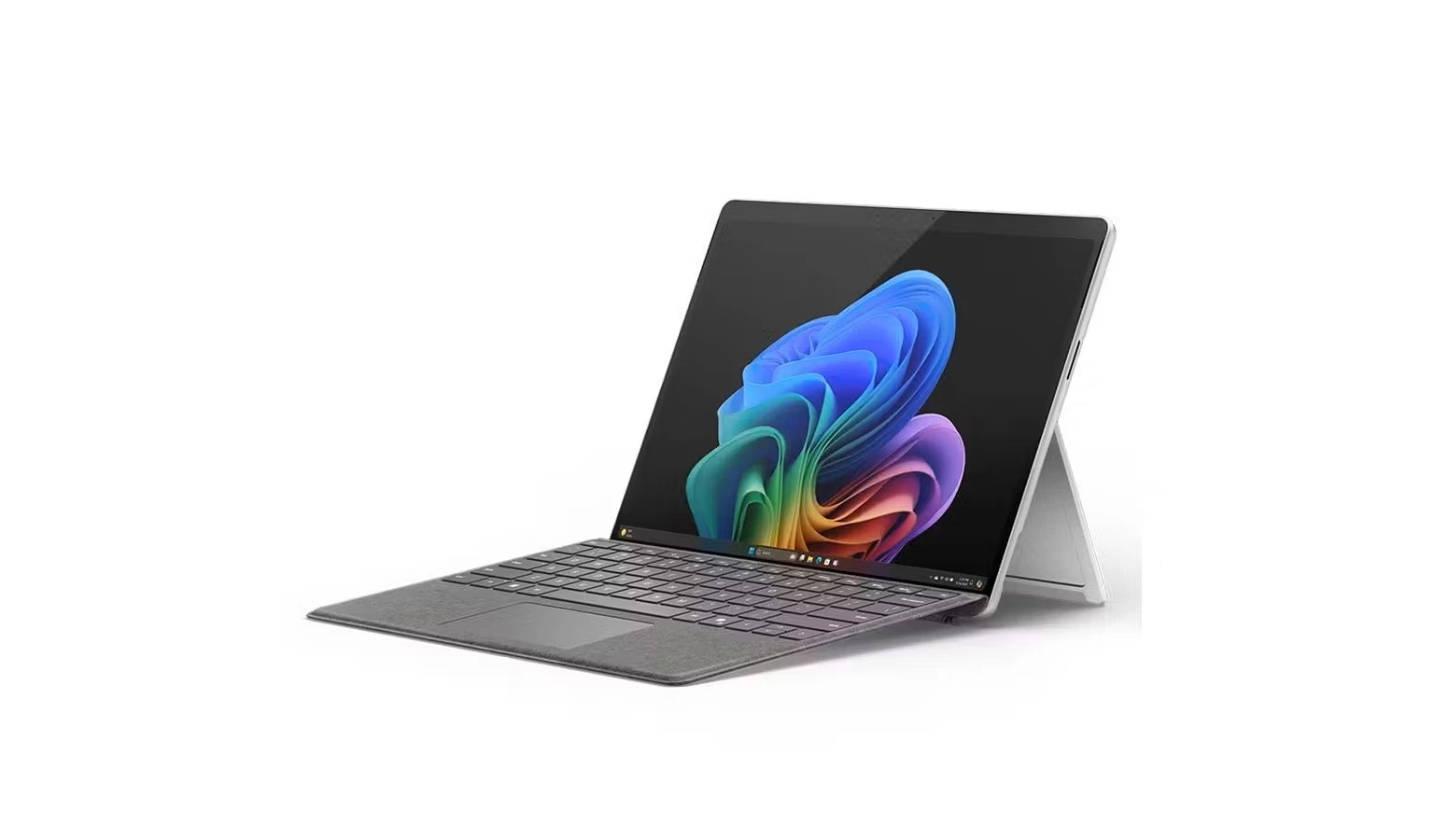
5. Microsoft Surface Pro 11th Edition (2025)

Best 2-in-1 for Windows

★★★★☆ 4.0 out of 5


SPECS

  • DISPLAY: 13-inch OLED PixelSense (2880 x 1920)
  • PROCESSOR: Snapdragon X Elite | Adreno GPU
  • MEMORY: 16GB / 32GB / 64GB RAM
  • STORAGE: 256GB / 512GB / 1TB SSD
  • CAMERA: 10MP (wide) main camera | 1440p web cam
  • WEIGHT:  895g (1.97 lbs.)


PROS

  • Bright & gorgeous OLED display
  • Lightweight & thin design
  • Includes Wi-Fi 7 & Bluetooth 5.4 connectivity
  • Good battery life
  • Includes charger in box
  • Excellent performance

CONS

  • Accessories are really expensive
  • Lacks useful AI features (Copilot+)
  • App compatibility issues
  • Battery life not as good as Apple iPads
  • Expensive

The Microsoft Surface Pro 11th Edition is the best 2-in-1 laptop yet, even though it includes some unfinished AI features and pricey accessories.  It’s got a sleek design and a super-fast Snapdragon X Elite chip that contributes to the excellent performance. No lag or freezing of apps on this one. And the new ‘Flex’ keyboard, although expensive, it’s a big upgrade from the last model.

The 13-inch OLED display looks bright and gorgeous too. Not as good as other OLED panels, yet better looking than the Surface Pro with IPS LCD screens. The battery life is not as impressive either as other iPads or MacBooks have created a new standard, yet on moderate use, you’re looking at a good day’s power to keep it going.  

If you love Windows and want a device that’s both a laptop and a tablet, the Surface Pro 11 is a top choice. But if you’re not a Windows fan, the iPad Pro with the M4 chip is a great, cheaper alternative. If you’re willing to splurge on the whole package, the Surface Pro is a powerful, long-lasting computer perfect for taking on the go.


4. Lenovo Legion Tab Gen 3 (Y700) 2025

Best Small Android Tablet for Gaming

★★★★☆ 4.0 out of 5


SPECS

  • DISPLAY: 8.8-inch IPS LCD (1600 x 2569) 165Hz refresh rate
  • PROCESSOR: Snapdragon 8 Gen 3 | Adreno 750 GPU
  • MEMORY: 12GB / 16GB RAM
  • STORAGE: 256GB / 512GB
  • BATTERY: 6550mAh
  • CAMERA: 13MP (wide) main camera | 8MP selfie camera
  • VIDEO: Up to 1080p video at 30fps
  • PORTS: USB Type-C
  • WEIGHT: 350g (12.35 oz) 


PROS

  • Fast performance
  • Strong battery life
  • Includes useful apps
  • Fairly priced
  • Compact sleek design

CONS

  • Dim display
  • Mediocre camera quality

Alright, if you’re a gamer who wants to dominate on the go, the Lenovo Legion Tab Gen 3 is hands-down the best tablet of 2025. This thing is an absolute beast for mobile gaming—it’s got the latest Snapdragon 8 Gen 3 chip, a super-fast 165Hz LCD display that makes every frame look buttery smooth, and a dedicated vapor chamber cooling system that actually keeps the chip from throttling during intense sessions.

Plus, the built-in haptics are surprisingly good, making games feel more immersive, and its relatively compact size makes it perfect for tossing in a backpack and bringing to a friend’s house for some multiplayer action.

However, let’s be real, it’s definitely not the “best” tablet for everyone. While amazing for games, the software experience outside of gaming feels a bit… unpolished compared to an iPad or even a Samsung tablet.

The camera quality is pretty mediocre, so don’t expect to take great photos with it, and the battery life, while decent, will drain quickly if you’re constantly pushing that high refresh rate and powerful chip. It’s truly a gaming-first device, so if you’re looking for something for productivity, creative work, or just general browsing, you might find its priorities a little skewed.


3. Apple iPad Air 11 (2025)

Best iPad for Gaming

★★★★⯪ 4.5 out of 5


SPECS

  • DISPLAY: 11-inch Liquid Retina IPS LCD (1640 x 2360) 
  • PROCESSOR: Apple M3
  • MEMORY: 8GB RAM
  • STORAGE: 128GB / 256GB / 512GB / 1TB
  • BATTERY: 7606mAh
  • CAMERA: 12MP (wide) | 12MP (ultrawide)
  • VIDEO: Up to 4K video capture at 60fps  
  • WEIGHT: 460g (1.01 lbs.)


PROS

  • Excellent M3 performance
  • Bright & vibrant screen
  • Strong battery life
  • Loud audio speakers

CONS

  • No major changes from the previous model
  • Refresh rate not as good as ‘ProMotion’

If you’re hunting for the tablet that hits the perfect balance of power and price in 2025, the iPad Air 11-inch (M3) is arguably the best tablet for 95% of people. It’s a huge win because it packs the insanely fast M3 chip—the same next-gen power that runs the newest MacBooks—meaning it absolutely flies through pro tasks like video editing and heavy multitasking, and crucially, it fully supports all the amazing new Apple Intelligence features.

Plus, it finally supports the awesome Apple Pencil Pro and comes in fun colors, all for a starting price that is hundreds less than the Pro model. 

However, it definitely cuts a few corners to keep that price down, which is why it’s not the ultimate “best.” The biggest miss is the display, which is a great laminated LCD (Liquid Retina), but it’s still stuck at a standard 60Hz refresh rate.

This means scrolling and animations just aren’t as silky smooth as the 120Hz ProMotion screen you get on the much more expensive iPad Pro. Also, you’re limited to the slower USB 3 port instead of the faster Thunderbolt port on the Pro, which can slow down things if you regularly work with massive external hard drives


2. Samsung Galaxy Tab S11 Ultra

Best Large Display

★★★★⯪ 4.5 out of 5


SPECS

  • DISPLAY: 14.6-inch Dynamic AMOLED (1848 x 2960) 120 refresh rate 
  • PROCESSOR: Mediatek Dimensity 9400+
  • MEMORY: 12GB / 16GB RAM
  • STORAGE: 128GB / 256GB 
  • BATTERY: 11600mAh
  • CAMERA: 13MP (wide) main camera | 8MP (ultrawide)
  • VIDEO: Up to 4K video capture at 30fps
  • WEIGHT: 695g (1.53 lbs.) 


PROS

  • All metal body design
  • Lightweight & portable
  • Superb large AMOLED screen with good brightness
  • Good battery life
  • Impressive performance
  • Includes S Pen stylus in box
  • Impressive quality audio
  • IP68-rated for water resistance 

CONS

  • No charger included
  • Expensive
  • Performance chip not as great as Apple M4
  • Need both hands to hold, too heavy for one hand
  • Keypad not included
  • Fairly slow charger

Hey! If you think “bigger is better” and you need a serious hybrid workstation, the Samsung Galaxy Tab S11 Ultra is definitely the best tablet of 2025. It’s a monster, rocking a gorgeous 14.6-inch Dynamic AMOLED screen that’s amazing for movies and multitasking, and it comes packed with the powerful Dimensity 9400+ chip, 16GB of RAM, and all the cool new Galaxy AI features.

Plus, the S Pen is still included for free, it’s super thin, and it’s even IP68 water-resistant—try taking your iPad Pro near the pool! With DeX mode, you get a real desktop experience that makes it a genuinely versatile laptop replacement.

That being said, it has some major downsides that stop it from being universally the “best.” First off, it’s absolutely gigantic—it’s too heavy and awkward to hold one-handed for long periods, making it more of a desk accessory than a casual couch companion.

While the chip is great, it’s not quite the raw powerhouse that the Apple M4 is, so the iPad Pro still holds the crown for ultimate benchmark performance. Lastly, you have to buy the keyboard separately, which is annoying for such an expensive tablet, and charging that massive 11,600 mAh battery is surprisingly slow, even with 45W charging


1. Apple iPad Pro 11 (M5) 2025

Best Overall Performance

★★★★★ 4.8 out of 5


SPECS

  • DISPLAY: 11-inch (1668 x 2420) / 13-inch (2064 x 2752) Ultra Retina Tandem OLED, 120Hz, HDR10, Dolby Vision
  • PROCESSOR: Apple M5 | Apple GPU (10-core)
  • MEMORY: 12GB / 16GB
  • STORAGE: 256GB / 512GB / 1TB / 2TB  
  • BATTERY: 10290mAh
  • CAMERA: Main camera 12 MP (wide) | Selfie camera 12 MP (ultrawide)
  • VIDEO: Up to 4K video at 60fps  
  • PORTS: USB Type-C, DisplayPort
  • MISC: 444 g (Wi-Fi), 446 g (5G)


PROS

  • Faster processing chip than M4
  • Excellent OLED quality display with incredible brightness
  • Lowest latency for Apple Pencil Pro2
  • Better GPU performance
  • Fast internal storage & data transfer
  • Fast charging

CONS

  • Very expensive (13-inch even more expensive)

Okay, if you’re asking for the absolute pinnacle of tablet technology in 2025, the Apple iPad Pro 11 (M5) is undeniably the best tablet you can get, hands down. It’s an absolute beast, running the ridiculously powerful M5 chip that leaves every other tablet (and most laptops!) in the dust, especially for video editing, 3D rendering, and intense creative work.

That stunning tandem OLED display is just gorgeous, with perfect blacks and incredible brightness for HDR content, and the new Apple Pencil Pro 2 (or whatever they call it) with even lower latency makes drawing feel like you’re working on real paper. Plus, with the advanced camera system and LiDAR scanner, it’s a dream for AR and professional photography workflows.

However, let’s be real—it’s definitely not the “best” for everyone. The price tag is absolutely insane, especially once you add the Magic Keyboard and Apple Pencil, pushing it into serious laptop territory.

iPadOS, while fantastic, still has some frustrating limitations compared to a full desktop OS like macOS or Windows, so certain professional applications might feel a bit constrained. And honestly, for most everyday tasks like browsing, streaming, or even light gaming, the M5 chip is pure overkill; you’re paying a huge premium for power you might never fully utilize.


Final Recommendations

Ultimately, 2025 has been a fantastic year for tablets, but your final choice really boils down to your budget and what you plan to use your tablet for. If you need the absolute, no-compromise best for heavy-duty professional tasks like 4K editing and 3D work, the iPad Pro (M5) is the clear winner.

For those who prioritize a massive, immersive display for entertainment and flexible desktop multitasking with the included stylus, the Samsung Galaxy Tab S11 Ultra is the ultimate Android machine. However, for most people, the iPad Air 11-inch (2025) hits the sweet spot perfectly, offering the M3 chip power and full Apple Intelligence features without the Pro’s astronomical price tag.

Whichever one of these beasts you choose, you’ll be getting a phenomenal upgrade, so don’t wait—upgrade your digital life today and experience 2025’s tech revolution! We’ve given you our top picks, but we want to hear yours: Did we miss your favorite contender, or which one did you end up buying? Drop a comment below and let us know 😀


Asus ProArt P16 (2025) Review: High Priced But Amazing

asus proart p16 2025 review

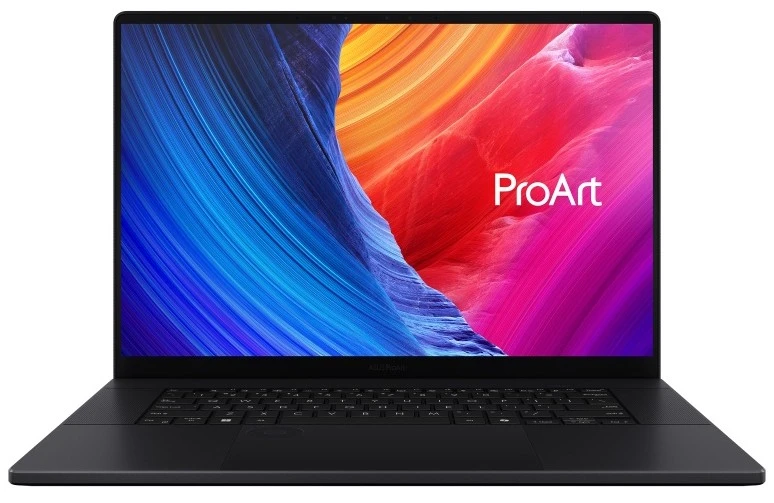
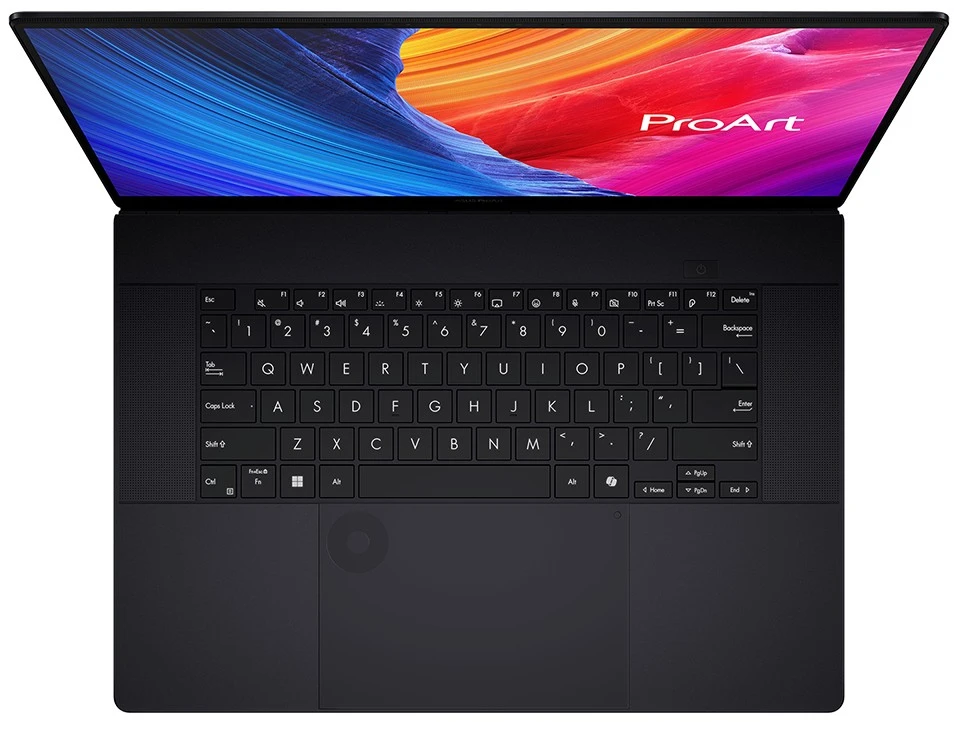
Asus ProArt P16 (2025)

The latest notebook designed to amplify your creativity

“if your work demands the very best performance, the ProArt P16 will definitely pay for itself by speeding up your workflow. It truly cements its spot as a top-notch tool for turning ideas into reality”


Overview

The world of powerful laptops for aspiring and pro creators turned upside down when Asus released the new ProArt P16 (2025). This isn’t just some small upgrade; it’s a massive deal. As this laptop is built to go head-to-head with the fanciest, most powerful desktop workstations (let’s not forget other powerful laptops!) out there, and it’s even giving Apple’s high-end Pro line some real competition.

Asus completely gets that today’s creative artists, content creators and video editors, need more than just a great graphics card. They need perfect color accuracy, tailored tools, and the freedom to do what they do well easily while traveling or at home. The 2025 model, with the latest AMD Ryzen AI chips and NVIDIA’s RTX 50-series graphics, is definitely gunning to be the best mobile studio you can buy right now. 


Specs

  • DISPLAY: 16-inch, 4K Lumina OLED touchscreen 60Hz (3840 x 2400), stylus support
  • PROCESSOR: AMD Ryzen™ AI 9 HX 370 CPU; AMD XDNA™ NPU up to 50TOPS NPU
  • GRAPHICS: NVIDIA® GeForce RTX™ 4070/5060/5070 (8GB GDDR7) GPU
  • MEMORY: 32GB/64GB LPDDR5X RAM
  • STORAGE: 2TB NVMe M.2 SSD
  • OS: Microsoft Windows 11 Home
  • I/O PORTS: 1x USB-C (4.0 Gen 3); 1x USB-C (3.2 Gen 2); 2x USB-A; 1x HDMI 2.1; 1x 3.5mm audio jack; 1x SD card reader
  • OTHER: 1.85 kg (4.08 lbs.); Wi-Fi 7(802.11be) + Bluetooth® 5.4; 1080p webcam; Backlit keyboard


The Great Features

1. Impressive Performance

The ProArt P16 delivers the most impressive performance thanks to one of the fastest processors, the AMD Ryzen AI 9 CPU, and one of the fastest graphics card bundle, which is the one of the following GeForce RTX (4070/5060/5070) GPU. Let’s not forget the 32GB (or 64GB) of memory (RAM), and 2-terabytes solid state drive (SSD) for storage of apps, and media. The top-range ProArt P16 model includes the same AMD chip, but with a better RTX 5090 GPU, 64GB of memory, and up to 4-terabytes of SSD storage. That’s insane.        

2. Sleek Design

This laptop doesn’t just work well, it looks awesome while doing it! It’s totally matte black everywhere—inside and out—giving it this super sleek, low-key vibe. The hinge is really clever; they call it a “stealth hinge” because it just disappears into the back. It looks totally modern, with only a tiny Asus logo in the corner as the only real flash. Plus, it doesn’t attract smudges and fingerprints which is an excellent bonus. 

When you open it up, the keyboard feels great and the backlighting is fantastic. We do wish the arrow keys were bigger, though—they’re just those tiny half-size ones. A numeric keypad would’ve been handy too, but let’s be fair, adding that would have made the whole thing feel way too cramped.

3. Impressive OLED display

With the ProArt P16 you’re getting a stunning 16-inch OLED touchscreen that comes with an outstanding 3840 x 2400 screen resolution. Let’s not forget the screen supports stylus inputs as well. The Asus ‘Lumina’ display panel is gorgeous with its perfect detailed, accurate colors, and 1600 nits of brightness. If you can find us a better OLED display, let me know cos we love how stunning this one looks.  

4. Lightweight & Portable & Durable

Get yourself a 16-inch backpack (or use your existing one) cos Asus has managed to keep the weight of the laptop down to 1.85 kgs (4.08 lbs.), which is not that heavy. And it has military-grade durability rating, so yeah, it’s tough, and can take the accidental knock off your table or whatever life throws at it.    


5. Includes Asus ‘DialPad’ Feature

The touchpad here is big—like, seriously spacious, which is great for tracking, even if it feels a little too large sometimes. But the real star is that little dial sitting in the top-left corner. That’s the ASUS DialPad, and it’s built right into it. 

It’s a total game-changer for creative apps. You just spin the dial to make quick tweaks and adjustments in programs like photo and video editors. For instance, in CapCut (which already comes installed!), you can zoom in and out or step through your video clip frame-by-frame super fast. It also plays nicely with all the Adobe apps.

The best part? You can easily customize what the dial does in the ProArt Creator Hub settings. And get this: even when you’re not in an app, it lets you quickly adjust your system volume and screen brightness without lifting your hand off the pad. Sweet!

Now, about the software that comes with it. You get a bunch of cool stuff like CapCut, Nvidia Studio Suite, plus the Asus file manager (StoryCube) and a creative assistant (MuseTree). Oh, and since it’s a Copilot+ PC, you also get access to all those new Microsoft AI tools. I gave all of these a test run, and they’re definitely helpful additions—they make things easier, even if they aren’t totally mind-blowing. 

6. Excellent Heat Management 

When it comes to the ProArt P16’s cooling sytem, it’s a bit of a mixed bag. Asus loaded it up with a pretty serious three-fan system and lots of vents to handle the power. When you’re just kicking back and doing some light browsing or writing, it’s super quiet and cool—you can barely hear the “Whisper Mode” running. But, when you fire up those heavy-duty tasks like 3D rendering or some serious gaming, those powerful components really heat up.

The fans definitely have to kick into high gear to keep up, and they get pretty loud—like, definitely noticeable loud. It does the job to keep the chips from frying (with the CPU often hitting the 80-95°C range under max load), but don’t expect silent operation when you’re pushing it hard.


The Deal Breakers

1. Top-range Way Overpriced

Basically, the P16 is a seriously premium machine, and the price reflects that high-end creator status. The configurations start around $1,999 to $2,200 for the entry-level models, which typically include the AMD Ryzen AI 9 processor, 32GB of RAM, and an NVIDIA GeForce RTX 4060 or 4070 GPU. However, once you start beefing it up with more powerful graphics like the RTX 5070 or the top-tier RTX 5090, and double the RAM to 64GB, the price quickly jumps into the $2,700 to $4,000 range and beyond.

This means the ProArt P16 sits squarely in the most expensive bracket, putting it in direct competition with rivals like the fully-loaded Razer Blade 16 and the Apple MacBook Pro. While it offers incredible performance and a gorgeous 4K OLED screen for that price, many reviewers agree that it’s definitely an expensive laptop, and you really need to be a dedicated creator to justify the cost over a slightly more affordable (but less specialized) option.

2. Cooling Fans Get Loud on Heavy Use 

When you’re doing light tasks, like just browsing or editing documents, the laptop is actually quite quiet, especially in “Whisper Mode” where noise levels stay around 35 dBA. That’s great. However, the moment you launch those intensive creative applications—like rendering a complex 3D scene, compiling a massive project, or doing some high-end gaming—the cooling fans switch into a much more aggressive profile to handle the heat.

In these demanding scenarios, the fan noise can jump to over 50 dBA and sometimes even higher in Full Performance mode. In short, the cooling fan system does its job keeping the powerful CPU and GPU from overheating, but it trades that performance stability for a significant and often intrusive amount of noise.

3. Short battery life

While it packs a large 90Wh battery, you need to manage your expectations based on what you’re doing. Here’s the breakdown: If you’re just cruising the internet, working on documents, and doing low-power tasks, you can generally expect to see a solid 9 to 10 hours before it gives up. That’s a decent amount of time to be unplugged. For creative work and gaming, this is where it drops fast.

Once you engage that powerful NVIDIA GPU for heavy tasks like editing multiple 4K video streams or intense rendering, the battery life plummets. In real-world testing, people often find they get only 3 to 5 hours of dedicated creative work. So, while it can hang in there for a full day of light work, if you need that maximum creative power, you’ll definitely want to keep that laptop charger handy.


The Other Players: Meet the Alternatives

So, who else is playing in this super-creative-high-power league? If the P16 isn’t quite your jam, or you just want to check out the competition, you’ve got a few heavy hitters to look at:

1. Apple MacBook Pro (M4)

The Apple Laptop for Creators

★★★★⯪


If you’re not really feeling the ProArt P16, and like using MacBooks, then check out the Apple MacBook Pro 16-inch (M4). It’s usually the better choice, especially if you’re a creative type. Why is it you ask? The battery life is better. Yep. You can literally ditch the laptop charger because as the battery lasts longer than the ProArt P16. No more worrying about the short battery or having to find a power outlet at your nearest cafe. Plus, the whole M4 chip/macOS combo is just so smooth and optimized for stuff like Photoshop and Final Cut; it just works right away. You won’t have to tinker with drivers or settings much, and it stays super cool and quiet even when you’re pushing it hard. The only issue is that the MacBook Pro is more expensive than the ProArt P16, but hey if you can afford it then you’ll reap the benefits.  


2. Microsoft Surface Laptop (7th Edition, 2024)

Microsoft’s Own Creator Laptop

★★★★☆


If you’re not a full-time professional creator who needs every ounce of GPU power, the Microsoft Surface Laptop (7th Edition) is an awesome, super-friendly choice! It’s way lighter and more portable than the big Asus ProArt P16, making it perfect for carrying around all day.

More importantly, thanks to its super-efficient Snapdragon chip, the Surface offers absolutely legendary, all-day battery life—you can seriously leave the power brick at home. Plus, you get that premium, clean Microsoft design and a fantastic, snappy keyboard/haptic trackpad combo that just feels great for everyday work and chilling out.

3. Asus ROG Zephyrus G16

A More Faster Creator Laptop From Asus

★★★★⯪


If you’re leaning toward the Asus ROG Zephyrus G16, it’s a solid move, especially if you want a machine that’s more of an all-star performer. The ProArt P16 is seriously powerful, but the G16 is designed to be faster for everything you see. It packs a lightning-quick 240Hz screen and includes vital features like GSync and a MUX switch, which the ProArt lacks.

That basically means the Zephyrus G16 is engineered to give you smoother frame rates and peak GPU performance for gaming or anything that needs a super-responsive display, making it a better, faster pick for a fun mix of work and play.


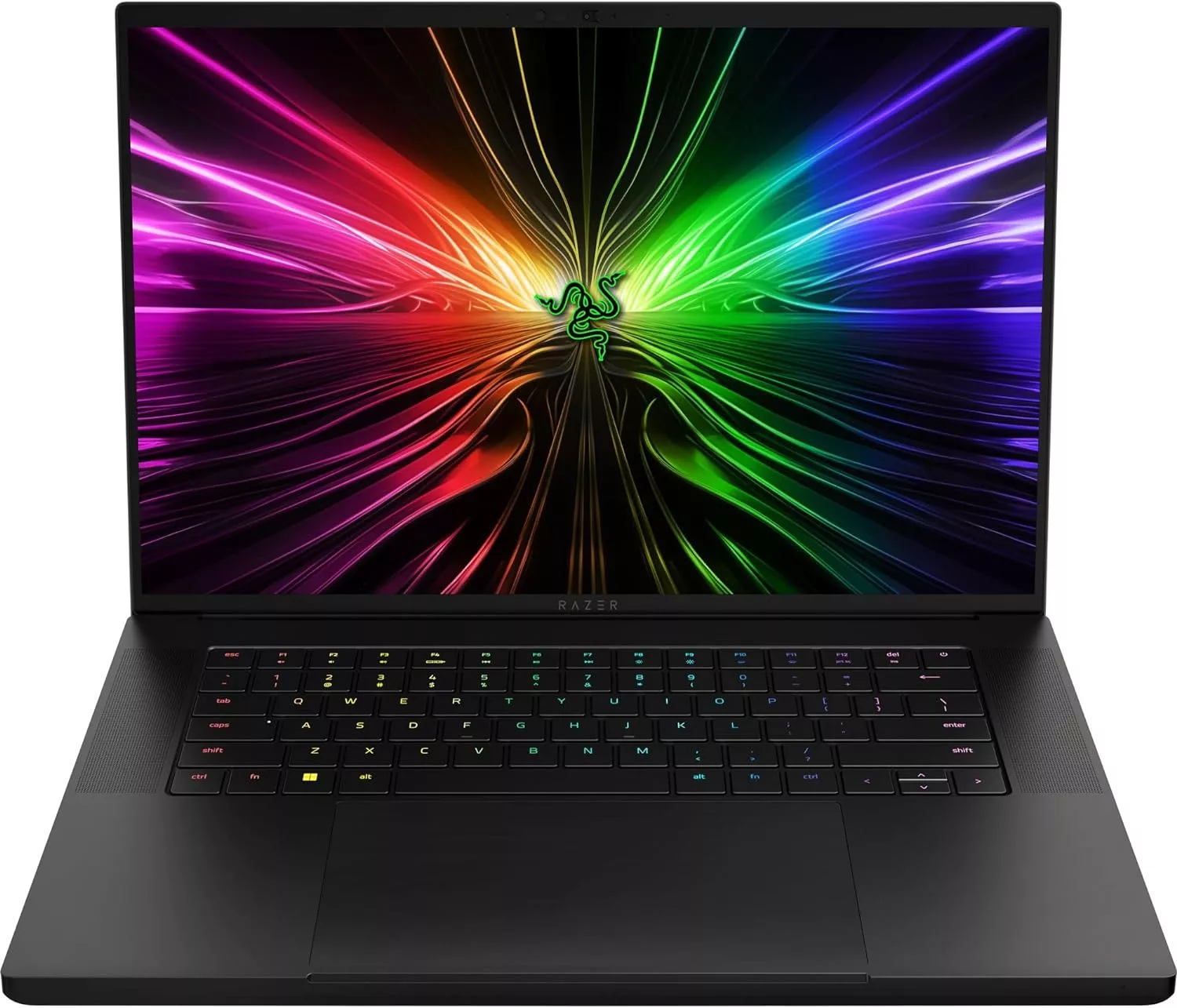
4. Razer Blade 16

A Gaming Laptop Also For Creativity

★★★★⯪


If you’re deciding between the Razer Blade 16 and the ProArt P16, the Blade 16 really shines if you want that extra edge in performance and a more polished overall feel. For one, the Blade 16 is a champion for gaming, rocking a 240Hz QHD+ OLED display along with MUX and GSync support, which gives you super-smooth, tear-free visuals—something the ProArt’s 120Hz 4K screen is lacking.

Plus, the Blade 16 lets its GPU run at a higher power limit for better raw performance when you need it. On top of that, the Blade 16 just feels more premium and intentional; it has those little quality-of-life wins like a sturdier screen hinge, a better-designed power plug, and a superior per-key RGB keyboard lighting for maximum customization and flair. It’s simply built to perform and feel good while doing it.


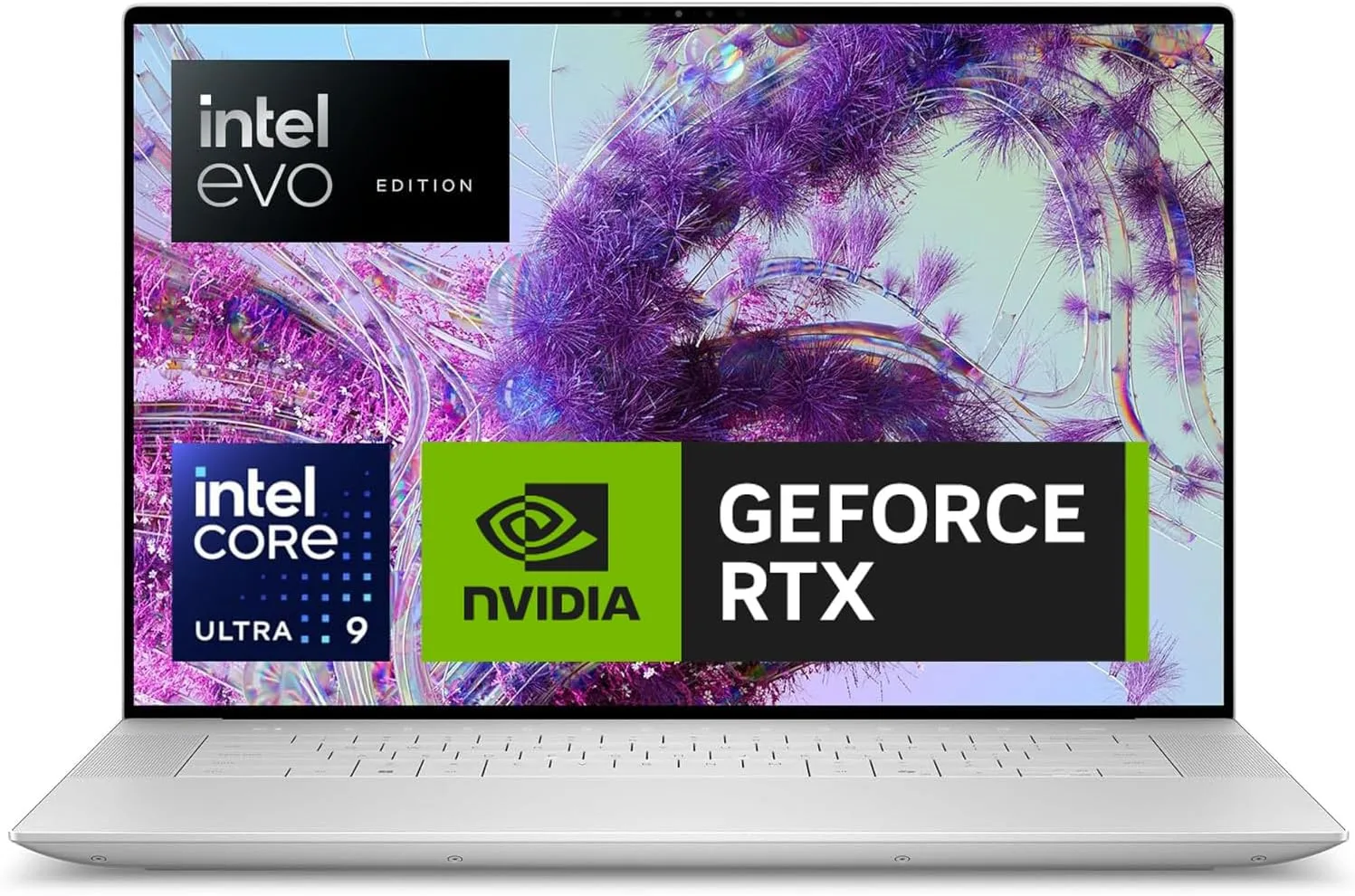
5. Dell XPS 16

The All-Rounder Premium Laptop

★★★★☆


If you’re eyeing both the Dell XPS 16 and the Asus ProArt P16, you might find that the XPS 16 simply offers a more polished, premium experience that feels fantastic in your hands. A lot of people feel the Dell has a much superior and sturdier build quality that just oozes high-end design, right down to the super-smooth haptic touchpad and integrated, minimalist keyboard.

Beyond the sleek look, you might also find that the XPS 16 is a better partner for all-day use, as some folks have reported seriously impeccable battery life for non-heavy work, making it an excellent companion when you’re away from an outlet. It’s the laptop you choose when a reliable, beautifully constructed machine that looks and feels top-tier is your absolute top priority.


Final Verdict

So, is the ProArt P16 worth the mountain of cash? If you’re a professional designer, 3D artist, or video editor who absolutely needs desktop power but has to work on the go, then yes, it’s a no-brainer. This machine is built specifically for you. The combination of its raw processing power, the groundbreaking AI chip, and that stunning, color-accurate OLED screen makes it one of the most compelling portable workstations ever built.

It’s a big investment and pricey (especially the top range model), but if your work demands the very best performance, the ProArt P16 will definitely pay for itself by speeding up your workflow. It truly cements its spot as a top-notch tool for turning ideas into reality. Ready to upgrade your workflow? Stop thinking and seriously just grab this laptop—it’s the best tool your creativity can ask for.

Thank you very much for checking out the Asus ProArt P16 (2025) review. We’d love for you to express yourself and to hear what you think. Have you tried the P16 or one of the alternatives? Drop your thoughts and questions in the comments section below 😀


Great Budget Gaming Laptops of 2025

great budget gaming laptops

When you hear “gaming laptop,” you probably picture a machine with a four or five-figure price tag that could double as a down payment on a car. It’s tough to get into PC gaming without feeling like you have to empty your wallet. But guess what? We’re here to tell you that high-performance gaming doesn’t have to mean bankruptcy. The world of tech has finally caught up, and now, killer rigs with dedicated graphics cards, fast screens, and serious processors are slipping into the budget-friendly price bracket.

In this post, we’ve done the heavy lifting and crunched the numbers to find the best machines that deliver a fantastic gaming experience for your hard-earned cash. We’ll start with a quick breakdown of the core components you need to look for (and what you can skip) and then dive straight into our top 5 picks for great budget gaming laptops this year. Ready to snag a machine that can crush the latest titles without crushing your savings? Let’s jump in.


Quick Summary


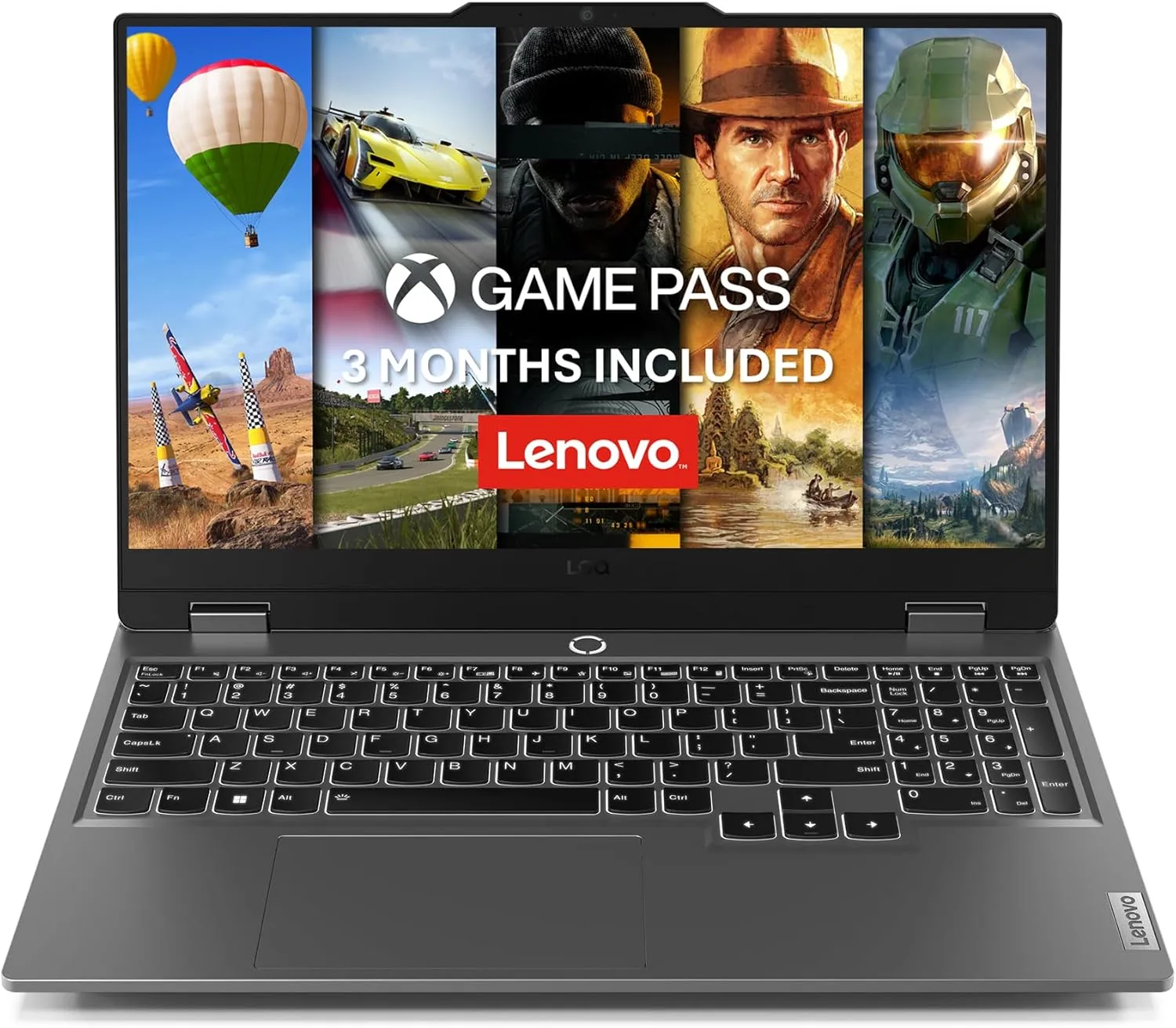
Lenovo LOQ 15

Best Price-to-Performance

Excellent value thanks to aggressive component mixing (often a strong GPU/CPU combo). Good, minimal design that blends in anywhere. Often features user-upgradeable RAM and storage.

Price range: $800 – $1,200

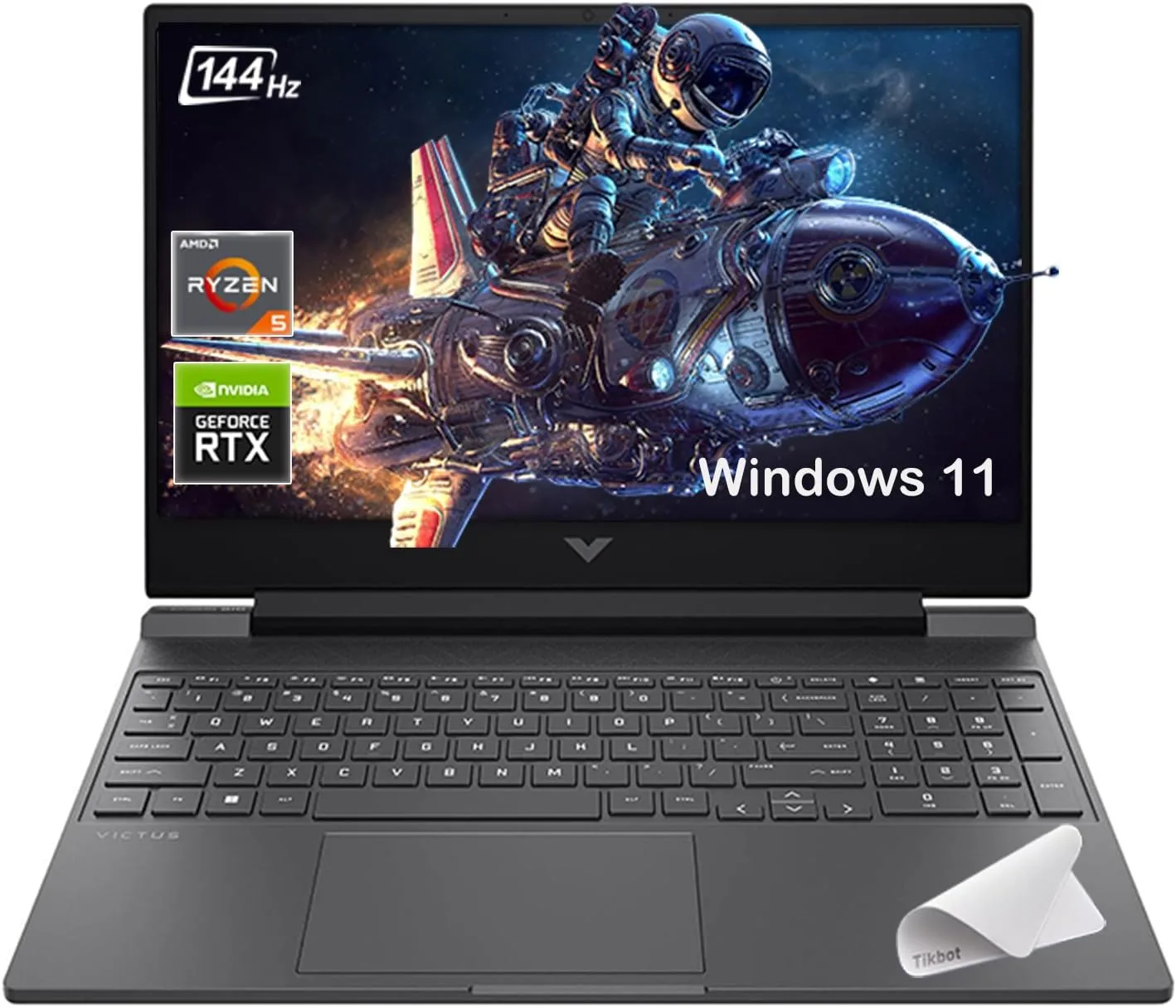
HP Victus 15 (2025)

Best Design & Portability

Features the sleekest, most non-aggressive aesthetic in the budget segment. Surprisingly long battery life (for a gaming laptop) on certain configurations, making it great for hybrid use. 

Price range: $750 – $1,100

Acer Nitro V

Lowest Entry Price

A common choice for aggressively-priced sales. The Nitro series often features a high refresh rate screen and a powerful GPU (like an RTX 4050/4060) at a very low price, prioritizing FPS per dollar.

Price range: $700 – $1,050


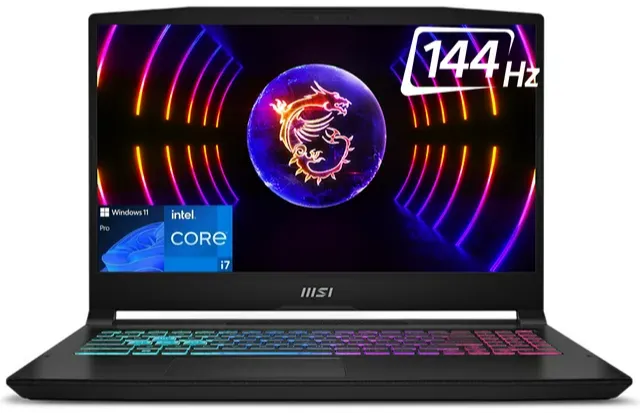
MSI Katana 15 HX

Raw Specs & High-End CPU Options

MSI often focuses on powerful core components like high-core Intel HX processors, giving it a lead in CPU-intensive tasks and multitasking. Typically features a 4-zone RGB keyboard and a more traditional “gamer” look.

Price range: $900 – $1,300

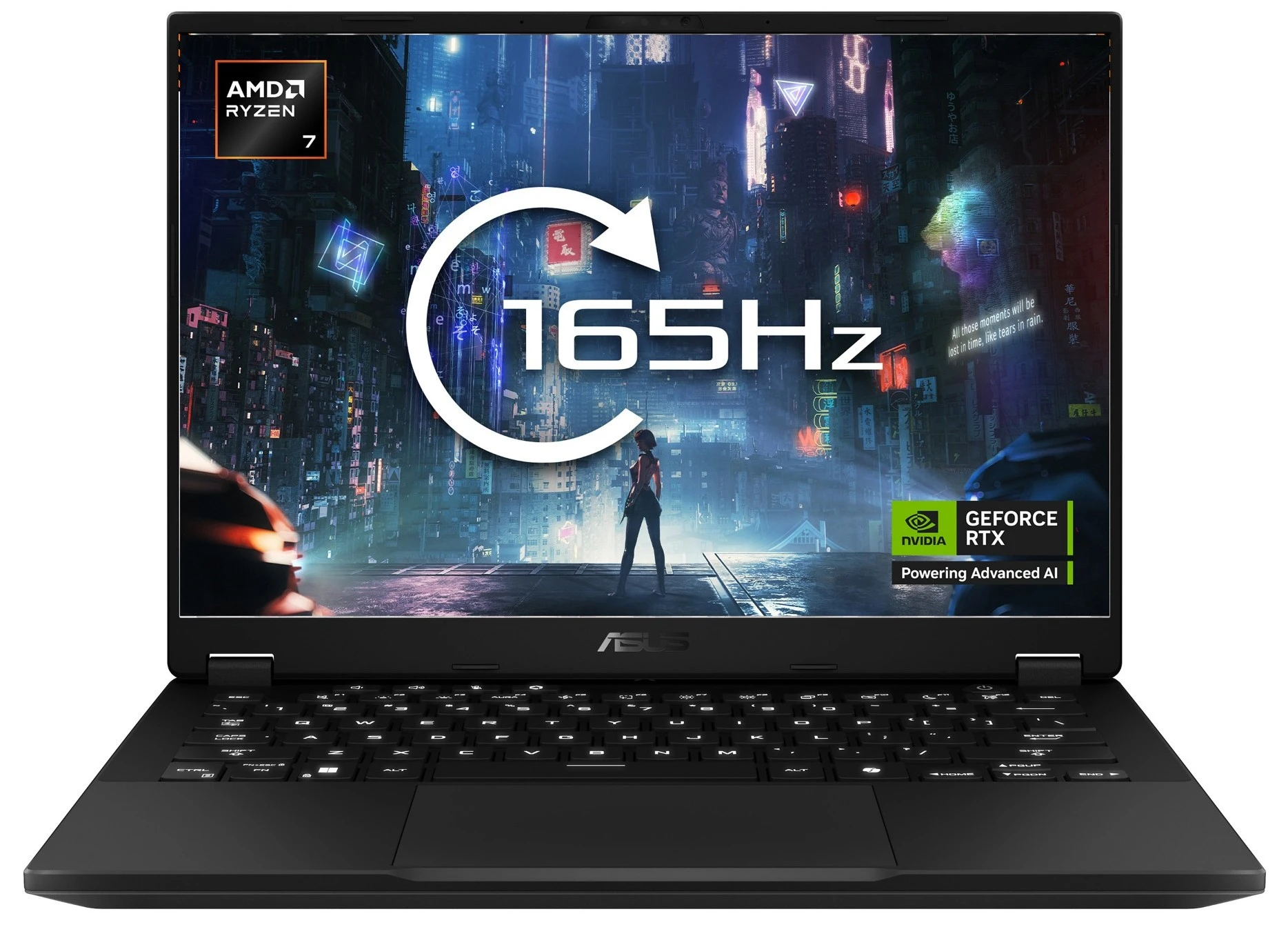
Asus TUF Gaming A14

Best Premium Portability & Durability

Moving into the thin-and-light territory. Offers a compact 14-inch form factor with MIL-STD-810H durability. Great thermal design for its size, but generally a higher starting price than the 15-inch “true budget” options.

Price range: $1,200 – $1,700


What Actually Makes a Gaming Laptop ‘Budget-Friendly’?

Before we dive into the specific gaming laptop models, let’s talk about what you should look out for when shopping. Buying a budget gaming laptop is all about making smart trade-offs. You need to know where you absolutely cannot compromise (like the GPU) and where you can save a some extra (like the external design). Think of this as your cheat sheet for spotting a genuinely good deal.


1. The Graphics Card (GPU): The Most Important Piece of the Puzzle

If a laptop has “Gaming” in the name, but no dedicated Graphics Processing Unit (GPU), walk away. Seriously. The GPU is the engine that renders the beautiful, chaotic worlds of your favorite games.

In the budget realm, we are looking for entry-level dedicated GPUs. Think along the lines of the NVIDIA GeForce RTX series or an AMD Radeon series equivalent. These cards are the absolute sweet spot because they can handle most modern titles at high settings, delivering a smooth 60 frames per second (FPS) at 1080p resolution. That’s enough power for fun, competitive, and beautiful gaming. 

Here’s a casual tip to look out for to meet the minimum specs for gaming: (1) Look for at least 4GB of dedicated VRAM (Video Random Access Memory). Less than that and you’ll hit a wall on modern textures. (2) If you see an NVIDIA RTX 3050 or RTX 4050 in a good sale, that’s your target. They offer the best bang-for-your-buck performance right now.


2. CPU, RAM, and Storage: The Supporting Cast

While the GPU handles the graphics, the CPU (Central Processing Unit), RAM, and storage keep everything running smoothly. Think of them as the perfect supporting cast that ensures your game loads fast and doesn’t stutter when things get hectic.

With the CPU, you don’t need the most expensive Intel Core i9 or AMD Ryzen 9. A modern Intel Core i5 or AMD Ryzen 5 (usually a quad-core or hexa-core processor) is perfectly capable of keeping up with that budget GPU. Aim for a recent generation for the best efficiency.

With RAM (Memory), this is often a great place to save money initially, but here’s a pro tip: 8GB is the minimum, but 16GB is the dream. If you buy an 8GB laptop, make sure it’s easily upgradeable later. Seriously, 16GB of RAM is often the easiest and cheapest upgrade to make a huge difference in performance.

Forget hard disk drives (HDDs). A solid-state drive (SSD) is non-negotiable. It makes Windows boot instantly and games load lightning-fast. To keep the cost down, you might only get a 512GB SSD. That’s fine. You can always manage your game library or purchase a cheap external HDD for older games and media.


3. The Display: Don’t Skip on Hertz

This is an area where budget manufacturers sometimes try to cut corners. A powerful GPU is useless if your screen can’t display the frames it’s pumping out. For a budget gaming laptop, your screen should absolutely be 1080p (Full HD).

Why? Because the GPUs we discussed are optimized for this resolution. Sticking to 1080p allows the budget GPU to work efficiently, giving you that smooth, fast 120Hz or 144Hz gaming experience. This is far more important for competitive and enjoyable gameplay than pure resolution.

The most important spec is the refresh rate, measured in Hertz (Hz). You must aim for 120Hz or 144Hz. This means the screen refreshes 120 or 144 times every second, resulting in a much smoother, crisper, and more responsive gaming experience compared to a standard 60Hz screen. Trust us, once you experience gaming at 120Hz, you won’t look back.


Top 5 Great Budget Gaming Laptops


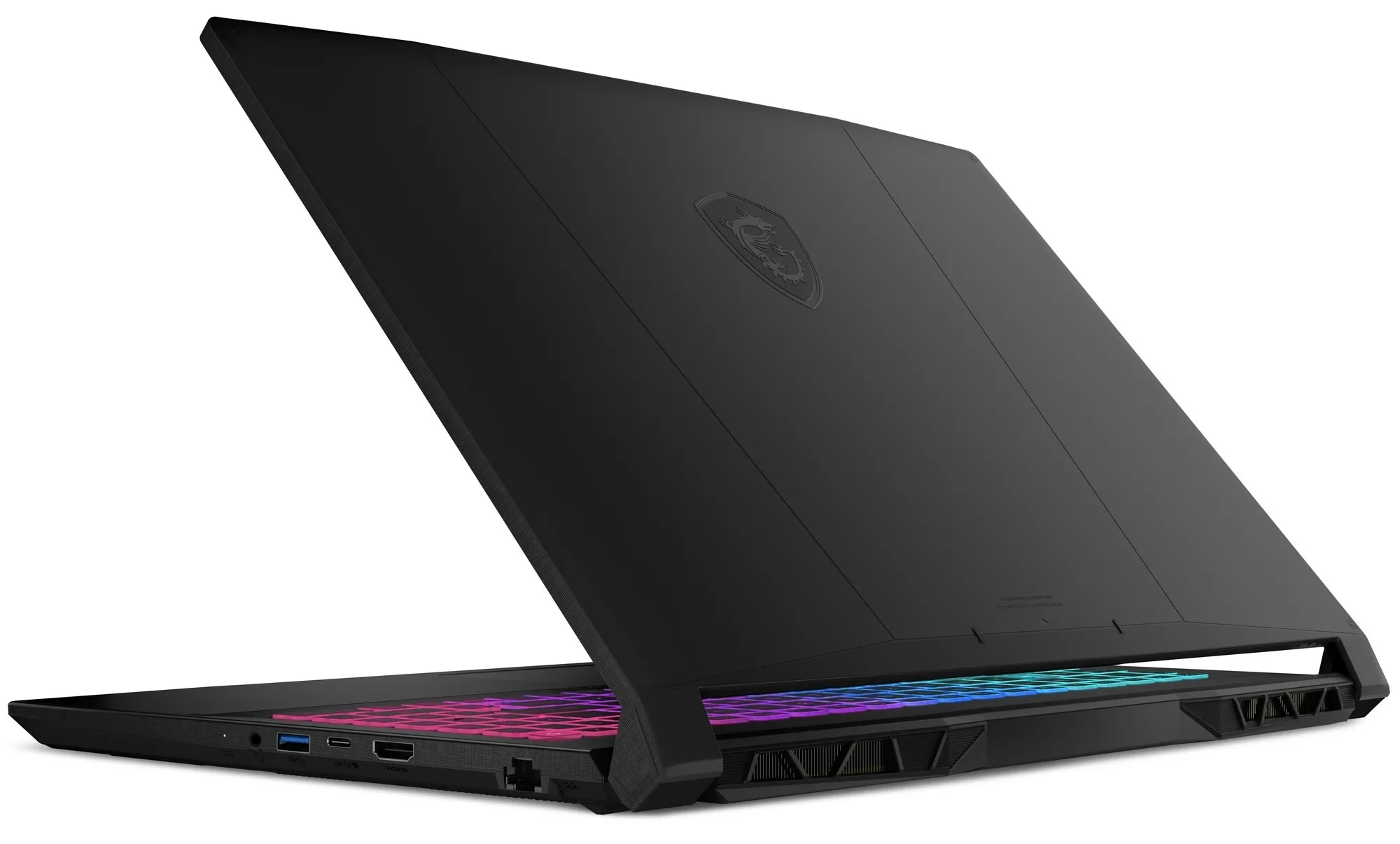
1. MSI Katana 15 HX (2025)

A Popular Budget Gaming Laptop for Budget-Conscious Gamers

★★★★☆ 4.0 out of 5

Specs

  • Display: 15.6-inch, FHD IPS (1920 x 1080), 144Hz refresh rate
  • CPU: Intel Core i7-14650HX 
  • Graphics: NVIDIA GeForce RTX 5050 (8GB GDDR7)
  • Memory: 8GB / 16GB DDR5 of RAM
  • Storage: 512GB SSD NVMe
  • Other: Windows 11 OS | weighs 4.96 lbs. (2.25kg) | Wi-Fi 6E, Bluetooth 5.3

Pros

  • Impressive overall performance
  • Comfortable RGB keyboard
  • Able to run AAA games with DLSS 4
  • Good connectivity features
  • Decent weight

Cons

  • 512GB too small for storing games
  • Chunky 15-inch build
  • Fairly dim display

Think of the MSI Katana 15 HX as the gold medalist in the budget gaming Olympics. In a world where gaming gear keeps getting pricier, this gaming laptop proudly sticks to the $900 – $1300 price range, and it truly earns its reputation. What makes it stand out? It hits new performance peaks for a budget machine, thanks to its powerful combination of an Intel Core i7-14650HX processor and an Nvidia GeForce RTX 5050 graphics card. If you’re playing a graphically demanding game that supports it, you can push those frame rates even higher using DLSS 4 technology.

Let’s be clear: this isn’t a super-powered, wallet-busting beast for hardcore enthusiasts. Instead, it’s a wonderfully capable workhorse that can comfortably deliver 60fps across a wide variety of popular games. While you might find a laptop that is technically cheaper, the Katana offers the best blend of price and performance for the largest number of shoppers. It’s the fully capable, future-ready package that sets a new standard for gaming on a tight budget.


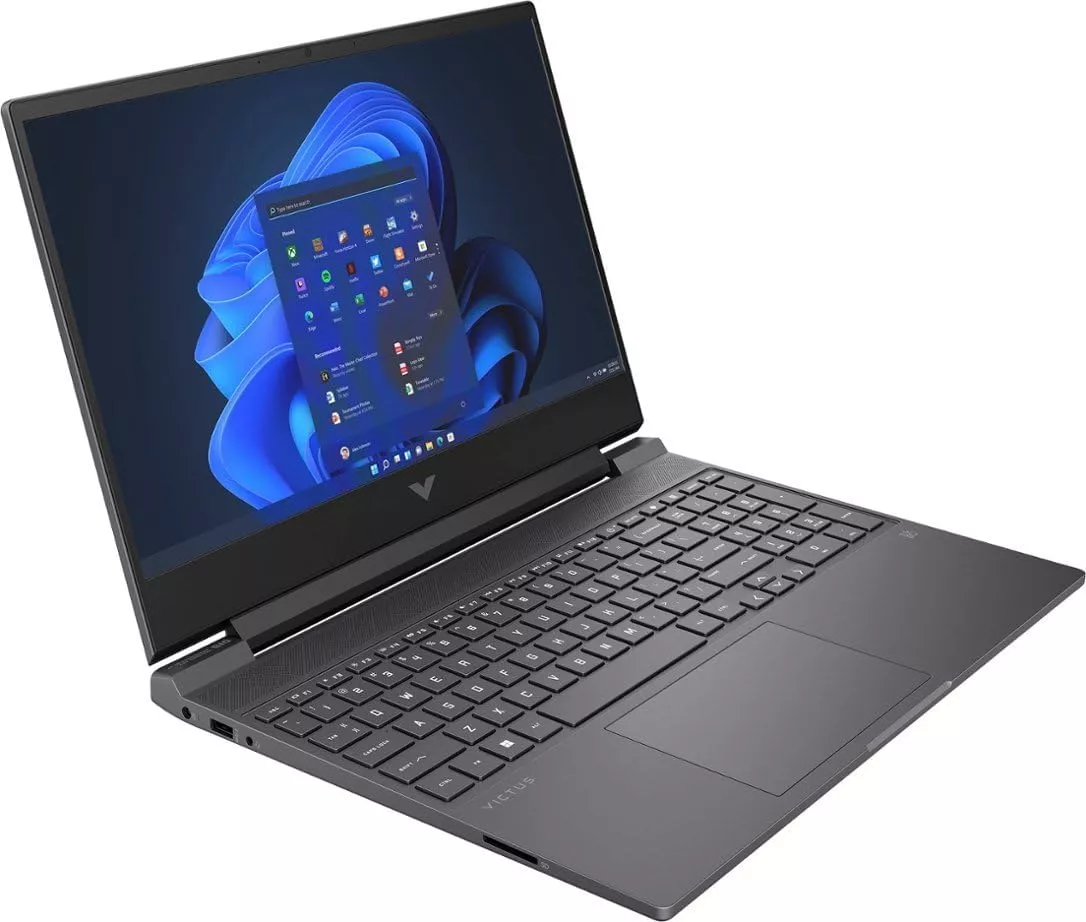
2. HP Victus 15 (2025)

The Most Affordable HP Gaming Laptop 

★★★⯪☆ 3.5 out of 5

Specs

  • Display: 15.6-inch, FHD IPS (1920 x 1080), 144Hz refresh rate 
  • CPU: AMD Ryzen™ AI 5 – 340
  • Graphics:  NVIDIA® GeForce RTX™ 5050 (8GB)
  • Memory: 16GB DDR5 of RAM
  • Storage: 512GB SSD
  • Other: Windows 11 Home OS |  weighs 5 lbs. (2.29 kg) | Wi-Fi 6, Bluetooth 5.4

Pros

  • Great price
  • Good overall performance
  • Looks more like a work laptop

Cons

  • Battery life is not so great
  • Design is just plain

Looking for a gaming laptop that won’t totally empty your wallet? Well, look no further. This one starts at just a sweet $750 for the base model and top-range, you’re looking at a paying only $1,100. It’s tough to find a cheaper entry into PC gaming. No matter your budget, there’s a version of this machine just waiting for you. This isn’t just a gaming machine. Sure, it runs most games nicely, but it’s a solid all-rounder, too. It has all the ports and features you need for things like binging movies, video chatting with friends, or just crushing your everyday tasks.

If you care about Mother Earth, then listen to this: a bunch of the laptop’s parts are made from recycled and sustainable materials. You get to game while feeling a little better about your footprint. Okay, real talk about the battery: if you need to game or work far away from an outlet, this one might disappoint. It gets about up to 4 hours of battery life at most, so you’ll want to stay pretty close to a plug. Don’t plan on an all-day coffee shop session without your charger.

Heads up, this laptop keeps things very simple on the outside. The design is a little… dull. We’re talking basic colors on a plain body and a keyboard that won’t turn any heads. It’s built for function and sustainability, not for winning beauty contests. If you need a stylish laptop, this probably isn’t the one. Overall, the HP Victus 15 is one of the most affordable gaming laptops to get right now. Not the best gaming laptop, but it gets the job done. 


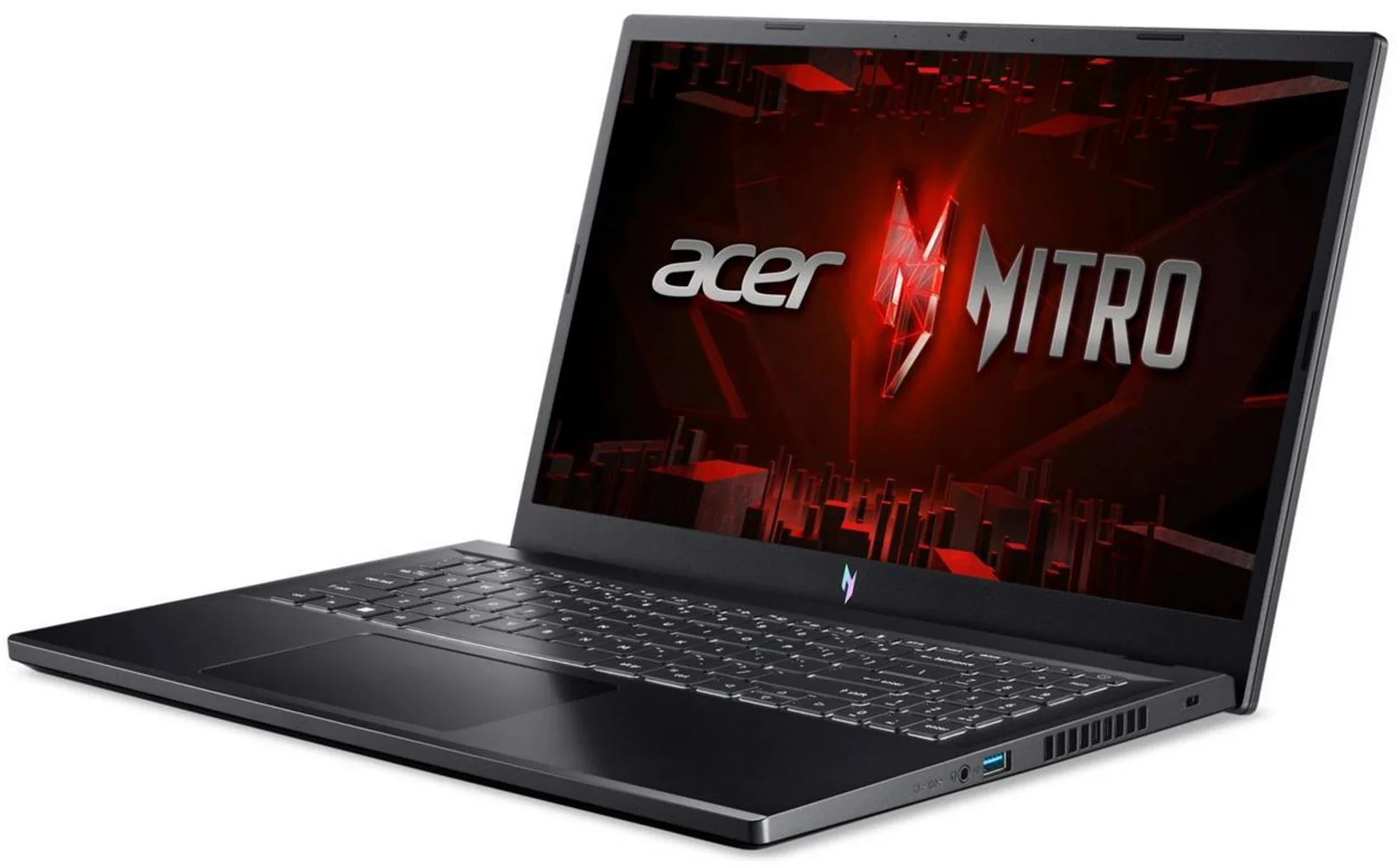
3. Acer Nitro V

The Most Affordable Gaming Laptop from Acer

★★★⯪☆ 3.5 out of 5

Specs

  • Display: 15.6-inch, FHD IPS (1920 x 1080), 165Hz refresh rate 
  • CPU: Intel® Core™ i5-13420H
  • Graphics: NVIDIA® GeForce RTX™ 5050
  • Memory: 16GB RAM
  • Storage: 1TB SSD 
  • Other: 720p webcam | Windows 11 Home | weighs 2.11 kg (4.65 lbs.) | Wi-Fi 6 | Bluetooth 5.1  

Pros

  • Impressive overall performance
  • Comfortable RGB keyboard
  • Well built
  • Includes 2 SSD slots
  • Decent connectivity & weight

Cons

  • Loud cooling fans
  • Average webcam
  • Low color display
  • Average sound speakers

The Acer Nitro V is a solid pick if you’re trying to save some cash for your gaming rig, though it does have a couple of quirks you should know about. Here’s what we like about it. The overall performance is great for the price. This laptop packs a punch with its Core i7 processor and RTX 4050 graphics card. It delivers totally satisfying frame rates for gaming at 1080p resolution. It looks pretty good too. The design is flashy but still tasteful—it looks like a gaming laptop without being over the top. You also get a set of good ports and connectivity. It’s easy to upgrade later, and the battery life is surprisingly decent for a budget gaming machine. 

Here’s the not so good parts. The biggest downside is that the cooling fans are seriously noisy. You’ll definitely want a good pair of closed headphones to tune them out. The screen looks good but it’s not the best. The display looks below average, and the colors are not that great, even for budget laptops. We also wish the webcam was sharper and the speakers sounded a bit better. Overall, if your budget is totally maxed out, the Nitro V 15 is still a very decent entry-level choice for gaming


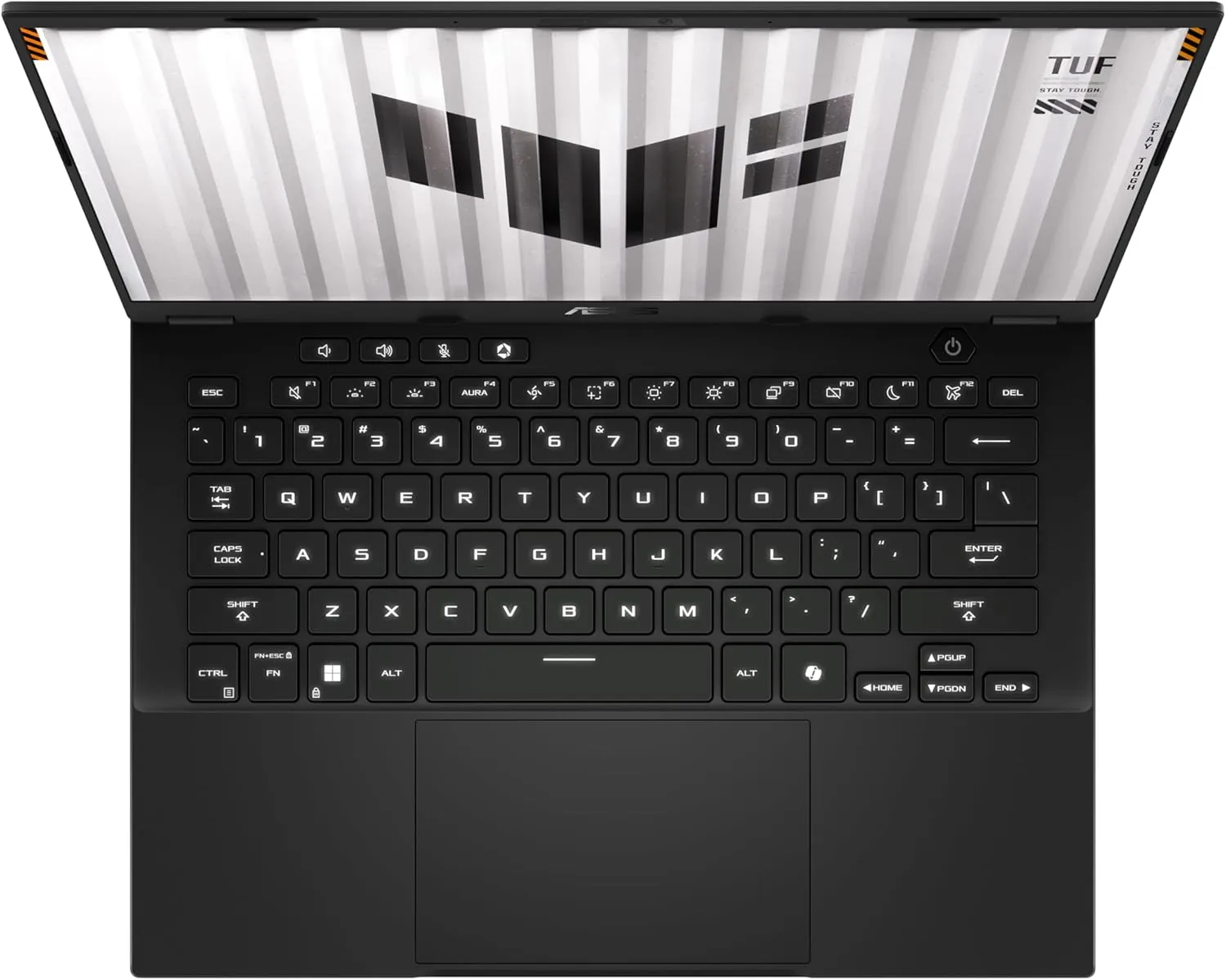
4. Asus TUF Gaming A14 (2025)

The Smaller 14-inch Gaming Laptop

★★★★⯪ 4.5 out of 5

Specs

  • Display: 14-inch WQXGA IPS (2560 x 1600) 165Hz refresh rate
  • CPU: AMD Ryzen™ 7 260
  • Graphics: NVIDIA® GeForce RTX™ 4060/RTX™ 5050 (8GB)
  • Memory: 16GB RAM
  • Storage: 1TB SSD
  • Other: 1080p webcam | Windows 11 Home | weighs 1.46 kg (3.22 lbs.) | Wi-Fi 6 | Bluetooth 5.3

Pros

  • Impressive performance
  • Comfortable keyboard & trackpad
  • Portable & lightweight
  • Good design
  • Impressive battery life
  • Impressive display

Cons

  • Average quality speakers

Even though Asus usually keeps its TUF Gaming brand focused on budget options, this new Asus TUF Gaming A14 laptop feels totally premium. Its sleek, simple design seems to take cues from the fancier Zephyrus line. Despite having a powerful RTX 4060 graphics card, the TUF A14 is shockingly light and thin, clocking in at just 3.22 pounds (1.46 kg) and 0.78 inches thick. That puts it right alongside regular ultra-books for portability!

When we weren’t busy gaming, it switched to integrated graphics using Nvidia’s ‘Advanced Optimus’. That’s one way it manages to squeeze out an impressive 10 hours of battery life, just by web browsing, music and video streaming. We did notice the speakers are a bit quiet, but overall, we absolutely loved how travel-friendly the design is. Sure, the RTX 4060 GPU may means you might need to use moderate settings for demanding games, but if you’re looking for an awesome gaming machine to take on the go, the A14 is a brilliant choice. Look out for the RTX 5060 instead. 


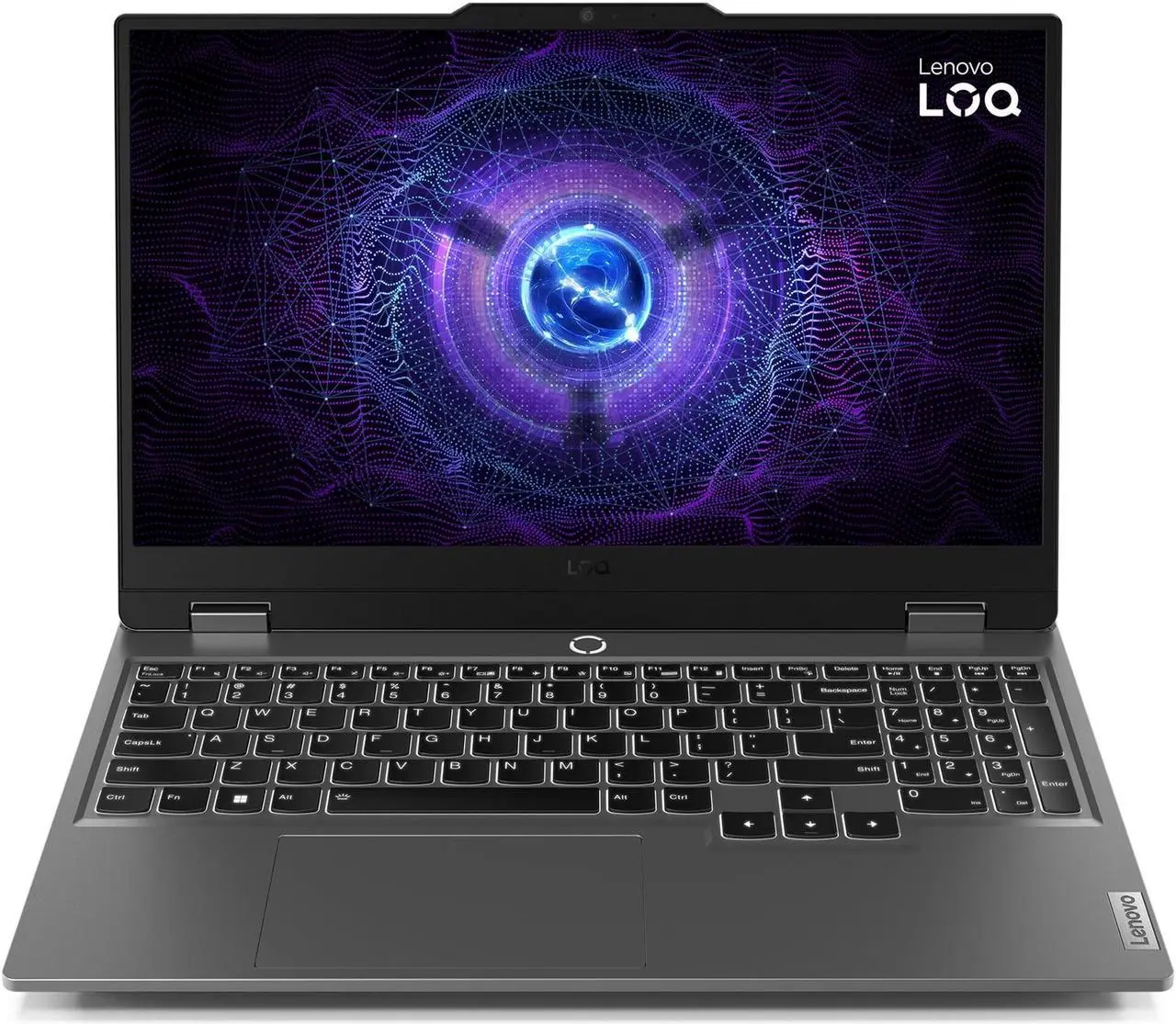
5. Lenovo LOQ 15

Lenovo’s Budget Gaming Laptop

★★★⯪☆  3.5 out of 5

Specs

  • Display: 15-inch Full HD (1920 x 1080p) IPS 144Hz
  • CPU: Intel Core i5-12450HX 
  • Graphics:  NVIDIA® GeForce RTX™ 4050
  • Memory: 16GB DDR5
  • Storage: 512GB SSD
  • Other: Wi-Fi 6 | Bluetooth 5.2 | Windows 11 Home | weighs 2.4 kg (5.3 lbs.)

Pros

  • Impressive Full HD performance
  • Comfortable RGB keyboard
  • Quiet cooling fans
  • Fairly price
  • Decent battery on moderate use

Cons

  • Plastic build
  • Fairly dim display
  • Bulky and heavy in weight
  • Average 720p webcam

The Lenovo LOQ 15 is one of those gaming laptops that’s both exactly what you expect and a total surprise. For better or worse, it nails the budget gaming vibe. If you’re aiming for smooth 1080p gaming at decent settings, this system, armed with the RTX 4050, is a fantastic choice.

The screen refresh rate easily keeps up with the action, the thermals are actually better managed than many other laptops in the same price range, and the keyboard is surprisingly enjoyable to type on. That last part, especially, means this laptop is great for tackling both work and play.

However, it’s hard to ignore the cheap feel—you’ll hear it in the creaking hinges, for instance. If you can forgive that, along with the fuzzy webcam and its general bulkiness, you’re getting pure value-for-money here. It’s a solid, low-cost option if performance is your main goal.


Frequently Asked Questions (FAQs)


1. What is the absolute cheapest gaming laptop I can buy that runs modern games?

Answer: The cheapest gaming laptop you can get right now is either the Lenovo LOQ 15 or the HP Victus (2025)The LOQ 15 is a more balanced performer, an all-rounder, and better value gaming laptop, with better cooling fan features, and fairly priced. The HP Victus (2025) is more flashy, more sleek, more better designed but compromise on dimmer displays compared to other gaming laptops. The Acer Nitro V is also a cheaper option as well, as it comes with better graphics, but compromises with factors such as chassis quality, and loud cooling fans compared to the Lenovo or HP equivalents.     


2. Is a budget gaming laptop better than a budget gaming desktop?

Answer: A budget gaming desktop is generally better in terms of pure performance and long-term value, but a budget gaming laptop is a better overall package due to its portability and inclusion of essential components. 

If you choose the budget gaming laptop, it’s only if:

  • Portability is mandatory. You are a student, travel frequently, or need to use it in different rooms/locations.
  • You need an all-in-one package. You don’t want to research and buy a separate monitor, keyboard, mouse, etc. The true out-of-the-box cost is lower.
  • Space is limited. You don’t have room for a full tower and a separate 24-27 inch monitor.

Yet if you choose the budget gaming desktop, it’s only if:

  • Raw Performance is the Priority. You want the absolute highest FPS and graphical quality for your dollar.
  • You want long-term value. The ability to upgrade the GPU in 2-3 years means the desktop will last much longer than a laptop before needing a full replacement.
  • You only game in one location. It will be a permanent fixture in your office or room.

In the purest sense of gaming value, the gaming desktop wins. But once you factor in the cost of a monitor and other accessories, the total initial cost quickly approaches, and sometimes exceeds, the cost of the all-inclusive gaming laptop. The choice really depends on how much you value portability versus raw power and future-proofing.


3. What is the best budget gaming laptop brand?

Answer: Unlike the high-end gaming segment (where brands like Asus TUF/ROG, Alienware/Dell, and Razer compete for the top performance crown), the budget category is much more of a moving target based on current sales and specific model configurations. 

However, based on overall reputation, price-to-performance ratio, and current product lines, there are three brands that consistently dominate the budget gaming laptop space: Lenovo, HP, and Acer. Asus TUF and MSI are also great brands and great options for a budget range but they are bit more expensive. 


Conclusion & Final Recommendations

So. We’ve covered a lot of ground here, haven’t we? It’s clear that the world of budget gaming laptops in 2025 is more exciting and accessible than ever before. You no longer need to rob the bank to dive into your favorite virtual worlds, enjoy crisp 1080p graphics, and experience those buttery-smooth high refresh rates. Brands like Lenovo, HP, and Acer are absolutely crushing it, offering incredible value that makes serious gaming a reality for everyone.

Remember, the “best” budget laptop really boils down to your priorities. Are you a student needing something sleek for class and powerful for late-night gaming sessions? The HP Victus might be calling your name. Or maybe you’re all about maximizing those frames per second without emptying your wallet, in which case a well-configured Lenovo LOQ or an Acer Nitro V could be your perfect match. Don’t forget to keep an eye on those RAM, display quality, and GPU specs – they’re the secret sauce to finding a truly great deal.

So, what are you waiting for? The perfect entry point into PC gaming is right here, ready for you to grab. Whether you’re building empires, killing swarms of enemies or conquering battlefields, or exploring distant galaxies, a budget gaming laptop is your ticket to endless fun and adventure.

Seriously, go get one!

You won’t regret it. And hey, we’d love to hear from you! What are your thoughts on the great budget gaming laptops of 2025? Have you snagged an amazing deal, or do you have a personal favorite we didn’t mention? Drop your comments and experiences below. Let’s keep the conversation going and help even more gamers find their ideal gaming laptop 🙂


GeForce Now Review: What You Need To Know


GeForce Now

GeForce Now is the most robust and technologically advanced cloud gaming service on the market today


If you wanna start gaming but don’t have the budget for a powerful gaming PC or laptop, then this might be the answer you’re looking for. Introducing NVIDIA’s GeForce Now, the next stage in gaming without having to buy a powerful gaming PC or laptop. In essence, GeForce Now is a cloud gaming subscription service that let’s you stream PC games you own from their powerful RTX-equipped virtual machines, to virtually any device such as laptops, smartphones, or tablets. Even iPhone, MacBook and iPad users can use this service. It comes complete with features like ray tracing and DLSS, which help to enhance your gaming experience. It literally transforms your laptop, phone, or tablet into a powerful gaming device, using your existing game collection. If this is the solution you’ve been looking for, let’s review it and see if it’s worth your time.   


Overview

Tired of expensive PC upgrades? Wish you could play the latest AAA games at max settings on your old laptop or even your phone? That’s the dream NVIDIA’s GeForce Now makes a reality. The subscription service allows you to use your existing digital game libraries (like Steam, Epic Games, Ubisoft Connect, and Xbox/PC Game Pass) and stream them instantly from NVIDIA’s powerful remote servers directly to your screen. 

Essentially, the heavy lifting is done in the cloud by systems equipped with the latest GeForce RTX GPUs. Unlike competitors that offer a curated catalog of games you don’t own, GeForce Now is a “Bring Your Own Game” (BYOG) model. If you own the game on a supported platform, you can play it immediately, making it uniquely focused on leveraging your existing library.


GeForce Now: Things to Like

GeForce Now excels in several key areas, making it a compelling choice for many gamers.

1. High-End Performance Without the High Price Tag

This is, by far, the biggest draw. Building a gaming PC with a top-tier GPU like an RTX 4080 (or even the newer RTX 5080 equivalents offered on the Ultimate tier) can cost thousands of dollars. With a GeForce Now Ultimate membership, you get access to that same caliber of processing power for a fraction of the cost per month. This means you can run demanding titles like Cyberpunk 2077 or Alan Wake 2 with full ray tracing and high frame rates (up to 4K at 120 FPS or 1080p at 240 FPS) on hardware that would otherwise choke on the loading screen.

2. Leverage Your Existing Game Library

You don’t need to repurchase games. If you already own a supported title on Steam, Epic, or other linked stores, you can play it. This is a crucial distinction from services that require you to buy games within their proprietary ecosystem. GeForce Now connects to well over 2,000 “Ready-to-Play” titles, with the ability to install and play thousands more from Steam via the “Install-to-Play” feature on premium tiers, bringing the total library access up to 4,000+ games.

3. Ultimate Cross-Platform Flexibility and Portability

Imagine playing a massive PC game on your Android phone, tablet, Mac, or even a low-spec laptop during your lunch break. GeForce Now is incredibly versatile, extending your gaming setup to virtually any device with a decent internet connection. This level of portability is perfect for travelers, students, or anyone who wants to game in different rooms of the house without moving heavy hardware.

4. No Downloads. No Patches. No Storage Worries

Say goodbye to those agonizing 100GB+ downloads and day-one patches. Because the games are housed on NVIDIA’s cloud servers, they are always patched, updated, and ready to launch instantly. This saves you significant time and precious local storage space, letting you jump straight into the action.

5. Extremely Low Latency (Input Lag)

For cloud gaming, latency is the Achilles’ heel. NVIDIA has invested heavily in low-latency technology, including support for NVIDIA Reflex and G-Sync on the Ultimate tier. For gamers with a strong, wired internet connection, the input lag is often negligible, approaching a near-native PC experience. This makes even competitive, fast-paced games like Apex Legends or Fortnite genuinely playable, which is a massive win for a streaming service.


GeForce Now: The Disadvantages

While GeForce Now is a stellar service, it is not without its limitations, many of which are inherent to the nature of cloud gaming.

1. Requires a Strong, Stable Internet Connection

This is the biggest hurdle. To achieve the best experience (1440p or 4K/120FPS), you need a very fast connection (35 Mbps to 45 Mbps minimum) and, more importantly, a stable one. If your connection suffers from frequent jitter or drops, the visual quality will immediately degrade, turning into a pixelated mess, or input lag will spike. For competitive gaming, an Ethernet cable or a top-tier 5GHz Wi-Fi connection is almost mandatory. If your home internet is slow or unreliable, the service will be frustrating.

2. The Game Library is Still Limited

Although the library is massive and growing, it’s not comprehensive. Due to licensing issues, some major publishers and fan-favorite franchises are missing. You won’t find certain titles from companies like Sony, Rockstar (e.g., Grand Theft Auto), or occasionally some of the latest blockbuster releases that haven’t been licensed yet. While you may have a huge Steam library, only the supported games can be streamed. Always check the current list of supported games before subscribing.

3. Session Time Limits

To manage server demand and keep pricing consistent, NVIDIA has implemented session limits. While free-tier users get a short 1-hour session (requiring a queue restart after), even Ultimate and Performance members face session caps (typically 6-8 hours). For marathon gamers or those who leave games paused indefinitely, this can be an annoying interruption, forcing you to save, log out, and log back in to refresh your session. Furthermore, new subscribers face a monthly playtime limit (currently 100 hours for Performance and Ultimate tiers), though existing members may be exempt for a period.

4. Potential Setup Annoyances

Because you’re accessing a virtual machine, games that require heavy modifications or complex setup steps (like installing a massive mod list) can be a pain. If your session times out, you might have to spend time reinstalling those mods and settings every time you start a new session, which completely defeats the convenience factor.

5. The Not-So-Free Service 

Although GeForce Now includes a free gaming service subscription, it’s not recommended to even try it, in fact you’ll end up not really enjoying it at all. What you’ll get are the least best options under the subscription, such as viewing adverts while you wait in the queue, access to the least powerful gaming servers, and only an hour of play time. Rather choose the ‘Priority’ subscription for a start, where the options are much better. 


Pricing for GeForce Now

GeForce Now currently offers three main tiers to suit different budgets and gaming habits: Free, Performance, and Ultimate. 

Free Priority Ultimate
Best for: Testing of service Casual gaming Competitive/serious gaming
Graphics equivalent: Standard gaming rig Premium rig, RTX on GeForce 4080/5080 rig, RTX on
Priority access: Standard access/wait in queue Priority access to GeForce RTX gaming servers Exclusive access to GeForce RTX 4080 servers
Max resolution: Up to 1080p at 60fps Up to 1440p at 60fps Up to 4K at 240fps
Session length: 1 hour 6 hours 8 hours
Cost per month: $0 $5 – $10 $10 – $20


Alternatives to GeForce Now

The cloud gaming market is vibrant, but GeForce Now stands out because of its BYOG model. Its main competitors generally fall into two categories:


1. Platform-Based Services (Competitors to Game Pass):

Xbox Cloud Gaming (xCloud)

The primary competitor. While performance isn’t usually as high as GeForce Now‘s Ultimate tier, it offers a crucial advantage: it includes a rotating library of games (hundreds of titles) as part of the monthly Xbox Game Pass subscription. You don’t have to own the game to play it.


2. Virtual PC/Cloud Computing Services:

Shadow PC

These services give you access to a persistent, full Windows virtual desktop. This is more expensive but grants you total freedom to install any game, mod, or application you want, bypassing GeForce Now‘s limited game library issue. This is for the ultimate power user who needs maximum flexibility.


Boosteroid

Another growing cloud gaming service that offers a direct experience similar to GeForce Now, often praised for its simplicity and game library selection, though its maximum performance specs may not yet reach the heights of the Ultimate tier.


Final Verdict

So, is GeForce Now right for you? If you are a PC gamer who already owns a substantial library of games on Steam or Epic Games, but your physical hardware is aging, or you simply want the flexibility to play anywhere, the answer is a resounding yes. GeForce Now is the most robust and technologically advanced cloud gaming service on the market today. The Ultimate tier offers genuinely breathtaking performance that can rival high-end local gaming PCs, complete with ray tracing and ultra-low latency, as long as your internet connection is strong and up to the task.

It successfully eliminates the frustrating points of PC gaming (huge downloads, continuous updates, and expensive hardware cycles) and replaces them with instant, high-fidelity streaming. The main considerations are the missing games (always check the list!) and ensuring your internet quality is sufficient. For what it offers, which is top-class near-RTX 4080/5080 performance on a subscription basis, GeForce Now is an incredible value gaming streaming service and has truly revolutionized access for gamers to enjoy top-quality PC gaming. It’s the future of gaming, and is available today.

Let us know what you think of this awesome review, and tell us your overall impressions of this service. You can use the comments section here below to add your inputs. If you want to find out more about GeForce Now, then click on the red button above. Thank you for checking out the review. Stay safe, till next time 🙂