Great Affordable Gaming Laptops To Start Your 2026


We’ve all been there—searching the internet with twenty plus tabs open, trying to find that mythical “unicorn” of a gaming machine that can actually push triple-digit frames without requiring you to take out a second mortgage. Well, the good news is that now it’s 2026, and the “budget” price tag doesn’t mean you’re stuck with a plastic brick that doubles as a space heater anymore.

With the arrival of RTX 50-series entry-level chips and some impressive AI-driven frame gen, the barrier to entry has never been lower. Whether you’re a student dodging finals or a casual player just looking to enjoy the latest AAA titles on high settings, finding great affordable gaming laptops is no longer a pipe dream—it’s just about knowing where the manufacturers hid the best value. As an expert in writing and reviewing laptops, I’ve done the hands-on testing for you. So, if you are ready, let’s dive in and see which of these gaming machines actually deliver the most bang for your hard-earned buck this year.


The Quick List


MSI Katana A15 AI (2024)

Best All-round Affordable Gaming Laptop

image credit: MSI

★★★★⯪ 4.5 out of 5

The MSI Katana A15 AI punches well above its weight class by offering high-end internal specs at a mid-range price point.

Read more


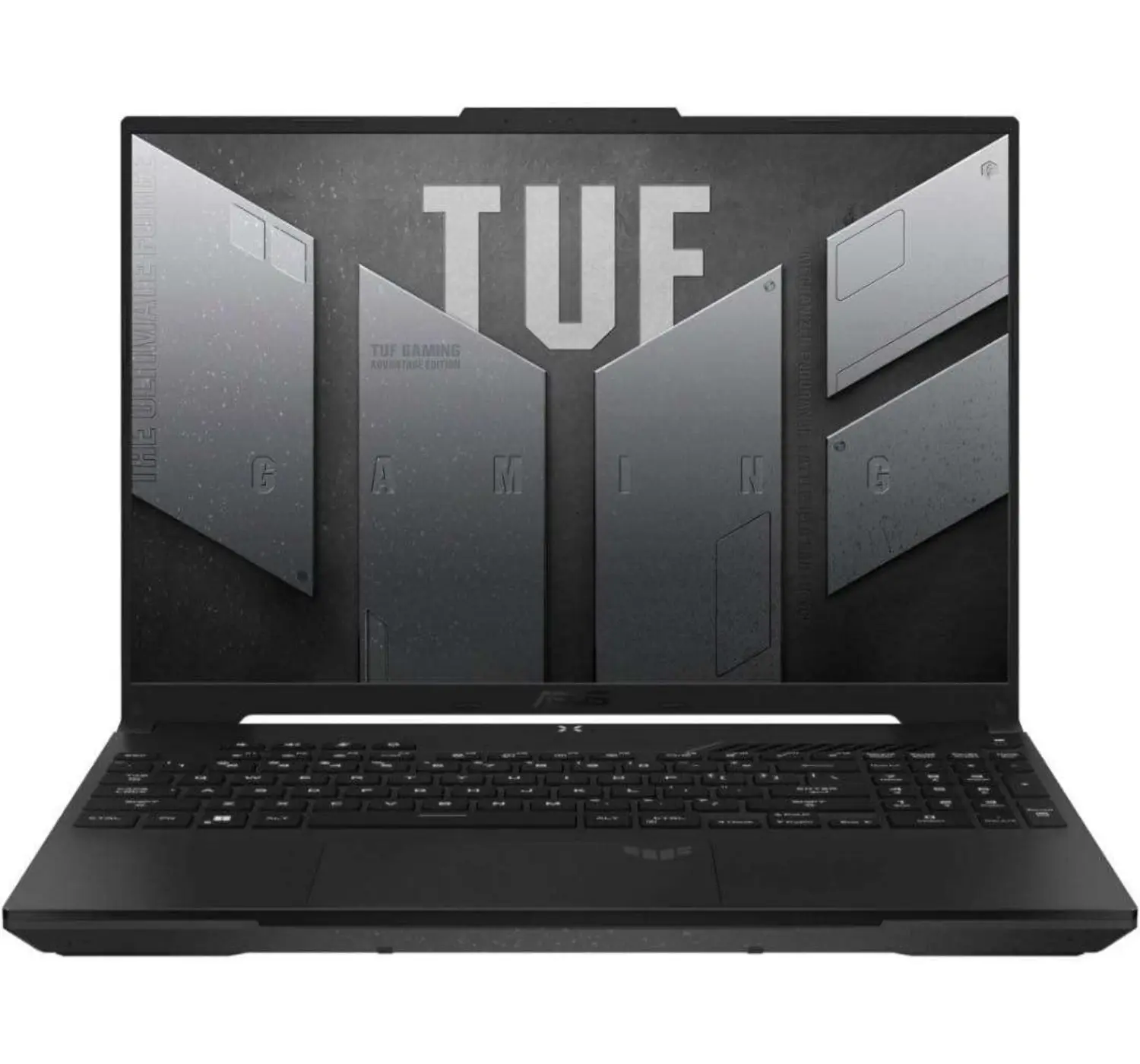
ASUS TUF Gaming A16 (2023)

Best Affordable 16-inch Gaming Laptop

Image credit: ASUS

★★★★☆ 4.0 out of 5

The ASUS TUF Gaming A16 (2023) stands out as a top-tier alternative to expensive flagships by delivering high-end “AMD Advantage” performance and exceptional battery life at a fraction of the cost.

Read more


HP Victus 15 (2022)

Best Affordable 15-inch Gaming Laptop

image credit: HP

★★★★☆ 4.0 out of 5

The HP Victus 15 (2022) serves as a “stealth” alternative to expensive gaming laptops, designed for users who need a machine that can transition seamlessly from a professional office or classroom environment to a high-intensity gaming session.

Read more


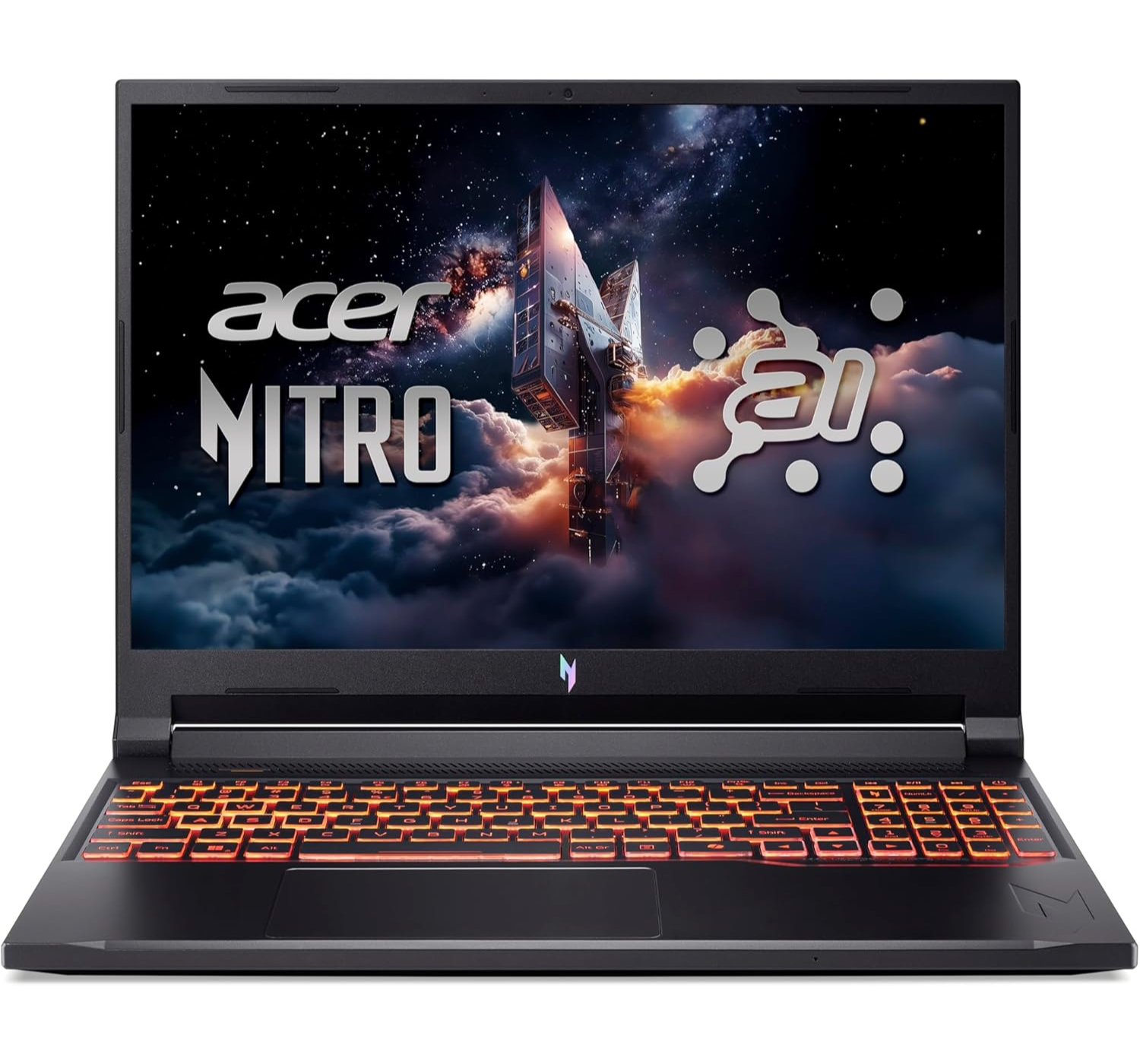
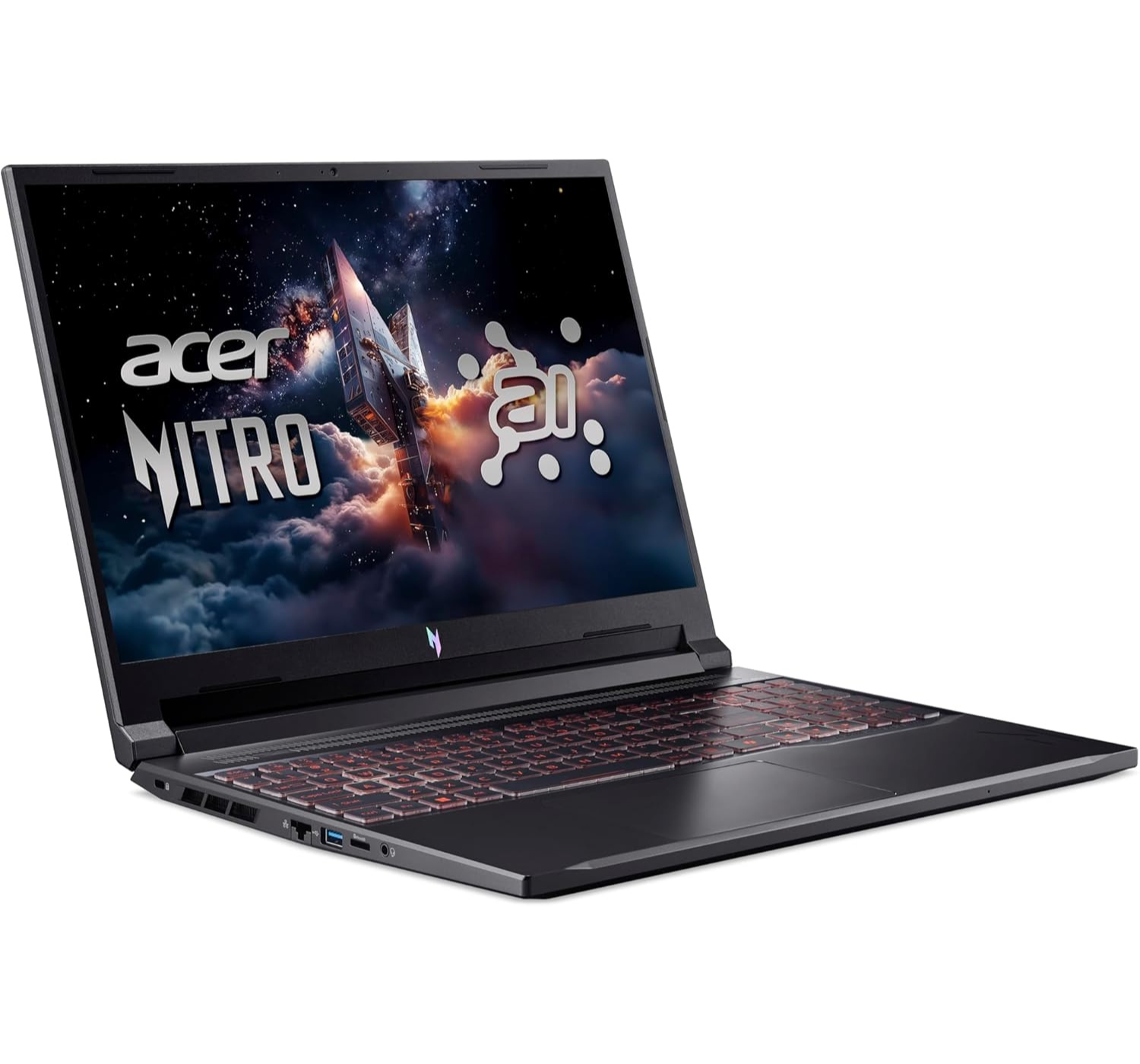
Acer Nitro V16 (2024)

Most Affordable 16-inch Gaming Laptop

image credit: Acer

★★★★☆ 4.0 out of 5

The Acer Nitro V16 (2024) has quickly become a standout alternative to expensive gaming laptops by offering a “no-nonsense” approach to modern performance.

Read more


Great Affordable Gaming Laptops – Worth it?


Look, I’ve been around the block with hardware for years, and the “budget vs. flagship” debate has changed a lot. It used to be that buying a cheap gaming laptop meant buying a ticking time bomb of plastic hinges and thermal throttling. But in 2026, the gap has closed significantly. Here’s the honest breakdown of why saving your cash is a genius move—and why it might also be a massive headache.


1. Why You Should Save Your Money

The biggest reason to go “budget” is simple: The Silicon Gap is Shrinking. In the old days, a budget GPU was a joke. Now, with tech like ‘DLSS 4’ and ‘Frame Gen’ on the RTX 50-series (or even the older 40-series), an entry-level card can push 80+ FPS in titles that would have melted a laptop five years ago. You’re paying for the exact same frames as the guy with a US$3,000 Razer Blade, just without the aluminum chassis and fancy lights.

Also, budget laptops are surprisingly easier to live with long-term. Expensive flagships often solder everything—RAM, SSDs, even the Wi-Fi card—to make the device thinner. Most “cheap” laptops like the Acer Nitro or MSI Katana are chunky for a reason: they have standard slots. If you want more RAM in two years, you just pop the bottom off and clip then in. You can’t do that with a MacBook Pro though.


2. Why You’ll Probably Regret It

Now, for the “confidence” part: I’ll tell you exactly where they cut the corners, and it’s usually the screen. Manufacturers know you read the spec sheet for “RTX GPU” and “i7 CPU,” so they hide the fact that they’re using a display with the color accuracy of a wet napkin. If you plan on doing any photo editing or even just want your games to look vibrant, a budget screen will look dim and washed out compared to a high-end OLED.

The other deal-breaker is build quality. A budget laptop feels like a toy because it’s made of durable plastic. Over time, those hinges might start to creak, the trackpad might lose its “click,” and the keyboard deck will flex when you’re typing. Plus, the batteries are almost always smaller. While a premium Zephyrus might give you 8–10 hours of office work, a budget rig will usually start hunting for power after 4 hours. Now then, let’s check out some of the best gaming laptops you can get now at a budget price. 


Great Affordable Gaming Laptops To Start Your 2026


1. Acer Nitro V16 (2024)

Most Affordable 16-inch Gaming Laptop

★★★★☆ 4.0 out of 5


SPECS – Acer Nitro V16 (ANV16-42-R4QR)

  • DISPLAY: 16-inch, WUXGA, IPS, 165Hz, 1920 x 1200 pixels
  • CPU: AMD Ryzen 7 / Intel Core i7
  • GPU: NVIDIA GeForce RTX 4050
  • MEMORY: 16GB / 32GB RAM
  • STORAGE: 512GB / 1TB PCIe® 4.0 NVMe™ M.2 SSD
  • BATTERY: 76Whrs, supports up to 135W AC Adapter
  • OS: Windows 11 Home
  • PORTS:  1x HDMI; Wi-Fi 6; Bluetooth 5.2; 3x USB type-A; 2x USB type-C; 1x Headphone microphone jack

PROS

  • Affordable price
  • Comes with various input ports
  • Large screen
  • Fast performance

CONS

  • Plastic chassis build
  • Poor webcam
  • Poor audio speakers
  • Cooling fans do get loud when pushed 

The Acer Nitro V16 (2024) is a bit of a mixed bag, making it both an impressive budget hero and a total pain. On the best side of things, it’s still one of the most affordable ways to get a 16-inch screen with a decent refresh rate, and the battery life is surprisingly solid for a gaming rig—you can actually get through a decent chunk of the day without hunting for a power source. Plus, the 16:10 display gives you that extra vertical room that’s great for both gaming and getting some actual work done.

However, it earns its worst title because of some pretty frustrating corners Acer cut to keep that price low. The build material is made of plastic. The audio speakers are not that great. And hears the big one, the GPU is often power-throttled, meaning it’s not hitting the full performance speeds you might expect from its rivals. It also tends to get pretty loud and hot when you’re really pushing it. So while it’s a steal for the price, you’re definitely reminded of why it was so cheap every time those fans start revving like a jet engine.


2. ASUS TUF Gaming A16 (2023)

Best Affordable 16-inch Gaming Laptop

★★★★☆ 4.0 out of 5

SPECS – ASUS TUF Gaming A16 (FA617NS)

  • DISPLAY: 16-inch, WUXGA, IPS, 165Hz, 1920 x 1200 pixels
  • CPU: AMD Ryzen™ 7 7735HS
  • GPU: AMD Radeon™ RX 7600S
  • MEMORY: 16GB DDR5
  • STORAGE: 512GB PCIe® 4.0 NVMe™ M.2 SSD
  • BATTERY: 90WHrs, supports up to 240W AC adapter
  • OS: Windows 11 Home
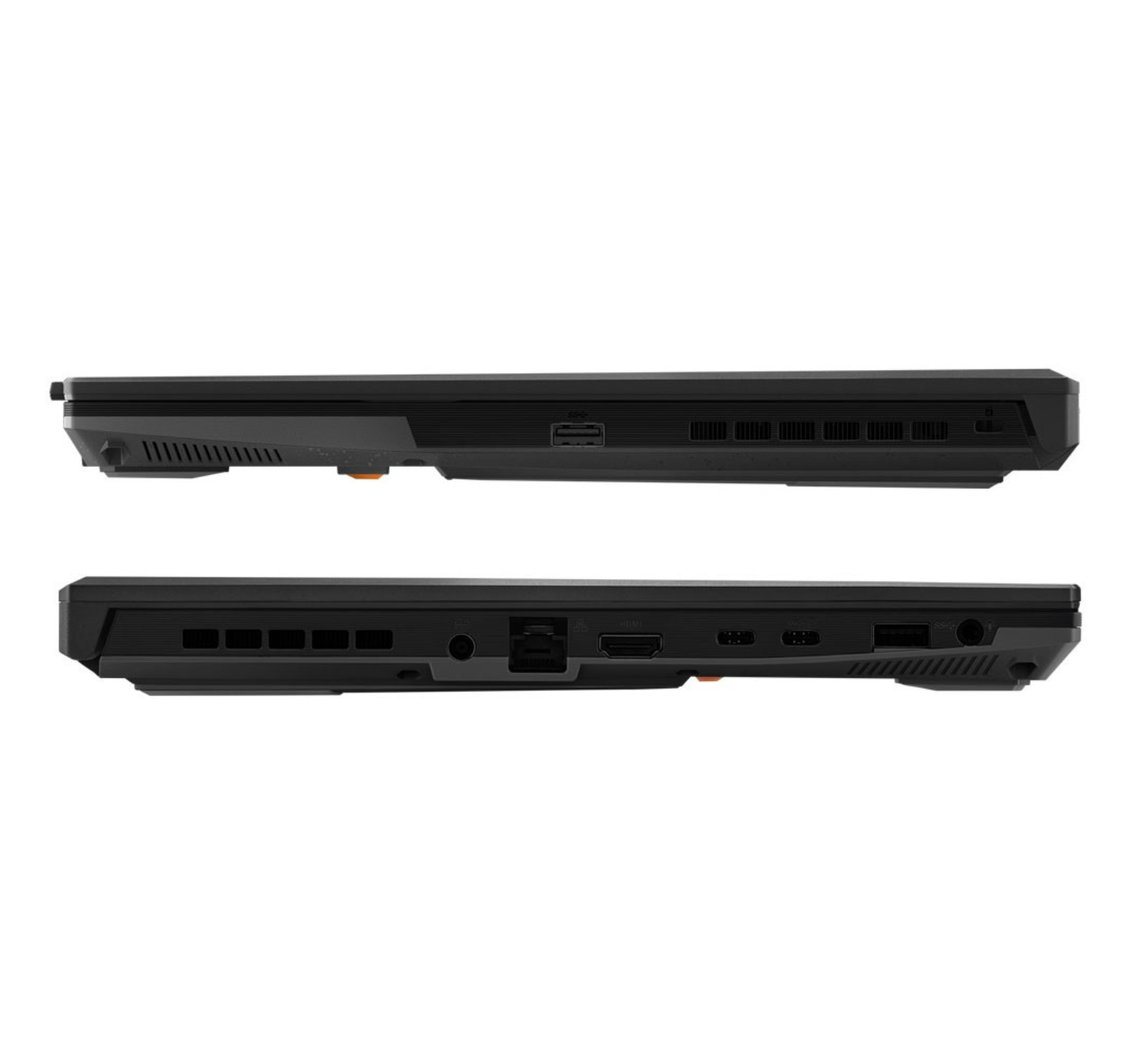
  • PORTS: 1x 3.5mm Audio Jack; 1x HDMI 2.1; 2x USB 3.2 Gen 1 Type-A; 1x USB 3.2 Gen 2 Type-C; 1x Type-C USB 4; 1x RJ45 LAN port
  • OTHER: Backlit keyboard; 720p HD camera; Dolby Atmos; 2-speaker system; AI noise-cancelling; Wi-Fi 6; Bluetooth 5.3; weighs 2.2 kg (4.85 lbs.)  

PROS

  • Impressive battery life
  • Solid quality build
  • Impressive display
  • Impressive & quiet thermals 
  • Easy upgrade options

CONS

  • Awkward port layout
  • Full AMD hardware, no NVIDIA
  • Driver & software issues
  • Poor webcam
  • Attracts fingerprints

The ASUS TUF Gaming A16 (2023) is a total “hero or zero” device. On the plus side, it’s basically the marathon runner of the gaming world; because it uses an all-AMD setup (the “Advantage Edition”). The battery life is absolutely insane for a gaming laptop—you can actually get through a full day of classes or light work without carrying that heavy charging brick. It also feels built like a tank, so you don’t have to worry much about it when it falls on the ground. And the 16:10 screen gives you that extra bit of vertical space that makes scrolling through Discord or documents way nicer.

However, what makes this gaming laptop not so good is the all-AMD tech can be a bit finicky. Even in 2026, the “Smart Access Graphics” can still be buggy, occasionally giving you black screens or weird stuttering until you spend an afternoon wrestling with drivers. Plus, while it’s tough, the plastic chassis is a total fingerprint magnet that looks greasy five minutes after you clean it. And since it lacks an NVIDIA card, you miss out on DLSS, which means it struggles more with the latest AAA titles than its competitors do. Overall, it’s a fantastic “work-hard-play-medium” machine, but if you want a seamless, “it just works” experience, it might drive you a little crazy.


3. HP Victus 15 (2022)

Best Affordable 15-inch Gaming Laptop

★★★★☆ 4.0 out of 5


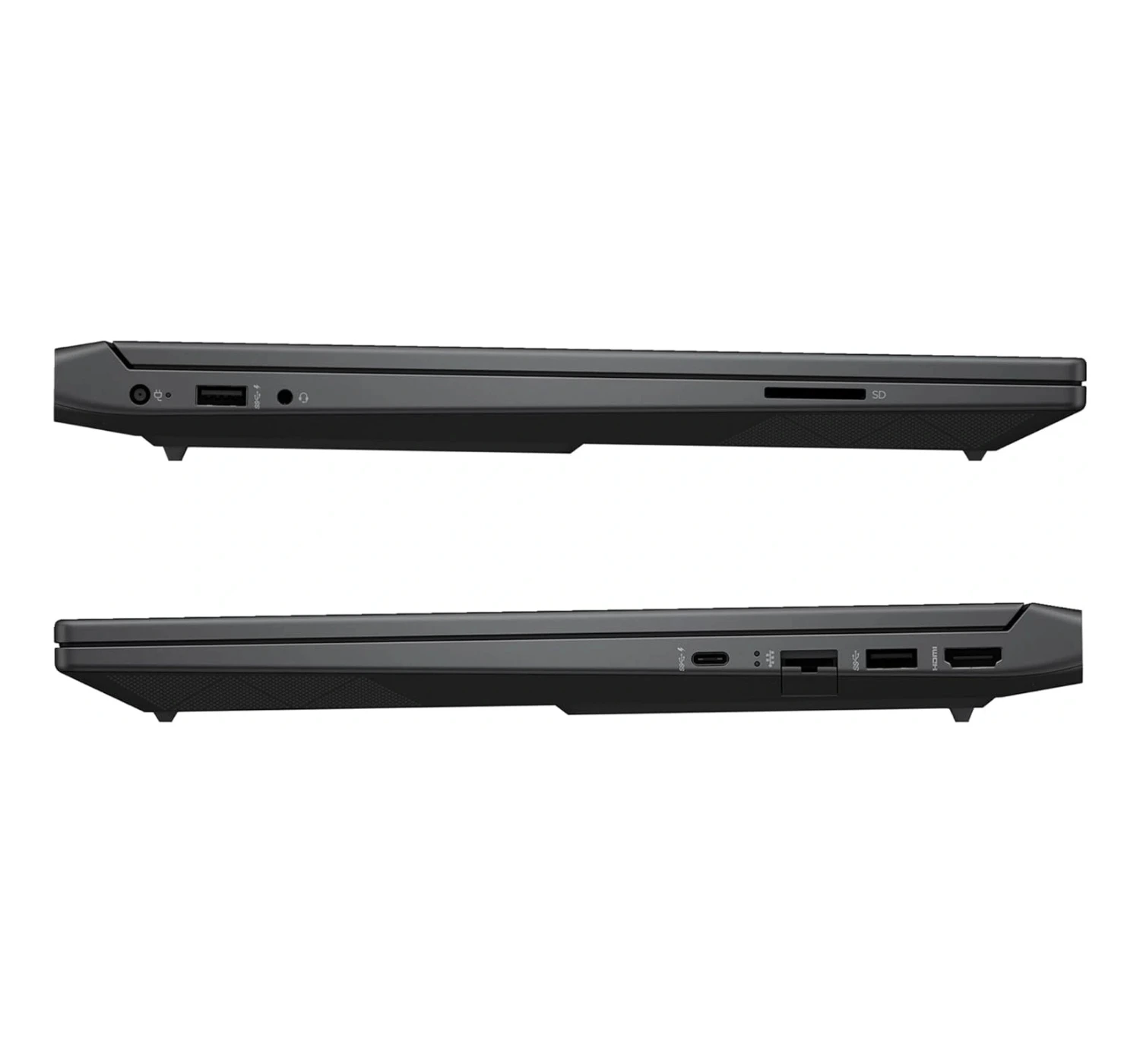
SPECS – Victus Gaming Laptop (B84F5EA)

  • DISPLAY: 15.6-inch, Full HD IPS, 144Hz (1920 x 1080)
  • CPU: Intel® Core™ i7-12700H
  • GPU: NVIDIA® GeForce RTX™ 3050Ti
  • MEMORY: 16 GB DDR4 RAM
  • STORAGE: 1TB PCIe® 4.0 NVMe™ M.2 SSD
  • BATTERY: 70Wh,
  • OS: Windows 11 Home  
  • PORTS: 1x USB Type-C, 2x USB Type-A, 1x audio combo jack, 1x Ethernet Port, 1x HDMI 2.1
  • OTHERS: Wi-Fi 6E; Bluetooth 5.2; 720p webcam; weighs 2.23 kg (4.96 lbs.), backlit keyboard

PROS

  • Professional looking design
  • Solid 1080p gaming
  • Good heat management
  • Snappy keyboard & includes Numpad

CONS

  • Dim display
  • Short battery life
  • Plastic build material
  • Fingerprint & dust magnet

The HP Victus 15 (2022) is such a classic “budget king” that’s still making waves in 2026, but it definitely comes with some baggage. On the “best” side, it’s arguably the most affordable way to get a laptop that doesn’t scream “I’m a gamer” in a meeting; the design is super clean and professional, and for the price, the 144Hz screen and 12th Gen Intel guts still hold up surprisingly well for 1080p gaming and office work. It’s the kind of laptop you can comfortably bring to a library without everyone looking at you, and the thermal performance is actually decent, so it won’t feel like you’re typing on a stovetop while you’re gaming.

However, it hits the “worst” list for some pretty legendary build-quality quirks. The screen wobble is real—if you like typing or have a shaky desk, that display is going to be dancing the entire time. The battery life is also pretty rough, barely scraping past 4 hours on a good day, so you’re basically tethered to a wall outlet. Plus, that “office-friendly” chassis is a total fingerprint magnet, and by 2026 standards, the 250-nit screen feels a bit dim if you’re anywhere near a window. It’s the ultimate “you get what you pay for” machine: great for your wallet, but you’ll definitely be making some compromises on the sturdiness.


4. MSI Katana A15 AI (2024)

Best All-round Affordable Gaming Laptop

★★★★⯪ 4.5 out of 5


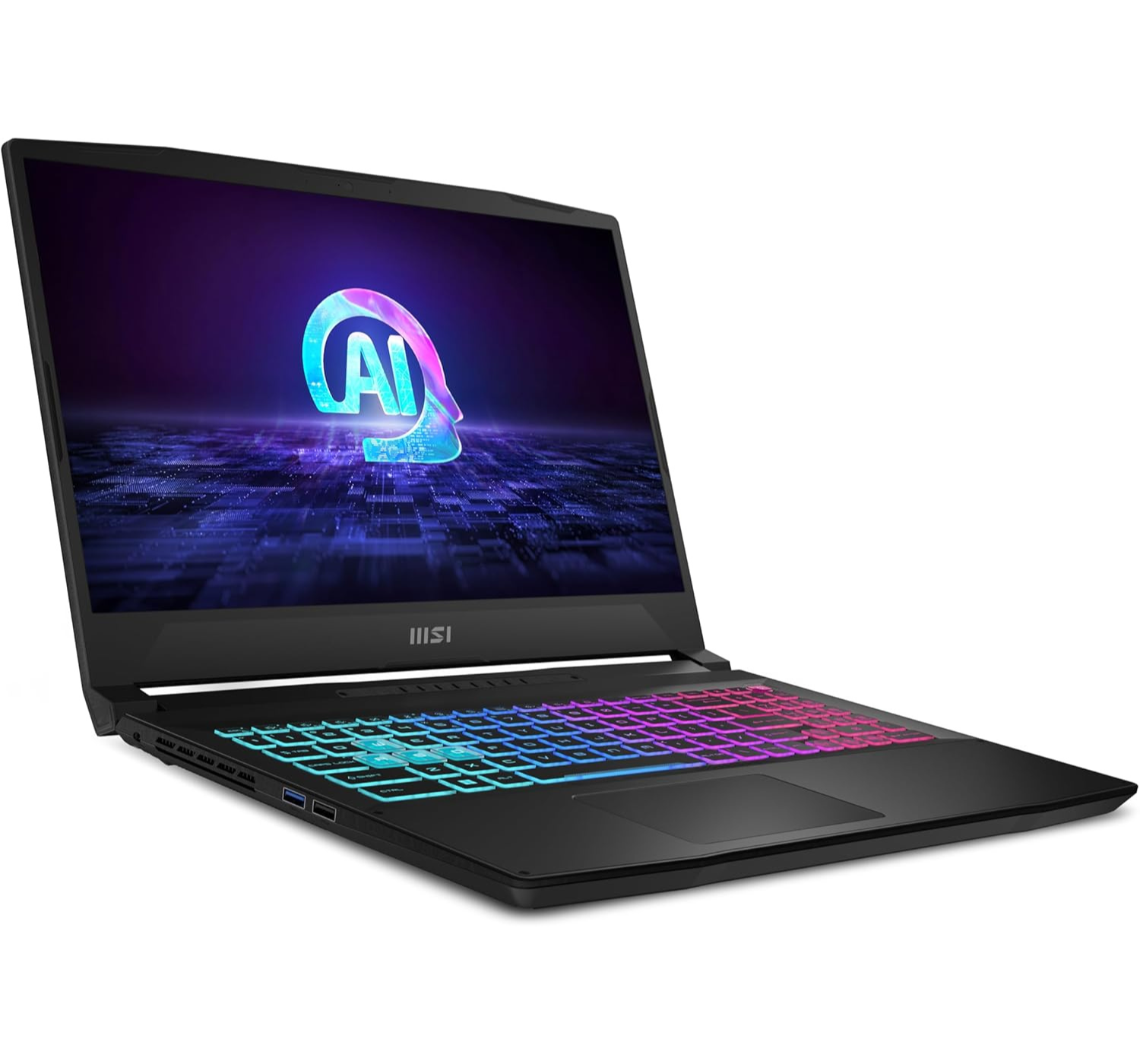
SPECS – Katana A15 AI (B8VG-423US)

  • DISPLAY: 15.6-inch, Full HD IPS, 144Hz (1920 x 1080)
  • CPU: AMD Ryzen 9 8945HS
  • GPU: NVIDIA® GeForce RTX™ 4070
  • MEMORY: 16GB DDR5
  • STORAGE: 1TB PCIe® 4.0 NVMe™ M.2 SSD
  • BATTERY: 3-cell 53.5Whr Li-Polymer, supports up to 200W AC Adaptor
  • OS: Windows 11 Home 
  • PORTS: 2x USB 3.2 Gen1; 1x USB 2.0; 1x USB 3.2 Gen1; HDMI v 2.1; 1x audio combo     
  • OTHERS: Wi-Fi 6E; Bluetooth 5.3; 720p webcam; weighs 2.23 kg (4.96 lbs.)     

PROS

  • Impressive value for performance
  • Easy to upgrade
  • Impressive gaming specs
  • Keyboard is surprisingly snappy
  • Smart AI features

CONS

  • Lackluster dim display
  • Short battery life
  • Cheap build material
  • Gets loud and hot

The MSI Katana A15 AI (2024) is a total “rollercoaster” of a laptop to own in 2026. On its best days, it’s a budget-friendly beast that punches way above its weight class; it was one of the first affordable rigs to really lean into AI-tuned performance with that Ryzen 8000-series chip, and when you flip on the MUX switch, the frame rates in 1080p are genuinely impressive for the price. It’s also surprisingly easy to upgrade—it’s got two RAM and two SSD slots, which is a lifesaver in 2026 since modern games are basically eating storage for breakfast.

On the flip side, it earns its spot on the “worst” list the second you step away from the power outlet. The battery life is… well, it’s pretty much non-existent, often struggling to even hit the four-hour mark for basic web browsing. Then there’s the build quality: it’s very “plastic-forward,” and the screen can feel a bit dim and washed out if you’re used to the more vibrant panels on higher-end machines. It also has a bit of a reputation for being a “jet engine” under load, as the fans have to work overtime to keep those high-TGP components from melting the chassis. It’s the ultimate trade-off—you’re getting top-tier power on a budget, but you’re definitely paying for it in plastic, noise, and a permanent tether to the wall.


Lastly and Recommendations


In the end, picking from the current crop of great affordable gaming laptops is less about finding “the best” and more about choosing which compromise you can live with. Let’s do a quick summary: If you want one with the best cutting-edge value, get the MSI Katana A15 AI. If you want one that offers better battery life, durability and a decent cooling system, get the ASUS TUF Gaming A16. For an affordable gaming laptop with a larger screen, get the Acer Nitro V16, and if you want a bargain gaming machine that draws less attention, get the HP Victus 15.  

The bottom line? You don’t need a expensive rig to top the leaderboards. These machines have already proven they can handle the heat—literally and figuratively. So what do you think of this list of affordable gaming laptops? Do they meet your preferences? Which one grabs the apple of your eye? Any gaming laptop you heard of but not on the list? Express yourself with anything gaming laptop here below at the comments section. And don’t forget to click on the buttons to find out more 😀
 

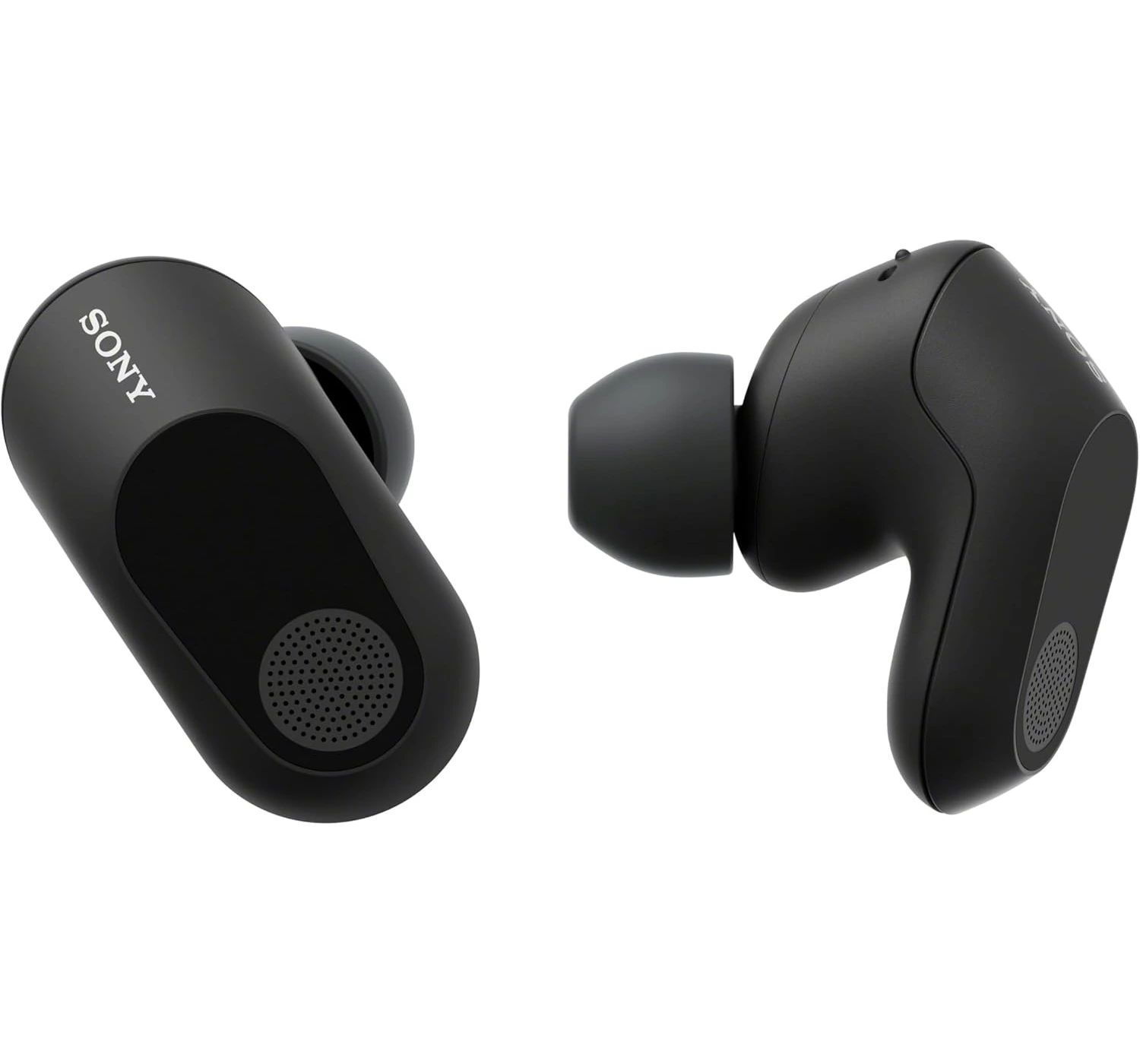
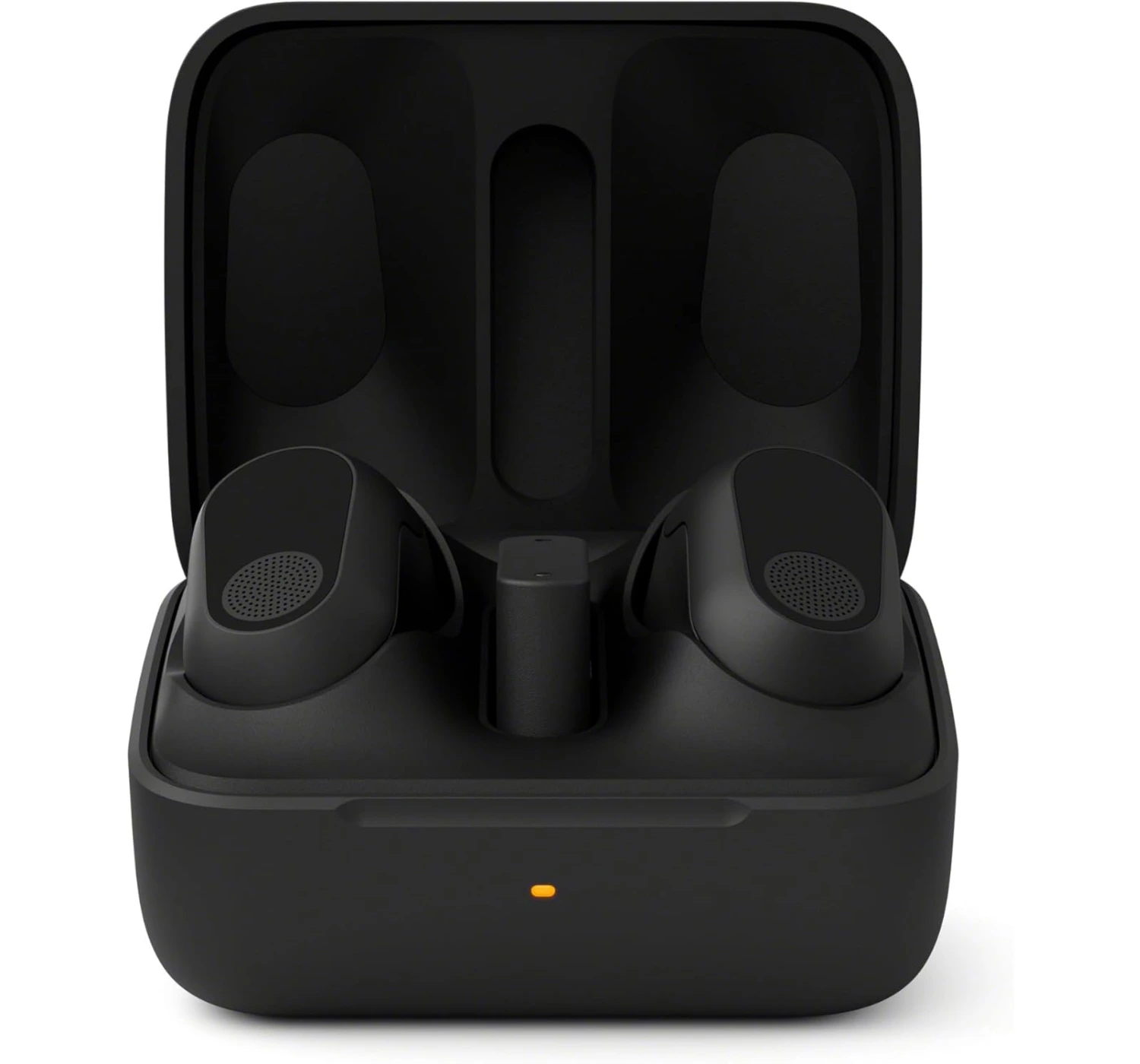
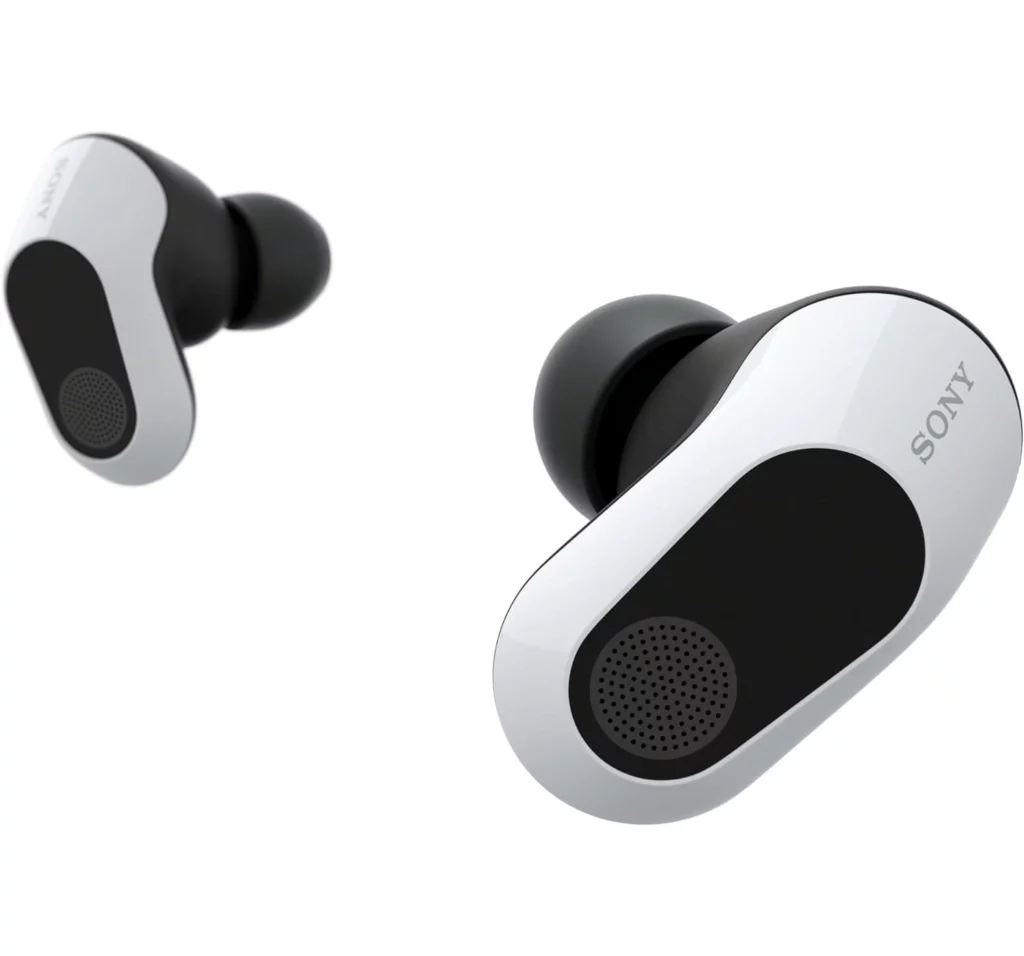
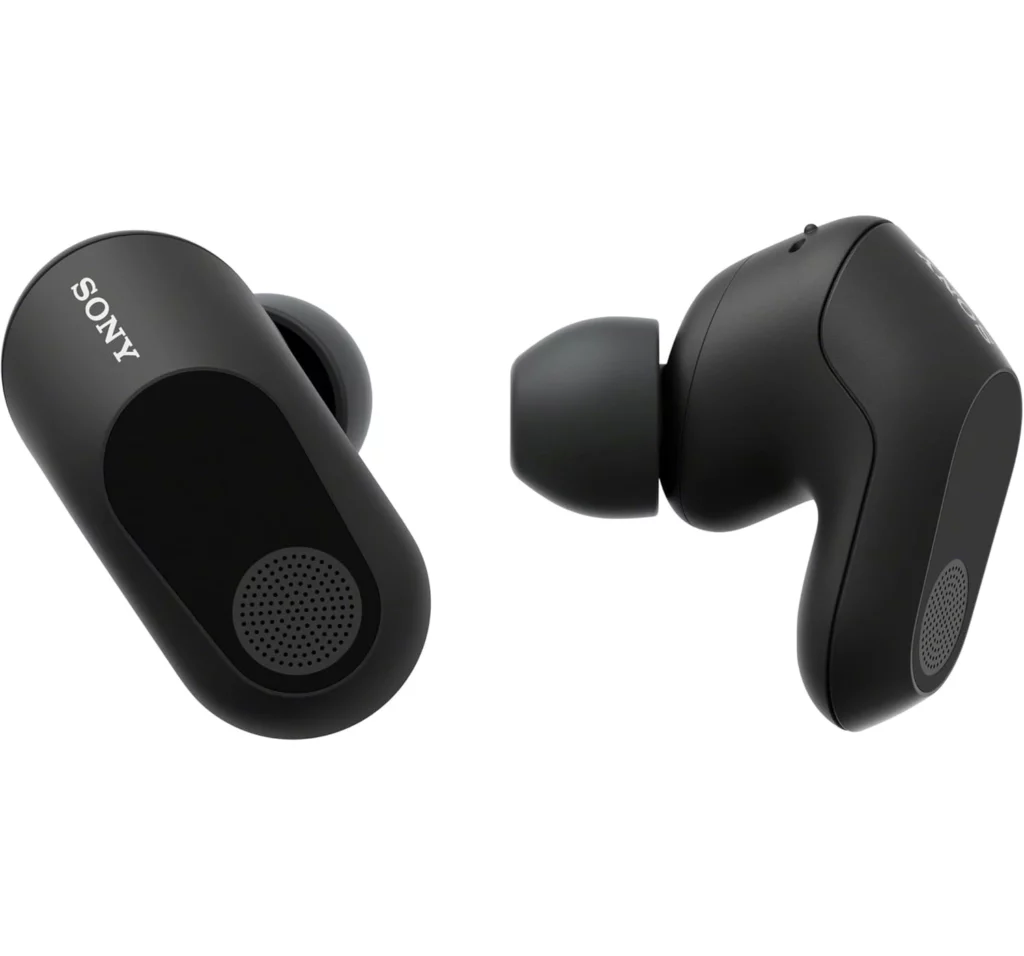
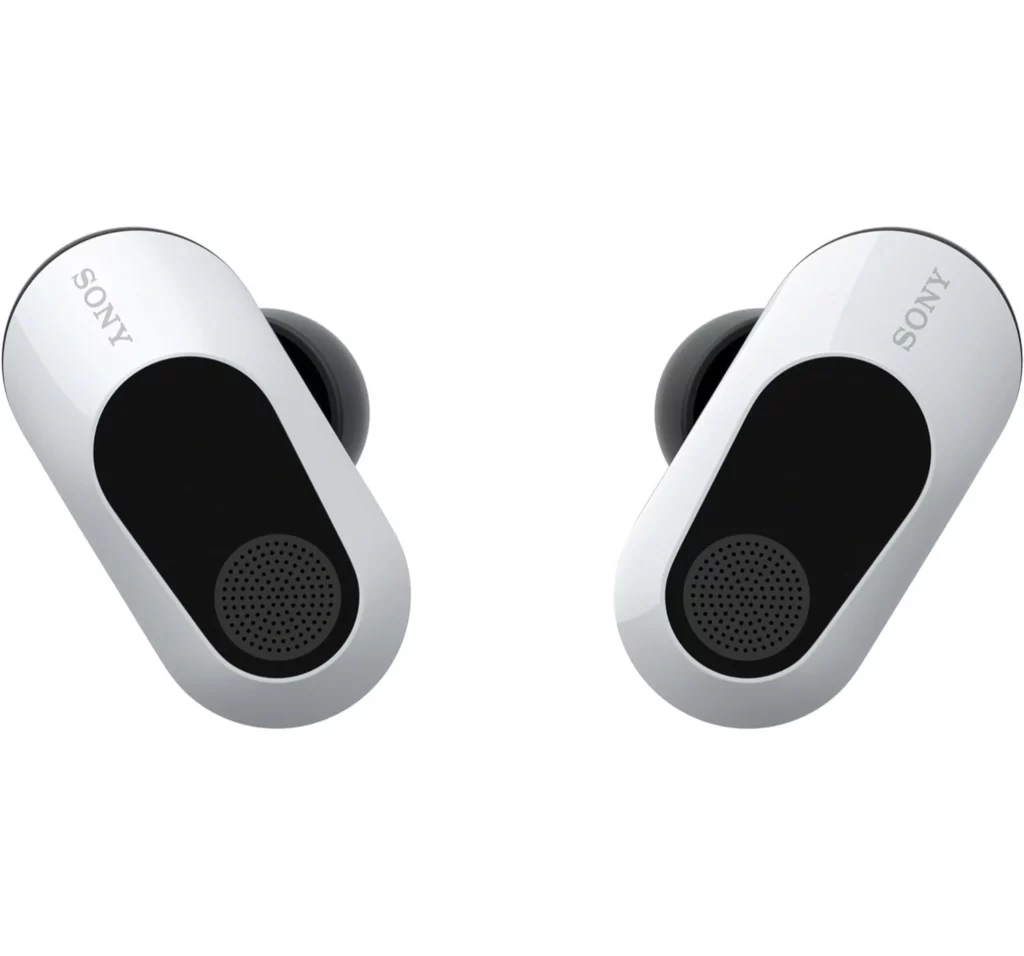
Sony INZONE Buds Review: The Best Earbuds For Gamers


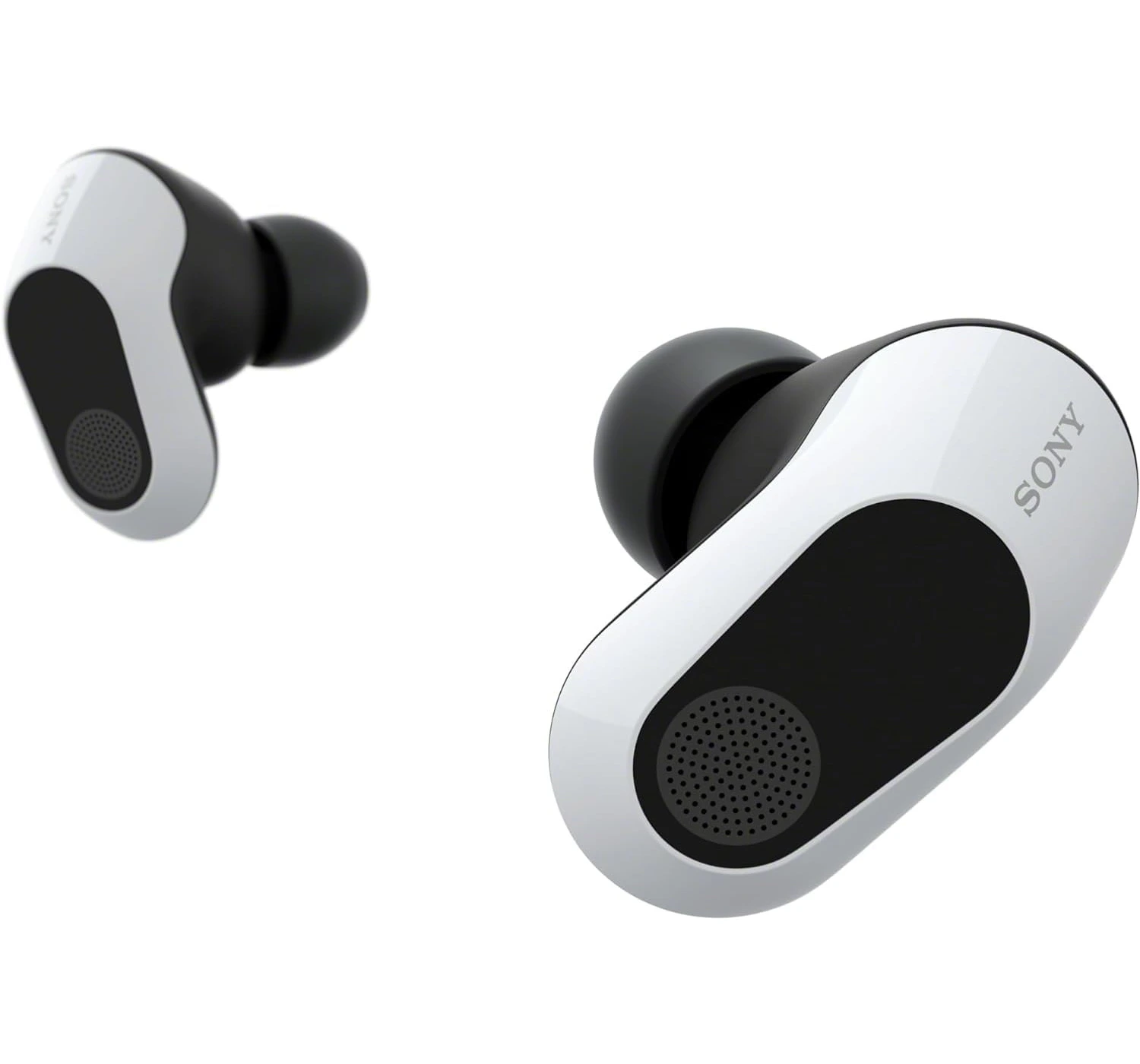
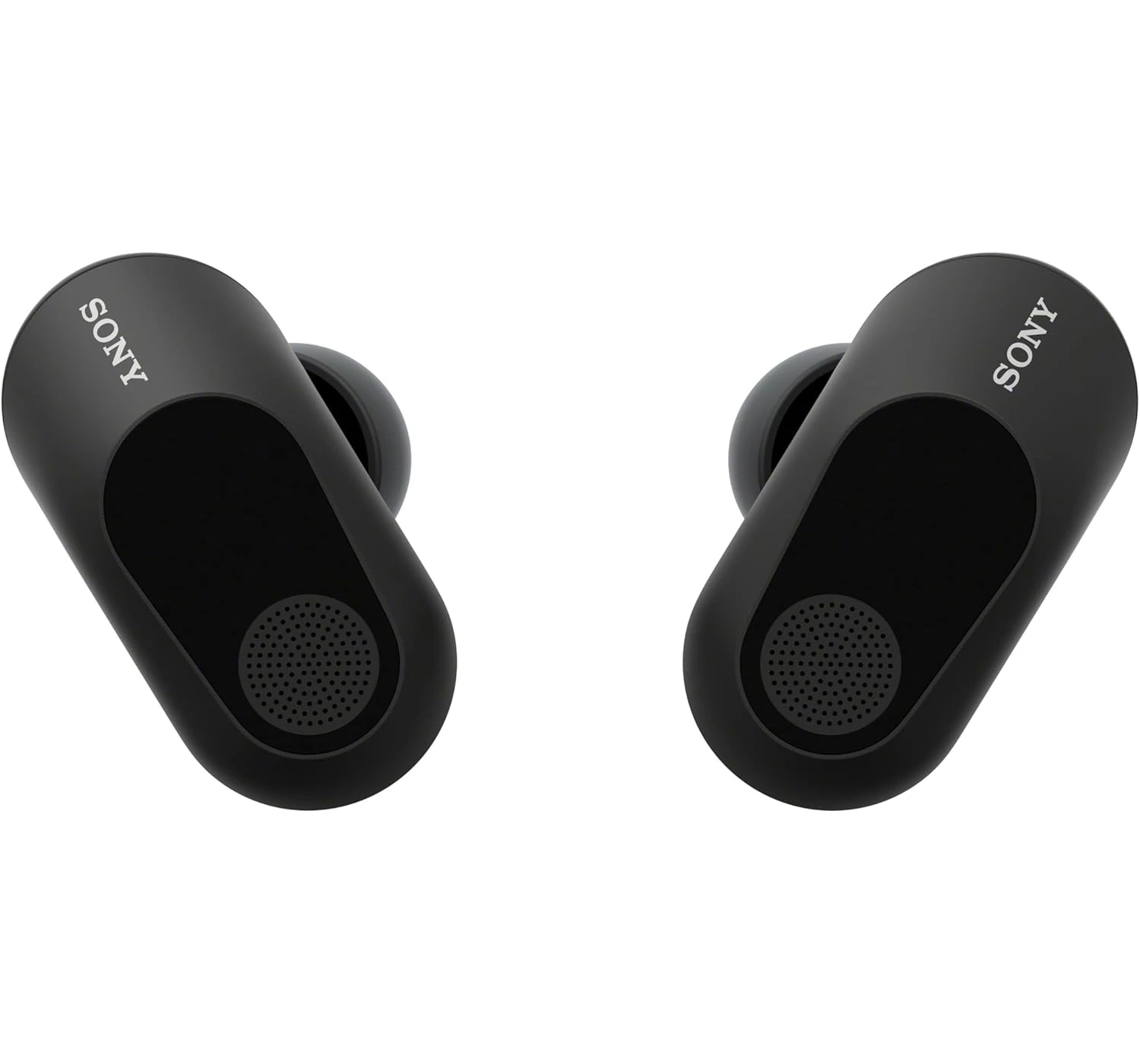
Sony INZONE Buds

If you’re a hardcore PC or PlayStation gamer who pulls all-nighters and hates being tethered to a cable, these are easily one of the best earbuds you can buy now


So, these Sony INZONE Buds are actually pretty different from your typical earbuds. Instead of just being for your phone or listening to music on the go, they’re really built for PC and console gamers. The “secret sauce” is the USB dongle you plug into your PC or PlayStation 5. It sets up a wireless connection, which is way faster than standard Bluetooth—meaning you won’t deal with that annoying lag while you’re playing. Are these earbuds worth the buy? Let’s explore and see in this review, by breaking it down to see what we like about them, what we don’t like about them, and what other great earbuds are available in the market. So, without wasting any time let’s get to Sony INZONE Buds review.


Overview


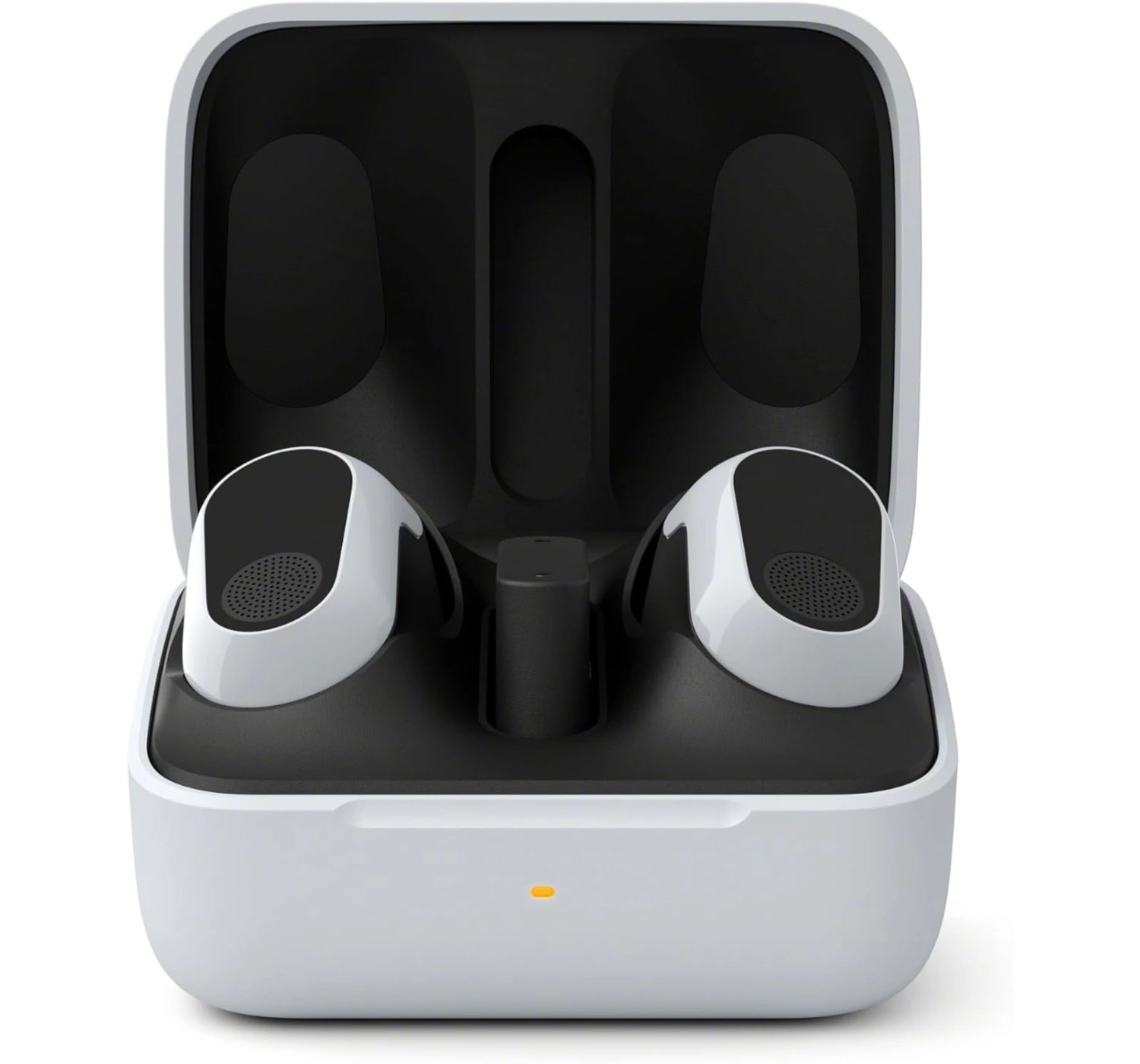
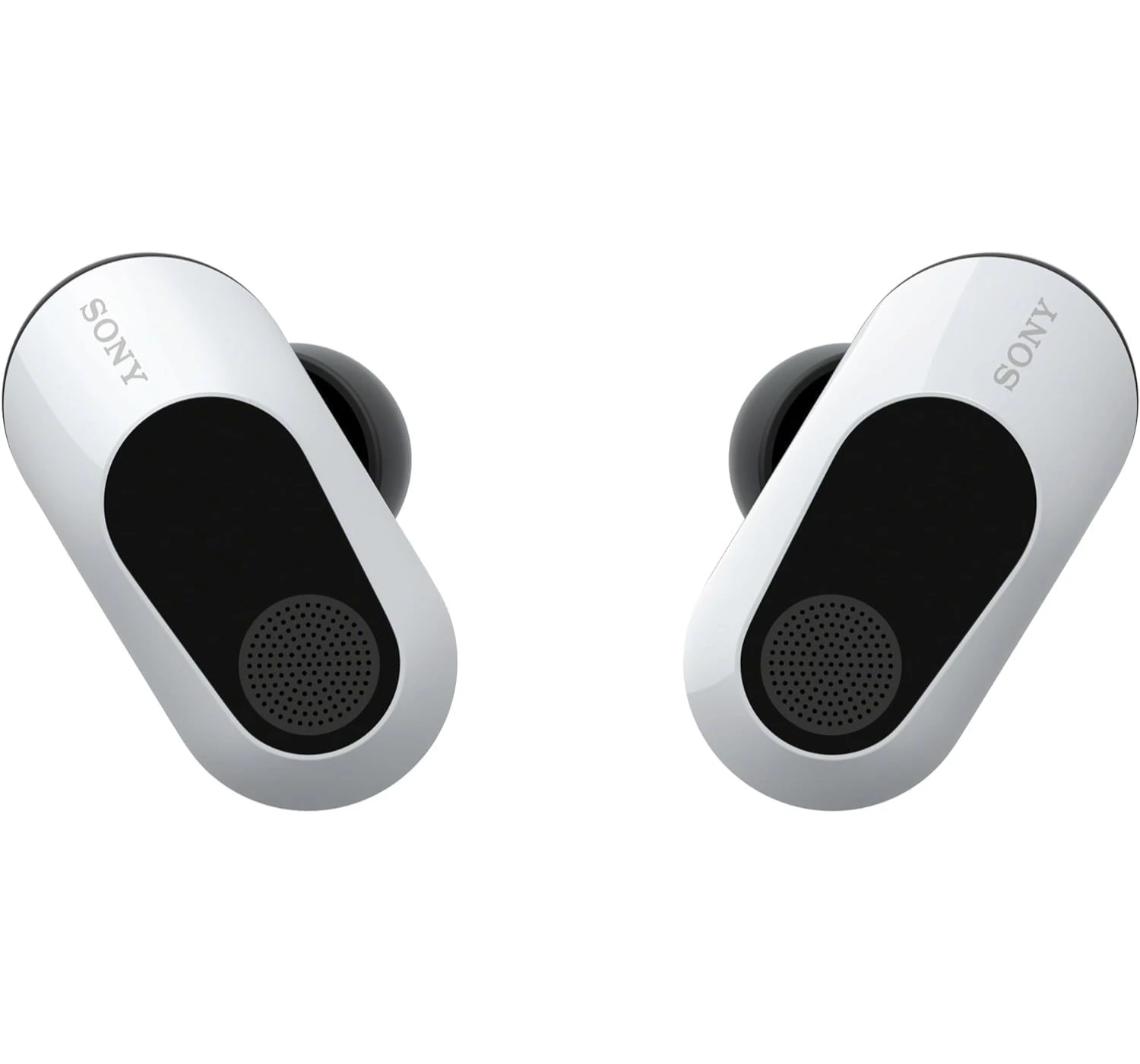
Basically, the Sony INZONE Buds are what happens when Sony takes the high-end tech from their best music earbuds and tweaks it specifically for people who enjoy gaming on PC or on PlayStation 5. Instead of just relying on standard Bluetooth (which usually has that annoying lag), these come with a little USB-C dongle. You plug that into your computer or console, and it creates a super-fast connection so the sound hits your ears the exact second something happens on screen. 

So, why are these earbuds so impressive you may ask? Firstly, they actually use the same internal drivers as Sony’s flagship XM5 earbuds, so the audio is crisp—great for catching footsteps or just vibing to a soundtrack. Second, these things are marathon runners. You get about 12 hours of sound on a single charge, which is almost double what most “normal” earbuds give you.

Thirdly, they have solid Active Noise Cancellation, so if your fan is whirring or someone’s vacuuming nearby, you can just zone out. And lastly, it comes with spatial audio, which lets you ‘take’ photos of your ears (seriously) with an app to customize the 3D sound made specifically to your ears.

So, what’s the catch? They’re pretty much need a USB dongle to connect. While they’re limited Bluetooth connectivity, they use a newer version called LE Audio, so they won’t even connect to older iPhones or some older Android phones without that dongle plugged in.


Features – Sony INZONE Buds (WFG700NW.CE7)


  • True wireless in-ear gaming headset
  • 360° spatial sound for Windows PC and PS5
  • Comfortable fit
  • Low Latency
  • Active noise cancelling
  • Supports 2.4GHz wireless connection via the USB Type-C dongle
  • LE audio connection


What’s To Like


1. Impressive Battery Life

So, the battery life on the INZONE Buds is actually impressive. Sony claims you’ll get around 11 hours of battery life using the USB dongle and a crazy 18 hours over Bluetooth LE. If you turn off the noise canceling feature, Sony claims you’ll get even more battery life, even reaching up to 24 hours.

But honestly? From our tests done, they actually performed even better than Sony said they would. With the noise canceling turned on, we managed to get over 12 hours on the USB connection. When we switched to Bluetooth, they lasted for more than 20 and a half hours straight—which is literally the best battery life I’ve ever seen on a pair of wireless earbuds. I can’t even imagine how long they’d last if I actually turned the noise canceling off.

The fast charge is legit, too. Sony says 5 minutes of charging gets you an hour of play, but I actually got a little over an hour using the dongle and almost an hour and a half on Bluetooth. Overall, the battery life of the INZONE earbuds goes beyond the expected making it an impressive feature for the earbuds. 


2. The Anti-Lag Connection

The standout feature is the USB-C Dongle. While most earbuds use standard Bluetooth, these use a 2.4GHz wireless connection. How does that benefit? It brings latency down to under 30ms.

In plain English, that means when you play ‘Call of Duty’ and you press the R2 trigger button on the controller to ‘fire’, you hear the gun fire sound instantly. There’s no lag between the screen and your ears which is an impressive feature for gaming. 


3. Impressive Audio Quality 

The overall impression on the sound quality is that they are basically a gaming version of Sony’s top-tier music earbuds. They use the same drivers as the XM5s, so you’re getting a really nice, warm sound that’s great for both gaming and just listening to music. The bass is punchy without being overwhelming, though it doesn’t have that “earth-shaking” rumble some people love.

One thing to note: Keep Sony’s spatial audio software turned off when gaming on PC. Even after the whole process of taking pictures of your ears, it apparently sounds kind of muddy and makes it harder to tell where noises are coming from. You’re way better off using the game’s own 3D audio (like Dolby Atmos) while keeping the buds in standard stereo mode.

If you’re on PlayStation 5, you don’t have to worry as much because the console handles all the 3D audio processing itself, and it sounds way more natural. Here’s a heads-up: if you switch to Bluetooth, the sound quality dips just a little bit—it’s slightly duller and less detailed than when you’re using the USB dongle, but it’s still solid for casual listening.


4. Active Noise Canceling Works Well

This is one of the other best features of these earbuds that we appreciate. Because they’re Sony, the Active Noise Cancellation (ANC) works really well, especially when filtering out unwanted noise from cooling fans or or the click-clack from mechanical keyboards. If you’re in a noisy dorm or house, it completely puts you in the zone.


What’s Not To Like


While the Sony INZONE Buds are top-tier for gaming, they definitely have a few quirks that might be deal-breakers depending on how you plan to use them.


1. Limited Bluetooth Connection

This is by far the biggest headache. Sony decided the earbuds to on support Bluetooth LE (which means Low Energy). The problem here is that most of the devices don’t support this feature.

I remember trying to connect to my iPhone 15 smartphone with no luck, even my Nintendo Switch console didn’t connect at all. Unless your phone is brand new, you can’t just “pair” them like normal headphones. You’re forced to plug in that USB-C dongle even for simple things like listening to a podcast on your phone.  


2. Poor Microphone Quality

For expensive earbuds, the mic is a bit of a letdown. While it uses AI to cancel out your background noise (like a loud keyboard), your own voice can end up sounding thin, muffled, or “distant”. It’s fine for a casual Discord chat, but if you’re a streamer or super competitive about your comms, a dedicated headset mic will blow these out of the water.


3. Earbud Case & Charging Limitations

Sony skipped some “premium” features that are standard on other buds at this price. Firstly, There’s no wireless charging. You have to plug them in via USB-C. There’s no dropping the case on a charging pad. Next is the size of the case. Because it has to hold the USB dongle inside, the case is much larger and feels awkward to carry around in your pocket compared to smaller cases like AirPods. 


4. Finicky Touch Controls

It has been noted from other reviewers that they often complain about the touch-sensitive areas on the earbuds as being “moody.” It can be hard to tell exactly where to tap, leading to accidental volume changes or missed commands when you’re just trying to adjust the fit in your ear. From our experience, it’s a minor issue. Plus, you can’t fully customize these controls unless you’re on a PC using the INZONE Hub app.


Alternatives – Sony INZONE Buds Vs


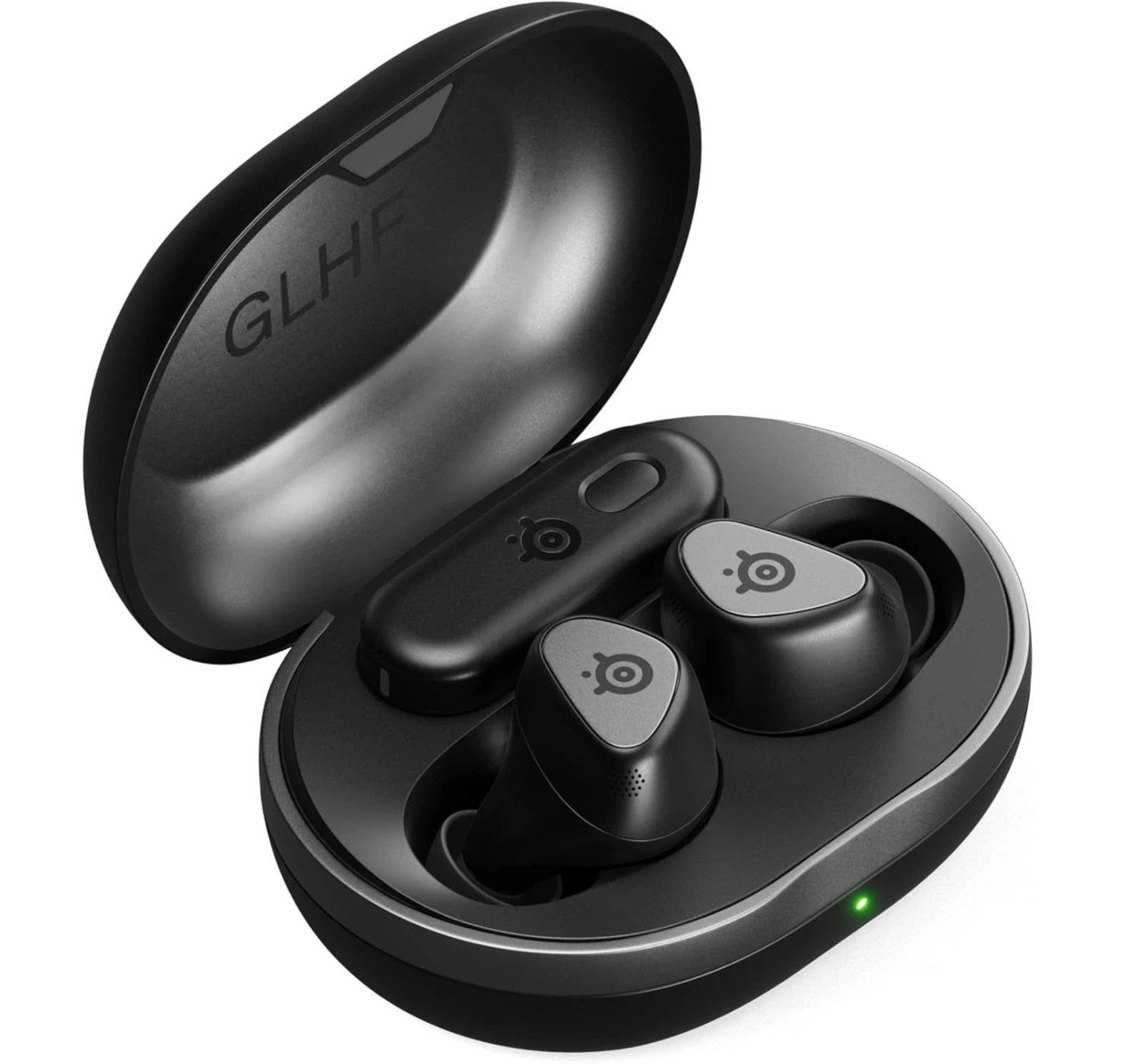
1. SteelSeries Arctis GameBuds


★★★★☆ 4.0 out of 5


Deciding between these two really boils down to whether you want a “Swiss Army knife” or a high-end audio experience. Let’s break it down.

The SteelSeries Arctis GameBuds are the way to go if you’re a multi-platform gamer. They work with Xbox consoles. They easily connect using Bluetooth for your phone (unlike the Sony buds), and let you take calls without pausing your game. Plus, they have wireless charging and a ton of fun EQ presets. 

Whereas the Sony INZONE Buds are for the PC and PlayStation 5 purists. They sound noticeably richer and the active noise cancellation is way better. They also have the edge on battery life, so they’re perfect for those marathon sessions where you just want to disappear into the game.

Bottom Line? Choose the SteelSeries GameBuds  if you want one pair of buds that works with everything you own, or choose Sony INZONE Buds if you just want the best sound quality, impressive noise cancelling and long battery life.


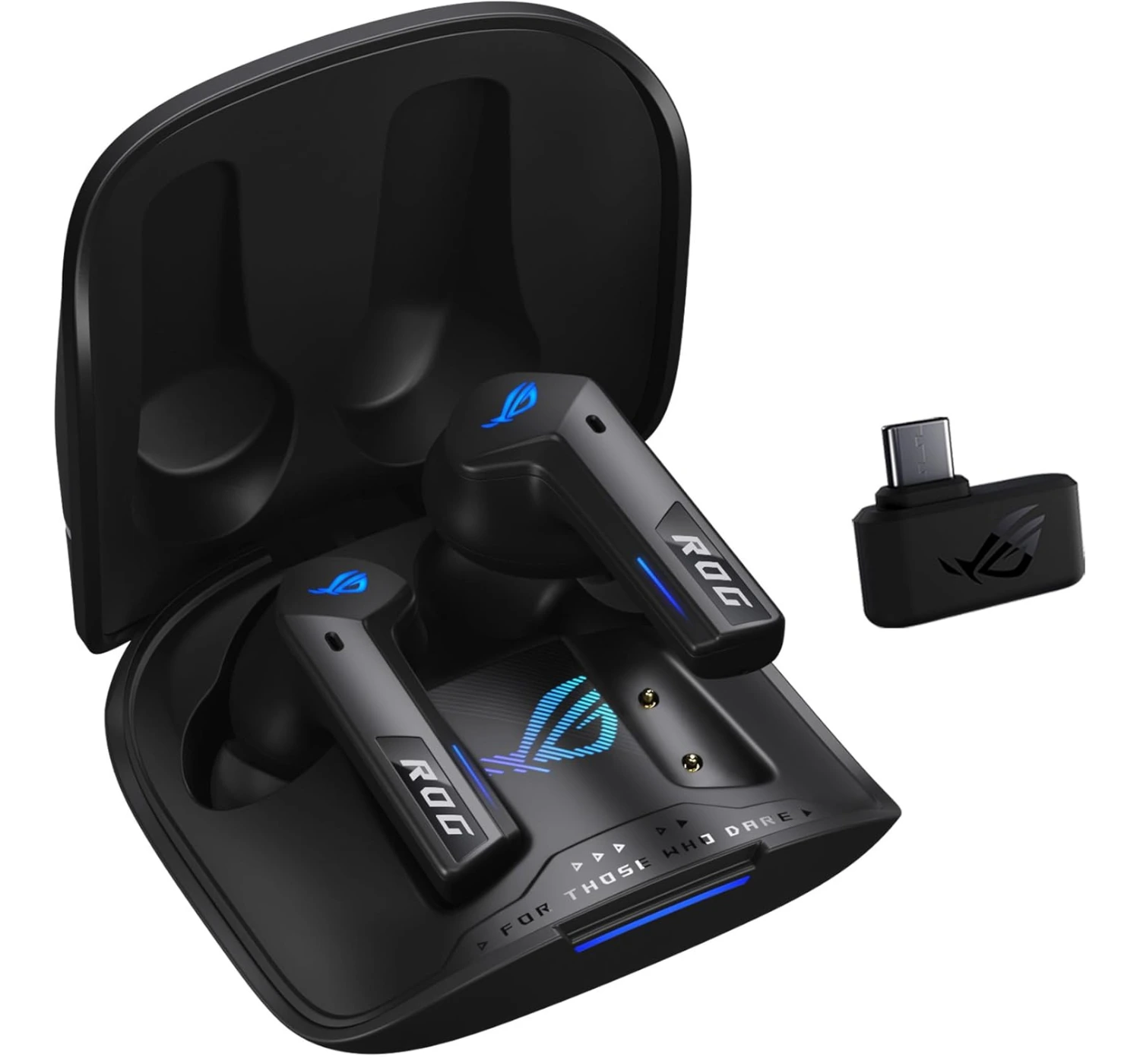
2. ASUS ROG Cetra True Wireless SpeedNova


★★★★☆ 4.0 out of 5


These two are basically a toss-up between “feature-packed versatility” and “pure endurance.” Here’s the quick rundown. 

The ASUS ROG Cetra SpeedNova are the better “all-arounders.” Unlike the Sony buds, they have standard Bluetooth, so they actually work with your phone or laptop without a dongle. They’ve got cool RGB lighting, a bone-conduction mic for clearer calls, and the case supports wireless charging. Plus, they have multipoint connection, so you can stay connected to your phone and your game at the same time.

If we look at the Sony INZONE Buds, these are built for marathon sessions. The battery life is insane—nearly double what the ASUS offers (12 hours vs. ~7). The noise cancellation is also elite, borrowed from Sony’s high-end music headphones, so they’re much better at blocking out a loud fan or keyboard.

The Bottom Line: Go with ASUS if you want one pair of buds for your phone, PC, and daily life. Go with Sony if you just want the best battery life and silence for long, competitive gaming sessions.


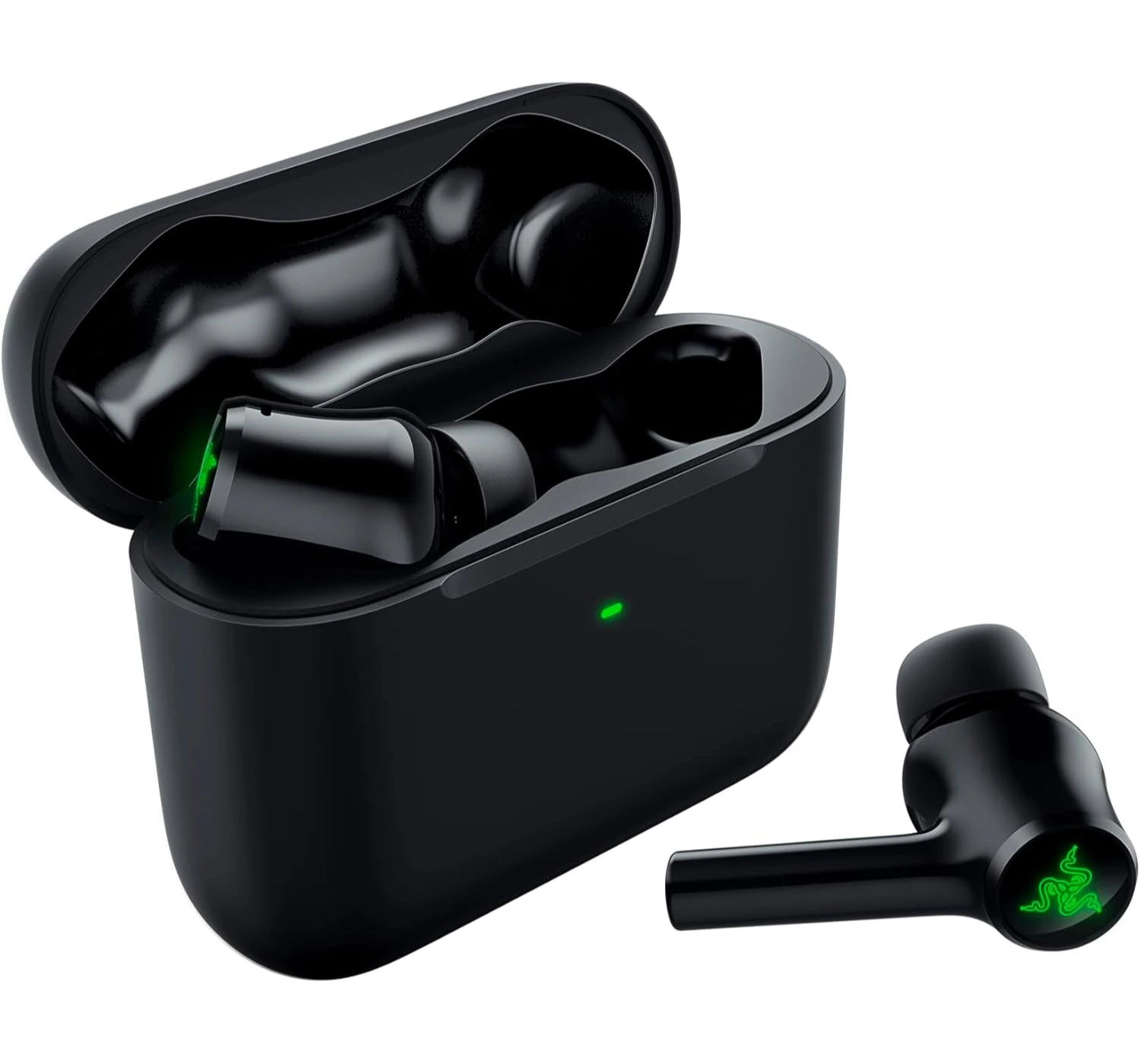
3. Razer Hammerhead True Wireless Pro


★★★⯪☆ 3.5 out of 5


Deciding between these two is a classic “flash vs. stamina” trade-off. Here’s how they stack up.

The Razer Hammerhead Pro HyperSpeed earbuds are for gamers that carve aesthetic and versatility. They’ve got the RGB lighting and, unlike the Sony buds, they use standard Bluetooth, so they actually play nice with iPhones and older Androids. You also get wireless charging and a “Gaming Mode” that keeps things snappy even without the dongle.

If you compare them to Sony INZONE Buds, these are the marathon runners. The battery life is the real winner here—you get over 12 hours of playtime, whereas the Razers usually tap out around 4 to 6. Sony also wins on noise cancellation and mic clarity, making them much better at blocking out a loud room so you can focus.

Go with Razer Hammerhead Pro if you want the RGB glow and need a pair that easily jumps between your phone and your console. Or you can go with Sony’s INZONE buds if you prioritize elite battery life and silence for those “all-day” gaming sessions.


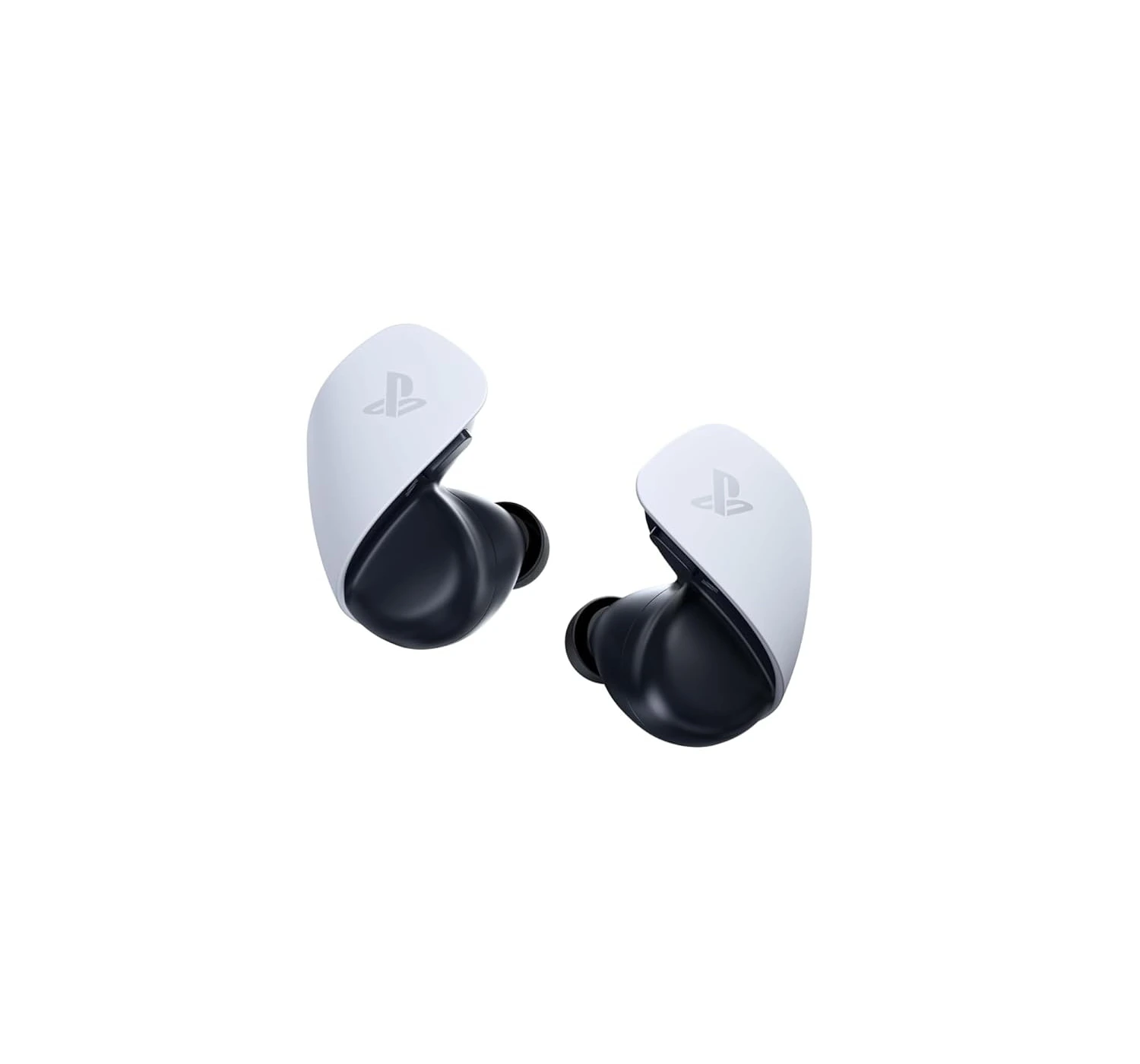
4. Sony Pulse Explore


★★★☆☆ 3.0 out of 5


With these two earbuds, it’s basically a battle between “PlayStation ecosystem perks” and “better overall specs”. 

With Sony Pulse Explore earbuds, these are really exclusively for the PlayStation 5 superfans, especially if you own a PlayStation Portal. They connect to the Portal without a dongle and use “planar magnetic drivers,” which basically means the audio is incredibly crisp. You can also stay connected to your phone and the console at the same time.

Whereas with Sony INZONE Buds, for most people, these are actually the better pick. They have Active Noise Cancellation (which the Pulse Explore totally lacks) and the battery life is a beast at 12 hours compared to the Pulse’s measly 5 hours. They’re also generally considered more comfortable for long sessions than the bulkier Pulse design.

The Bottom Line: Grab the Pulse Explore if you’re a Portal user or an audiophile who needs that simultaneous Bluetooth connection. Go with the INZONE Buds if you want noise cancellation, comfort, and a battery that actually lasts all day.


Verdict


So, what’s the final verdict? Honestly, the Sony INZONE Buds are a bit of a specialist tool. If you’re a hardcore PC or PlayStation gamer who pulls all-nighters and hates being tethered to a cable, these are easily one of the best earbuds you can buy now.

The battery life is basically a cheat code—it just keeps going—and the active noise canceling is legit enough to let you actually hear what’s happening in-game without your PC fans ruining the vibe.

That being said, they aren’t exactly “all-rounders.” If you were hoping to use these as your main earbuds for your iPhone or for your workouts, the limiting Bluetooth feature and the chunky case will get annoyed fast. You’re really paying for that lag-free dongle connection and the high-end sound drivers.

Bottomline: Buy it if you want earbuds with the best battery life in the game, with top-tier noise canceling, and for mostly gaming on PlayStation 5 or modern PC. Look elsewhere if you need a pair of buds to rule them all (including your phone), or if you’re on a tight budget. They’re a solid investment for your gaming setup, but just make sure your phone is actually compatible before you pull the trigger.

So, what are your thoughts on the Sony INZONE Buds review? Are they the earbuds you’re looking for? Does it meet you expectations as a gamer? If not, what do you thing of the alternatives? Let me know what your thoughts are at the comments here below. And if you wanna find out more about these awesome earbuds, CLICK HERE 😀


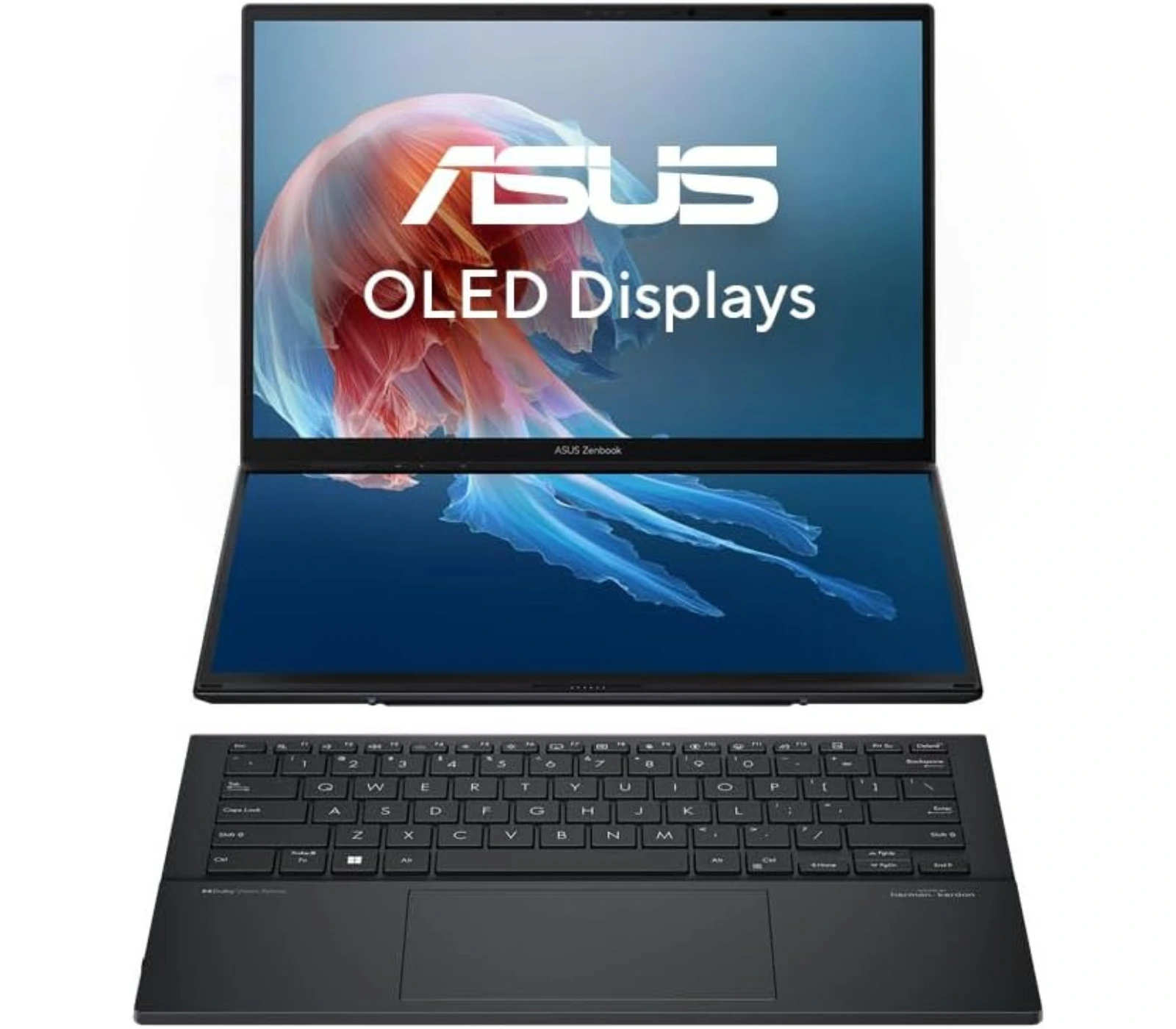
ASUS Zenbook Duo (UX8406CA) Review: Future of Productivity


ASUS Zenbook Duo

“The 2026 Zenbook Duo is the one that finally makes the two-screen setup feel totally normal and easy to use”


Multitasking is a pain. Whether you wanna admit it or not, however we look at it, we just can’t do it nor can we do it perfectly. You probably won’t believe me when I tell you this, but with the Zenbook Duo from ASUS, makes multitasking possible. It’s the most innovative powerhouse laptop which makes multitasking a breeze. It’s an incredibly clever piece of machinery that comes with two touchscreen displays, a whole lot of power, and other amazing features. But is it worth the buy? Let’s check out the review and find out.  


Overview


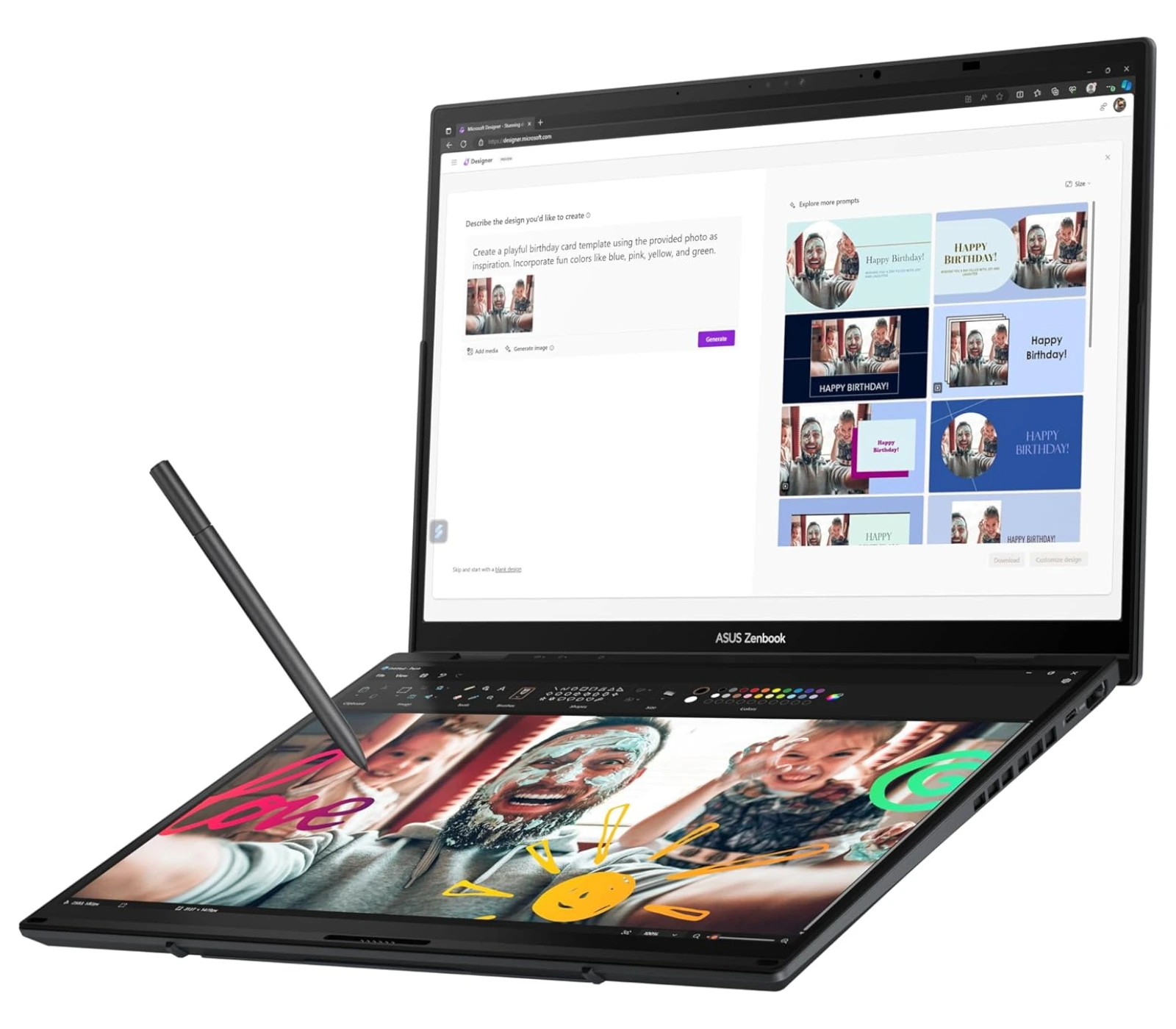
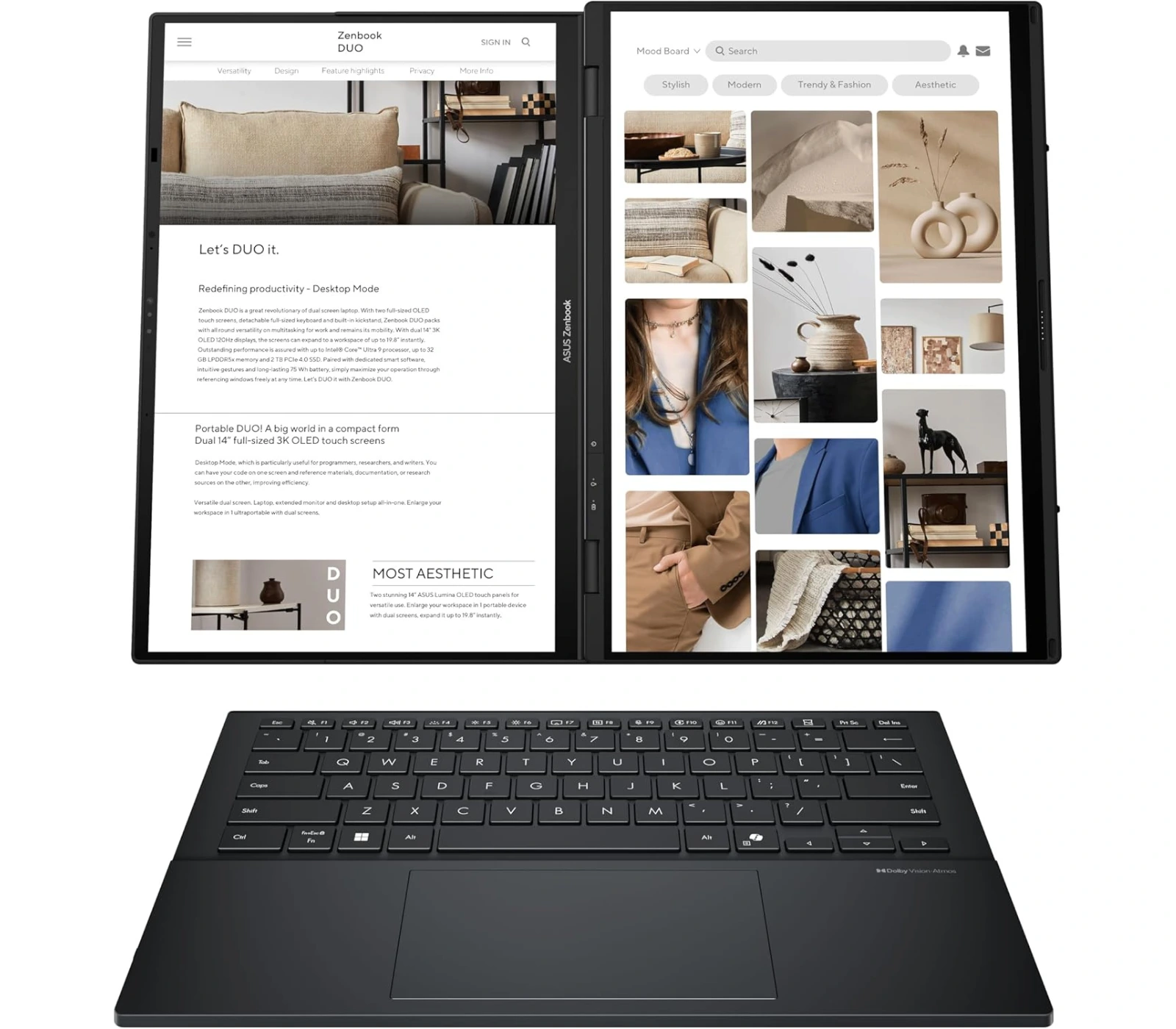
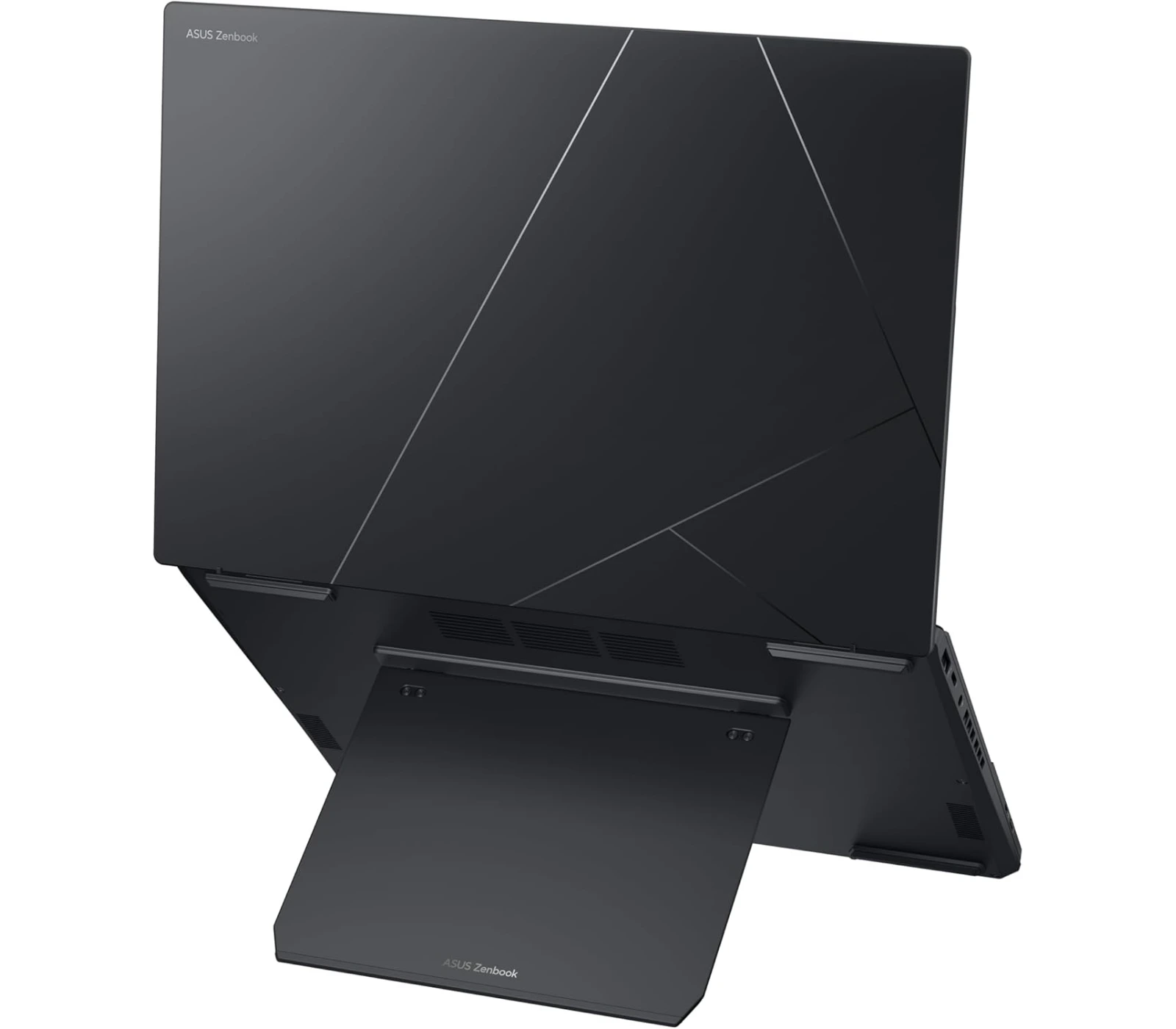
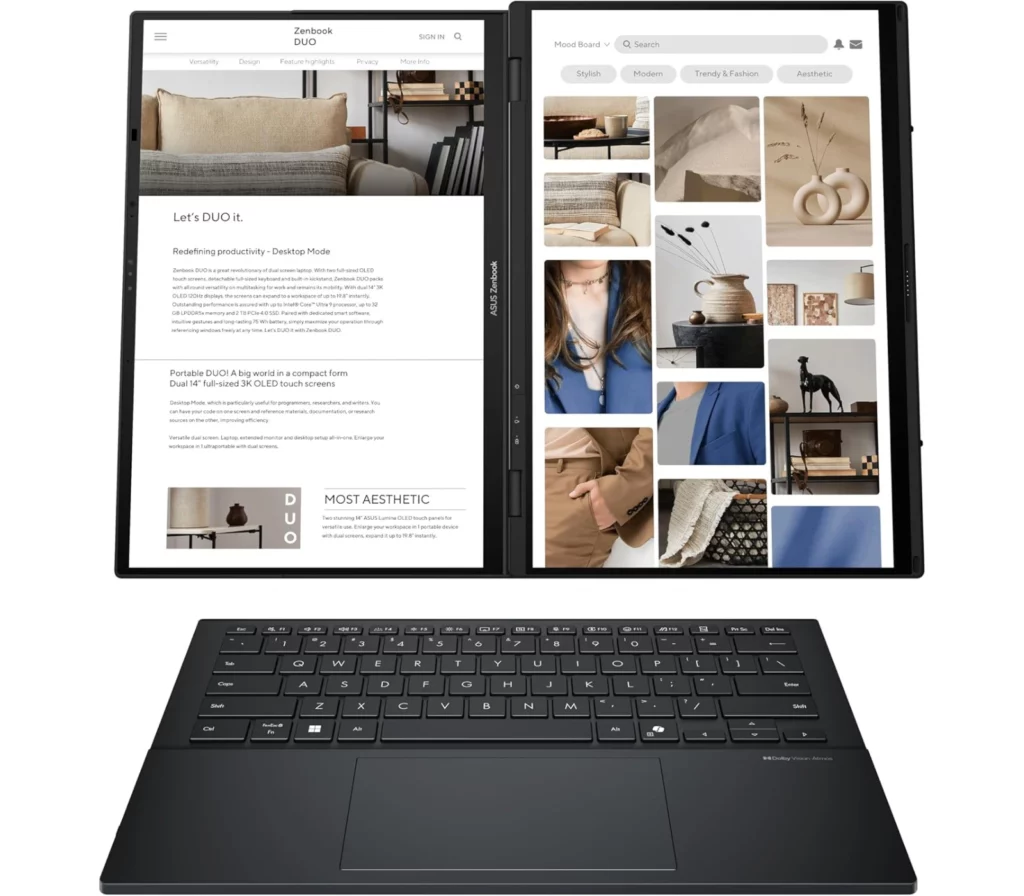
Imagine having a full dual-monitor setup that actually fits in your backpack—that’s basically the ASUS Zenbook Duo (2026) in a nutshell. It’s a total powerhouse featuring two gorgeous 14-inch 3K Lumina Pro OLED touchscreens that now hit a buttery-smooth 144Hz refresh rate, making everything from scrolling to gaming look incredible.

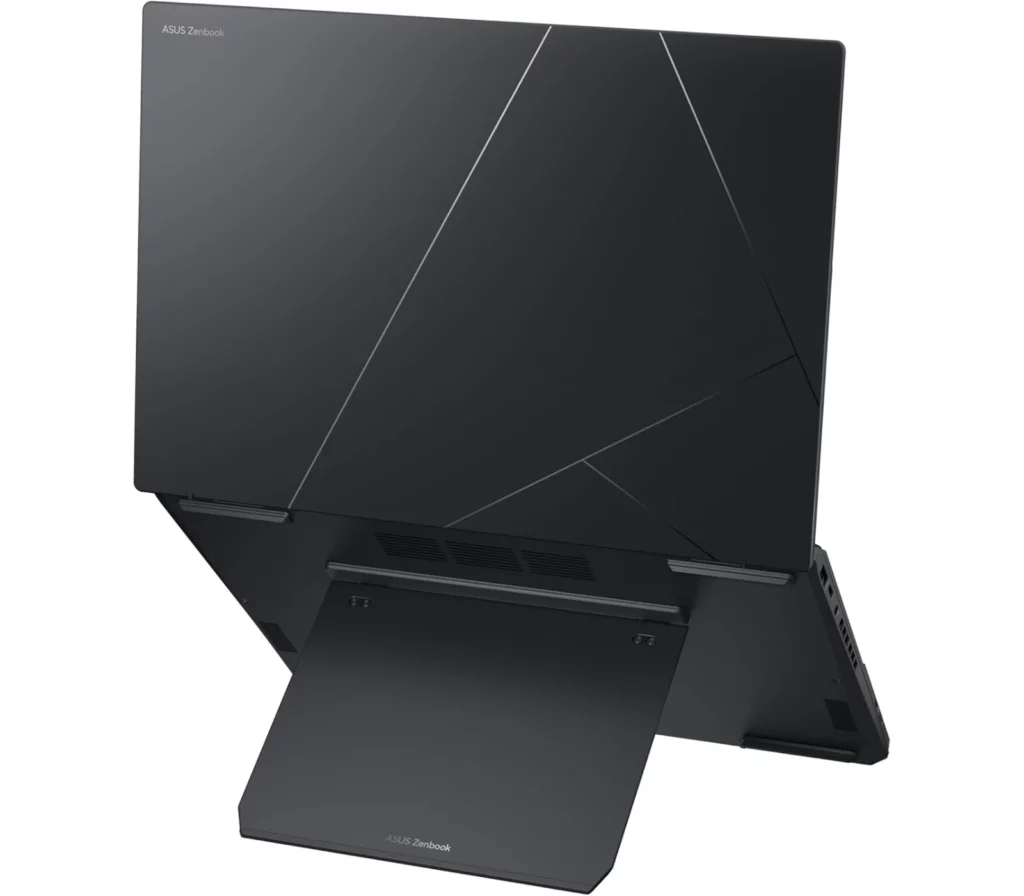
Under the hood, it’s rocking the latest Intel Core Ultra X9 “Panther Lake” chip and a massive 75Wh battery, which is basically the biggest battery you can legally take on a plane. The real “magic” is how versatile it is: you can use it as a standard laptop with the magnetic keyboard snapped on, or pop out the built-in kickstand to stack the screens vertically for an epic mobile workstation. Plus, with its intuitive design and a redesigned hinge that makes the gap between screens almost disappear, it feels less like a gadget and more like a refined, professional tool.

If that doesn’t convince you to get one, let’s find out more on what this amazing laptop can do. 


Specs


  • DISPLAY: Dual 14-inch, 3K, 120Hz, Lumina OLED (1920 x 1200) Touch
  • CPU: Intel® Core™ Ultra 9 Processor 285H, Intel® AI Boost NPU
  • GPU: Intel® Arc™ Graphics (integrated)
  • MEMORY: 16GB / 32GB LPDDR5X RAM
  • STORAGE: 1TB / 2TB SSD
  • BATTERY: 75WHrs, supports 65W AC Ultra Mini Adapter    
  • OS: Windows 11 Home
  • PORTS:  1x USB 3.2 Gen 1 Type-A, 2x Thunderbolt™ 4, 1x HDMI 2.1, 1x 3.5mm Combo Audio Jack
  • OTHER: 1080p webcam, Wi-Fi 7, Bluetooth 5.3, weighs 1.65 kg (3.64 lbs.)   


What’s to Like


1. Double the Screen, Zero the Compromise

 You’re getting two gorgeous 14-inch 3K OLED displays that both now run at a smooth 144Hz. What makes this year’s model special is the “hideaway” hinge; the gap between the screens has been shaved down to just 8mm, so when you stack them vertically, it feels like one giant, continuous 20-inch workspace. It’s like carrying a dual-monitor office setup in a bag designed for a 13-inch ultra book.


2. The “Panther Lake” Performance Leap

Under the hood, the Intel Core Ultra X9 Series 3 chip is a game-changer. It’s not just about speed—though it’s incredibly fast—it’s the new Arc B390 graphics. You’re getting integrated graphics that can actually keep up with a dedicated RTX 4050, meaning you can edit 4K video or play AAA games on your lunch break without the laptop turning into a space heater


3. A Battery That Actually Keeps Up

Usually, dual screens mean a dead battery by noon, but ASUS managed to cram a 75Wh battery in it—the literal legal limit for airplanes. Combined with the efficiency of the new Intel chips, you can actually get through a full 10-hour workday using both screens, or stretch it to a mind-blowing 32 hours if you’re just using one.


4. The Premium Build

The chassis is made of this unique high-tech ceramic-aluminum hybrid. It’s tougher than standard aluminum, lighter, and completely resists those annoying fingerprints. Plus, the integrated kickstand is rock-solid this year, so you can prop the screens up in “Waterfall mode” on a tiny airplane tray table or a crowded coffee shop counter without it wobbling.


5. The Most Refined Setup on the Market

Everything about the ergonomics feels “solved.” The MagLatch keyboard snaps into place perfectly with magnetic pogo pins, charging itself while you type. When you want to go full workstation, you just pop the keyboard off and use it via Bluetooth. It’s the first time a dual-screen laptop has felt like a finished, polished tool rather than a cool science experiment.


What’s Not to Like


While the ASUS Zenbook Duo (2026) is a total marvel, it’s definitely not the right fit for everyone. If you’re a “minimalist” traveler or someone who just wants a laptop to work flawlessly without a second thought, there are some very real trade-offs to consider before dropping that much cash.


1. The “Chunky” Reality

Even with the new refinements, there’s no getting around the fact that this is a thick device. At nearly 23mm thick and weighing 1.65 kg (3.64 lbs.), it feels significantly bulkier in your bag compared to a svelte MacBook Air or an HP Spectre. If you spend most of your time in “standard laptop mode” with the keyboard snapped on, you’re essentially carrying around a heavy, thick laptop while only using half of what you paid for.


2. Ergonomic Quirks

The detachable keyboard is a cool party trick, but it has its downsides. Because it’s so thin, it lacks the deep travel and “clicky” stability of a traditional high-end keyboard. Plus, some users find the flat profile a bit straining for long typing sessions, and there have been occasional reports of the Bluetooth connection glitching for a split second when you move it away from the screens.


3. The “Dongle Life” Paradox

It’s great that it has an HDMI port, but here’s the kicker: when you have the screens unfolded horizontally in “Waterfall mode,” the HDMI and one of the USB-C ports are actually on the bottom edge facing the desk, making them almost impossible to use without some creative propping up. It’s a bit of a design “oops” for a device marketed at power users.


4. Disappointment Webcam

For a premium 2026 flagship, the 1080p webcam is just… okay. In a world where the HP Spectre has a crystal-clear 9MP sensor and the MacBook has Center Stage, the ASUS camera can look a bit blotchy and soft, especially if your home office lighting isn’t perfect.


5. The Price of Innovation

Let’s be honest—you’re paying a massive “dual-screen tax.” With the 2026 model pushing toward the $2,300 mark, you could easily buy a top-tier traditional laptop plus a high-end external 4K monitor and still have money left over. If you don’t actually find yourself using that second screen every single day, it’s a lot of extra money for a feature that might just end up being a gimmick for your specific workflow.


Alternatives – ASUS Zenbook Duo VS


1. Lenovo Yoga Book 9i

★★★★☆ 4.0 out of 5

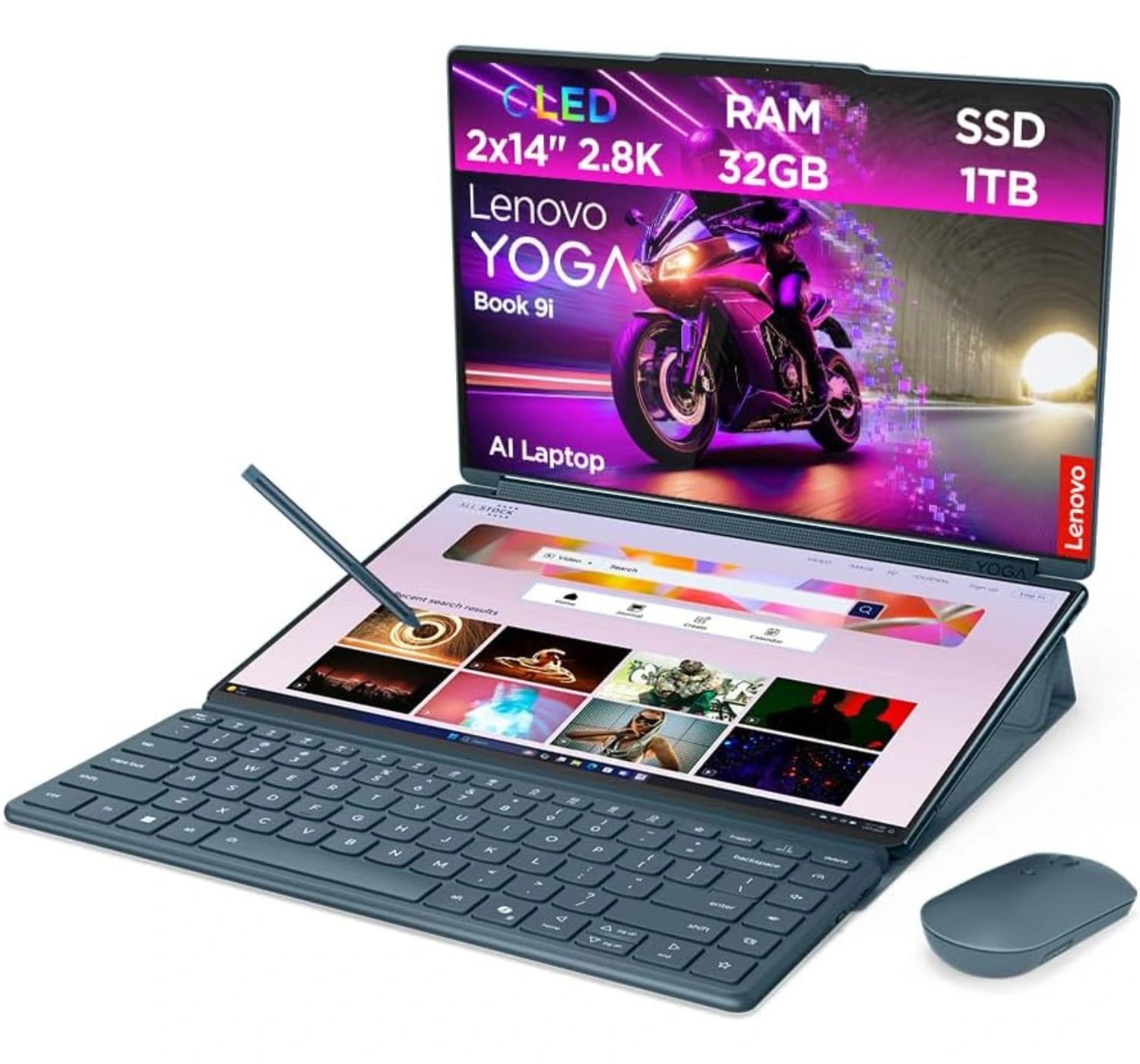
If you’re torn between these two, it really comes down to whether you want a “transformer” workstation or a refined powerhouse. The Lenovo Yoga Book 9i is the better pick if you prioritize portability and aesthetics; it’s thinner, lighter, and that rotating soundbar hinge produces audio that honestly puts the Zenbook to shame. It feels like a piece of tech art, and the way the screens can fold 360 degrees into a tablet is way more flexible.

On the flip side, it’s a “worse” alternative if you hate setup friction. While the ASUS Zenbook Duo (2026) has a sturdy kickstand built right into the chassis and a keyboard with an actual integrated trackpad, the Yoga Book makes you carry a separate magnetic folio stand and a Bluetooth mouse to get the same level of productivity. Plus, the ASUS packs a much better port selection—including HDMI and USB-A—so you aren’t constantly reaching for a dongle like you would with the Lenovo’s “Thunderbolt-only” lifestyle.


2. HP Spectre x360 14 (2024)

★★★★⯪ 4.5 out of 5

If you’re debating between these two, you’re essentially choosing between a refined masterpiece and a multitasking beast. The HP Spectre x360 14 (2024) is the better choice if you value a seamless, high-quality “daily driver” experience; it’s notably lighter, feels incredibly premium, and features a 9MP webcam that honestly puts almost every other laptop to shame. Its keyboard and haptic trackpad are also best-in-class, offering a tactile stability you just can’t get with a detachable setup.

However, it’s a “worse” alternative if you frequently find yourself wishing for more screen space. The ASUS Zenbook Duo (2026) offers a massive productivity jump with its dual 144Hz OLED displays and a built-in kickstand that lets you stack screens vertically. Plus, while the Spectre is sleek, the ASUS packs a much newer, more powerful processor and a massive 99Wh battery to handle the extra power demands—not to mention a built-in HDMI port so you can finally leave the dongles at home.


3. Samsung Galaxy Book5 Pro 360

★★★★☆ 4.2 out of 5

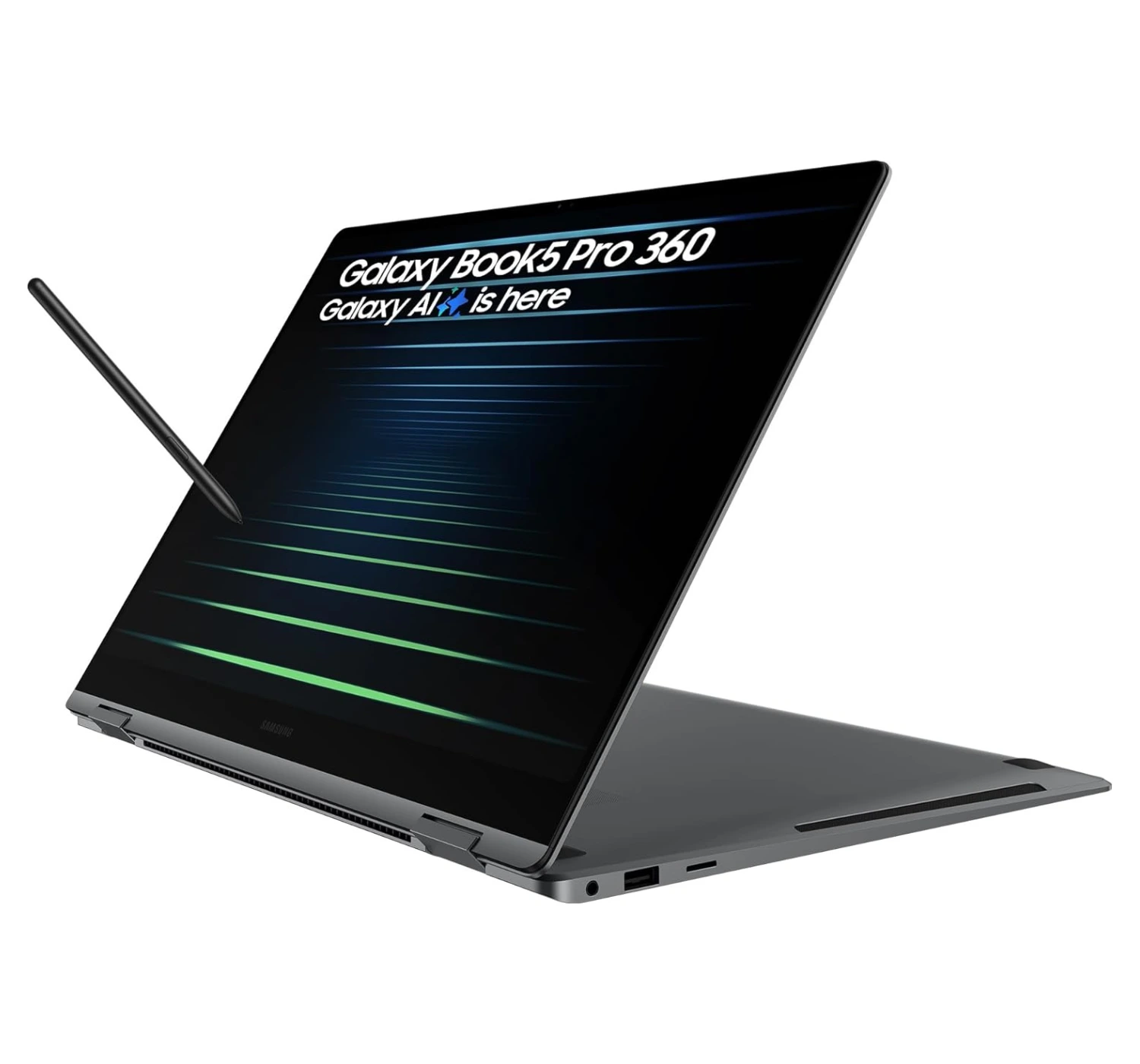
If you’re choosing between these two, you’re essentially deciding whether you want a sleek, artist-friendly companion or a dual-screen multitasking beast. The Samsung Galaxy Book5 Pro 360 is the better alternative if you’re a creative who values a “true” 2-in-1 experience; that 360-degree hinge and the included S Pen make it feel like a massive, premium sketchbook that’s incredibly thin and light for a 16-inch device. It also integrates beautifully with Galaxy phones and tablets, which is a huge perk if you’re already in that ecosystem.

On the flip side, it’s a “worse” pick if you’re a power user who thrives on screen real estate. The ASUS Zenbook Duo (2026) gives you two 144Hz OLED displays to work with, a more powerful Intel “Panther Lake” processor, and a monster 99Wh battery that dwarfs the Samsung’s 76Wh cell. While the Samsung is a refined, elegant ultrabook, the ASUS is basically a portable multi-monitor workstation that makes the single-screen life feel a bit cramped.


4. Apple MacBook Air 15 (M4)

★★★★⯪ 4.5 out of 5

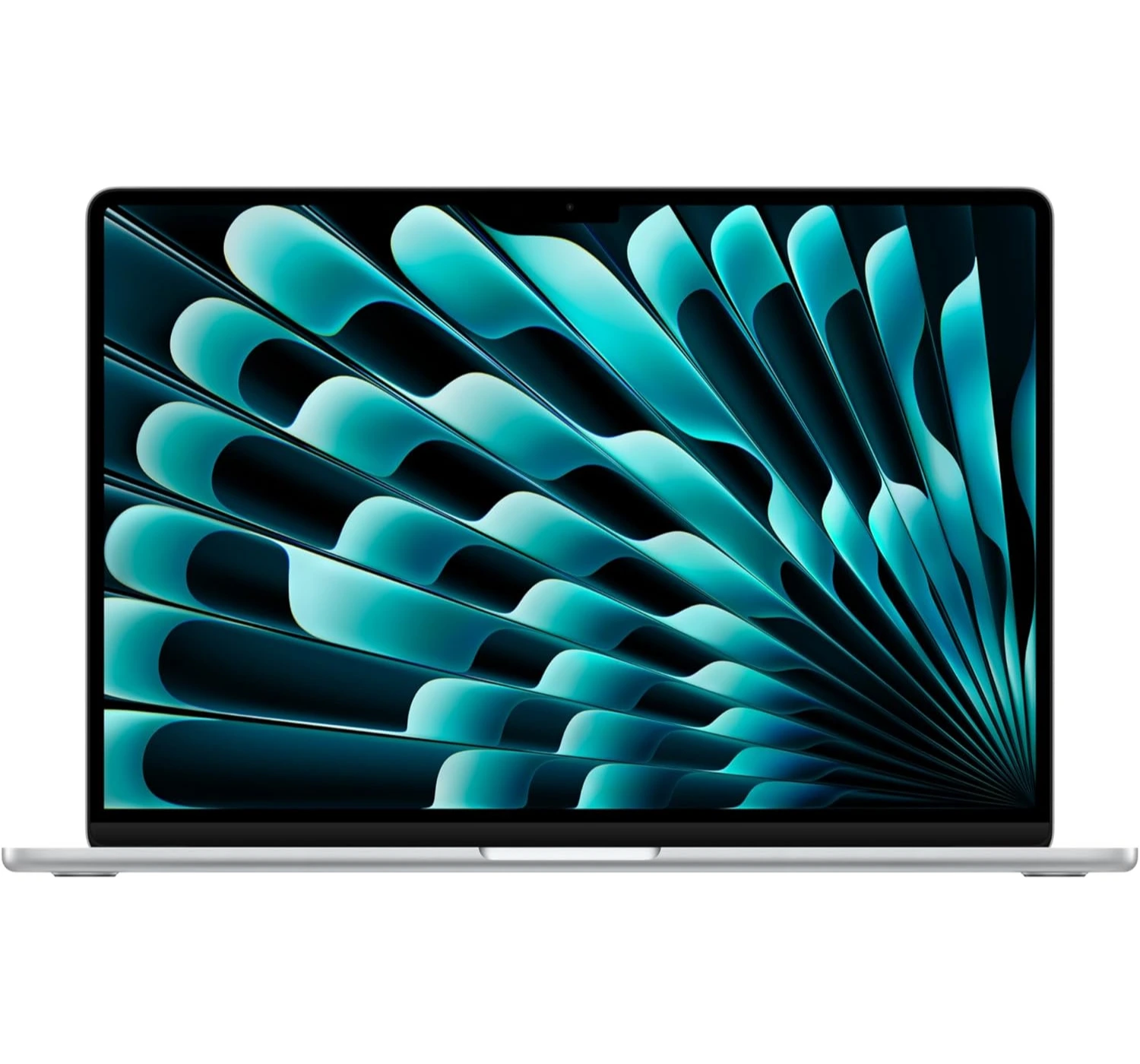
Choosing between these two is really a battle of “reliable simplicity” versus “infinite screen space.” The MacBook Air 15 (M4) is the better choice if you just want a laptop that stays out of your way; it’s dead silent thanks to its fanless design, and the M4 chip efficiency means you can basically forget your charger for an entire weekend. It’s significantly thinner and lighter than the ASUS, making it the ultimate “throw in your bag and go” machine, and the 12MP Center Stage webcam is miles ahead for video calls.

However, it’s a “worse” alternative if you’re a power multitasker or a display snob. The ASUS Zenbook Duo (2026) gives you two gorgeous 144Hz OLED touchscreens while the MacBook is still stuck at a basic 60Hz. Plus, the ASUS actually respects your peripherals with a built-in HDMI port and USB-A, whereas the MacBook pretty much forces you into the “dongle life” with its two-port limitation.


The ASUS Zenbook Duo (2006): The Verdict


If you’ve been unsure about dual-screen laptops, the 2026 Zenbook Duo is the one that finally makes the two-screen setup feel totally normal and easy to use. It really is impressive at how much ASUS cleaned things up this time. They managed to get rid of that annoying gap between the screens, and the new ceramic-aluminum finish feels great and stays way cleaner than the old plastic ones. 

The best part, though, is how fast it is. The new chip inside is a beast—in fact, you can actually play heavy AAA PC games or edit 4K video without it breaking a sweat. Plus, the battery finally lasts all day, so you don’t have to hunt for a wall outlet every three hours. Sure, it’s still a little thick when you fold it up, and it’ll definitely put a dent in your wallet, but if you’re tired of constantly switching tabs on a tiny screen, this thing is a total lifesaver. It definitely is a capable and refined multitasker on the market write now.  

So what do you think of the ASUS Zenbook Duo laptop? Is it the ideal laptop you’re looking for? If not, what about the alternatives? Let us know here at the comments below. And if you wanna find out more, then CLICK HERE to see what’s more in store for you 😀