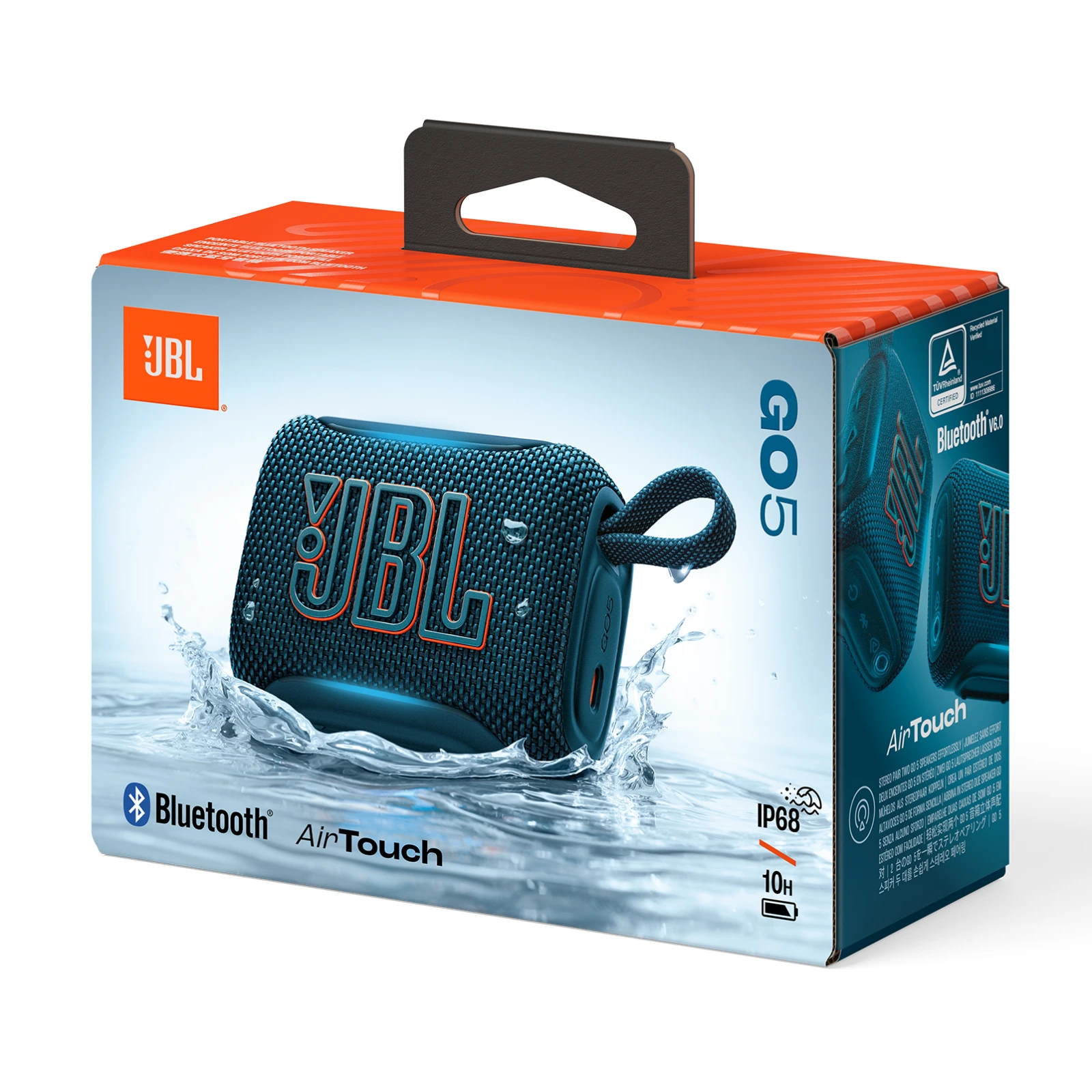
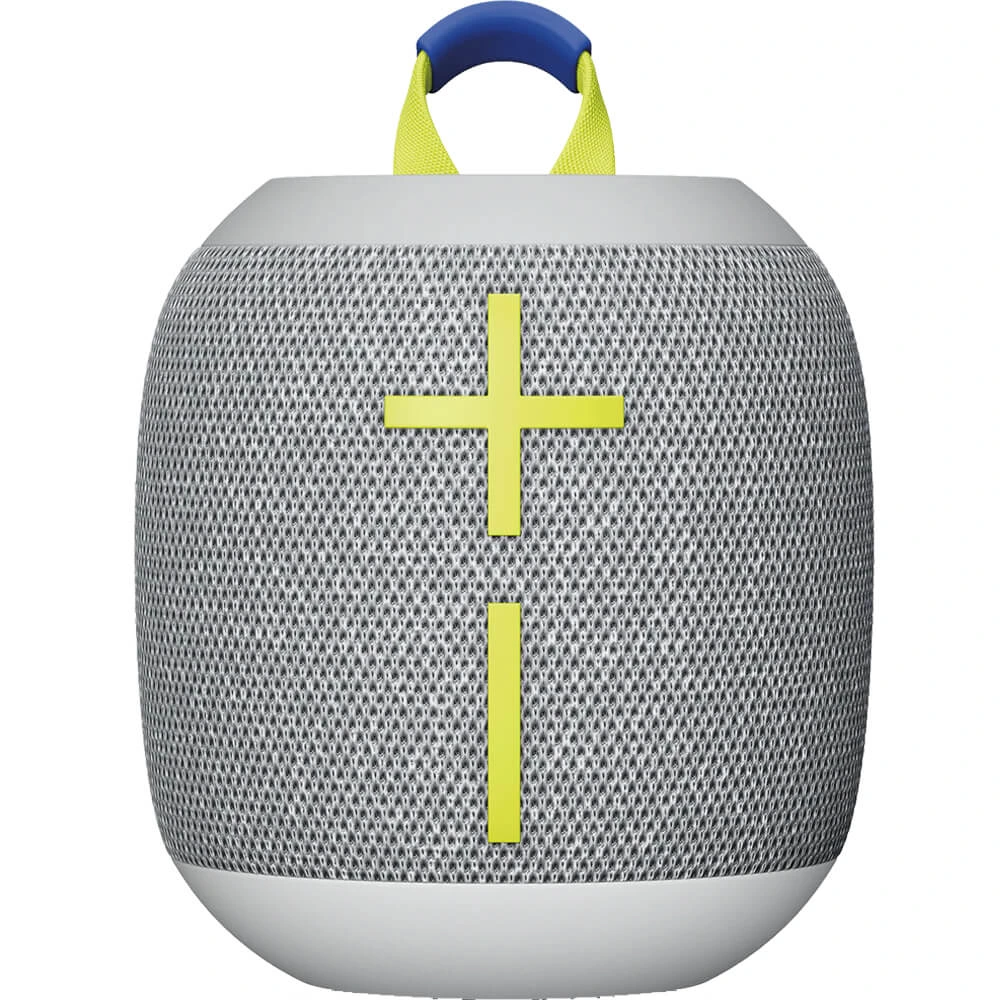
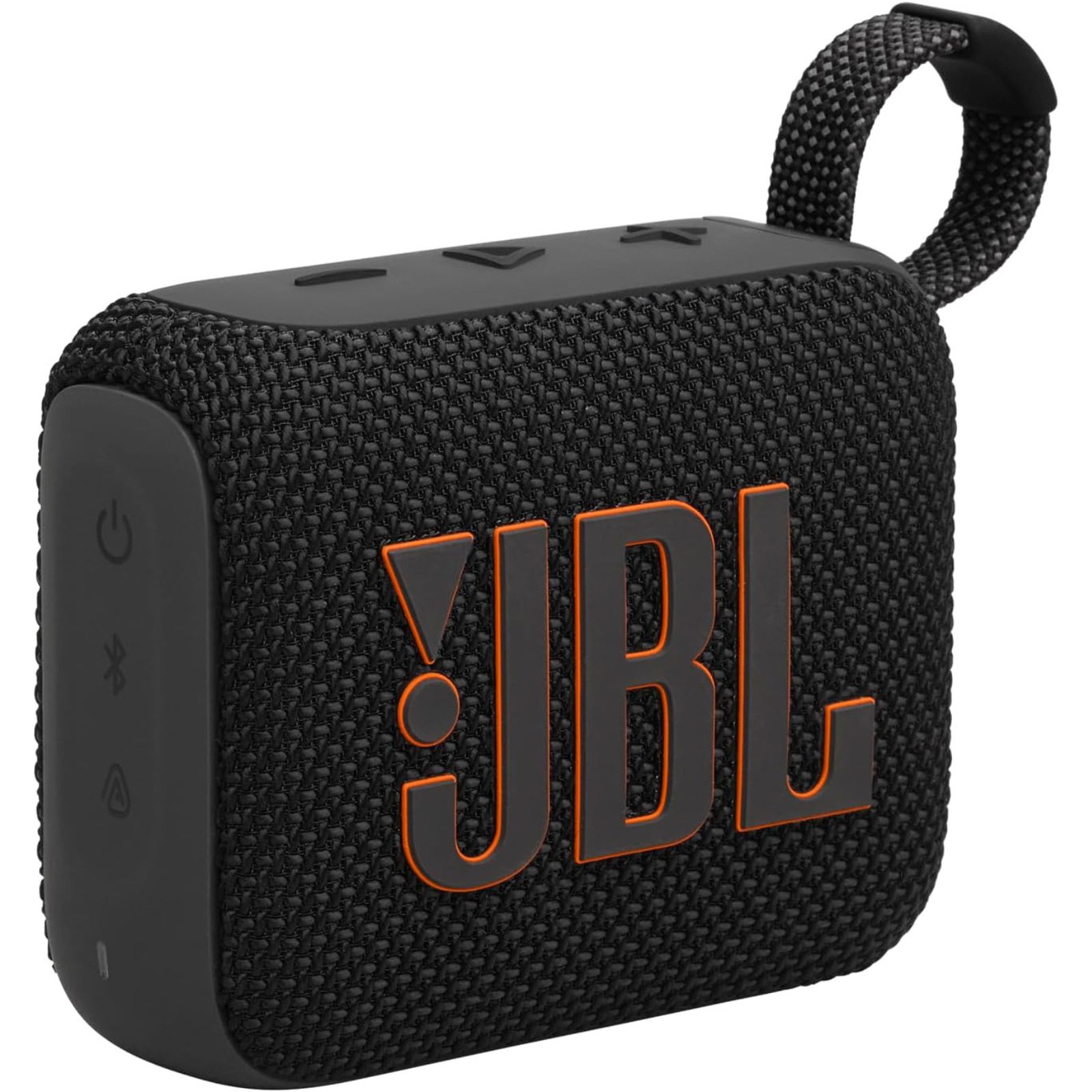
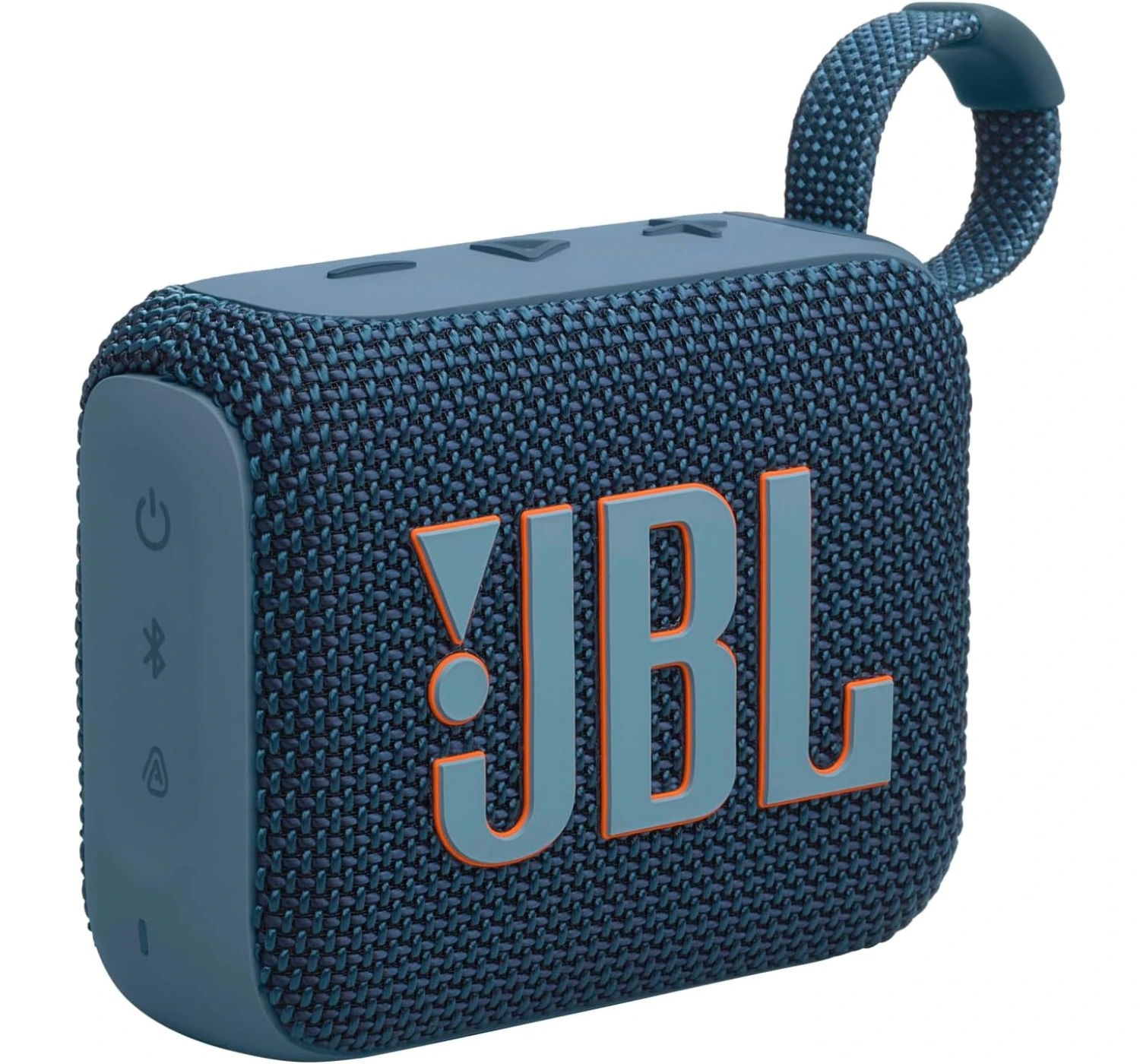
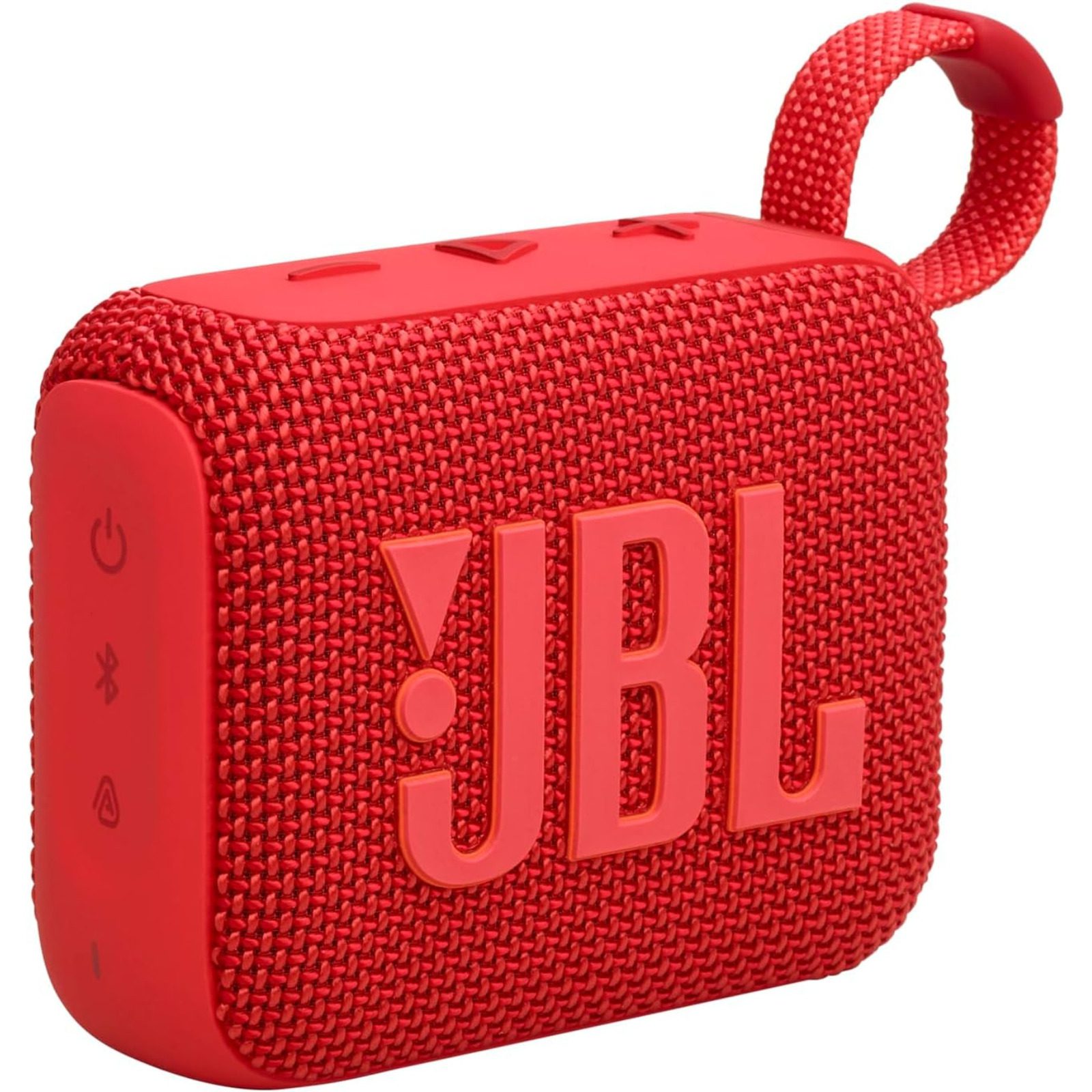
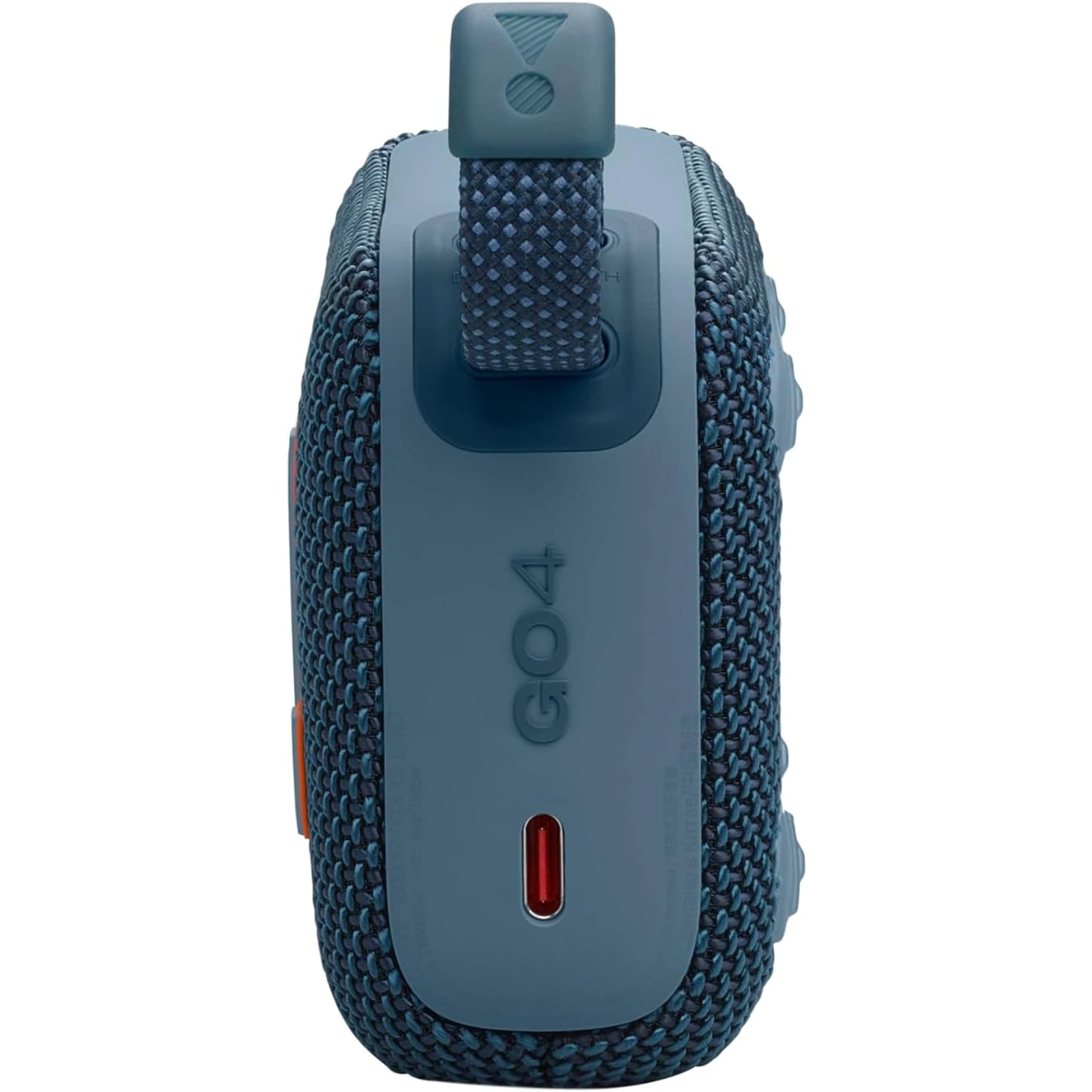
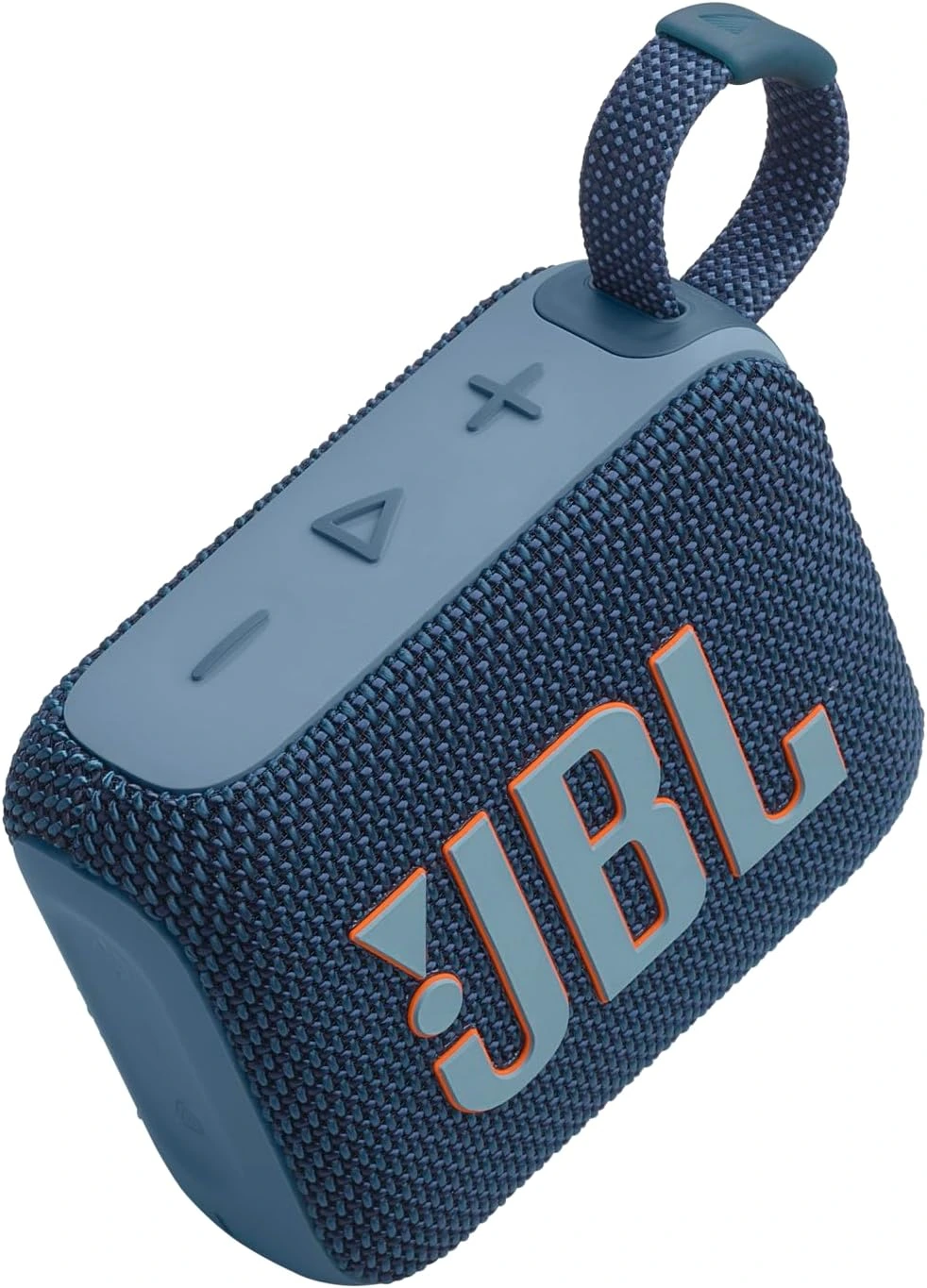
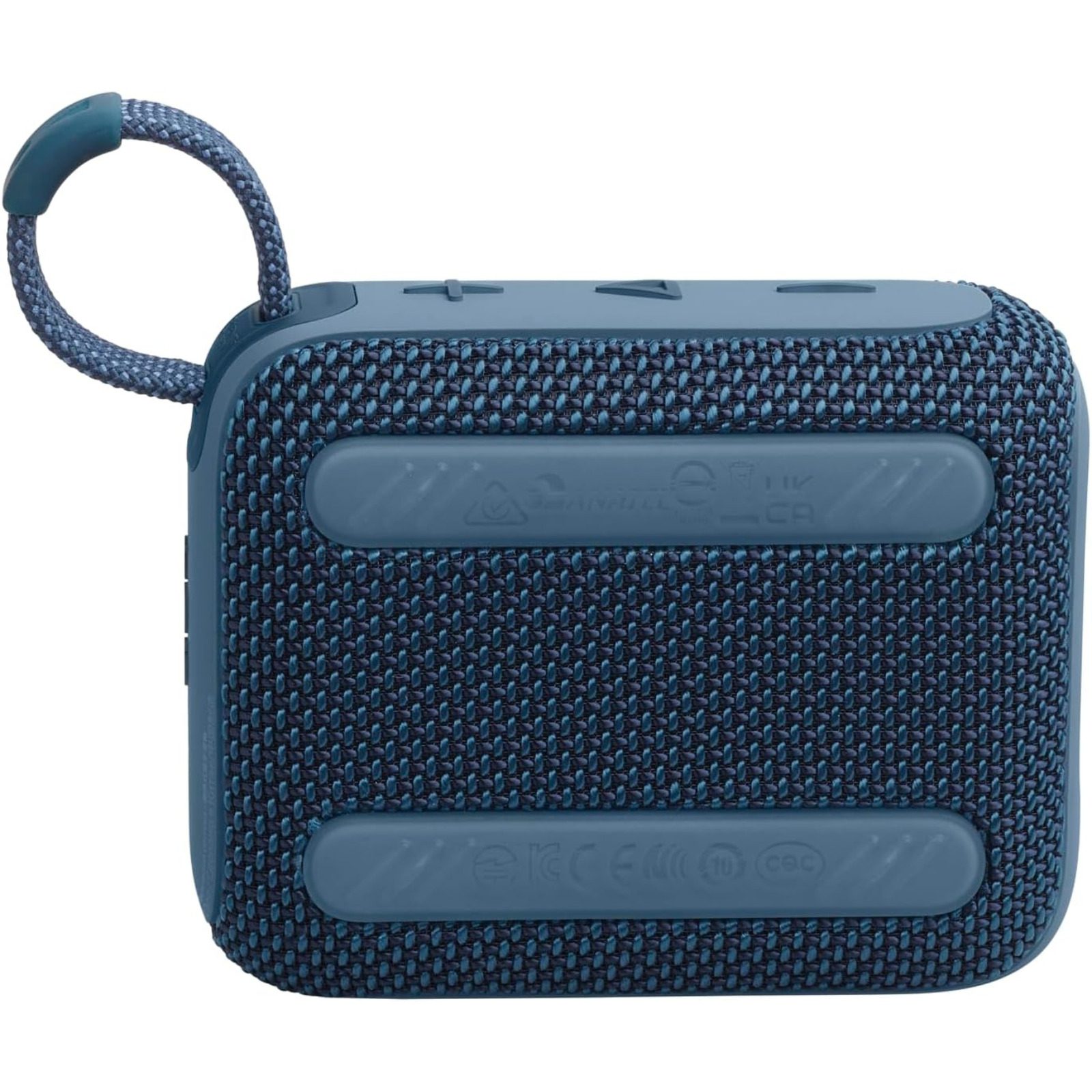
“If you need a Bluetooth speaker that fits in your pocket but still packs a serious punch, the Go 5 is best choice. JBL took everything we loved about the older models and fixed almost every single flaw.“
If you’re looking for a tiny Bluetooth speaker to throw in your backpack, you’ve most likely come across a few under the JBL Go lineup. These little brick-shaped speakers have been rocking pool parties and sunny beach days alive for years. Now, the new JBL Go 5 is here. At first glance, it looks just like the older models. But JBL this time packed some massive tech upgrades into this little palm-sized Bluetooth speaker. If this little guy’s piquing your interest, let’s dive into the JBL Go 5 Speaker Review. Whether this budget-friendly companion deserves a spot in your gear bag, or it’s just another Bluetooth speaker with decent sound but no impact.
Overview
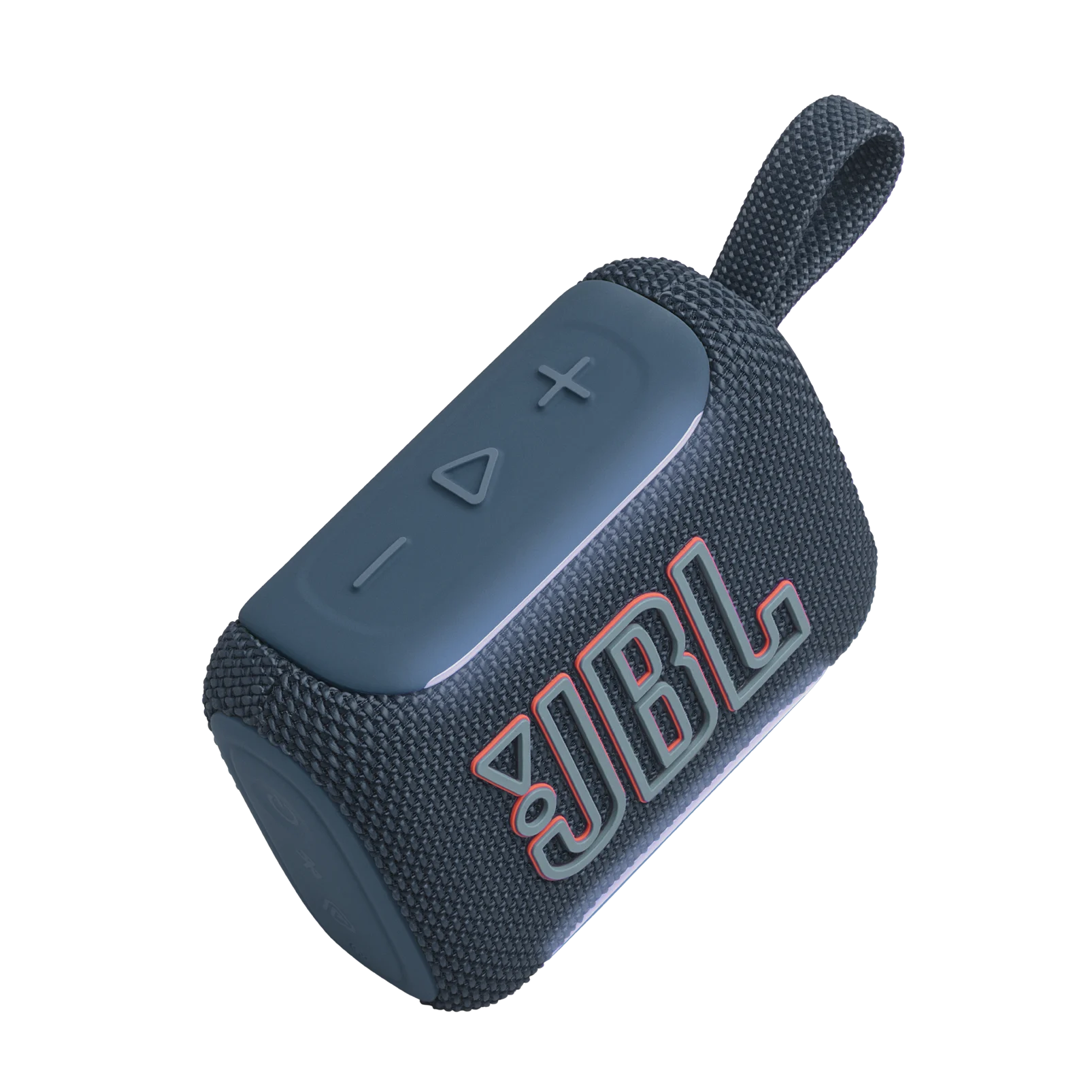
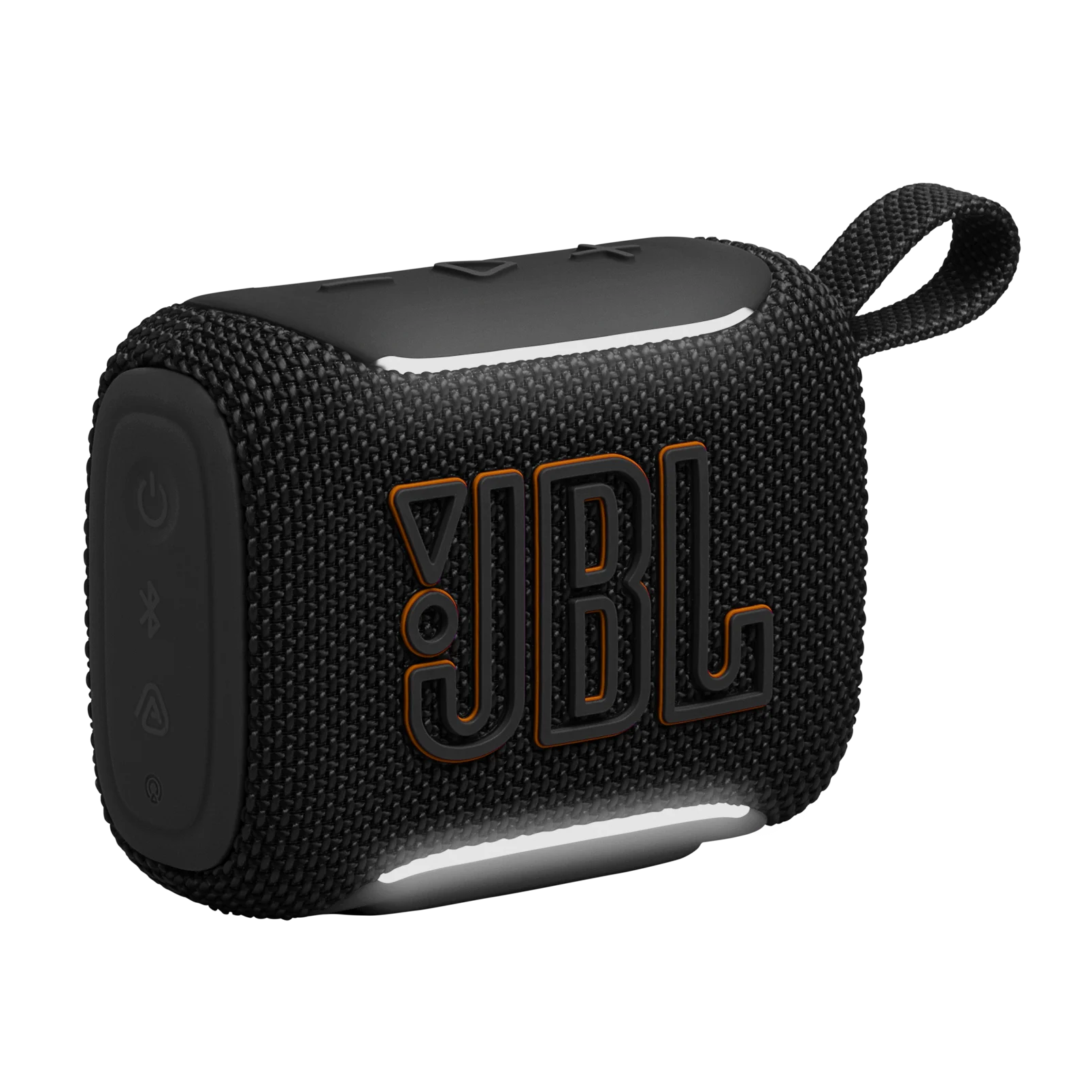
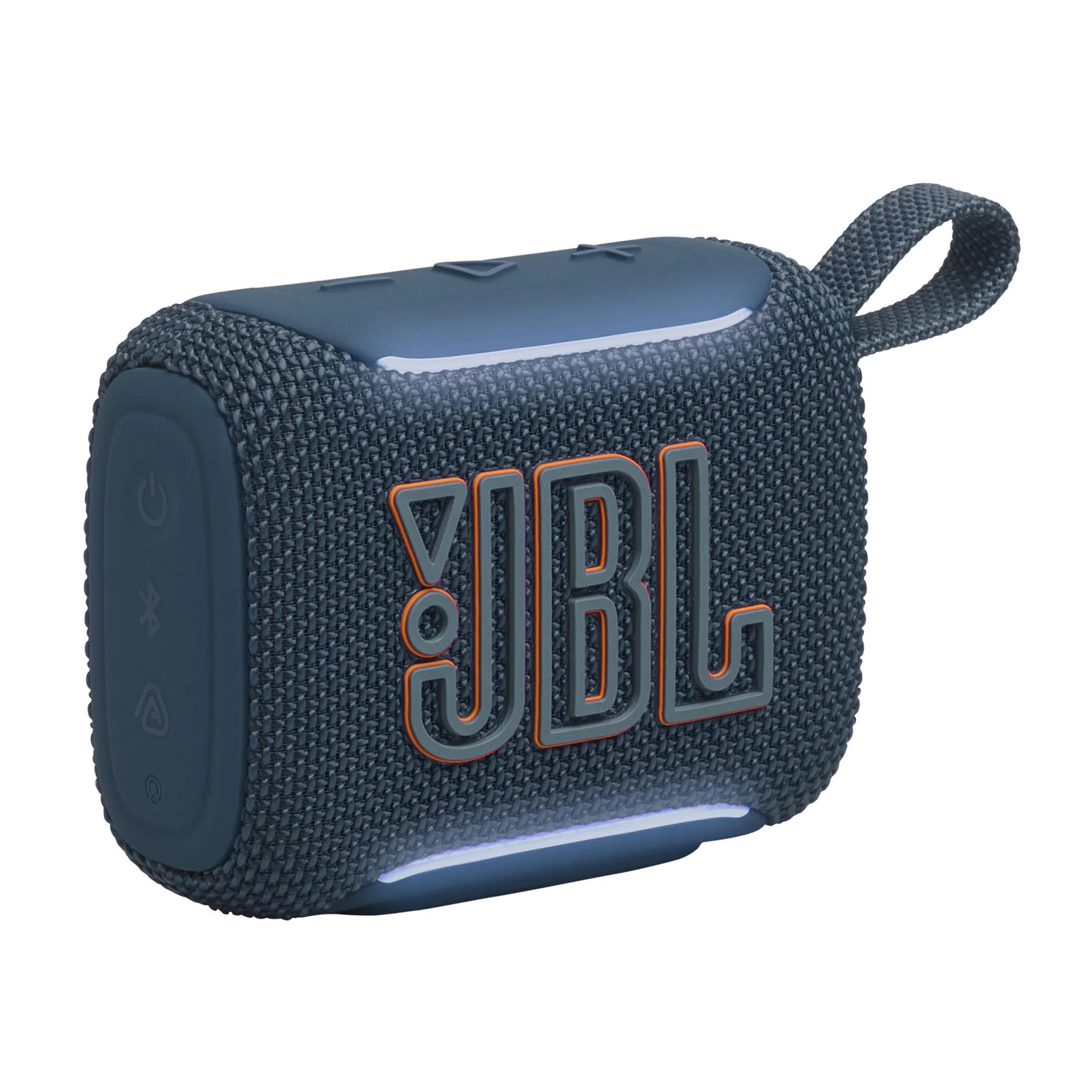
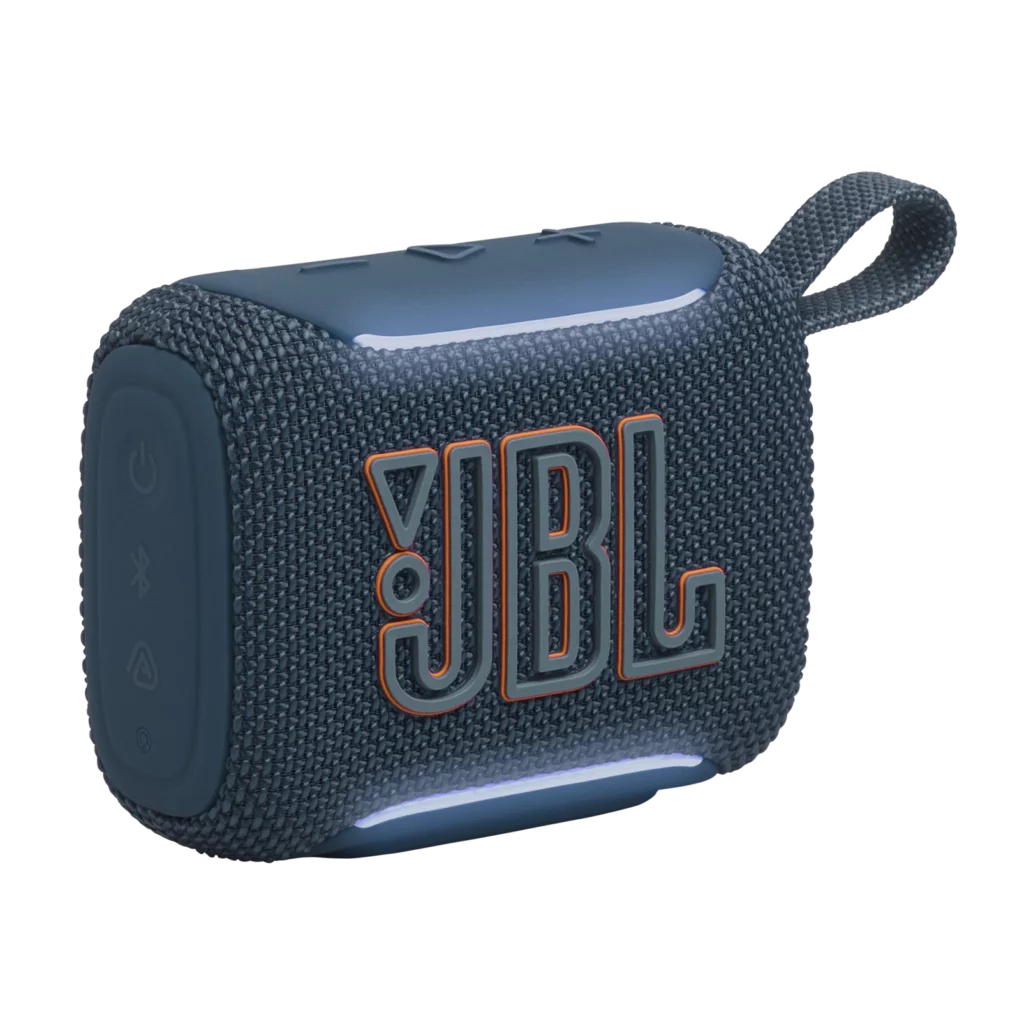
Can a Bluetooth speaker the size of a deck of cards actually bring a dead party alive? That’s the exact promise of the brand-new JBL Go 5 speaker. Priced at an incredibly friendly $55, this little pocket rocket keeps the signature, ultra-portable soap-bar shape and handy strap loop that fans have loved for years.
But don’t let the familiar look fool you; JBL completely overhauled the internal tech for this generation. It now packs an upgraded 4.8W power output for extra punch, with cutting-edge Bluetooth 6.0 for flawless connectivity, and a ruggedized IP68 rating that is fully dustproof, waterproof, and drop-resistant.
Overall, JBL didn’t just make a minor tweak; they created the ultimate summer sidekick. It perfectly balances grab-and-go convenience with surprisingly smart premium features, making it the absolute gold standard for budget portable audio.
Specs
Weighs 230 g/8.1 oz
Connects using Bluetooth and USB-C
Up to 8 hours battery life (10 hours with PlayTime Boost)
So what’s so great about this JBL Go 5 speaker anyway?
First you get the lossless USB-C Audio. This is the absolute best surprise.While the older Go 4 only used its USB-C port for charging, the Go 5 actually lets you plug it directly into your phone or laptop with a cable to play high-res, lossless audio.
Second is the ‘AirTouch’ Stereo Pairing. If your friend also has a Go 5, you can physically tap the two speakers together end-to-end.They instantly chime and link up into a true left-and-right stereo pair. No messy app menus required. That would greatly enhance the sound but that means getting a another G0 5.
Thirdly is the ambient edge lighting. JBL added two elegant, soft white LED strips along the top and bottom edges.They pulse with the music and act as visual indicators when your battery’s running low or when you’re pairing devices. It would be great if it was RGB LED strips but this is what you get at the affordable price.
Next, the Go 5 comes available in a choice of seven amazing color designs to choose from. my favorite being the black, blue and the ‘camouflage’
The companion app now gives you a full 7-band equalizer.This gives you much finer control to boost the bass or crisp up the vocals compared to the older versions.
And lastly, tougher durability feature. The Go 5 comes with an IP68 rating, which means it’s officially dust-proof, water-proof and shock-proof. You don’t need to worry about the Go 5 not working anymore after it being exposed natural elements like dust and water.
The Deal Breakers
As this tiny powerful speaker is great, sadly it’s not perfect. Why? Either than the obvious physical limitations due to its small size, here’s a few more to note:
Firstly, while the 4.8W sound delivery makes it plenty loud for a desk or a small picnic blanket, it’ll distort and sound harsh if you max out the volume. You simply cannot get earth-shaking bass out of something this small. It’s a bit disappointing but it’s understandable. A Bluetooth speaker this small can’t possibly deliver the best quality bass.
Next is the ‘Playtime Boost’ trade off. The battery lasts about 8 hours normally (up to 10 with Playtime Boost). However, turning on the battery boost mode aggressively cuts out the bass frequencies to save juice, which makes the music sound a bit thin. It’s great that you can use the Go 5 for longer when turning on the ‘Playtime Boost’, however, if it lowers bass quality then that doesn’t sound great.
Lastly, there’s still no built-in speaker phone/mic. If a phone call comes in while you’re listening to music, you’ll have to answer it on your phone screen. Not exactly a major flaw but it’s something to note.
The Alternatives
If the Go 5 speaker isn’t really what you’re looking for after all, here’s a few alternatives to consider.
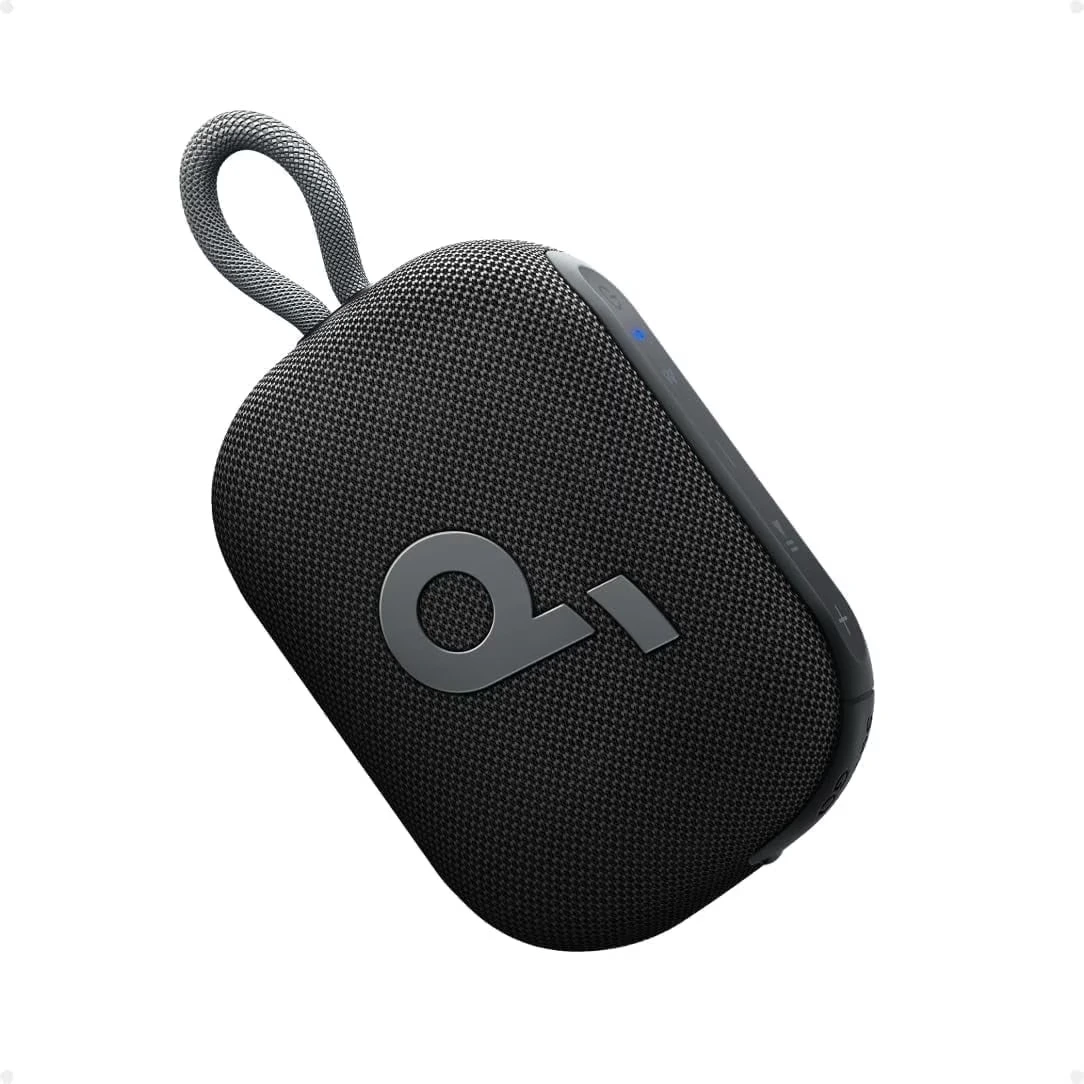
Why chain yourself to a charger when you can keep the party rocking all day long? While the JBL Go 5 introduces some flashy new features, the Anker Soundcore Select 4 Go completely leaves it in the dust where it matters most: pure endurance.
For nearly half the price, Anker gives you a mind-blowing 20 hours of battery life compared to the JBL’s meager 8 hours, meaning you can survive a full weekend getaway without ever hunting for a wall plug. It also pushes a slightly punchier 5W of audio output, features a fully customizable 9-band EQ through the app, and boasts a clever, IP67-rated chassis that actually floats on top of the water if you accidentally drop it in the pool.
Ultimately, if you value massive battery life, smart physical durability, and maximum bang for your buck, the Soundcore Select 4 Go is the smarter, more practical pocket speaker for real-world adventures.
Why settle for directional audio when you can wrap your entire campsite in immersive sound? While the JBL Go 5 relies on a single front-firing driver that forces you to point it exactly where you’re sitting, the Ultimate Ears WONDERBOOM 4 completely changes the game with a true 360-degree acoustic design that pushes music evenly in every single direction.
Thanks to its dual active drivers and passive radiators, it pumps out significantly heavier bass and a broader soundstage than the tiny JBL brick can ever dream of.It also runs laps around the Go 5 with a massive 14 hours of battery life, features a dedicated “Outdoor Boost” mode to cut through wind noise, and its rugged, drop-proof IP67 body actually floats on top of the water if you drop it in the pool.
Overall, if you are looking for a speaker that fills the air with bigger, bassier audio, lasts all day, and shrugs off accidental deep-water plunges, the WONDERBOOM 4 is a powerhouse upgrade that is well worth the extra cash.
Why go for the new model for fancy bells and whistles when the classic formula already works perfectly? While the newer model grabs headlines with its shiny new edge lights and minor tech tweaks, the JBL Go 4 remains the absolute champion of smart value and pure portability.
Weighing in at a noticeably lighter 6.7 ounces compared to the bulkier Go 5, this pocket-sized brick slides into any backpack corner or jacket pocket with zero friction, while still delivering shockingly punchy sound and clear vocals for its size.Because the two speakers sound virtually identical at normal, casual listening volumes, choosing the Go 4 means you still get a rugged IP67 waterproof design, app EQ support, and reliable Auracast pairing—but usually at a massive discount compared to the newest generation.
Overall, if you want ultra-light travel convenience and great everyday sound without paying a premium for cosmetic upgrades, saving your cash and grabbing the discounted JBL Go 4 is the savviest move you can make.
The Final Verdict
So, is the JBL Go 5 actually worth your hard-earned cash, or is it just clever marketing? Here’s what we say: if you need a Bluetooth speaker that fits in your pocket but still packs a serious punch, the Go 5 is best choice. JBL took everything we loved about the older models and fixed almost every single flaw.
With the addition of lossless USB-C audio, a virtually indestructible IP68 drop-proof body, and that incredibly fun “tap-to-pair” AirTouch feature, it completely redefines what a $55 speaker can do. It is durable, incredibly smart, and loud enough to turn any spontaneous hangout into a party. If you want to grab one for your next adventure, click here to check out the best current deals on the JBL Go 5.
That’s all for now for this JBL Go 5 Speaker Review. Let’s hear from you on the comments below! Would you pick the new JBL Go 5? What do you think about the other portable Bluetooth speakers? Drop us a comment below and let us know what you think 😀
If you’re searching for the best budget Bluetooth speaker in 2026, the JBL Go 4 vs JBL Go 5 debate is probably one of the first comparisons you’ll come across — and for good reason. Both speakers come from JBL’s most popular ultra-portable lineup, both fit in the palm of your hand, and both deliver that signature JBL sound without costing a fortune.
But while they look nearly identical on the outside, the differences under the hood are worth knowing before you spend your money. In this article, we put the JBL Go 4 vs JBL Go 5 head-to-head across every category that matters — sound quality, battery life, durability, features, and value — so you can walk away knowing exactly which one is right for you.
Overview
The JBL Go 4 and JBL Go 5 are two of the smallest, most affordable Bluetooth speakers JBL makes — and both punch well above their weight. The Go 4 is the lightest speaker in JBL’s lineup, weighing just 190g, and it’s built tough with an IP67 waterproof and dustproof rating that makes it a great travel companion for bike bags, rucksacks, and outdoor adventures. It delivers JBL Pro Sound with punchy bass, up to 7 hours of playtime, and support for Auracast multi-speaker pairing.
The Go 5, released in April 2026, takes everything people loved about the Go 4 and turns it up a notch. It brings USB-C audio connectivity, a new AirTouch function for instant stereo pairing, solid EQ options, and multi-point connectivity, wrapped in a more durable IP68-rated shell. It boasts a wide soundstage packed into a compact, pocketable body — it looks great, sounds even better, and can be customized via a user-friendly companion app. Whether you’re shopping on a budget or deciding whether to upgrade, this comparison walks you through everything you need to know.
Specs
JBL Go 5
The Better Compact Speaker
★★★★★ 5.0Extraordinary
FEATURES: IP68 dust/waterproof, Playtime Boost, Supports Auracast, Ambient LED lighting
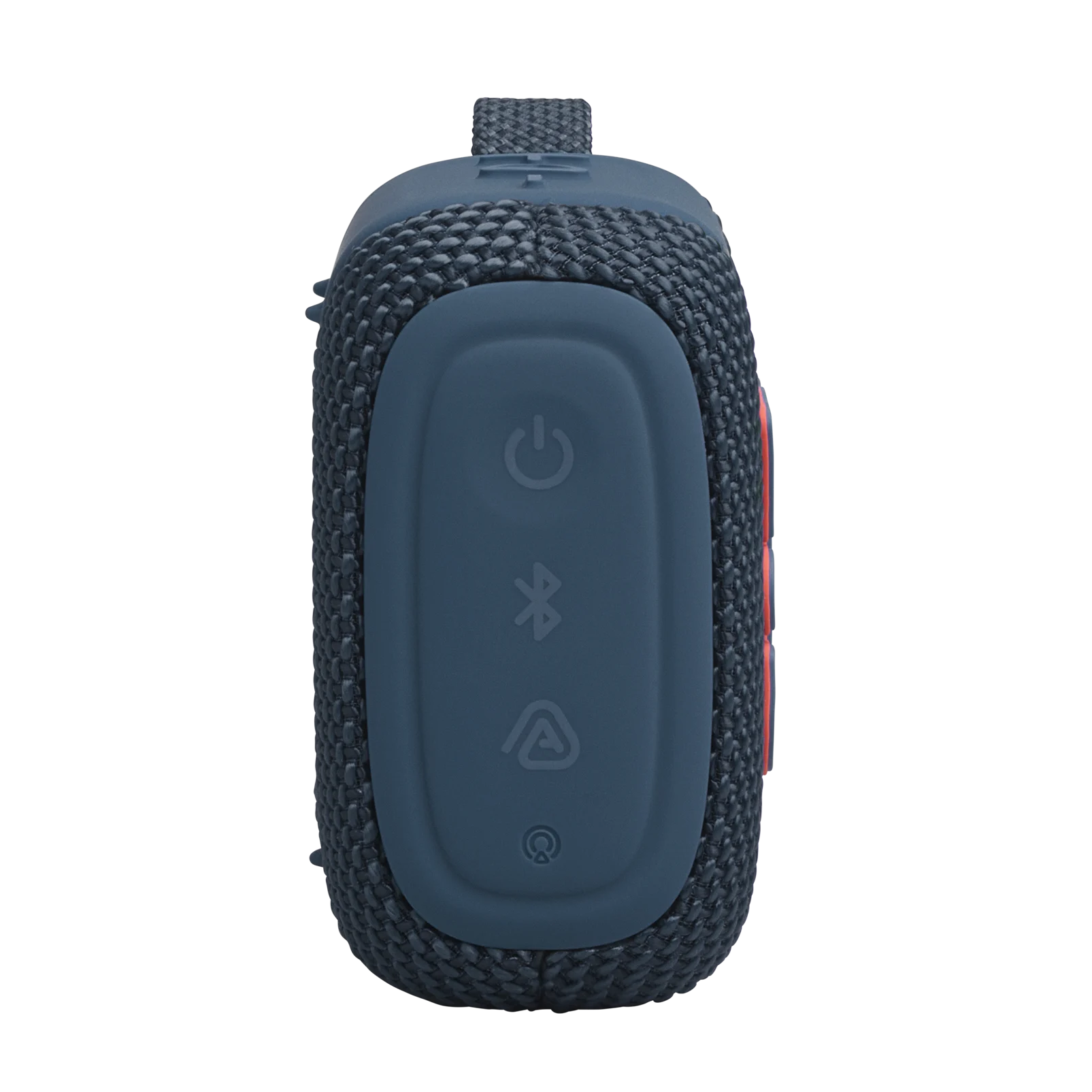
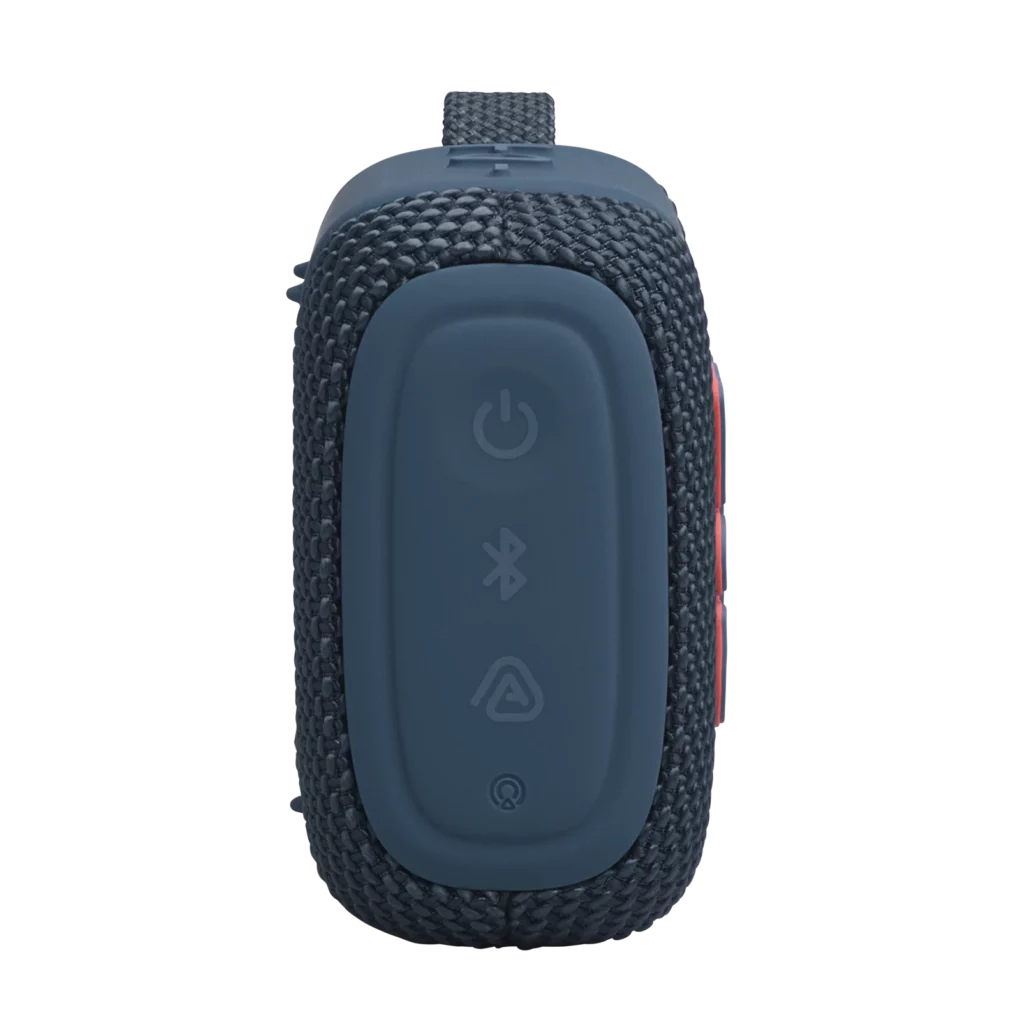
They look almost identical… with one big difference – Put the two speakers side by side and you’ll struggle to tell them apart at first glance. Both sport the same compact, boxy shape with a mesh fabric cover across the front and back. Both have a carry loop built in, making it easy to clip them to a bag or backpack. The button layout is nearly identical too, with playback controls on top and a side panel for power, Bluetooth, and Auracast.
The one thing that makes the Go 5 stand out visually? LED lighting. Two strips of ambient light run along the base and the top plate, giving the Go 5 a subtle glow that the Go 4 simply doesn’t have. You can choose from four lighting themes — Bounce, Loop, Switch, and Freeze — through the JBL Portable app. The lights also act as status indicators, flashing when the battery is low, when you’re in pairing mode, or when Auracast is active. It sounds like a gimmick, but in practice it’s genuinely useful and looks great.
Weight and Portability – The Go 5 is slightly heavier at 8.16oz compared to the Go 4’s 6.7oz, but the difference is so small you’d barely notice it in your hand or bag. Both speakers remain pocketable and travel-friendly. If portability is your top priority, neither one will let you down.
Water and Dust Resistance – This is where the Go 5 pulls ahead in a meaningful way. The Go 4 carries an IP67 rating, which means it can handle full submersion in water up to one meter for 30 minutes. That’s solid protection for everyday use — rain, splashes, and poolside use are all fine.
The Go 5 steps it up to IP68, offering even stronger protection against water and dust. JBL has also added drop resistance to the Go 5’s spec sheet, making it more rugged overall. For outdoor adventurers, hikers, or anyone who tends to be a bit rough on their gear, the Go 5’s tougher build gives you extra peace of mind.
WINNER: JBL Go 5
Colors from the JBL Go 4
2. Sound Quality
The Go 5 sounds noticeably better – Both speakers carry the classic JBL sound — punchy, energetic, and enjoyable for casual listening. But when you put them side by side, the Go 5 takes a clear step forward.
Output power climbs from 4.2W on the Go 4 to 4.8W on the Go 5 — a 14% increase. The driver size stays the same at 45mm, but the Go 5 pushes more power through it. The result is a wider, more open soundstage with better detail and less compression at higher volumes. Reviewers who tested both speakers noted that the Go 4 sounded restricted in comparison, particularly at louder volumes where the Go 5 stays controlled and composed. At moderate listening levels, the difference is subtle. But crank both speakers up and the gap becomes obvious.
Bass Performance – The Go 5 also improves on the sub-bass, delivering a fuller and more refined low-end. The Go 4’s bass is punchy and fun, but it can feel a bit one-dimensional on bass-heavy tracks. The Go 5 handles bass with more nuance, making it a better choice if you listen to hip-hop, electronic, or anything with a strong low-end.
EQ Customization – Through the JBL Portable app, the Go 5 gives you a 7-band custom EQ — an upgrade over the Go 4’s 5-band EQ. More bands mean more control over how your music sounds. You can dial in a warmer, bassier sound or brighten things up for vocals and acoustic tracks. It’s worth experimenting with if you care about getting the most out of your speaker.
WINNER: JBL Go 5
3. Connectivity & Features
Bluetooth (5.3 vs 6.0) – The Go 4 uses Bluetooth 5.3, whereas the Go 5 upgrades to the newer Bluetooth 6.0. In real-world use, both speakers connect quickly and maintain a stable connection. The Go 5 also adds the LC3 codec alongside SBC and AAC, which promises more efficient audio transmission and better sound quality at lower bitrates — useful in congested wireless environments like busy offices or crowded spaces.
Auracast (Available on both) – Both speakers support ‘Auracast’, JBL’s multi-speaker broadcast technology that lets you link up multiple compatible speakers wirelessly. Whether you want to fill a bigger room or sync speakers across different spots in your home or garden, Auracast gives you that option on both models.
AirTouch Stereo Pairing (Go 5 Only) – The Go 5 adds a genuinely clever new feature called ‘AirTouch’. To pair two Go 5 speakers in true stereo, you simply tap them together end to end, wait for a chime, and they automatically lock into a stereo pair. No app, no fiddling with settings. It works fast and feels effortless.
The Go 4 does support stereo pairing too, but the process is more manual and less seamless. If you plan to run two speakers in stereo — at a party, in a kitchen, or outdoors — the Go 5’s AirTouch feature is a game-changer.
USB-C Audio (Go 5 Only)–Here’s one of the Go 5’s most unexpected upgrades: a built-in DAC (Digital-to-Analogue Converter). On the Go 4, the USB-C port is for charging only. On the Go 5, you can plug it directly into a laptop or phone via cable and play lossless audio without any wireless compression. For a speaker at this price point, that’s a genuinely impressive addition — especially for desk use or when you want a cleaner wired connection.
App Integration – Both speakers work with the JBL Portable app, which lets you manage EQ settings, enable Playtime Boost, handle Auracast connections, and update firmware. The app is clean and easy to use, and it’s worth downloading to get the most out of either speaker.
WINNER: JBL Go 5
Colors from the JBL Go 5
4. Battery Life
Go 5 Lasts a Little Longer – The Go 4 offers up to 7 hours of playback on a full charge. The Go 5, however, extends that to 8 hours, giving you an extra hour of music before you need to find a cable. With Playtime Boost mode enabled through the app — which dials back the bass to conserve energy — the Go 4 pushes up to 9 hours and the Go 5 reaches up to 10 hours.
Note that with the Go 5’s LED lighting switched on, battery life drops slightly from the 8-hour baseline.
In real-world testing at around 50% volume, the Go 5 lasted close to nine hours before triggering a low battery warning. That’s more than enough for a full day out, a beach trip, or a long barbecue session. Neither speaker will last all weekend, but both will comfortably see you through a day without needing a charge.
Both speakers charge via USB-C and take around 3 hours to reach full battery from empty.
WINNER: JBL Go 5
5. Ambient Lighting (Go 5 Exclusive)
Let’s be honest — when you first hear “LED lighting on a budget speaker,” it’s easy to roll your eyes. But the Go 5’s ambient lighting is one of those features that works better than expected.
The two white LED strips sit along the top and bottom edges of the speaker face. They’re subtle and tasteful — not the kind of garish RGB blinking you’d see on a cheap gadget. The four themes (Bounce, Loop, Switch, and Freeze) respond to the music in different ways, and you can customize them via the app.
The lights also double as practical visual cues for pairing mode, power status, and low battery alerts, so they earn their place beyond just looking good. If you use the Go 5 on a desk, at a party, or in a dim room, the lighting adds a nice ambient touch without draining the battery dramatically.
WINNER: JBL Go 5
6. Price & Value
Go 5 Worth the Extra Money – In the United States, the JBL Go 5 costs about $55 compared to JBL Go 4’s $50 — a small difference, really. In the United Kingdom, both portable Bluetooth speakers cost only £40 price tag, which makes the decision even easier in that market.
For that small price difference, the JBL Go 5 has the better value as it gives you: better sound quality; better durability; better Bluetooth connectivity; new LED lighting, and a longer battery life. That’s a lot more upgrades for a small price difference.
Whereas the JBL Go 4 remains a solid choice. It still sounds great. It’s cheaper. And it’s just a no-fuss portable Bluetooth speaker for casual use. However, near its original price, the JBL Go 5 offers significantly better value.
WINNER: JBL Go 5
7. Who Should Buy Which?
Buy the JBL Go 5 If…
You want the best sound quality in the Go lineup right now
You plan to pair two speakers for stereo sound (AirTouch makes this effortless)
You want IP68 durability for outdoor use
You’d like USB-C wired audio for desk or laptop use
You enjoy the ambient lighting and app-based EQ control
Buy the JBL Go 4 If…
You find it on sale for a significant lower price
You want something simple with no frills for casual everyday listening
You don’t need stereo pairing or USB-C audio
You want IP67 durability for outdoor use
Summary
JBL Go 5
JBL Go 4
RELEASE YEAR
2026
2024
PLAYBACK
Up to 8hrs ↑
Up to 7hrs
BLUETOOTH
6.0 ↑
5.3
OUTPUT POWER
48W ↑
42W
WATER RESISTANCE
IP68 ↑
IP67
WEIGHT
230g (8.2oz)
190g (6.7oz) ↑
Lastly
In the end, the JBL Go 5 is the better speaker because of its new upgrades, better improvements and better value. The JBL Go 4 isn’t a bad speaker. It still sounds good, it’s still compact and durable, and it still gets the job done for casual listening. If you spot it heavily discounted, it’s worth picking up. But if you’re buying new? Get the Go 5. It’s the best tiny speaker JBL has made, and one of the best budget Bluetooth speakers you can buy today.
So let’s hear from you. What do you think of these compact JBL speakers? Is it the type of Bluetooth speaker you’re looking for? If not, which brand of portable speaker do you prefer? Let’s hear what you think at the comments section here below. And if you curious to find out more, click on the red buttons to above to find out what more in store 😀
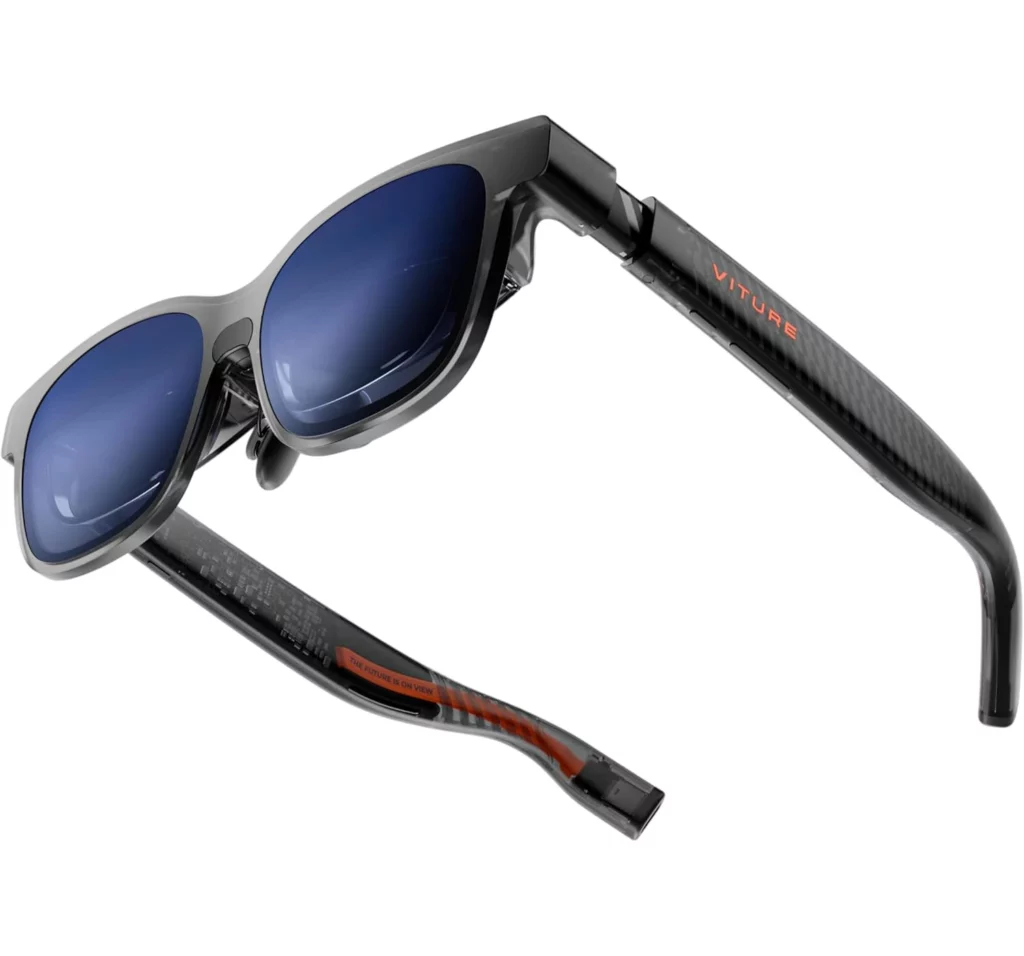
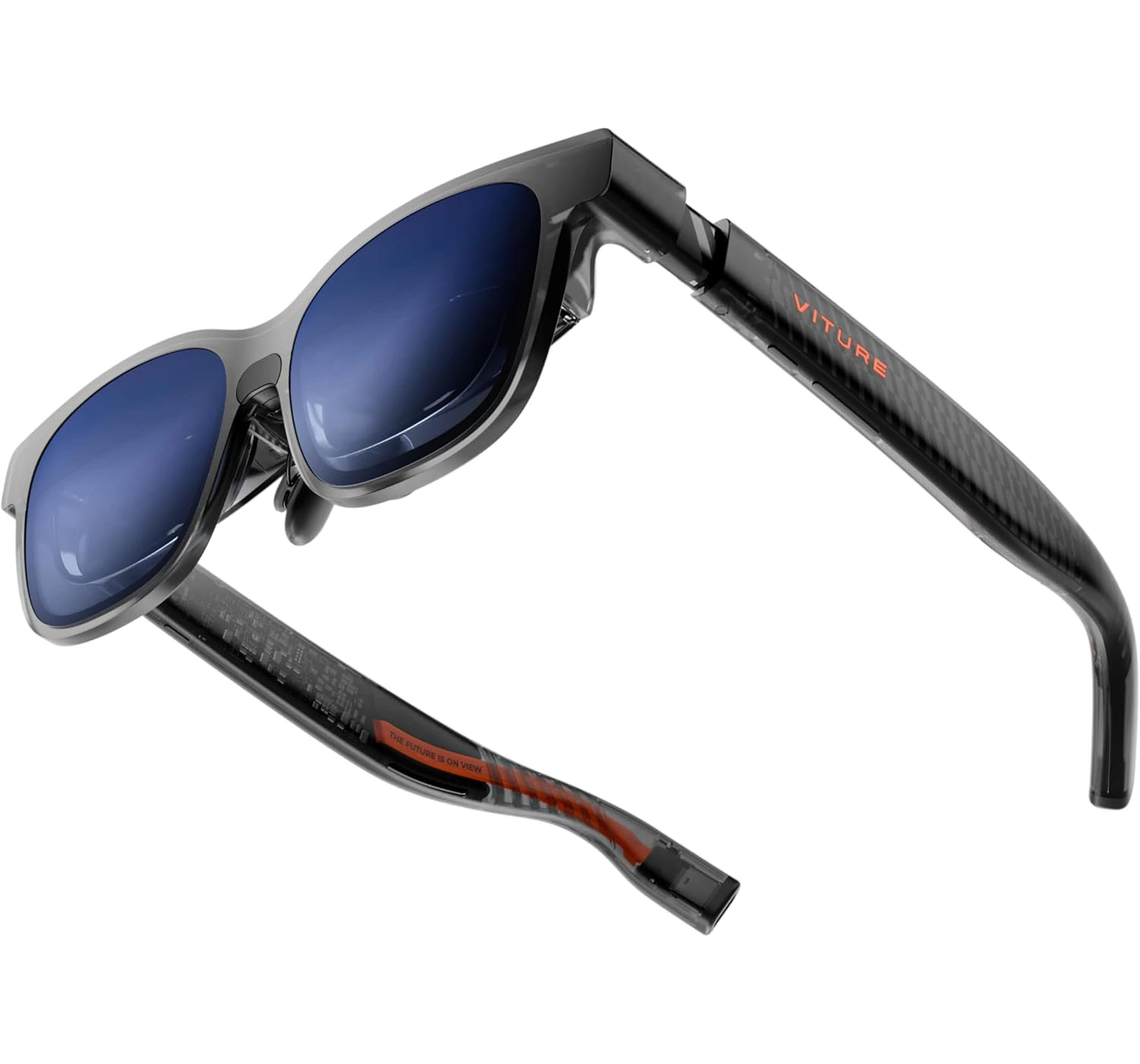
“The Virture Luma Pro XR Glasses are, without a doubt, the most polished “big screen in your pocket” experience available today. They’ve managed to take a futuristic concept and make it feel like a daily-driver tool.”
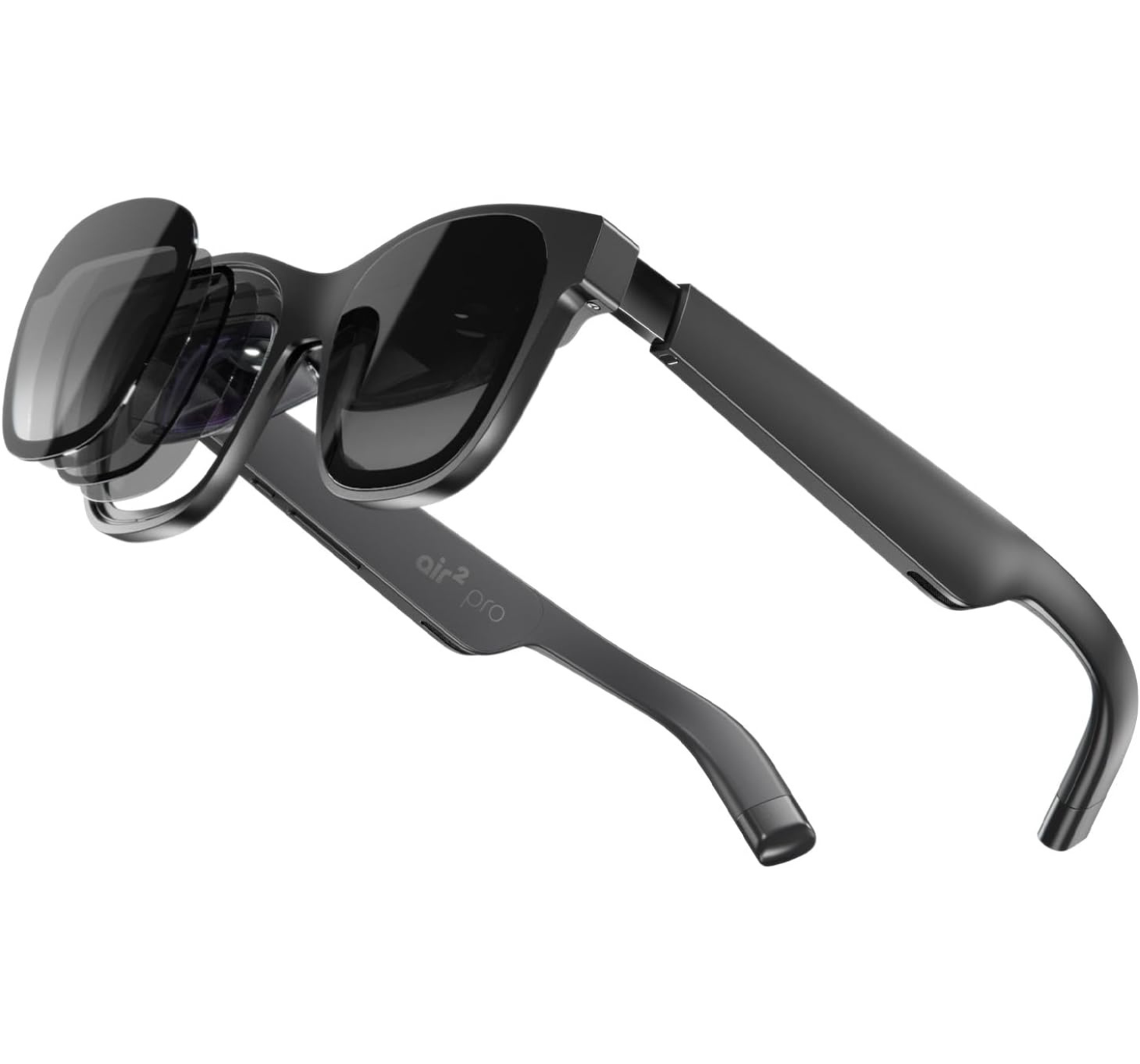
Let’s dive into the future—or at least, a future that you can strap cool accessories onto your face. If you’ve been hanging around the tech corners of the internet lately, you’ve probably seen the surge in “XR glasses.” These aren’t quite the VR headsets that cut you off from the world, but they aren’t just standard sunglasses either. They occupy this beautiful middle ground where your favorite movies, AAA games, and even documents, emails and spreadsheets float in front of you on a massive virtual canvas. If this peaks your interests, let’s dive right in and find out what these Virture Luma Pro XR Glasses are, and see if they offer an innovative cinematic experience or it’s another monitor that’s even dangerously closer to your face.
Overview
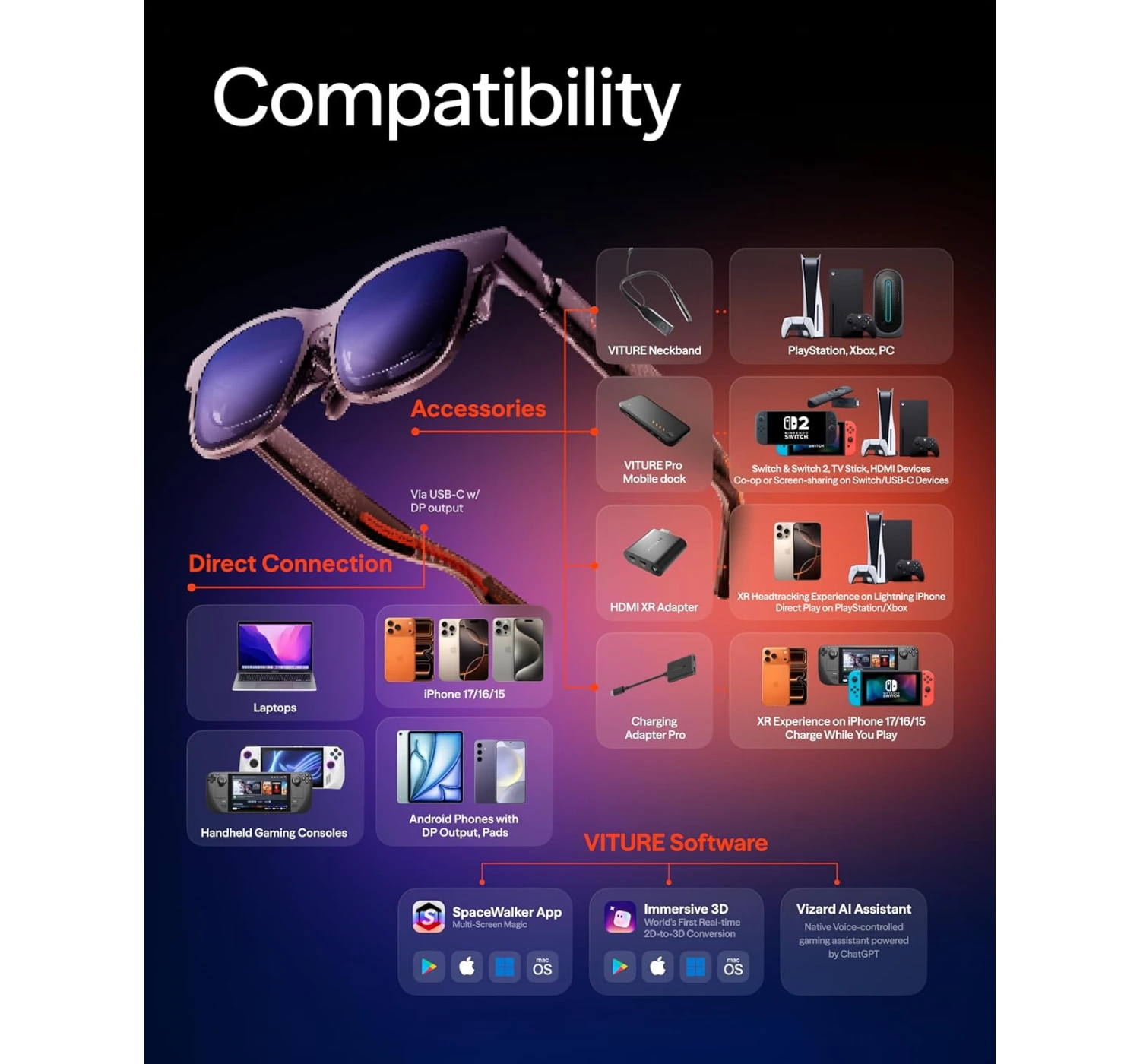
So, what exactly are we looking at here? The Virture Luma Pro XR Glasses (or simply the “Luma Pro” among the initiated) are the latest flagship offering from VITURE, a company that has quickly become the “Apple of XR” for their focus on polish and ecosystem. Think of these as a wearable 152-inch ultra-sharp display. Instead of sitting in front of a physical TV, you put these on, plug them into your phone, laptop, or Steam Deck, and suddenly you’re staring at a massive, vibrant screen that feels like it’s floating about 10 feet in front of you.
What makes it worth the buy? It’s the combination of three things: clarity, comfort, and customizability. Unlike previous generations that felt a bit like prototypes, the Luma Pro feels like a finished, premium product. It uses Sony’s latest Micro-OLED panels, which means the colors aren’t just good—they’re “I can’t believe this is a pair of glasses” good.
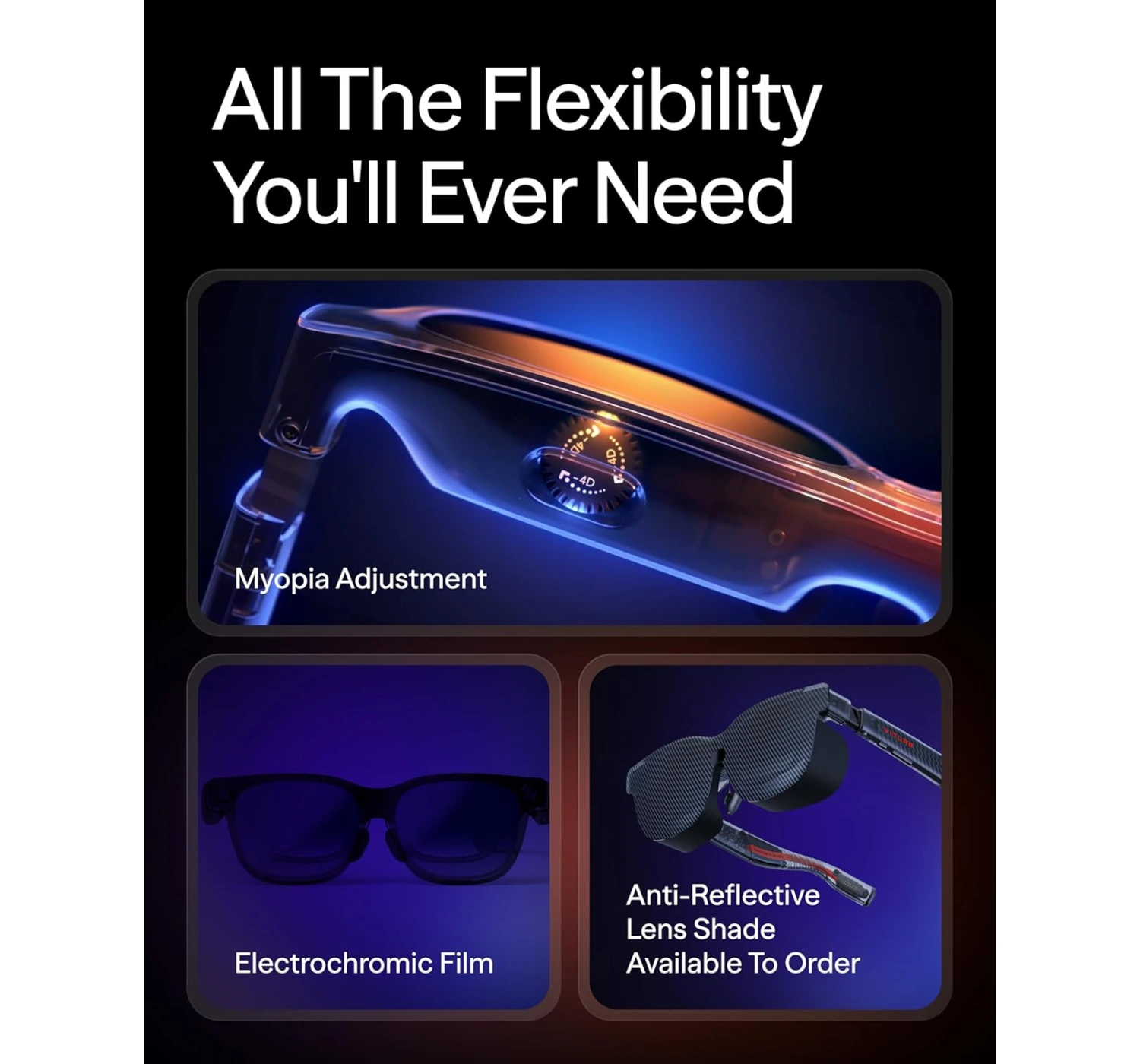
But the real magic for someone like me? The Myopia adjustment. If you’re nearsighted, you know the struggle of trying to fit a VR headset over your prescription frames. With the Luma Pro, you just turn two little dials on the top of the frame until the image is crisp. No extra lenses, no squished face. That alone is a game-changer.
Whether you’re a digital nomad trying to get a triple-monitor setup on a plane or a gamer wanting to play Resident Evil Requiem in bed without waking up your partner, these glasses are designed to give you a private, high-fidelity sanctuary anywhere.
Specs
Before we get into the “feel,” let’s talk about the “facts.” Viture didn’t hold back on the hardware here.
DISPLAY: 152-inch, Dual Sony Micro-OLED, 1920 x 1200p screen resolution, 1000 nits brightness, 120Hz refresh rate
AUDIO: HARMAN AudioEFX spatial audio system
WEIGHT: 2.8 ounces (80 grams)
TECH: Myopia adjustable, One-click Electrochromic dimming, Magnetic USB-C (Pogo pins) for connectivity
What’s To Like
1. Gorgeous Micro-OLED Display Tech
Alright, bear with me while I geek out for a second, but you’ve got to hear how the Viture Luma Pro XR glasses actually pulls off its magic.
It starts with these Sony micro-OLED panels. They’re super efficient, which is a total win because it means your phone or laptop battery won’t just tank while you’re using them. And even though the specs say 1200p, I’m telling you, it looks way crisper than that.
The Viture team basically borrowed some tricks from telescope optics and pro cameras to keep the edges sharp and kill off any annoying glare or distortion. It’s like they’ve polished the image to perfection. What you end up with is this massive 152-inch virtual screen with those punchy, vivid colors that make everything—from a working spreadsheet to a series on Netflix look spectacular.
One quick heads-up, though: they did trim the myopia adjustment range by a couple of points this time around. It turns out that they did it to make sure the edges of the wide 16:10 screen doesn’t get blurry. Basically, they traded a tiny bit of adjustment range to ensure the entire field of view stays crystal clear.
In the end, you get a gorgeous large virtual screen with great features so that you focus on what you see without distractions.
2. Lightweight, Comfortable, and Premium Design
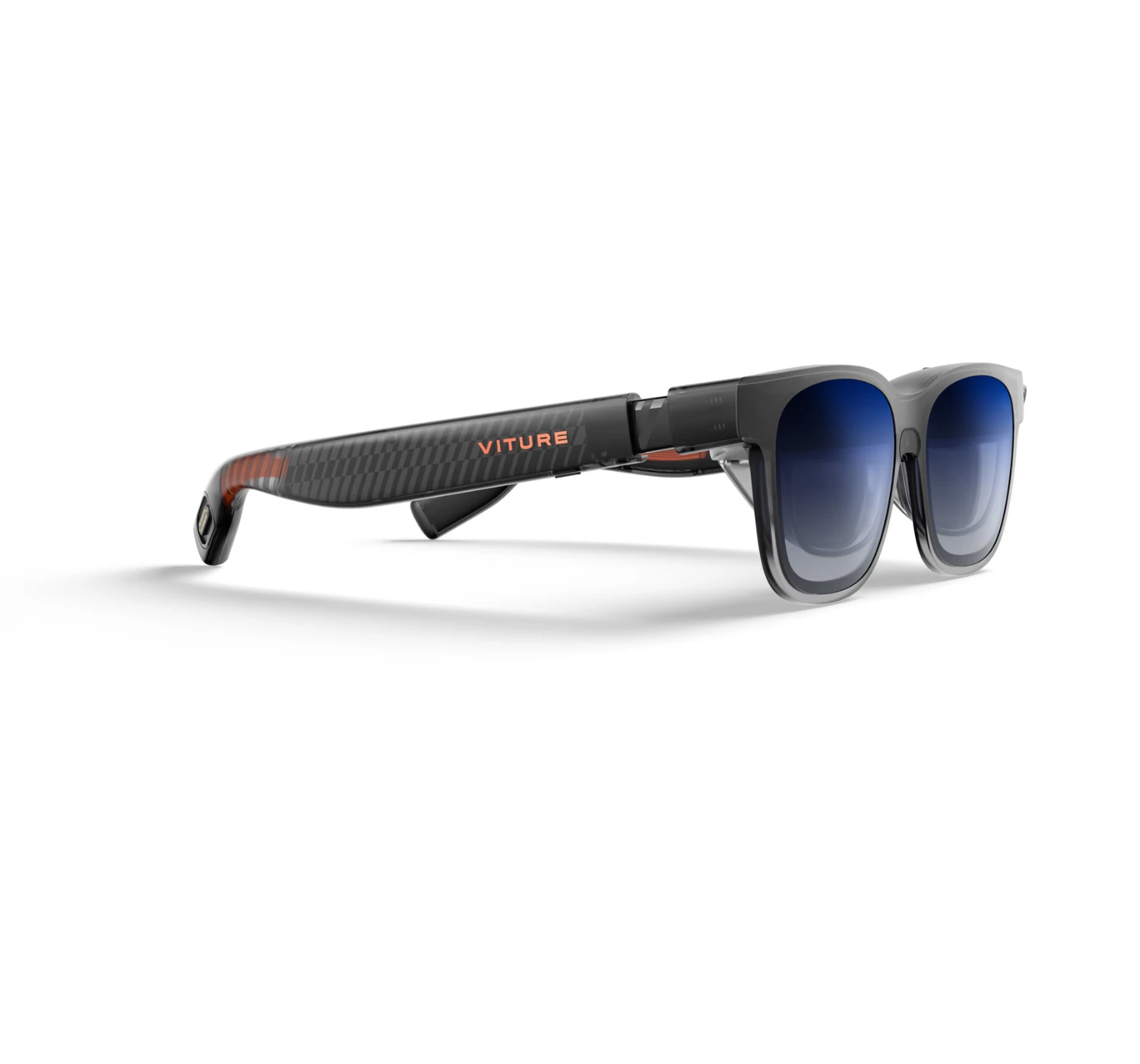
These glasses are getting closer and closer to that “stealth” look. The ‘faux-Wayfarer’ vibe is way more subtle this time around. Sure, you can still see the techy “birdbath” lenses tucked inside if you look closely, but the refined shape is a huge step toward actually passing for normal sunglasses. You’re definitely getting fewer “what is that on your face?” double-takes.
In terms of actually wearing them, the Luma Pro kept things pretty versatile:
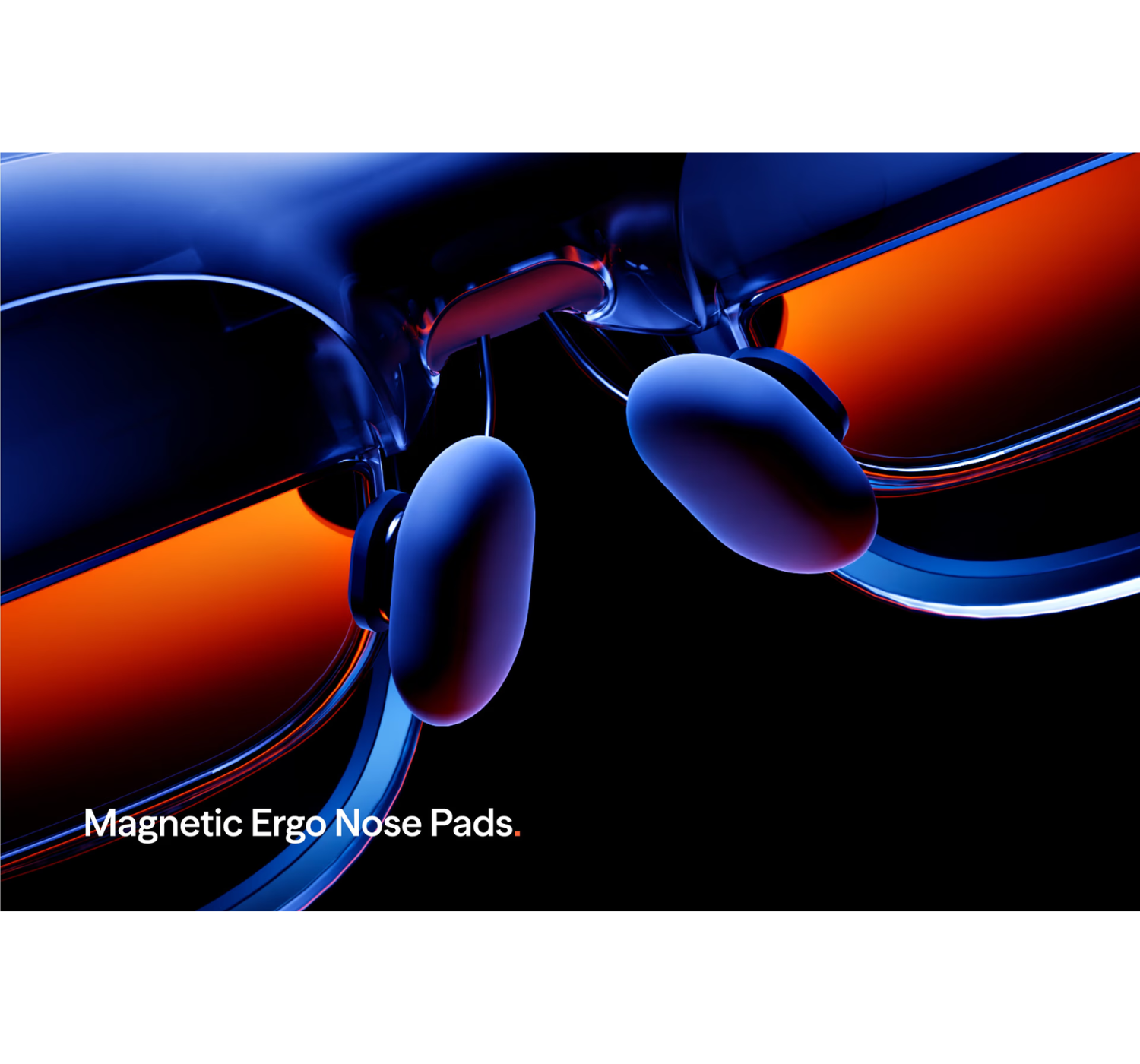
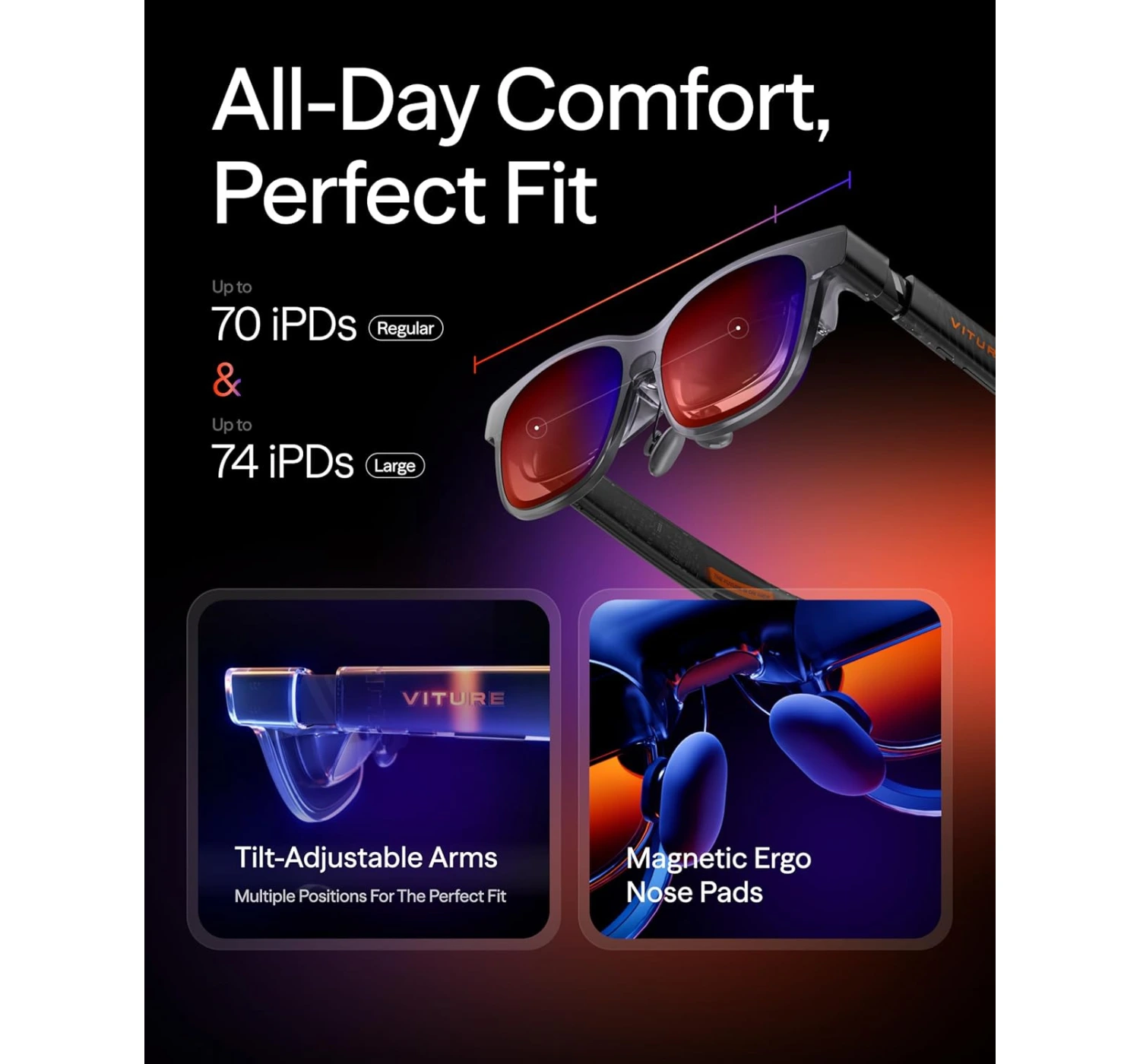
They’ve got these magnetic nose pads that snap right on.
The arms click into different angles, so you can really dial in the fit regardless of your head shape.
They used this soft-touch plastic over the ears that feels great. No annoying headaches or any pinching.
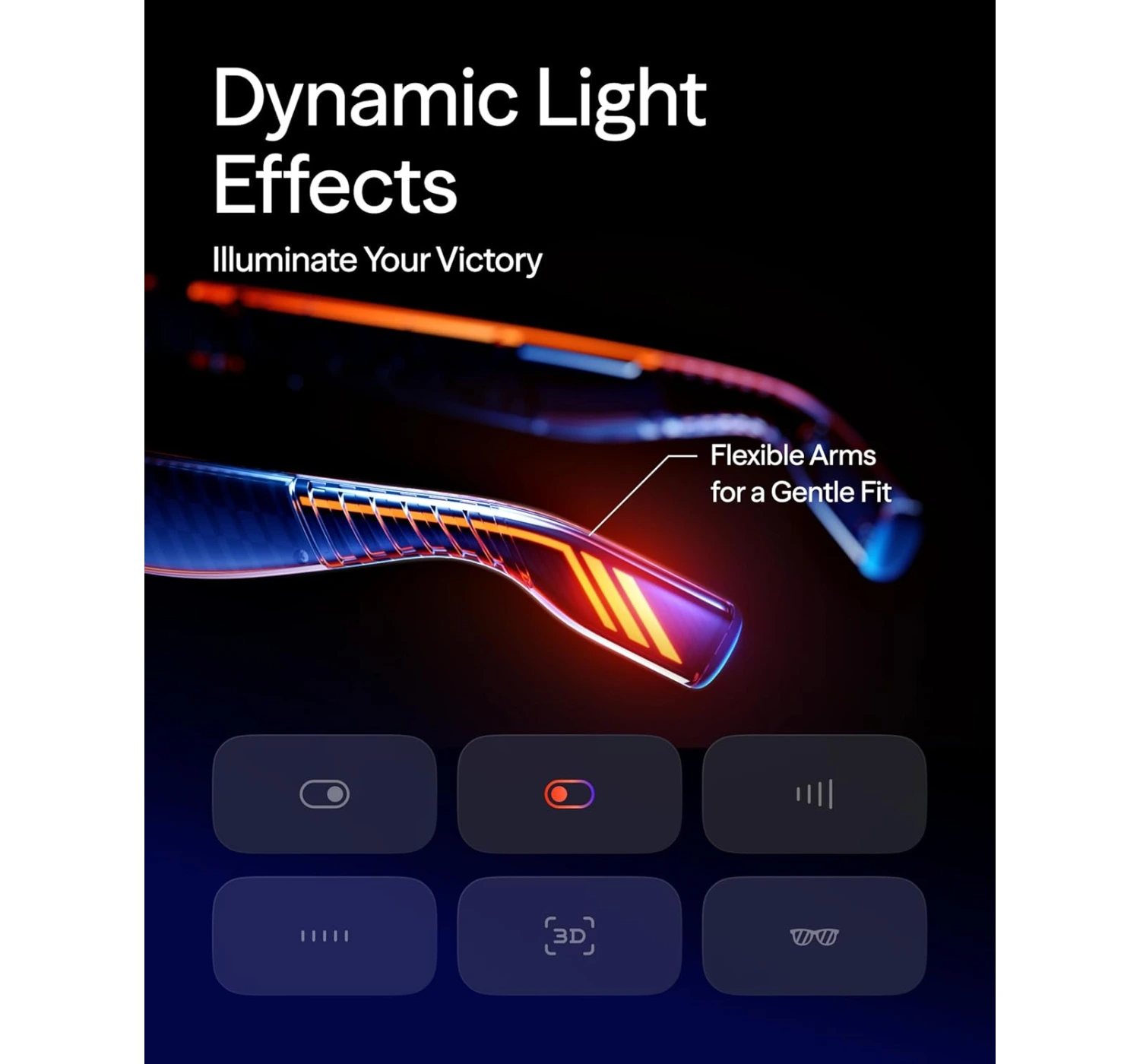
And honestly? I have to give them props for the lighting. Usually, I find RGB accents a bit “cringe” and over-the-top, but the glow on these is actually really tasteful. It gives them a sharp, premium edge without looking like a neon sign.
The Deal Breakers
1. Mediocre Audio
Look, you can let the pros at Harman tune these things until they’re blue in the face, but at the end of the day, we’re still talking about teeny-tiny speakers crammed into the arms of some glasses. And they do exactly what you’d expect “teeny-tiny speakers” to do. (Have I said “tiny” enough yet? Because that’s the vibe.)
To be fair, I have to give Viture props for the privacy tuning. They’ve actually managed to keep the sound from leaking out, so if you’re out in public, the person next to you isn’t going to hear your whole playlist.
But honestly? Just pack a pair of headphones. If you’re anywhere noisy, the volume gets drowned out instantly. And if you’re somewhere quiet, the audio starts to sound pretty thin and “tinny,” which isn’t exactly the premium experience you’re looking for.
2. Prototype Product not Final
Let’s be real for a second—even though there are a ton of brands jumping into the AR glasses game, the actual heavyweight title fight is Xreal vs. Viture. But beyond just the brands, there’s a bigger “philosophical” battle happening: Hardware vs. Software.
Here’s the breakdown:
They’re doing the heavy lifting right on the glasses. Because of that X1 chip inside, you can pull off tricks like a massive 32:9 ultrawide screen or tweak your settings directly on the hardware. It’s snappy and built-in.
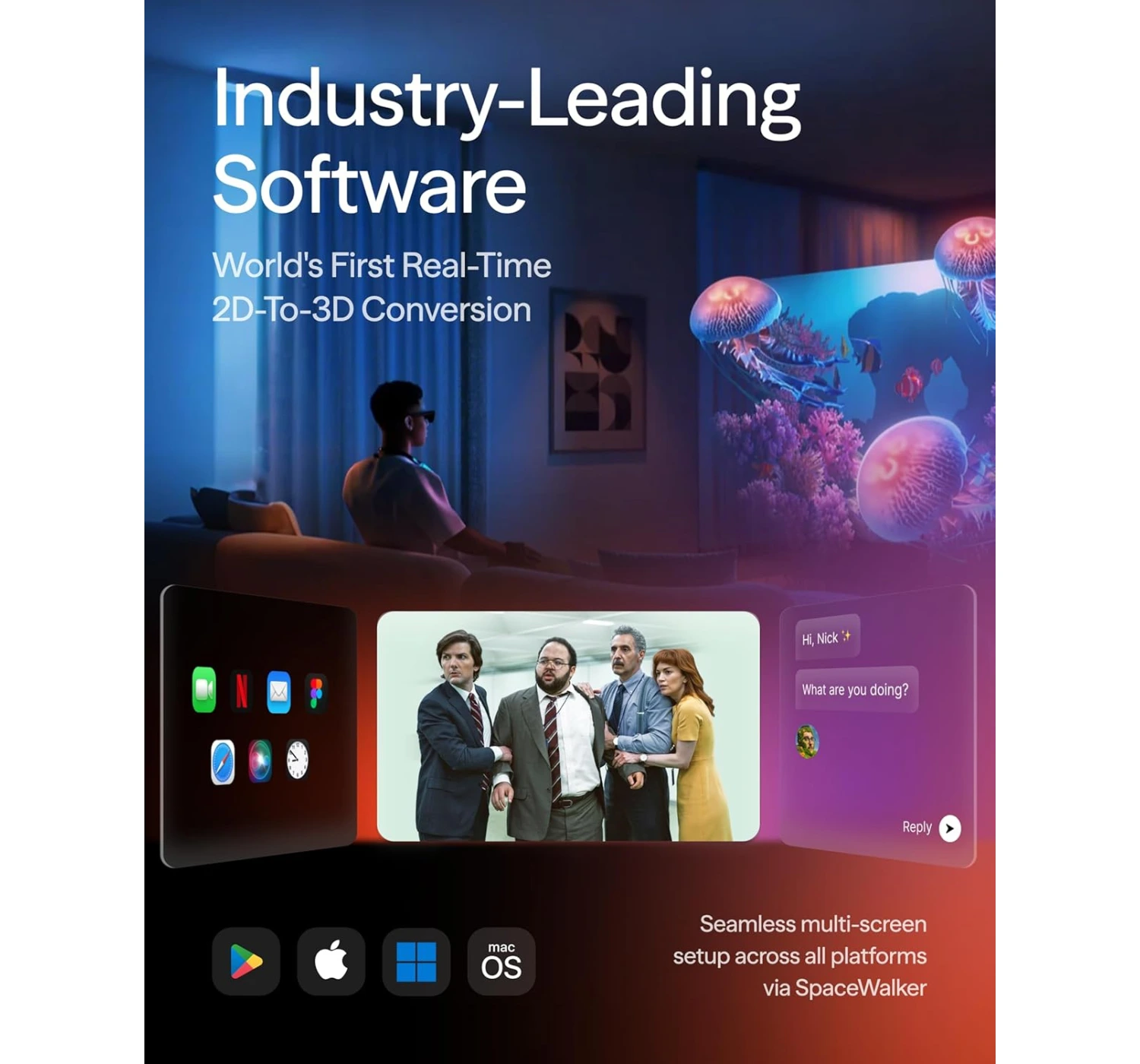
They’re leaning hard into software. You’ll spend a bit more time getting apps like Spacewalker or Immersive 3D dialed in, but once you do, the customization is wild. We’re talking triple vertical monitors or this surprisingly cool trick that turns regular 2D videos into 3D. It actually works really well!
The catch? Not everything is “plug and play” just yet. For example, there’s a built-in camera meant for snapping photos and 6 DoF tracking (that’s the tech that “pins” your windows in mid-air so they stay put when you move your head). But since those features aren’t live until a post-launch update, using these right now feels a lot like the standard Viture Pros—just with a much prettier picture.
So, if we’re looking at who has the most features right this second, Xreal takes the win. I’ll definitely have to circle back once Viture flips the switch on that camera tech, but for now, it’s a “wait and see” on the full potential.
If you’re looking for a pair of XR glasses that you can actually wear for a four-hour flight without feeling like your nose is in a vice, the XREAL Air 2 Pro is a fantastic, comfort-focused alternative to the Viture Luma Pro XR. While the Viture is a powerhouse for productivity thanks to its sharper 1200p resolution and those ultra-convenient built-in focus dials for nearsighted users, it can feel a bit “clippy” and rigid during long sessions.
The XREAL Air 2 Pro counters with a “set it and forget it” philosophy, featuring electrochromic dimming that toggles through three levels of tint at the press of a button—letting you go from total immersion to seeing the world in a snap. Its real secret weapon, though, is the audio; many users find it louder and clearer than the competition, which is a huge win for movies and games. You do give up that extra bit of vertical resolution and the convenience of focus dials (you’ll need lens inserts if your vision isn’t perfect), but for a lighter, more flexible fit that feels like a premium pair of shades, the XREAL is the go-to for pure, high-quality entertainment.
If you’re the type who values “tank-like” build quality and raw power over the latest shiny bells and whistles, the Viture Pro XR remains a beastly alternative to the newer Luma Pro XR. While the Luma Pro boasts a slightly larger 152-inch virtual screen and that crisp 1200p “4K-like” resolution, the Pro XR wins the “premium feel” trophy with its aircraft-grade aluminum alloy frame compared to the Luma’s plastic build. Its secret weapon, however, is the staggering 4000 nits of peak brightness; it’s basically the only pair of XR glasses that doesn’t break a sweat when you’re using them outdoors in broad daylight.
On the flip side, you are sticking with a slightly smaller 135-inch display and a 1080p resolution, so you might miss out on that ultra-fine text clarity the Luma series offers for heavy coding. But for many, the trade-off is worth it for the wider -5.0D myopia adjustment (a lifesaver if your eyes are a bit more “distinguished”) and the sheer reliability of a flagship that’s already proven its worth in the wild. It’s less about having the newest toy and more about having the most dependable, high-performance toolkit on your face.
If you’re looking for smart tech that feels like a natural extension of your day rather than a dedicated “session,” the Rokid AI Glasses are a refreshing, high-IQ alternative to the Viture Luma Pro XR. While the Luma Pro is an absolute powerhouse for gamers and cinephiles—offering a massive, crisp virtual display that the Rokid simply doesn’t have—it can feel a bit heavy and “tethered” for casual wear.
The Rokid is a featherweight champion at just 38.5g (literally half the weight of the Viture), making it the king of all-day comfort.It trades the giant screen for pure intelligence, featuring built-in AI assistants like Gemini and ChatGPT for hands-free help, real-time translation, and a sharp 12MP camera to snag 4K POV shots without you ever reaching for your phone. You will have to sacrifice that “private cinema” experience, and the proprietary charging cable is a bit of a quirk since there’s no battery case, but for a budget-friendly companion that helps you navigate the real world instead of hiding from it, the Rokid is a brilliantly clever choice.
Verdict
The Virture Luma Pro XR Glasses are, without a doubt, the most polished “big screen in your pocket” experience available today. They’ve managed to take a futuristic concept and make it feel like a daily-driver tool. If you are a frequent traveler, a hardcore handheld gamer (Steam Deck owners, I’m looking at you), or someone who just wants to work from a balcony without a bulky laptop screen, these are a “must-buy.” The combination of the 120Hz Sony Micro-OLEDs and the effortless myopia adjustment makes them the most accessible XR glasses on the market.
Are they a total replacement for a 4K OLED TV? Not quite. But are they a replacement for that cramped laptop screen on a 10-hour flight? Absolutely. Ready to upgrade your reality? Click here to get your own pair of Virture Luma Pro XR Glasses and join the XR revolution!
I want to hear from you! Do you think XR glasses are the future of work, or are you holding out for “true” AR like the Apple Vision Pro? Are you worried about the “fit lottery,” or does the 152-inch screen sound too good to pass up? Drop a comment in the section below and let’s chat! I’ll be hanging out to answer any specific questions you have about the setup or gaming performance 😀
Remember when the “wearable tech” debate was just choosing between a clunky rubber fitness band and a chunky plastic smartwatch? Well, things have gotten a lot more stylish, but a lot more complicated. We’ve officially entered the era of the secret agent wearable. On one wrist, you have the powerful, screen-toting mini-computer that is the modern smartwatch. On the finger, you have the minimalist, ultra-discreet new contender: the smart ring.
The ring is trending hard right now because it’s stealthy and seriously good at tracking what matters most—especially sleep. But can that tiny piece of tech really go toe-to-toe with a full-blown wrist device that has a screen, GPS, and a dozen apps? We’re putting these two tech titans head-to-head in the ultimate smart ring versus smartwatch showdown! The real winner here isn’t the device that has the most features; it’s the one that best fits your lifestyle. Let’s figure out which one you should be rocking.
Overview
Before we get into it, we need to understand what these two wearables are for those who are not fully familiar with them.
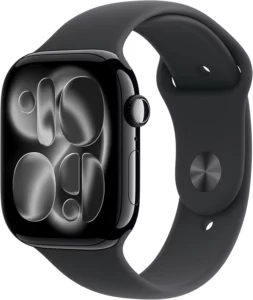
So what exactly is a smartwatch? It’s simply a miniature computer that you wear on your wrist. It’s usually round or square that looks very similar to a normal watch. Its key features are: it has a display that shows everything from the time and weather to full text messages and emails.It acts as a direct, interactive extension of your smartphone.
It’s primarily used for those who are living a healthy, active lifestyle. Smartwatches provide real-time data, GPS for workouts, mobile payments, apps, and full, two-way notifications. They are an “all-in-one” device. Here are a few popular examples of common smartwatches: Apple Watch, Samsung Galaxy Watch, Google Pixel Watch, to name a few.
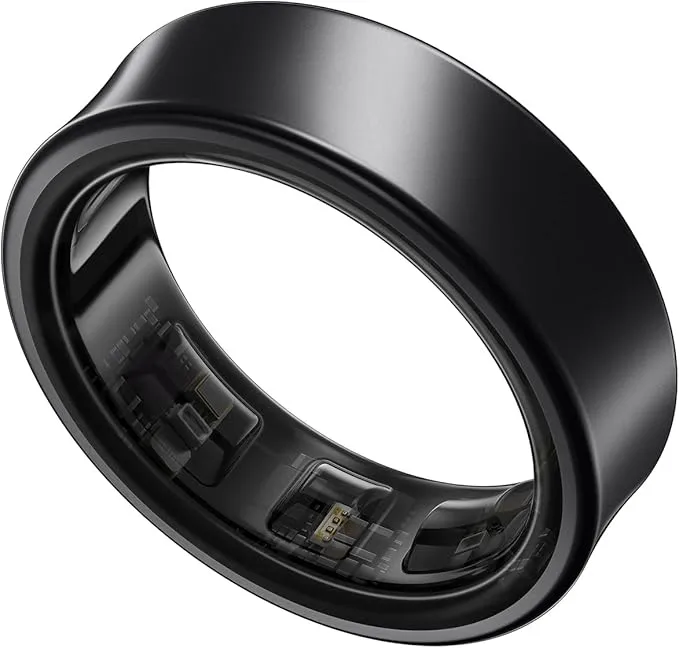
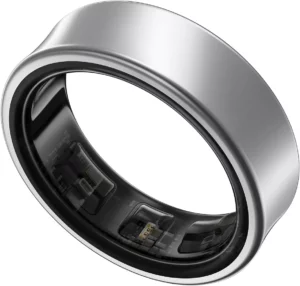
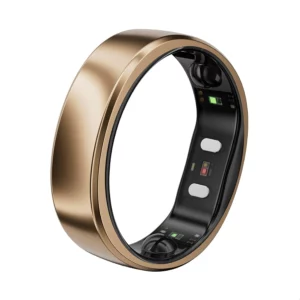
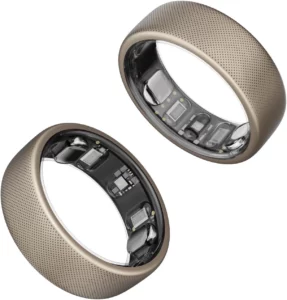
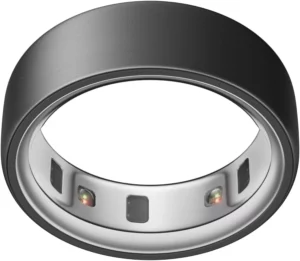
Next is the smart ring. What is it? Well, it’s a small, lightweight, and screen-free band worn on the finger, designed to look like normal jewellery. The key main features are that it comes with tiny sensors inside to continuously monitor your body.It has no screen; however, all data and insights are delivered to a companion app installed on your smartphone.
It excels as a passive, 24/7 data collection, especially useful for sleep, recovery, and resting vital signs (like Heart Rate Variability and body temperature), because they are extremely comfortable to wear overnight. Popular smart ring brands to look out for are the Oura Ring, Ultrahuman Ring, and Samsung Galaxy Ring, to name a few.
Smart Ring versus Smartwatch: Pros and Cons
1. The Smart Ring
REASONS TO BUY
Tiny, lightweight, and looks like jewelry
More consistent, accurate data on sleep stages, HRV, and body temperature
Lasts 4 to 7 days on a single charge
No buzzing notifications interrupting your life or sleep
REASON TO AVOID
Need a phone to check the app to see your stats (pace, heart rate, etc.) during a workout
No built-in GPS, no calling/texting, and fewer apps or payment options (for now)
It can get scratched or scuffed more easily during heavy lifting or manual labor
Requires a monthly fee to unlock the best insights and health data features
2. The Smartwatch
REASONS TO BUY
Comes with built-in GPS, cellular options, music storage, and a huge selection of apps
The screen is essential for seeing your running pace, checking texts, and controlling music instantly
Offers features like on-demand ECG, fall detection, and emergency SOS services
Contactless payments via Apple Pay or Google Wallet are quick and universally supported
REASON TO AVOID
Needs to be charged every 1–2 days, often interrupting overnight tracking
Constant buzzing and notifications can lead to “wrist checking” and increased screen time
Can be bulky or uncomfortable for all-day and all-night wear
Wrist movement can sometimes interfere with sleep and HRV accuracy
What Really Makes Them Different?
Okay, let’s zoom in on the juicy bits – the things that truly set these two apart.
A. Health and Wellness – Recovery vs. Real-Time Action
This is where the biggest split happens:
1. Smart Ring – Your Sleep and Recovery Guru
If you’re serious about understanding your sleep quality, recovery, and overall wellness trends, the smart ring might be your new best friend. Why? Because it lives on your finger, where blood flow signals are super stable and consistent. This often leads to incredibly accurate data for things like Resting Heart Rate (RHR), Heart Rate Variability (HRV), and Body Temperature fluctuations – all crucial markers for how well your body is recovering. Plus, because they’re so comfy, wearing them 24/7 (even to bed!) is a breeze. No more bulky wrist device interrupting your Zs.
2. Smartwatch – Your Active Fitness Coach
Hitting the gym? Running a marathon? Then your smartwatch is probably going to be your go-to. Why? Because it’s built for action. With a screen right there, you get instant, real-time feedback on your pace, distance, heart rate zones, and more. Many smartwatches also boast built-in GPS (so you can leave your phone at home!), specialised workout modes for everything from swimming to yoga, and even advanced health features like ECG or blood pressure monitoring on some models.
B. The Screen Factor – Instant Info vs. Zero Distraction
This is a pretty obvious one, but it makes a huge difference in your daily experience.
1. Smartwatch
Need to know who’s calling, check the weather, or get directions without pulling out your phone? The smartwatch screen is your window to the digital world, right on your wrist. Super convenient for glances and interactions.
2. Smart Ring
If you’re tired of constant pings and screen glare, the smart ring is a breath of fresh air. All its data is collected silently and stored in its companion app. You only check it when you want to. It’s the ultimate tool for passive data collection and reducing digital distractions.
C. Power and Convenience: Charging Cycles
Let’s be real, daily charging is a drag.
1. Smart Ring
This is a big win for smart rings. Most offer a whopping 4 to 7+ days of battery life on a single charge. You can truly “wear it and forget it” for almost a week.
2. Smartwatch
Most smartwatches struggle to make it past 1-2 days, meaning they often become another gadget you need to plug in every single night. It’s not the end of the world, but it definitely impacts the “set it and forget it” factor.
Which One Should YOU Choose?
It really boils down to what you’re looking for in a wearable. There’s no single “winner” here, just you choosing the right tool for the job.
Choose the smart ring if you are:
Someone who wants their tech to be almost invisible, blending in with regular jewellery
Primarily focused on quality of sleep, recovery, and long-term wellness trends
Focused on getting accurate, consistent data
Someone who already likes wearing nothing more than a common watch
Looking for maximum battery life and fewer digital distractions
Choose the Smartwatch if you are:
An athlete or gym goer who needs real-time GPS tracking, on-screen metrics, and detailed workout analysis
Someone who relies heavily on wrist-based notifications, calls, and app access to stay connected on the go
Looking for advanced features like ECG monitoring, fall detection, or cellular connectivity
Ultimately, the distinction between the smart ring and the smartwatch comes down to functionality vs. form. The smartwatch is a versatile, all-in-one gadget that delivers information and notifications instantly—a powerful computer mounted on your wrist. The smart ring is a subtle, focused health specialist, silently gathering the most accurate recovery data while demanding very little attention (and even less charging!).
In the rapidly evolving world of wearables, you don’t even have to choose just one! Many people are finding the ideal balance by using a smart ring for their deep-sleep and recovery insights, and strapping on a smartwatch only for dedicated runs or workouts. It’s all about building a tech ecosystem that works for your lifestyle.
Before you decide which of these amazing gadgets ends up on your body, we highly recommend diving a little deeper. Both smartwatches and smart rings are constantly adding groundbreaking features—like non-invasive blood pressure monitoring on some watches, and advanced AI-driven sleep analysis on rings.
The perfect tech is the one that fits your routine and helps you meet your goals. So, please tell us what you think! Are you team #SmartRing for that effortless sleep tracking, or team #SmartWatch for the full-featured connectivity? Drop your thoughts and questions in the comments below! And for more in-depth reviews and the latest news on mobile tech and gadgets, be sure to check out the rest of our site 😀
The holidays are officially here, and whether you’re playing Santa for your favourite people or just planning a massive self-upgrade, we’ve got the receipts on the hottest tech of 2025. Forget the stress of wandering through endless online shops. We’ve collected the absolute cream of the crop—from the top-selling smartphone everyone’s been buzzing about and the must-have smartwatch for fitness fanatics, to the beast of a gaming laptop ready to crush your holiday free time. There truly is a perfect gadget out there waiting for you or your lucky recipient. So, why waste another second? Let’s dive into this list of 2025’s top tech products and find the next amazing piece of gear that belongs under your tree!
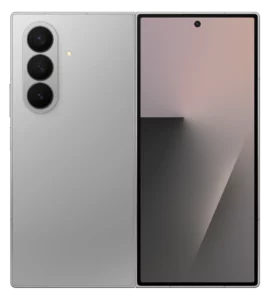
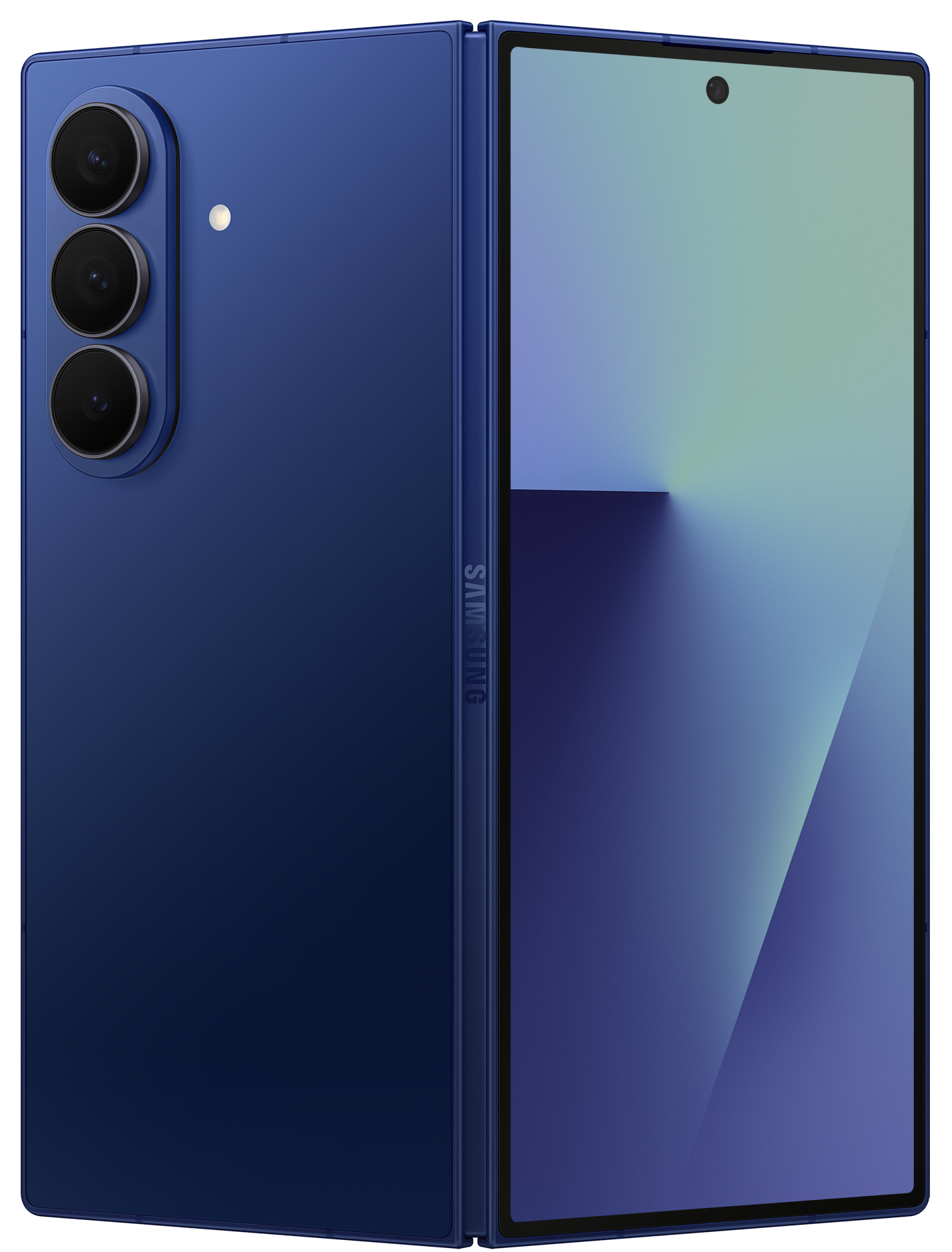
The Samsung Galaxy Z Fold7 is a total powerhouse that finally ditches the bulk for a super-slim design, packing a massive 200MP camera and genius multimodal AI into a foldable that’s actually lighter than a standard Ultra phone.
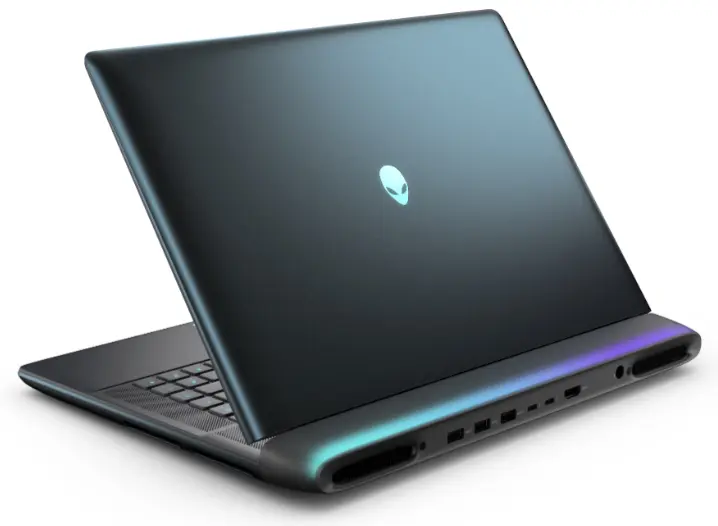
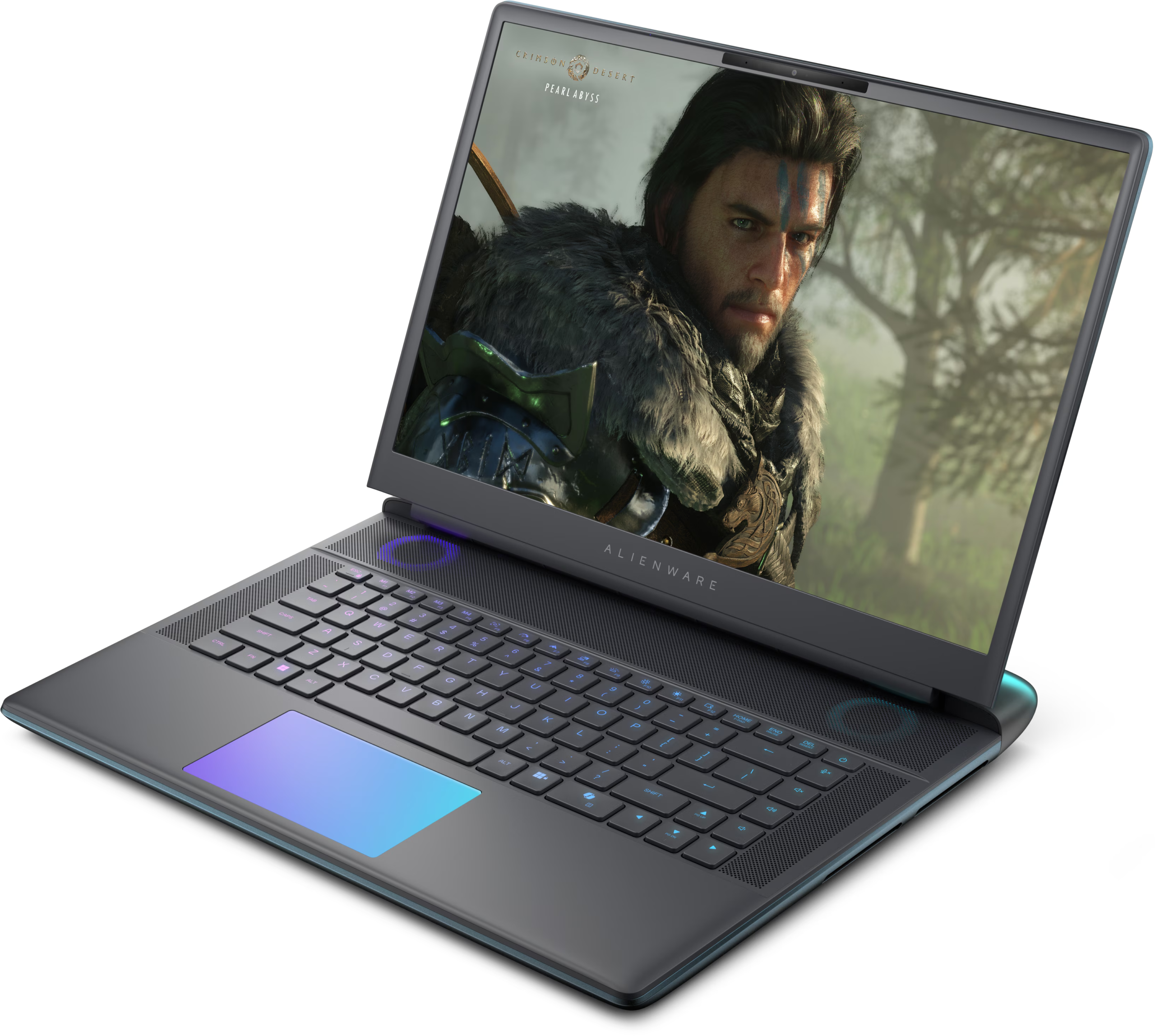
The Alienware 18 Area-51 is a monstrously powerful desktop replacement that pairs an 18-inch 300Hz display with an RTX 5090 to deliver “borderline unfair” gaming performance in a bold, sci-fi chassis that’s built to dominate your desk.
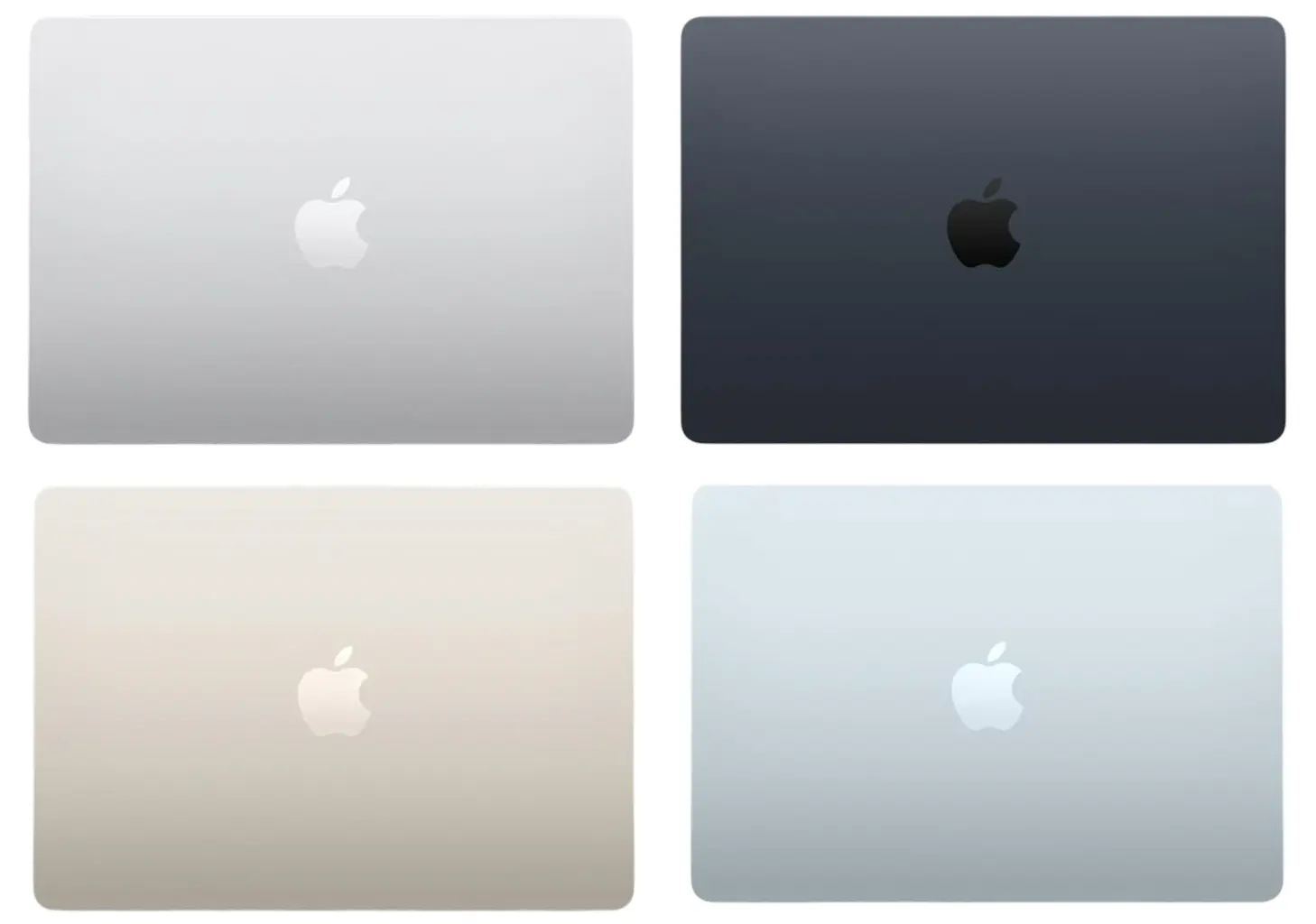
The Apple MacBook Air M4 is a sleek, fanless speed demon that levels up your daily hustle with a 12MP Centre Stage camera and the brand-new Sky Blue finish, all while serving up enough battery life to outlast your longest coffee shop sessions.
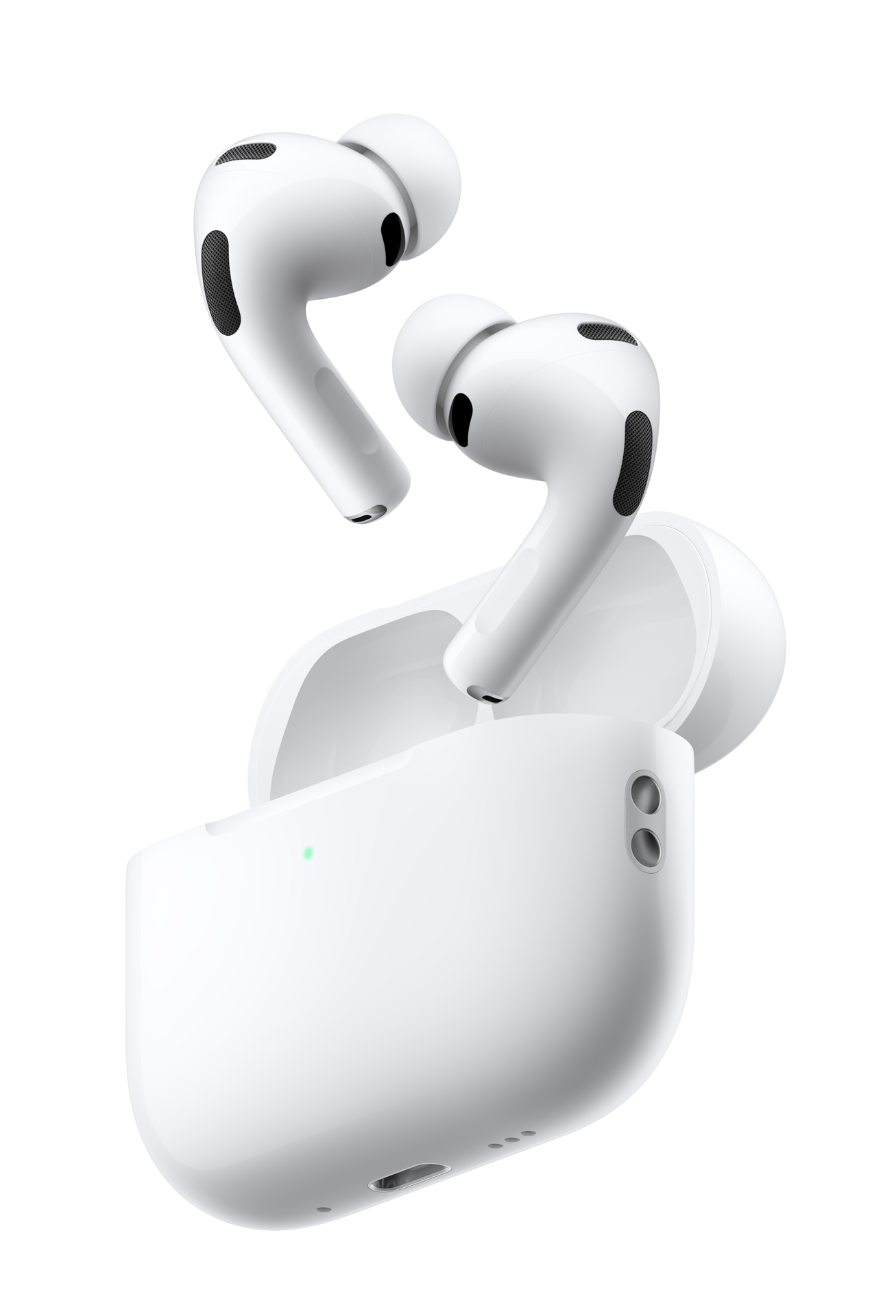
The Apple AirPods Pro 3 are a total game-changer for your ears, packing mind-blowing noise cancellation and a built-in heart rate sensor into a comfier, tinier design that even handles live translations on the fly.
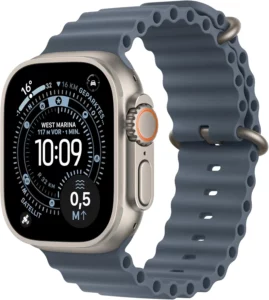
The Apple Watch Ultra 3 is a rugged beast of a wearable that takes adventure to the next level with standalone satellite messaging, a massive 3,000-nit LTPO3 display, and a beefed-up battery that keeps you going for up to 42 hours.
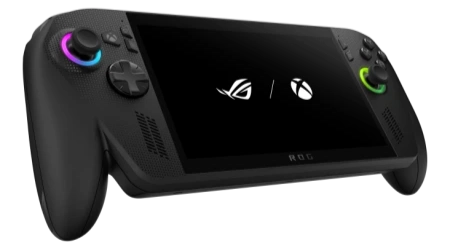
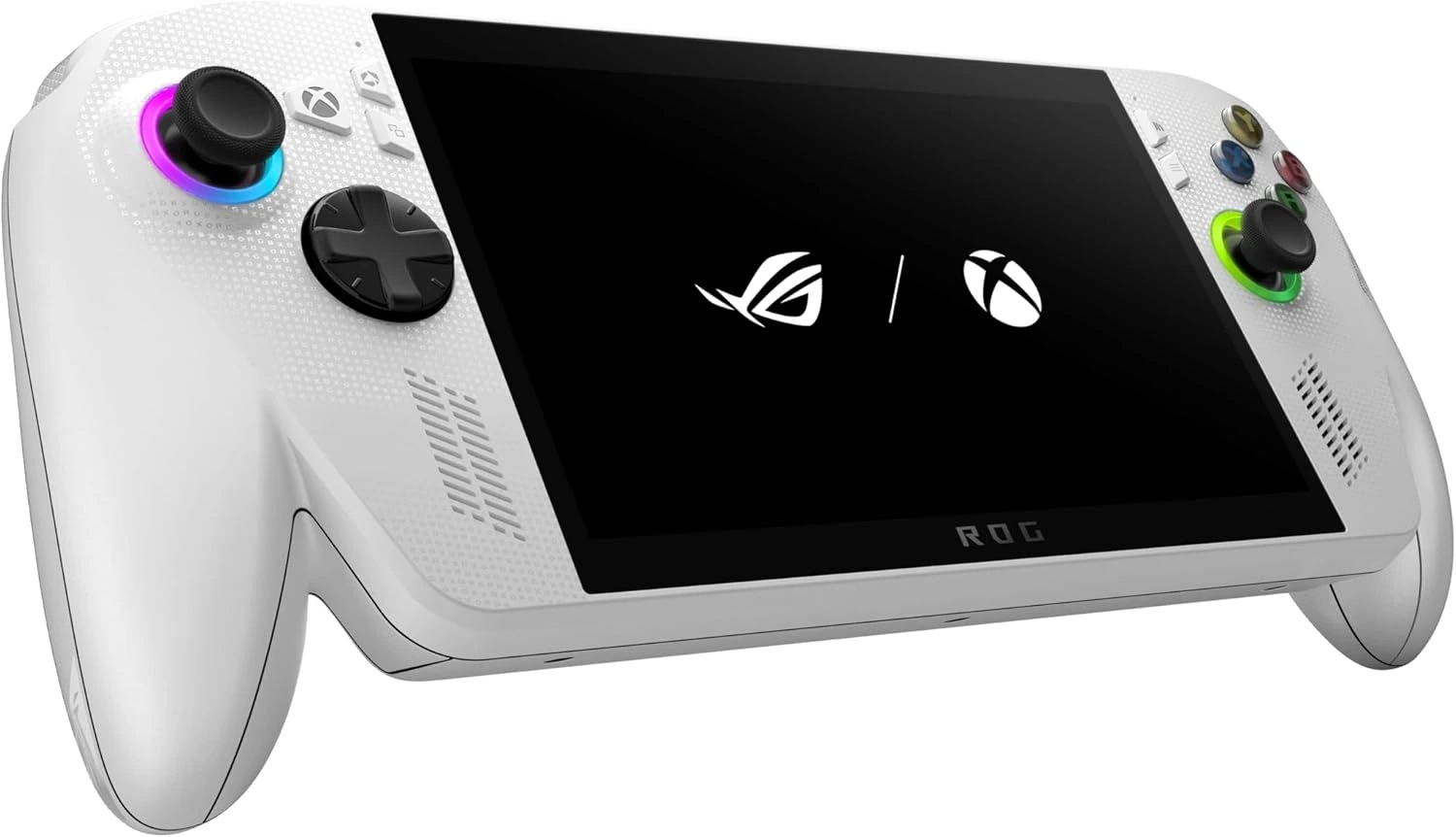
The Asus ROG Xbox Ally X (2025) is the ultimate handheld flex, combining a beastly AMD Ryzen AI Z2 Extreme chip with a dedicated Xbox button and a massive 80Wh battery to turn your entire Game Pass library into a portable, high-performance console experience.
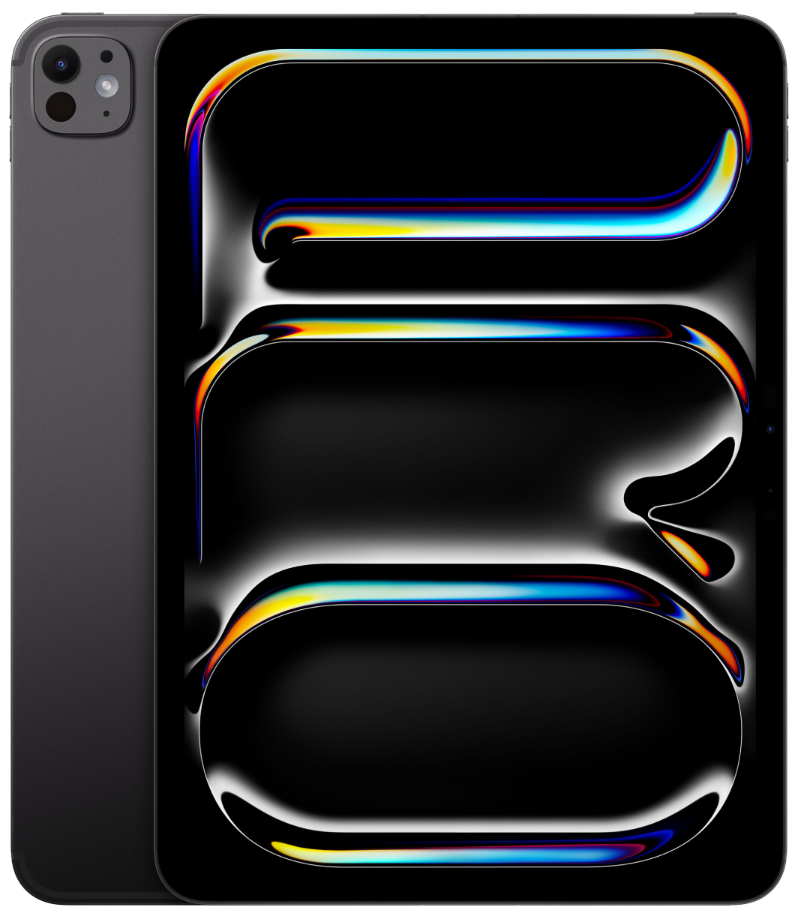
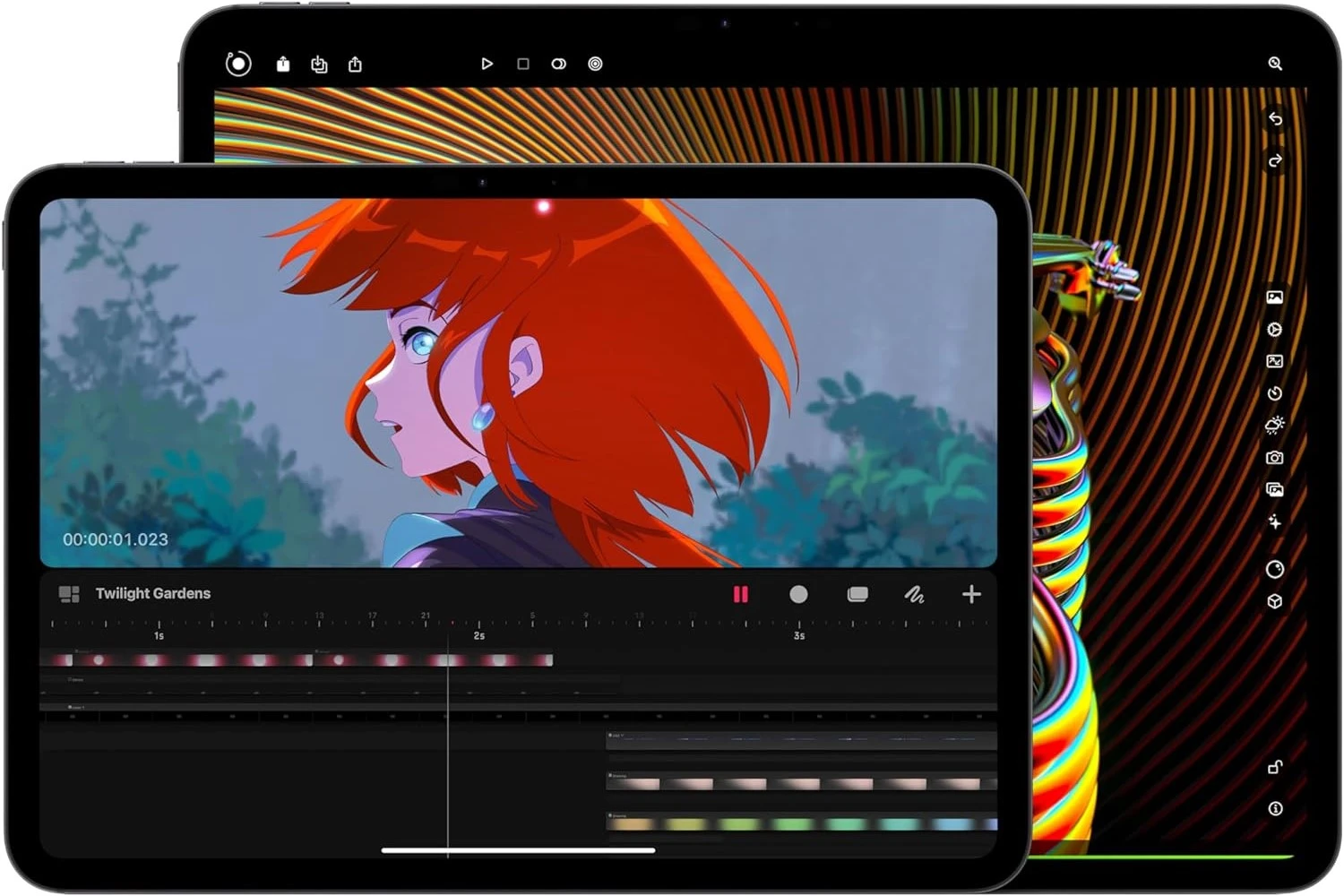
The Apple iPad Pro M5 is a performance beast that takes the “Pro” title seriously, pairing the world’s most advanced tandem OLED display with a new chip that’s 3.5 times faster at AI tasks and supports incredibly fast 60W charging.
The Alienware 34 Curved QD-OLED is a total desktop flex that evolves a fan-favourite icon with a blistering 240Hz refresh rate and next-gen colours, giving you that buttery-smooth, ultra-vivid gaming experience on a massive 1800R curved display.
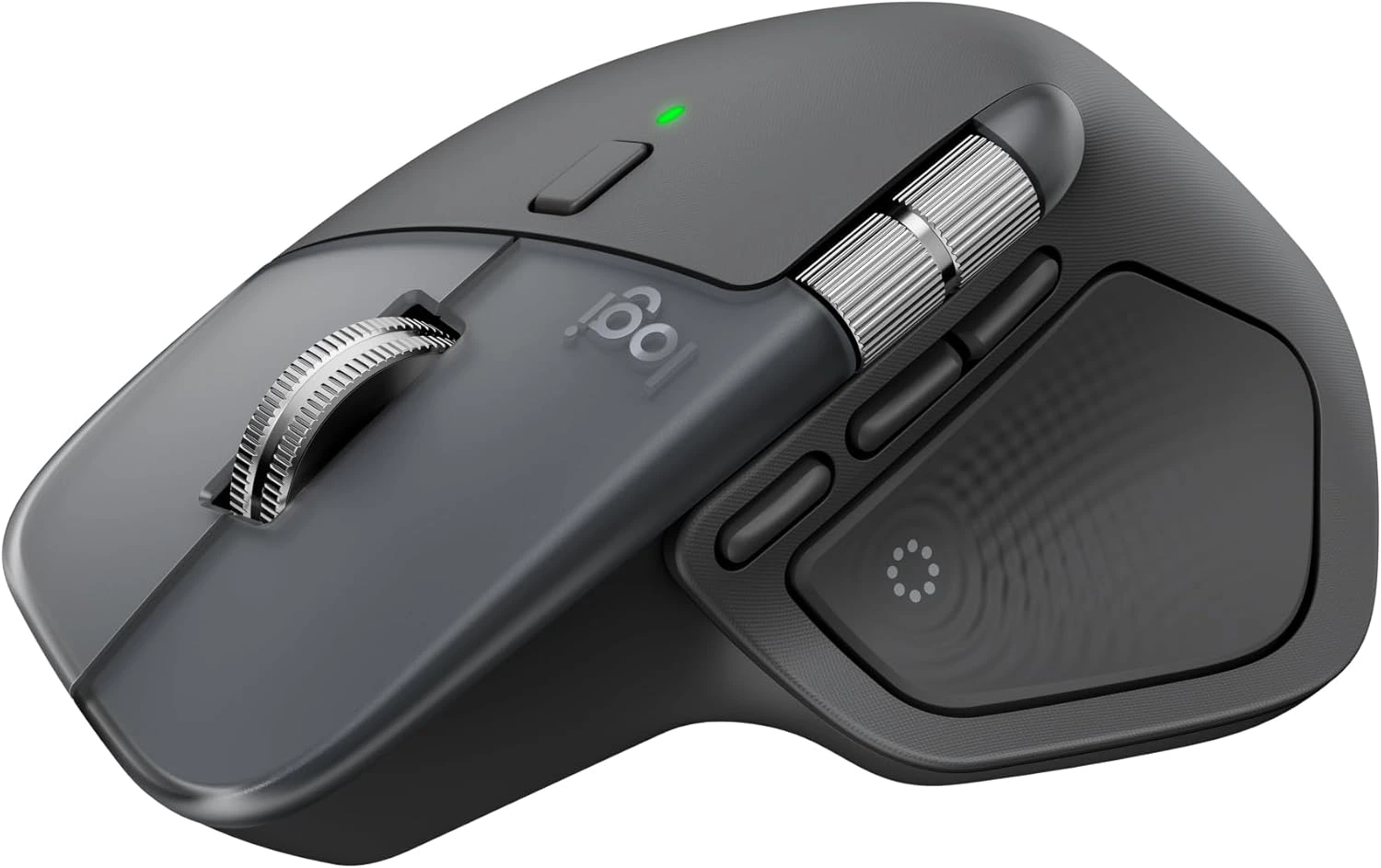
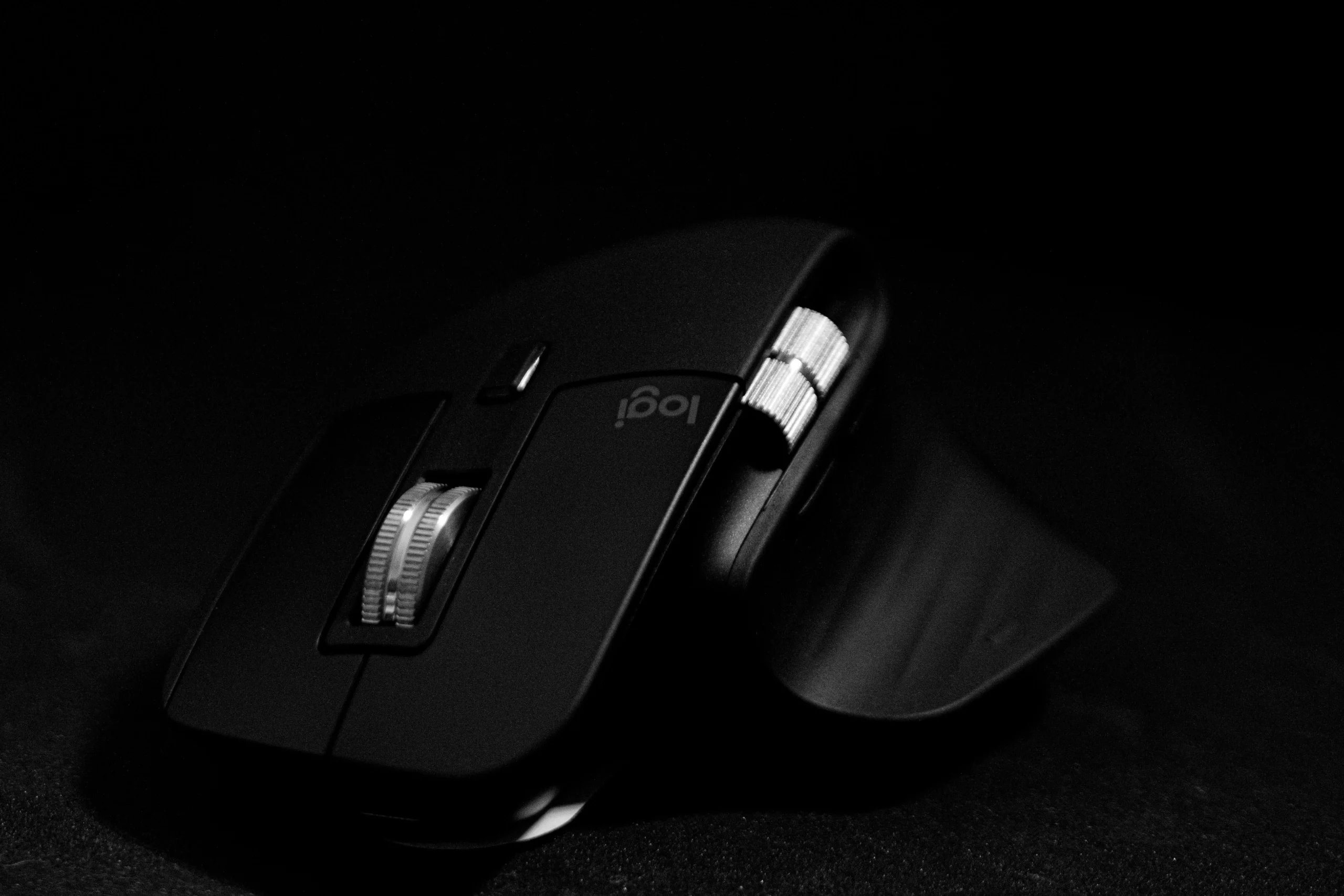
The Logitech MX Master 4 is the ultimate productivity flex, featuring a brand-new haptic engine for tactile feedback and a genius “Actions Ring” overlay that puts your favourite shortcuts right at your cursor.
Available in 3 colours: JetBlack, Blue Shadow, Silver Shadow
256GB / 512GB / 1TB Storage
Large foldable 8-inch main OLED display + 6.5-inch cover OLED display
200MP main camera + 10MP telephoto + 12MP ultrawide
Selfie camera: 10MP wide on main display, 10 MP wide cover display
Snapdragon 8 Elite processor with 12GB / 16GB of RAM
Captures up to 8K videos at 30fps
Includes a 4400mAh battery that supports wireless + reverse wireless charging
Reasons to buy
Thinner & lighter design
Bigger primary & cover displays
Impressive camera performance
Includes newer Android 16
Promises 7 major software updates
Impressive overall performance
Reasons to avoid
Very expensive
Slow charging speed
Average audio speakers
No S Pen support
Average telephoto camera
The Galaxy Z Fold7 didn’t just get an upgrade; it hit the gym, got a serious glow-up, and is ready for the runway. When it’s closed, this phone is thinner and lighter than ever—it finally feels like a normal, high-end smartphone and not two devices playing piggyback. The outer cover, 6.5-inch OLED screen is now beautifully wide, meaning you can actually text, scroll social media, and handle your daily life without feeling the need to flip it open every five seconds. It’s a proper phone now.
But when you do open it up? Hello, 8-inch, gorgeous OLED mini-tablet. This is your ultimate canvas. Think genuine tablet multitasking, like watching YouTube on one side while nailing your to-do list on the other. Samsung’s hinge magic is real; the crease is still technically there, but it’s like a shy line now, barely noticeable when you’re actually looking at the screen. And finally, the camera is a beast. Samsung didn’t hold back, giving the Z Fold7 the same incredible 200MP sensor as the S25 Ultra. You no longer have to sacrifice amazing photo quality just to have a folding phone. Get ready for super detailed, crystal-clear shots.
Under the hood, it’s rocking the absolute fastest chip available—the engine roars with blazing-fast performance, zero lag during smooth gaming, and no hiccups when you’re leaping between a dozen apps. Even better? Samsung is giving it the long-haul commitment: up to seven years of major Android and security updates. Seriously, this phone is built to survive until the next decade!
For all its futuristic glory, the Fold7 has a couple of very human flaws. First, in its quest to be slim and durable, Samsung had to make a painful sacrifice: no more built-in S Pen support on the inner display. You can still use a basic capacitive stylus, but if you love that precise, pressure-sensitive S Pen feeling for drawing or hardcore note-taking, you’re sadly out of luck. It’s a bummer for the artists and power-notetakers out there. And second? The price is still absolutely savage cos you’re shelling out a fortune for this tech. While it’s arguably worth it for what you get, you have to remember you could literally buy a top-tier regular phone and a high-end tablet for the same amount of cash.
So, the bottom line is: it nails the “phone that becomes a tablet” dream with supreme style, speed, and photos. But you’ll be ditching the precious S Pen experience and emptying more of your wallet for the privilege.
Comes with either the 16-inch or the 18-inch laptop models
Reasons to buy
Impressive design overall
Superior gaming performance
Impressive display performance
Includes a mechanical keyboard
Impressive thermal cooling system
Nice selection of input ports
Premium build & design
Reasons to avoid
Poor battery life
Very expensive
Weighs 4kg, so it’s heavy
16-inch model is less expensive
If you’re still tethered to a bulky tower, listen up! The Alienware 18 Area-51 isn’t just a laptop; it’s a terrifying, beautiful fortress of raw, uncompromised gaming power that decided to go nomadic in 2025. This absolute monster is sitting right at the top, and here’s why you want it.
Forget “laptop performance.” This thing packs the absolute biggest guns available: the latest Intel Core Ultra 9 275HX processor and the chart-topping NVIDIA GeForce RTX 5090 GPU. We’re talking the full-power desktop-crushing versions. It chews up any modern AAA game and spits it out at max settings. Plus, with up to 64GB of super-speedy memory and up to 2TB SSD storage, everything—from boot-up to loading the biggest maps—is blink-and-you-miss-it quick.
The real black magic is how cool it stays. Alienware’s Cryo-tech cooling system is phenomenal. It uses exotic Element 31 thermal compound and a completely re-engineered chassis with a special Cryo-Chamber to move massive amounts of air. Translation: You can run the most demanding games all day, and your CPU and GPU stay remarkably cool, allowing them to deliver maximum performance without turning your keyboard into a toaster. No throttling, just pure power.
The 18-inch display is a feast for the eyes, looking and feeling impossibly smooth thanks to a blistering 300Hz refresh rate. It’s super bright (500 nits) and features G-SYNC to keep your visuals fluid and tear-free. It’s an instant competitive edge in any fast-paced title. To top it off, you can grab the optional, super-satisfying CherryMX ultra low-profile mechanical keyboard. It feels wonderfully “clicky” and responsive. The entire chassis screams premium, with a sturdy build and that iconic, customizable AlienFX RGB lighting that lets everyone know you mean business.
The Area-51 is a gaming masterpiece, but that power comes at a literal weight cost. Let’s be real: this machine is a portable desktop replacement, not a toss-it-in-your-bag laptop. Weighing well over 4 kg (9 lbs), plus the enormous charger, lugging it around is a serious commitment. Most standard backpacks will actively reject their massive 18-inch frames. It’s too big and heavy for daily travel; it’s really meant for moving from your home office to a friend’s LAN party. If maximum mobility is your priority, you must accept that this machine will give you an impressive bicep workout.
Comes in 4 colours: Sky Blue, Silver, Starlight and Midnight
Up to 24GB of unified memory
Choose between 256GB or 512GB of SSD storage
Support for Apple Intelligence
Includes 12MP Centre Stage camera, a MagSafe 3 charging port,
Reasons to buy
Fast CPU performance
Impressive battery life
Slim & lightweight
Includes MagSafe charging
High system memory
Support for two external displays
Lower price
Reasons to avoid
Below standard refresh rates
Problems with Apple Intelligence
No touch screen
No drastic changes to the design
In 2025, the MacBook Air M4 isn’t just a great laptop—it’s the smart, go-to choice for virtually everyone. It took the already amazing M-series magic and polished it into a completely fanless, silent, beautiful package.
The M4 chip is a masterclass in balance. It gives you blazing-fast power to handle daily work, photo edits, and even some heavy video tasks, all while running completely silent. That’s right, it doesn’t even have a fan! It’s pure, quiet computing bliss. And thanks to its souped-up Neural Engine, the M4 is future-proofed for all those fantastic new AI features in macOS Sequoia, making your life smarter and your workflow practically automatic.
This thing still absolutely laughs in the face of the competition when it comes to battery life. You can seriously leave the charger at home. We’re talking a solid 15 to 18 hours of moderate use, letting you sail through a full work week or school day without a single power-up panic.
It truly earns its name. Incredibly thin and feather-light, the 13-inch model slips into any bag, and you honestly might forget it’s there. The build quality is classic Apple—premium and sturdy. The keyboard feels great, the trackpad is still the best in the business, and yes, we cheered: MagSafe charging is back! No more tripping over cords and sending your expensive laptop flying.
Plus, Apple pulled a fantastic surprise: they made 16GB of super-fast RAM the new base configuration, and at a lower starting price! This means even the entry-level model is a serious multitasking beast built to last for years. Oh, and for the pros, it now officially supports two external displays with the lid closed. Hello, perfect home desktop setup!
Look, the Air is designed for the mainstream, so it skips one key “Pro” feature to keep the price and thinness down: the display doesn’t have ProMotion (120Hz). The Liquid Retina screen is still bright, sharp, and gorgeous, but when you scroll through long documents or zoom along a video timeline, the motion won’t have that super buttery, fluid feel you get from the much pricier MacBook Pro. But honestly? The M4 Air is the perfect sweet spot: amazing power, legendary battery life, and true portability, all wrapped up at a price that won’t make your wallet cry.
Preferably with Apple iPhones, iPads, Watch & MacBooks
The AirPods Pro 3 in 2025 aren’t just earbuds—they’re basically a personal, tiny audio super-computer you stick in your ears. If you’re serious about audio and living the Apple life, these are a non-negotiable requirement. Prepare for total quiet. Apple seriously cranked up the dial on Active Noise Cancellation (ANC), claiming it’s up to twice as effective as the last generation. That means droning aeroplane engines, loud commuter chatter, or your neighbour’s noisy calls just vanish.
But they’re smart, too. The Adaptive Transparency mode is a genius: it lets you hear the world (and people talking to you) perfectly clearly, but if a sudden, painful noise—like a siren or a sudden shout—hits, the buds instantly squash it down to protect your hearing. These buds are pulling double duty as fitness trackers. They finally added a built-in heart rate sensor. Now you can ditch the Apple Watch for a quick run and still beam real-time heart rate data straight to your Health app. This is awesome for focused workouts.
And talk about future-forward: thanks to the new Apple Intelligence, you get real-time Live Translation. Hand one bud to a friend speaking another language, and it translates the conversation almost instantly right in your ear. Mind. Blown. Plus, Apple is looking out for your ears with new Hearing Health features, including a quick hearing test and a “Hearing Aid” feature that actually amplifies and clarifies speech in loud rooms.
The connection quality is flawless. Switching between your iPhone, Mac, and Watch is instant and automatic—a piece of magic no other brand has truly nailed. On the audio side, a new architecture delivers a wider soundstage and crisper vocal clarity. And they’re tougher than ever: IP57 dust and water resistance means they can handle brutal workouts and rainy days. All this while delivering a solid 8 hours of battery life with ANC on!
Despite the wizardry, Apple always maintains a few frustrating walls. First, the audio nerds will rage: you can’t manually adjust the EQ. You’re locked into Apple’s proprietary Adaptive EQ, which is smart, but if you want to dial up the bass or tweak the treble yourself, you simply can’t. You have to settle for Apple’s tuning. Second, if you run with an Android phone, just know that the AirPods Pro 3 basically revert to very expensive, very good noise-cancelling headphones. You lose all the truly cool stuff: no seamless switching, no instant pairing, no heart rate sync, and no Live Translation. They only unleash their full genius when paired with Apple gear. Ultimately, if you’re living the Apple life, the AirPods Pro 3 are the definitive, must-have audio upgrade.
5. Apple Watch Ultra 3
Best Smartwatch With Satellite Communication, Health Tracking & Network Capabilities
Active GPS and satellite communication, even in life-threatening situations
5G network capabilities for fast, optimum connectivity
2-day battery life with fast charging capabilities
A large, bright 49mm display with thin bezels to optimise views
Advanced health tracking and monitoring features
Comes with the most accurate GPS signals
Reasons to buy
Life-saving satellite communication
Enhanced 5G
Massive, bright, & tough display
Advanced health monitoring
Impressive battery life
Reasons to avoid
Big & bulky for everyone
High cost
Meet the Apple Watch Ultra 3—this isn’t your average step-counter. This is a rugged, titanium-clad survival tool built for adventurers, elite athletes, and anyone who demands the absolute pinnacle of health tech.
This is the biggest flex: Satellite Communication is now native. If you’re hiking deep in the wilderness, diving far offshore, or just completely out of cell service, you can still use your Watch to send emergency messages and your precise location via satellite. That’s not a feature; that’s priceless peace of mind. Plus, it rocks enhanced 5G connectivity, grabbing stronger signals in weak areas and using less battery while it’s at it!
While it won’t last a week, the battery is a genuine game-changer for Apple standards. You can confidently get through two full days (42 hours) of normal use, track your sleep both nights, and still have juice left. Crucially, it has the stamina to track a full Ironman-distance workout using GPS and heart rate monitoring. And when it does need a charge? It blasts up to 80% in about 45 minutes—fast enough for a quick top-up while you grab a coffee.
The display is huge, bright, and beautiful. At up to 3,000 nits, it’s the brightest Apple Watch screen ever, meaning your metrics are perfectly readable whether you’re facing desert sun glare or murky deep-sea water. Thanks to new LTPO3 tech, the bezels basically disappeared, giving you maximum screen space without making the watch physically gigantic (well, more gigantic).
Beyond just logging your steps, the Ultra 3 is getting medically serious. It builds on the awesome ECG and irregular rhythm alerts by now analysing your long-term data for patterns consistent with high blood pressure (hypertension). This is a huge leap into proactive health monitoring. And for the athletes, the dual-frequency GPS is laser-accurate, giving hikers and runners rock-solid data, even when navigating the concrete canyons of a city.
As amazing as it is, the Ultra 3 is designed for a specific kind of hero, which creates two big headaches for everyone else. First, it’s a GIGANTIC 49mm: Apple only makes it in one huge size. If you have smaller wrists or prefer a subtle look, this thing is simply too bulky, heavy, and thick. People aren’t wrong when they call it a “wrist shackle,” especially for sleep tracking. Second, the price tag will make you sweat. Starting at a hefty $799 (U.S.), you’re paying double the cost of the standard model. You’re shelling out a huge premium for the titanium case and niche features like Satellite SOS. If your idea of “adventure” is walking to the corner store, you’re massively overpaying for tech you’ll never use!
The bottom line? The Apple Watch Ultra 3 is the ultimate wrist computer for the dedicated, high-intensity user who values maximum safety and performance. Just make sure you have the wrist size and the budget to back it up.
Full Xbox gaming experience with smooth frame rates & consistent performance
True portability with a massive 80Wh battery
Comes with AMD Ryzen AI Z2 Extreme
24GB of RAM with 1TB of SSD storage
Ergonomic chassis design with comfortable joystick grips & triggers
Comes with Thunderbolt 4 to connect high-speed peripherals, like high-end docks or an external GPU
Reasons to buy
Console-style experience in a handheld Gaming PC
Deeply integrates with Xbox Game Pass and Play Anywhere
Top-of-the-line processing
Massive storage & memory
Impressive battery life
Thunderbolt 4 port
Hall effect joysticks & triggers
Reasons to avoid
Deal with Windows 11 issues
Manually need to tweak in-game settings for every game
Get ready to throw your definition of “portable gaming” out the window! The ROG Xbox Ally X is all about total freedom and maximum power, thanks to a seriously smart collaboration with Microsoft. This is the absolute game-changer: when you fire it up, you don’t land on a fussy desktop. You jump straight into a beautiful, console-like dashboard that scoops up all your game libraries—Xbox, Steam, Epic, you name it—into one simple, controller-friendly menu. No more wrestling with the Windows desktop just to play! Thanks to deep integration with Xbox Game Pass, this thing truly feels like a portable Xbox and a full PC. Your entire game catalogue is suddenly in your hands.
This handheld is stacked! It rocks the top-of-the-line AMD Ryzen AI Z2 Extreme chip, giving it enough muscle to blitz through the latest AAA titles at excellent frame rates. It’s not just fast; it’s more efficient than ever. Plus, check the specs: 24GB of RAM and a standard 1TB SSD. That’s the kind of power you expect in a solid gaming laptop, not a handheld. Translation: everything runs smoothly, and you actually have space for those huge modern titles. This is the most practical upgrade, hands down. They jumped the battery from 40Wh to a massive 80Wh. That means you get up to double the playtime on lighter games and a solid, satisfying session on demanding titles. You can finally relax and game without being surgically attached to a wall socket.
Say goodbye to annoying wear and tear! The controls finally use Hall Effect technology, which means incredibly precise movement and, most importantly, zero chance of stick drift, ever. Those joysticks and triggers are built to last forever. And check this out: it packs a full USB4/Thunderbolt 4 port. That’s a huge deal, letting you connect high-speed docks or even an External GPU (eGPU) to transform your little handheld into a desktop gaming monster when you get home!
For all its hardware brilliance, the Ally X is still fighting against a giant, ancient foe: Windows 11 Home. Yes, that awesome full-screen experience helps, but Windows is still the operating system underneath. That means you still occasionally get slammed by annoying PC headaches: sluggish UI screens, pop-ups, mandatory updates, and all the fussy notifications of a desktop system trying to live on a tiny touchscreen. You’ll often have to manually dive into settings for every new AAA game to find that perfect balance of frame rate and graphics.
The ROG Xbox Ally X is an incredible piece of hardware that truly unlocks your entire PC library. You just need to accept that sometimes, the operating system beneath the hood will remind you that you’re running a powerful, slightly complicated computer.
Choose between the Wi-Fi or the Wi-Fi + Cellular version
Up to 2TB storage
Two colours to choose from: Space Black or Silver
Supports Apple Pencil and Magic Keyboard
Reasons to buy
Impressive performance
Excellent OLED screen
Super-quick 5G & WiFi speeds
Good camera features
Reasons to avoid
Really pricey
Battery life could be better
No IP rating
Same design, camera & hardware specs as the previous year’s model
Asking why the iPad Pro M5 is the best in 2025 is like asking why a supercar is fast—it’s designed to be overkill, and that’s the fun part! This isn’t just a tablet; it’s a slab of portable, desktop-class performance that’s single-handedly redefining what a tablet can be.
This M5 chip is insanely fast—like, “Are we sure this isn’t a desktop?” fast. It’s got a seriously souped-up Neural Engine and GPU, turning it into an absolute AI powerhouse. It handles complex, pro-level tasks like editing multiple 4K ProRes video streams or rendering huge 3D models in real-time, all without breaking a sweat. It’s performance without a single compromise. Plus, even the base model is stacked with a generous 12GB of RAM (and up to 16GB!), while the storage is so fast, huge file transfers are practically instantaneous.
Prepare for a jaw-dropping moment with the Tandem OLED display. We’re talking perfect blacks, amazing contrast (2,000,000:1—that’s a lot of contrast!), and a blindingly bright screen (up to 1,600 nits HDR). If you’re a pro, you can even opt for the Nano-texture display glass to kill glare without sacrificing any of that gorgeous color. It’s a pure win for artists and editors.
The 13-inch model is ridiculously thin—at just 5.1 mm, it’s almost impossibly light to carry. It feels like magic. On the connectivity front, it’s rocking Wi-Fi 7, giving you secure, super-fast wireless speeds for instant collaboration and working with huge files anywhere. And of course, the new Apple Pencil Pro is a dream, with “squeeze” and “barrel roll” gestures making creative control feel utterly natural. Best of all? iPadOS 26 finally got a serious interface makeover with game-changing multitasking, so the software is finally catching up to the absurd hardware.
For all its mighty M5 muscle, the iPad Pro suffers from one fatal flaw: it still runs iPadOS, not macOS. Yes, iPadOS 26 is better, but it still lacks the full flexibility, desktop-grade file management, and deep application compatibility that a true Mac or Windows laptop offers. It still feels like a massive, glorious tablet, not a full, no-compromise computer. You pay flagship laptop prices, especially once you add the essential Magic Keyboard and Apple Pencil Pro, for an operating system that still makes you jump through a few hoops.
Bottom line: The iPad Pro M5 has the best hardware of any mobile device, period. It’s the most powerful, most beautiful, and most versatile tool you can buy—but you might have to spend a little time teaching yourself to love its operating system.
Premium video processing with impressive motion resolution
G-Sync & FreeSync Premium Pro certified
Superb HDR
Reasons to avoid
No headphone jack or internal speakers
Stop what you’re doing. This monitor—the Alienware 34 240Hz QD-OLED—is where your search for the ultimate screen ends. It took the absolute best display tech on the planet and cranked the gaming performance dial straight to eleven.
Prepare for perfection. Because every single pixel on this QD-OLED panel lights itself up, when a pixel needs to be black, it simply shuts off. The result? Truly infinite contrast. HDR content and terrifyingly dark game scenes look so dramatic and realistic, it’s unreal. Plus, the Quantum Dot (QD) tech on top means colours are brighter, purer, and more vibrant than any standard screen, especially when the image is bright. Say goodbye to washed-out visuals.
If you play fast, you need fast gear. This monitor boasts an official Grey-to-Grey (GtG) response time of 0.03 milliseconds. That’s basically instantaneous. You get zero motion blur, zero ghosting, and zero trailing, giving you the clearest, sharpest view possible when you’re spinning around in a clutch moment. Pair that with the ultra-smooth 240Hz refresh rate, and every frame your expensive GPU pumps out is displayed flawlessly.
The 34-inch ultrawide canvas, combined with a gentle 1800R curve, literally wraps the action around your head. It’s the perfect ticket for getting lost in cinematic AAA masterpieces and gives you an epic field of view in competitive titles. And don’t worry about screen tearing—it comes certified for both NVIDIA G-SYNC Compatible and AMD FreeSync Premium Pro, meaning your gameplay is guaranteed to be buttery smooth no matter what GPU you’re running.
As incredible as this Alienware is for gaming, its core technology still asks for a little patience when you use it for boring stuff like work. The Burn-In Shadow: Because it’s OLED, there’s always the inherent risk of permanent burn-in if you leave static stuff (like the Windows taskbar or a persistent health bar) sitting on the screen for hours and hours, day after day. Alienware includes smart protection and a 3-year warranty that covers burn-in, but you still have to be mindful and manage your screen usage actively.
The Text Tweak: The unique sub-pixel structure of QD-OLED means that super crisp, high-contrast text might occasionally show a tiny bit of colour fringing compared to old-school LCD screens. It’s way better than it used to be, but coders or writers who stare at text all day might find a dedicated IPS monitor slightly less fatiguing. The Verdict: This is the undisputed king for rich, beautiful, blazing-fast gaming. Just remember its OLED heritage if your monitor pulls 50/50 duty as a workhorse.
Includes ‘Action Ring’ to easily access your favourite tools
Ergonomic design with smooth navigation and natural tilt
Reasons to buy
Comfortable ergonomic shape
Impressive battery life
Highly customizable
MagSpeed scroll wheel is brilliant
Quiet left & right clicks
Supports all operating systems
Reasons to avoid
Heavy
Some buttons are hard to distinguish by touch alone
The thumb wheel lacks MagSpeed functions
Cheap feel
Forget everything you know about boring office mice! The Logitech MX Master 4 in 2025 isn’t just hardware—it’s a highly specialised, ergonomic co-worker sculpted for your hand. This is the undisputed champion of productivity, built specifically to make those long workdays fly by. This is the headline that sells the mouse: you can literally feel your work! The MX Master 4 provides customizable haptic feedback—subtle little vibrations that give you satisfying confirmation when you trigger a shortcut or when your cursor “snaps” to an object. If you’re deep in video editing, graphic design, or heavy data analysis, this tactile feedback adds a surprising layer of focus and precision.
Tired of digging for shortcuts? Enter the Actions Ring! Summon this digital overlay menu with a press of your thumb, and it instantly gives you a radial menu of customised, app-specific shortcuts right under your cursor. Logitech even claims this trick can shave off up to 33% of your time by putting complex functions (like Excel macros or Photoshop filters) right at your fingertips. The famous shape is back and better, still sculpted perfectly for a natural palm grip, offering blissful, full-hand support for those brutal 8-to-12-hour work sessions. It even has Quiet Click technology, so you get that satisfying click feel without making a sound and annoying your cube-mates.
Of course, the MagSpeed scroll wheel is legendary—it lets you blast through a thousand lines per second in free-spin mode or switch to pixel-perfect ratchet scrolling instantly. And the Logi Flow feature is still pure magic: control up to three different devices (Mac, PC, or iPad) and copy/paste files between them just by gliding your cursor off one screen and onto the next!
The MX Master 4 is a productivity dream, but its specialised nature comes with a couple of serious compromises. It has a super accurate 8,000 DPI sensor, but its low polling rate is a deliberate choice to save battery. This means for competitive gaming, the cursor will feel sluggish and non-responsive compared to true gaming mice. It’s a workhorse, not a warhorse. This is the harsh truth. The highly sculpted, beautiful design is exclusively for right-handed users. Due to the side buttons and thumb rest, left-handed users are completely out of luck and will find this mouse impractical and uncomfortable.
Final word: If you’re a right-handed pro who lives in spreadsheets and creative apps, the MX Master 4 is the pinnacle of wireless productivity. But if you’re a serious gamer or a southpaw, you’ll need to look elsewhere.
Top Tech Products: The Summary
Let’s recap on what we just went through.
Tech Product
Value
Best for
Samsung Galaxy Z Fold7
Ultimate screen versatility & power
The mobile professional who needs a tablet in their pocket.
Alienware 18 Area-51
Unrivalled, desktop-level power and a massive 300Hz screen.
The absolute top-tier gamer/creator who never compromises on specs.
Apple MacBook Air M4
Unmatched battery life and quiet portability.
The student or creative who works on the go all day.
Apple AirPods Pro 3
Best-in-class ANC and seamless Apple Health tracking.
The commuter or fitness enthusiast is deep in the Apple ecosystem.
Apple Watch Ultra 3
Off-grid safety, rugged durability, and 2-day battery life.
The serious adventurer, diver, or high-end fitness enthusiast.
Asus ROG Xbox Ally X (2025)
PC gaming freedom with a console-like experience.
The gamer who wants to play everything anywhere, in high fidelity.
Apple iPad Pro (M5)
Raw mobile processing power and the perfect canvas.
The digital artist, 3D modeller, or video editor.
Alienware 34 240Hz QD-OLED Monitor
Flawless cinematic speed and colour fidelity.
The hardcore PC gamer who demands the ultimate visual experience.
Logitech MX Master 4
Ergonomic comfort and custom productivity tools.
The designer, developer, or data analyst spends all day on a desktop.
Final Recommendations
Wow, what a lineup! We’ve navigated the cutting edge of tech in 2025, from the ultimate folding phone to the most ergonomic mouse of 2025. Every one of these top tech products is a champion in its category, but your final choice always comes down to what you want the product to do for you. To help you solve whatever problems or challenges you are facing.
So, you’ve read the facts and features. You know the pros and flaws. You even know what sets each device apart. So what’s next, you ask? Don’t just dream about that next-level tech. Click on your champion of choice right now and experience the future of 2025, today. And let’s not forget. Share with us what we have shared with you. We’ve shared with you our take, but now we want to hear from you. Jump down to the comments below, and tell us which 2025 product is your absolute favourite, or if you have any lingering questions before you hit that ‘buy’ button. We really want to hear from you. So let’s have a chat 😀
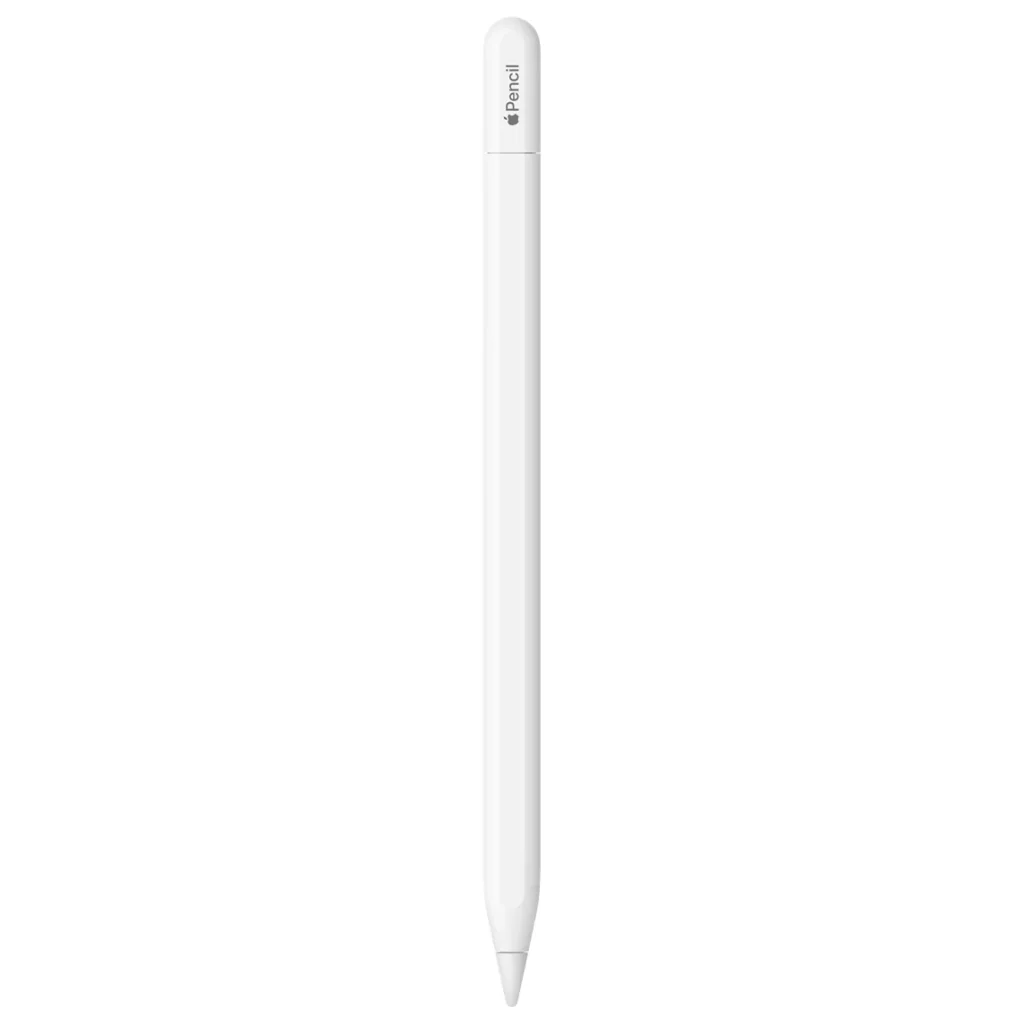
If you are looking for stylus and can’t afford the Apple Pencil (2nd Generation) stylus, don’t worry. There are so many alternatives to choose that work just as good. From our research with finding the perfect styluses we have come up with these five to help you choose the best one that suits your budget, preferences and value. So what are you waiting for, check out five of the best Apple Pencil 2nd Generation alternatives.
Best Apple Pencil (2nd Generation) Alternatives for iPads
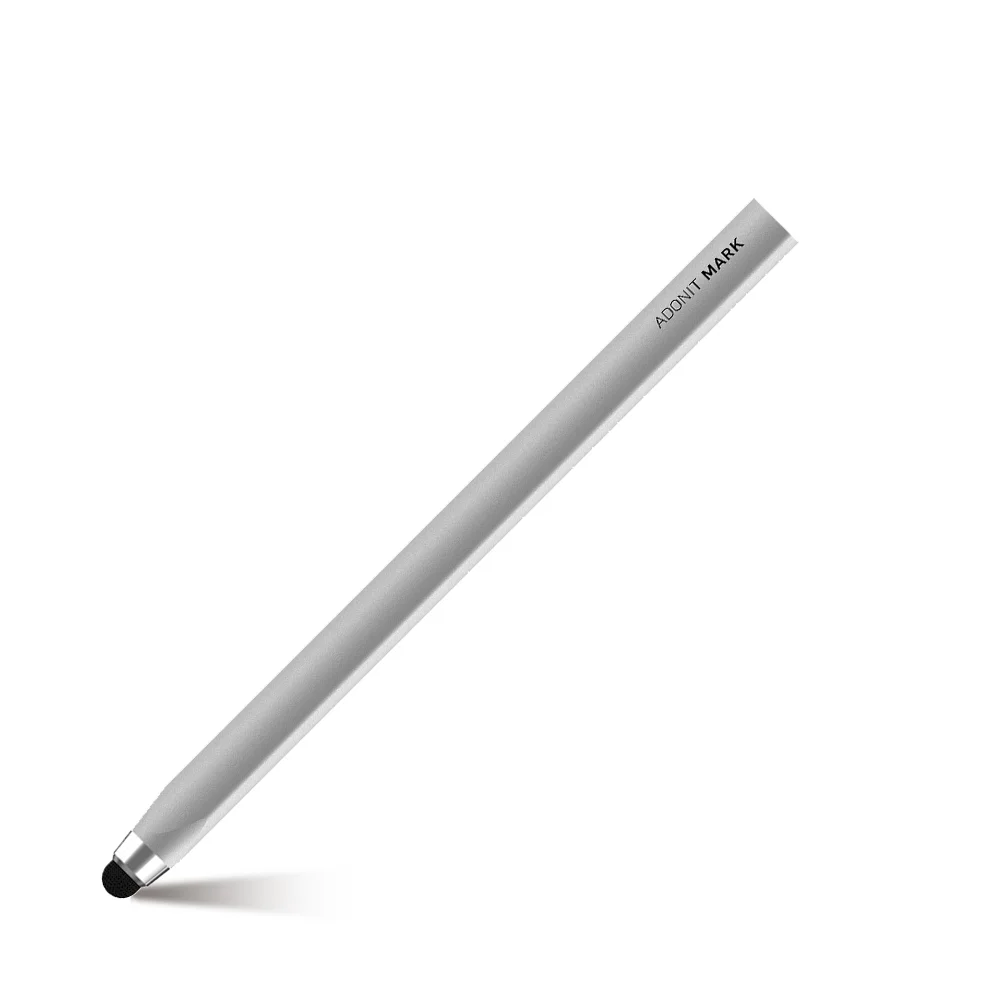
1 – Adonit Mark
Best budget Apple Pencil 2 alternative
Adonit Mark
Specs
Compatible with: iPad (8th – 6th gen), iPad Pro (3rd, 4th gen), iPad Air (3rd, 4th gen), iPad mini (5th gen) | Length: 5.5 inches
Looking for a stylus that won’t cost you so much money? The Adonit Mark is so budget-friendly, you might want to grab a handful for the whole family!
While it’s a fantastic alternative to the Apple Pencil, it’s not just for Apple users. It works with virtually any tablet, smartphone, or any touchscreen mobile device, making it a versatile tool for everyone.
Compatible with a wide range of iPads (from the 3rd-Gen iPad Air to the latest iPad Pro), the Adonit Mark boasts a sleek anodized aluminum body that feels great in your hand. Its clever triangular design prevents it from rolling off your desk.
Now, let’s be real: this isn’t a precision instrument for professional artists. If you’re looking to create intricate sketches, you might want to explore other options. But for casual note-taking, or just navigating your device, the Adonit Mark shines.
And at such an irresistible price, you’ll get serious bang for your buck. Who knows, maybe even those mundane home office tasks will become a little more enjoyable with this handy stylus by your side.
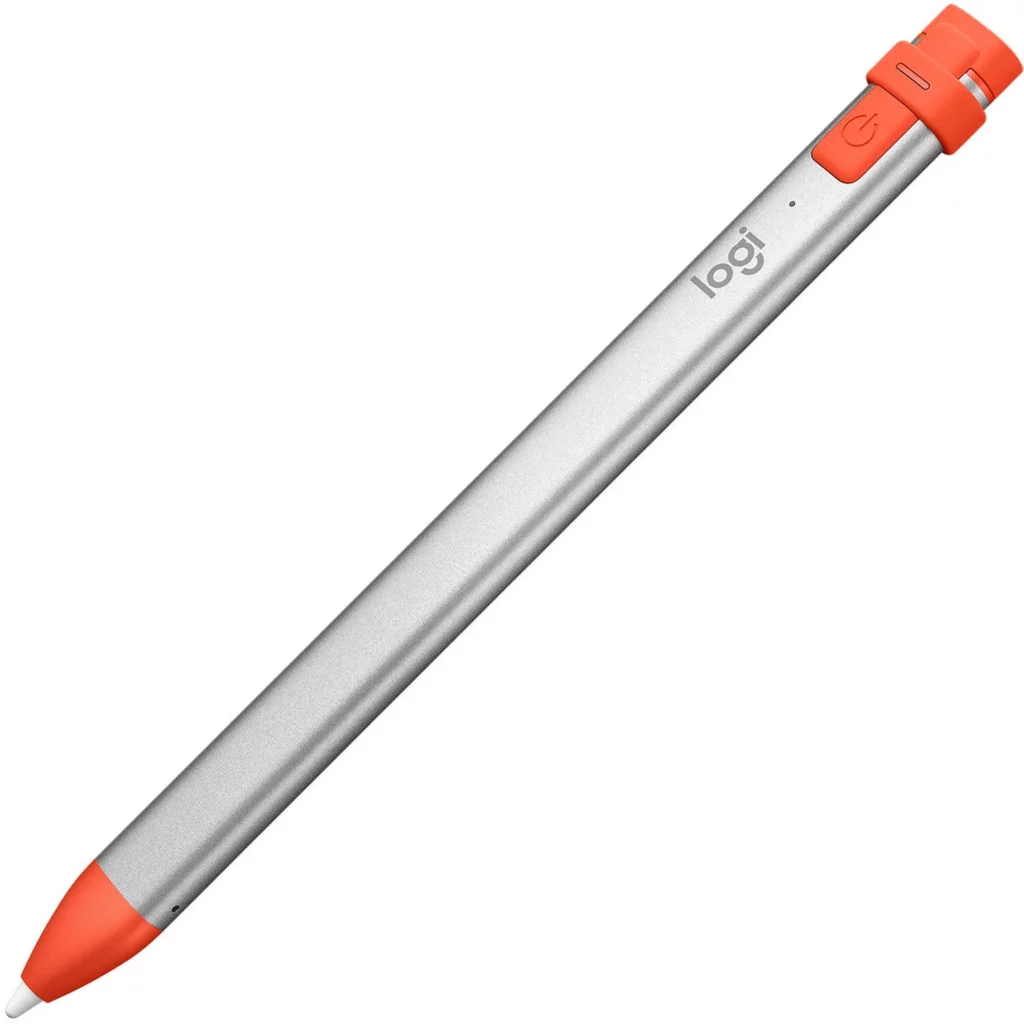
The Logitech Crayon Digital Pencil has emerged as the best Apple Pencil (2nd generation) alternative we’ve encountered – and it’s not just for students. In fact, other users and reviewers actually prefer it to the Apple Pencil itself. Yes, you read that right.
This sleek, 6.4-inch aluminum stylus, weighing in at a mere 0.7 ounces (20 g), feels as good as it looks. Its carpenter-pencil-inspired design is not only stylish but also practical, preventing those frustrating roll-offs your desk, and with high review ratings, it’s clear that users agree.
The Crayon’s 2-millimeter tip offers impressive accuracy, making it a joy for both tech pros and casual users. It even supports dynamic line weight, mimicking the feel of a real pencil by adjusting line thickness based on the angle you hold it. Talk about adding a touch of artistry to your digital life!
And with battery life? No worries. The Logitech stylus claims a solid 7.5 hours on a single charge, and the quick-charge feature is a lifesaver. Just two minutes of charging gives you a 30-minute boost – perfect for those times when you’re on the go. You’ll be ready to create long before the Crayon runs out of steam.
Overall, this is a solid all-round stylus for your iPad. If you’re looking for a premium stylus that delivers on both performance and style, the Logitech Crayon is the top of the class. It’s the coolest pencil in the digital school, and it’s ready to bring your iPad experience to a whole new level.
Compatible with: iPad (6th, 7th, 8th, 9th, and 10th generation), iPad Air (3rd, 4th, and 5th generation, and M2 models), iPad Pro 11-inch (1st, 2nd, 3rd, and 4th generation, and M4 models), iPad Pro 12.9-inch (3rd, 4th, 5th, and 6th generation, and M4 models), iPad Mini (5th and 6th generation) | Length: 6.5 inches | Battery Life: 10 hours
Includes palm rejection, tilt sensitivity, & impressive precision
Comes with two extra pencil tips
Cons
Heavier than other stylus brands
Expensive
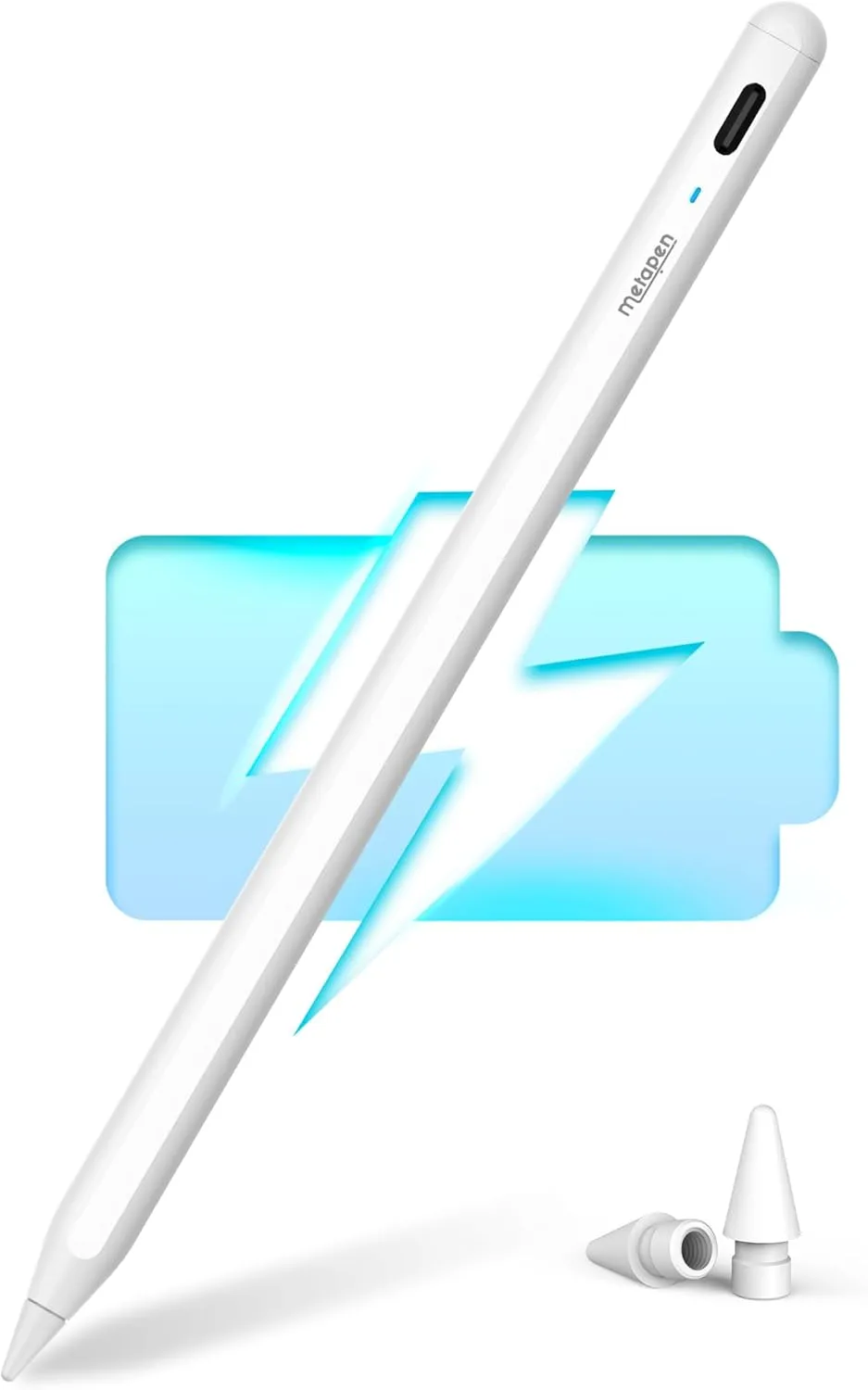
The Metapen Pencil A8 is another Apple Pencil 2 impersonator sporting a noticeable USB-C port and an LED light. The Metapen powers on and off with a double-tap to the “eraser” end. However, this pen has some serious heft – it feels noticeably heavier than other brands.
This might be due to its super-strong magnetic attraction. When attached to the iPad, the Metapen clings on like it’s part of the tablet itself – a rock-solid connection. And just like its rivals, the Metapen delivers Apple Pencil-level performance, complete with palm rejection, tilt sensitivity, and impressive precision.
Metapen claims the tip is tough enough to draw a staggering 20 kilometers worth of lines. Bonus points for including two extra tips in the box! Battery life clocks in at a respectable 10 hours, and the LED light changes color to indicate the charge level.
The Metapen A8 is a good stylus, although the price is quite high, and feels heavier than other styluses. It has almost all the features of the Apple Pencil 2 which makes it worth considering.
It’s available in a rainbow of colors—pink, black, mint green, and the classic white, which is our favorite. It seems Metapen also offers other styluses tailored for various iPad models, so it’s worth exploring their full range.
Want a premium stylus experience without the premium Apple Pencil 2nd generation price tag? The Zagg Pro Stylus is a worthy contender, coming in a close second to the Logitech Crayon. This dual-tip wonder offers the best of both worlds.
One end boasts a universal capacitive touch tip—perfect for scrolling and general navigation—while the other end features an active tip designed for smooth, precise lines ideal for note-taking, drawing, and sketching. Think of it as having two tools in one!
The Zagg Pro stylus works nicely with any iPad from 2017 onwards, and it even magnetically attaches to the 11-inch and 12.9-inch iPad Pro models for convenient storage. Modern tech lovers will appreciate the USB-C fast-charging, which gets you a full charge in under 90 minutes.
While the Zagg Pro Stylus has a lot going for it, it’s worth noting that it lacks pressure sensitivity. So, if you’re a digital artist who relies on varying line weight based on pressure, the Apple Pencil still holds an edge. However, for everyday tasks and creative exploration, the Zagg Pro Stylus offers a compelling alternative.
5 – Apple Pencil (USB-C)
The previous USB-C version
Apple Pencil (USB-C)
Specs
Compatible with: iPad Pro 12.9-inch (3rd, 4th, 5th, and 6th gen), iPad Pro 11-inch (1st, 2nd, 3rd, and 4th gen), iPad Air (4th and 5th gen), iPad mini (6th gen), iPad (10th gen) | Length: 6.1 inches | Battery Life: 11 hours
The Apple Pencil (USB-C) stylus is a great alternative to the Apple Pencil 2nd gen. It comes with three great features that stand out the most. Firstly, the ability to use a USB-C cable to charge the stylus, which sadly there’s no USB-C cable in the box. There’s also a sliding cap which reveals and hides the USB-C connector – which is very convenient.
Secondly, the stylus design looks good and feels good as well. It’s smooth to the touch and feels light and good to hold. And lastly, it’s cheaper than the other Apple Pencil styluses in the range.
As much it has some great perks, there are some things to note. First, no wireless charging nor wireless pairing. Yes, it does magnetically attach to the iPad but it does not charge nor does it pair with the iPad unless you connect the USB-C cable. And secondly, there’s no pressure sensitivity, meaning you can’t draw lines thicker or thinner depending on the pressure applied.
Overall, if want a cheaper Apple Pencil, or you’re looking for an alternative, then the Apple Pencil USB-C is one of the best to pick.
Lastly
So which one of these stylus alternatives are you mostly interested in? If you have any comments or wish to express yourself, please feel free to leave them below at the comments section. And if you like what you see, then click on the red button to find out more and to purchase if you so desire 😀
What if you could fall in love with your gaming PC once again? If you’re not then here’s why – it’s that simple. A gaming mouse is exactly what you need to enjoy gaming again. Let me show you my list of the five best gaming mice you can get right now. I’ve been writing blogs to help gamers and readers like you worldwide to choose the best tech and gadgets within a short couple of years. And I’m confident that this one will help you too. And hey, who knows – you might end up falling for your gaming PC again.
Looking for a top-tier wireless gaming mouse that’s built for MMO titles? The SteelSeries Aerox 9 Wireless might just be your new best friend. This isn’t your bulky MMO mouse – oh no! SteelSeries decided to go the lightweight route, and at just 89g, this thing practically floats across your desk. Think of it as the featherweight champion of click-fests.
They achieved this feathery feel with a clever perforated design (think stylish holes!) and a super-thin PCB (the circuit board the powers the mouse). It’s all about speed and agility, letting you zip around the screen like a digital ninja.
And while it’s perfect for MMO button-mashing, its design is so versatile, it works great for other games too, and fits comfortably in a variety of hand sizes.But the best feature? Customization!
The SteelSeries app lets you tweak everything. From polling rates (how frequent the data from your clicks are sent to the PC) and DPI (measures how sensitive the mouse is) to angle snapping, acceleration, and deceleration. You are in control. Basically, you can mold this mouse to fit your gaming style perfectly.
It’s a pricey gaming mouse so you may need to save up for it. But overall, the SteelSeries Aerox 9 is an excellent gaming mouse. It’s lightweight, well-designed, and lets you customize it. So, if you’re ready embrace the lightweight revolution, the Aerox 9 is definitely worth a look.
The HyperX Pulsefire Haste 2 Core is a powerful performing wireless gaming mouse. It’s packing a HyperX Custom Core Sensor that can handle up to 12,000 DPI and a 1,000Hz polling rate – that’s more than enough sensitivity for even the most hardcore gamers.
Whether you’re blasting enemies in Call of Duty or clicking your way through an MMO, this wireless gaming mouse delivers flawless tracking and pinpoint accuracy.
But wait, there’s more! The battery life is insane. The HyperX lasts up to 100 hours on a single battery. This thing will last you almost a week without you needing to swap it.
Seriously, I’m impressed. Sure, rechargeable would be nice, but with this kind of longevity, who’s complaining? Even with the customizable RGB lights blazing, the battery life is still top-notch compared to other wireless mice in its price range.
In the end, the HyperX Pulsefire Haste 2 Core is both awesome and affordable. The lightweight, good responsive, and packed with other features, it’s perfect gaming mouse for anyone who wants to level up their game without emptying their wallet.
The Razer Viper V3 HyperSpeed is packing some serious heat: a luxurious yet grippy finish, lightning-fast tracking, a palm rest that’s comfortable for your hand, and it’s wireless.
And the best part? It’s really affordable. It’s like Razer took the best parts of the DeathAdder V3 and the Viper V2 Pro and mashed them together into one awesome gaming mouse.
The only catch is that, you’ll need to keep those AA batteries handy. But hey, small price to pay for gaming greatness, right? Overall, the Razer Viper V3 HyperSpeed is a great gaming mouse. Just need to stock up on rechargeable batteries and you’re set.
The Turtle Beach Burst 2 Air is like a ninja – super light, but surprisingly full-sized! It glides smoother than a figure skater on fresh ice and has clicks so satisfying, you’ll want to click all day. Plus, it’s a connectivity chameleon, offering more than one way to connect.
However, the Burst 2 Air comes with it’s not-so-good perks. One of then is the software which, while offering lots of tweaks, requires a bit of a learning curve to endure. And the price is a little steep but the others are just minor nuisances that are easily forgotten.
The bottom line? The Burst 2 Air might not be the top choice for hardcore esports pros gamers, and it’s not exactly affordable priced. But for everyone else? It’s definitely a solid contender.
The Turtle Beach Kone II Air is a massive wireless gaming mouse, weighing at 110g. packed with handy features, such as RGB lighting, multiple ways to connect and a nifty Easy-Shift button for quick access to extra commands. Think of it as the Hummer of gaming mice – lots of features, but definitely not compact.
However, its size, shape, and weight mean it’s not going to be a perfect fit for everyone. If you have dainty digits or demand the absolute best performance, you might want to look elsewhere.
Overall, the Turtle Beach Kone 2 Air is a functional gaming mouse good features but it’s more for those who like a substantial feel in their hand.
That ends another great blog on the best gaming mice. It’s a lot but once you found your ideal gaming mouse, you’ll thank me for it. If you like my choice of gaming mice, then feel free to share or express yourself at the comments section. Finally, make sure to click on the blue buttons next to your chosen gaming mouse to view more of it or to buy it if you so desire 😀