8 Great Reasons Why Intel Core i7 Laptops are so Great

Intel Core i7 laptops include one of the most powerful processors that are great for daily complex tasks and of course gaming. In fact, gaming laptops nowadays normally include these processors to optimize gaming performance and also overall system performance. If you’re looking for a powerful or gaming laptop, or you are left wondering why Intel core i7 laptops are so powerful, then here are 8 great reasons to invest in one.     


1) Intel Core i7 laptops are Pricey but Worth it

Intel Core i7 laptops are more expensive but they are the top-range in the market. The sacrifice here is that you’ll spend a lot of money, but you will be greatly rewarded with a high-performance laptop that will satisfy your business, social and media, and gaming needs.  


2) Intel Core i7 laptops have more memory for More Multitasking

The higher the system memory or RAM, the more apps it can store in memory so it doesn’t slow down the laptop. The system memory or RAM will help to increase the capabilities of multitasking, meaning that the Intel Core i7 processor will help you to handle high demanding software, and also hardware-demanding games.


3) Know the code of an Intel Core i7 laptop

If you see the specs on Intel core i7 laptops nowadays, you will see info like “8th generation Intel Core i7” and some numbers such as ix-8xxx. If it starts with an 8 then it means 8th gen, if it starts with a 9 then it means 9th gen. The bigger the number means the most recent release, e.g.  Intel Core i7-8700. It helps to know if your laptop has the latest processor or not.  


4) Intel Core i7 laptops Come Highly Recommended  

Intel Core i7 laptops are highly recommended for gamers, video editors, cartoonists or animators, game developers, creative artists, engineers, and architects. It’s built to handle complex tasks from software that demand so high-end specs and hardware.


5) Know the Intel Core i7 Power Core

You need to check if the Intel i7 laptop has a quad-core or a dual-core processor. A quad-core or Hexa-core processor is recommended for gamers and a dual-core is recommended for business and corporate.


6) Know Your Cache

Most Intel core i7 processors have a larger cache (onboard memory) which helps to deal with repetitive tasks faster. The latest i7 processors come with 12MB cache, which is great. The bigger the number the better.


7) Intel Core i7 laptops have Turbo Boost 

The turbo boost feature helps Intel core i7 laptops to run faster especially when playing games or performing heavy tasks, which means more battery is consumed if unplugged.


8) Intel Core i7 laptops include Integrated Graphics

Intel Core i7 laptops come with Intel HD/UHD graphics 6XX (e.g. Intel HD graphics 630), which help with overall system graphics and gaming. You will need a good graphics card to play high-end games which are included in Intel core i7 laptops. Now let’s check out a gaming laptop to get you started. 


5 Incredible Gaming Laptops to Look out for


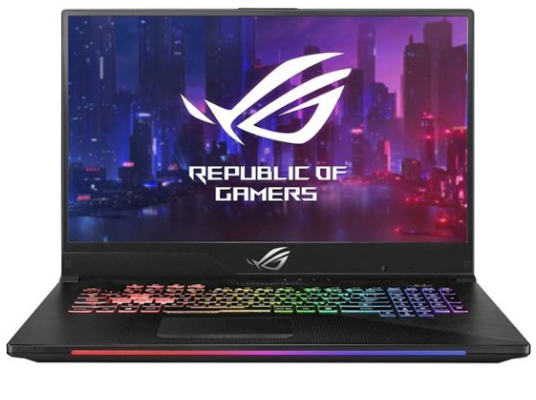
ASUS ROG Strix Scar II

Intel® Core™ i7 | 144Hz 15.6” FHD (1920×1080) IPS Type Display | NVIDIA GeForce RTX 2070 8GB GDDR6 | 16GB of RAM | 512GB SSD | Windows 10 Home | 5.3 lbs (2.4 kg) | 3.5 hrs battery life

The Asus ROG Strix SCAR II gaming laptop comes with an 8th generation Intel Core i7 6-core processor. Right now it is one of the leading, selling laptops. It has the latest graphics hardware and specs and looks great because of the distinct logo and the overall design quality. Fellow gamers, if you want one of the best, get one that competes with the rest. Overall, it’s a great gaming laptop with great gaming performance, great chassis design, and good quality screen. Battery life is standard and it’s a little heavy but fairly priced.   


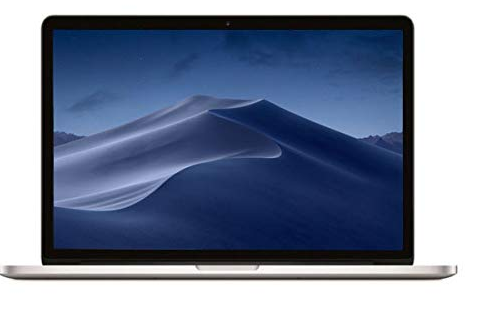
Apple MacBook Pro

Intel® Core™ i7 | 15″ Retina | 16GB of RAM | 256GB SSD | AMD Radeon Pro 555X | Mac OS X | 4 lbs (1.8 kg) | 10 hrs battery life

The Apple MacBook Pro comes with an 8th generation Intel® Core™ i7 6-core processor – perfect for you to use in the office and the corporate environment. With its aluminum design, hardware specs, and features such as long battery life, MacBook users will feel at home using this laptop. Overall. It has good performance. It is lightweight. It has a great-looking display. Pricey but if you are a fan of Apple and are looking for a new MacBook, check this one out and get it!


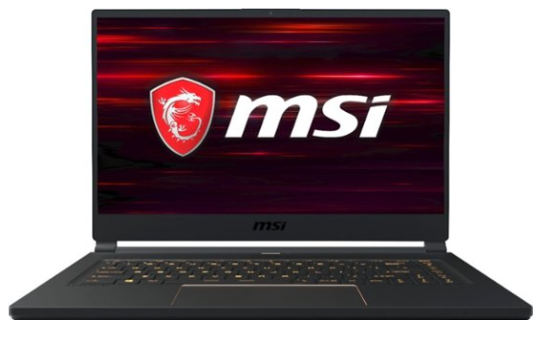
MSI GS65

Intel® Core™ i7 | 16GB of RAM | 512GB SSD | Windows 10 Home | NVIDIA Geforce RTX 2060 | 15.6″ FHD (1920×1080) | 6.5 lbs | 3 hrs battery life

The MSI GT63 Titan comes with an 8th Generation Intel® Core™ i7 Hexa-core processor. This is another powerful laptop that will give you satisfactory gaming and deliver great overall performance. With all its many features and great looks, it also falls with the elite gaming laptops. Overall, it’s one of the best gaming laptops around and worth investing in. Good gaming performance, lightweight, a great display but battery life pretty short. 


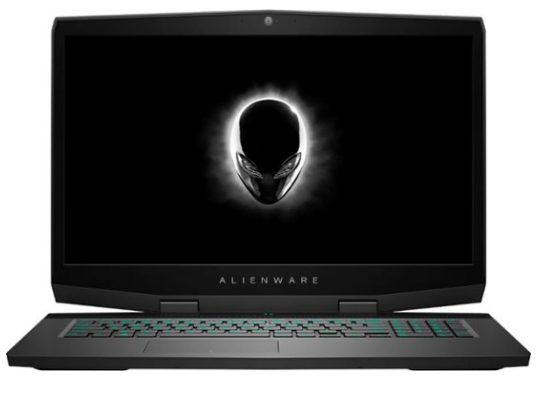
Alienware AWM17

Intel® Core™ i7 | 17.3-inch FHD (1920 x 1080) | 16GB DDR4 | 512GB SSD + 1TB HDD | NVIDIA GeForce RTX 2070 | Windows 10  

The Alienware AWM17 gaming laptop comes with an 8th-generation Intel® Core™ i7 processor. The Intel Turbo Boost technology delivers that extra kick of power when you need it, and at the same time, increasing energy efficiency when you don’t. The turbo boost gives it more power should you need it to handle gaming and heavy intensity tasks. Yes, it is a solid-performing laptop that is available to do every task you throw at it. Overall, unique and well-designed, with great performance, and great display. Check it out while stocks last.  


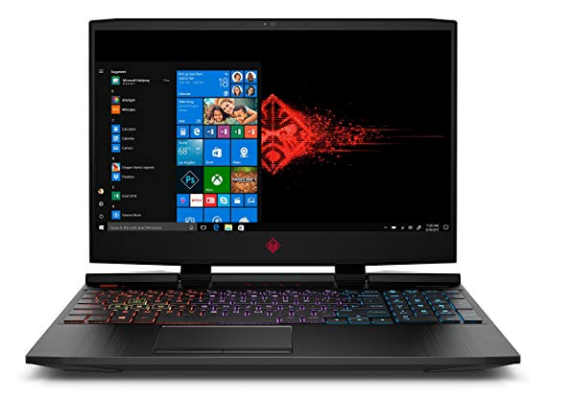
HP Omen

Intel® Core™ i7 | 16GB RAM | 1TB HDD + 128 GB SSD | 15.6” FHD (1920×1080) |  NVIDIA GeForce RTX 2060 | 5hrs battery life | Windows 10 Home

The HP Omen gaming laptop comes with an 8th generation Intel® Core™ i7 Hexa-core processor. It’s an older model but comes at a better price, saving you money, and still performs great. Take a look at this good-looking laptop, with premium features and performance. Overall, it’s a great gaming laptop. It’s more affordable plus has great gaming performance, good design, and good battery life. Check it out here.


Close off
Now you know what Intel Core i7 laptops are and see some examples of powerful gaming laptops. So what is left for you now is to decide which i7 laptop to buy, click on the links to find out more, and buy one if you are interested. Thank you for reading this post. If you like it, share it on social media. Take care until next time.

Follow me on Instagram by clicking here: luvuyomadyibi and on Twitter: @LuvuyoMadyibi


Introducing the Best Affordable Chromebooks to Buy

For those of you who don’t know, there’s a competitor emerging over the computer and tablet market right now. In my opinion, it may be the greatest thing to happen or the biggest threat. I’m talking about Chromebooks and they are taking over in a big way. What’s a Chromebook, you ask? Click here to check out a brief introduction to Chromebooks. Now that you have an idea, let me share with you 6 of the best affordable Chromebooks to buy right now.


Best Affordable Chromebooks


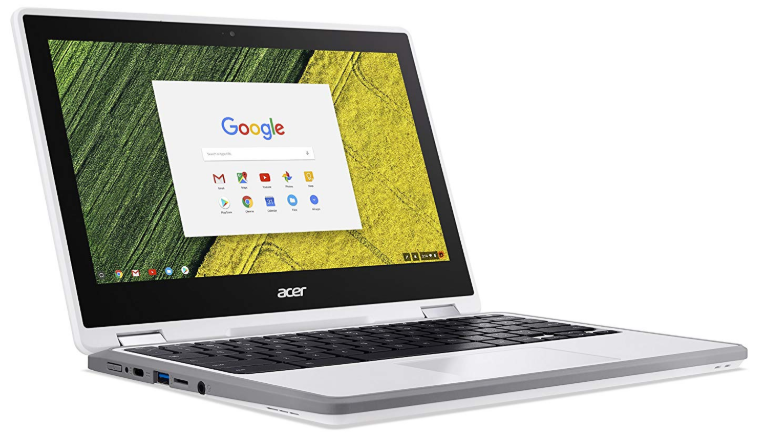
Acer Chromebook Spin 11

11.6-inch HD (1366 x 768) touchscreen LED IPS display |  Intel® Celeron® N3350 | 4GB DDR4 SDRAM | 32GB eMMC Flash | Wacom Stylus Pen included | 10 hours Battery Life | Google Chrome OS | 3.09 lbs (1.4 kg) |  5MP 1080p Full HD (2592 x 1944) HDR rear-facing camera | 1MP 720p HD (1280 x 720) HDR front-facing camera


REASONS TO BUY

  • Perfect student notebook
  • Comes with a stylus pen
  • Good quality webcams
  • Well-designed keyboard
  • Good battery life

REASONS NOT TO BUY

  • Small screen size 
  • Stylus pen can easily get lost 

The Acer Chromebook Spin 11 comes with good durability with long hours of battery life, great comfort in typing, a responsive touchscreen, and includes a stylus pen for easy navigation. It runs Chrome OS so you have unlimited access to a wide array of apps from Google App Store and Android Play Store as well. 

The laptop specs are standard with 4GB of system memory and only a small 32GB of internal storage, but that’s expected from a budget laptop. The system performance is still top-notch. It’s a great 2-in-1 Chromebook for college students, and let’s not forget the fun things you can do with its many convertible features.

So if you a looking for a standard performing Chromebook that has standard features and excellent durability, then get yourself the Acer Chromebook Spin 11 now – it will be the best tool you’ll ever need.


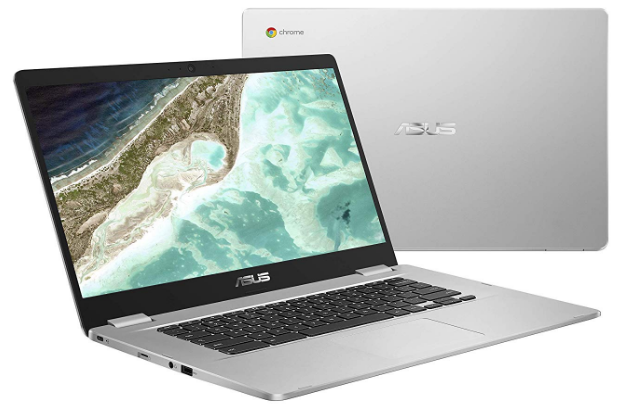
Asus Chromebook

15.6-inch HD display (1366×768) | Intel® Celeron® N3350 | 4 GB DDR4 SDRAM | 32GB eMMC storage | Intel HD Graphics | Google Chrome OS | 3.7 lbs (1.7 kg)


REASONS TO BUY

  • Budget price 
  • Part sleek, part-aluminium design 
  • Good-looking 1080p panel 
  • Comfortable keyboard and touch-pad 
  • Durable 180-degree hinge 
  • Good battery life

REASONS NOT TO BUY

  • Glossy screen 
  • No backlit keyboard 
  • Average sound quality 
  • No Touch screen

The ASUS Chromebook is a simple 2 in 1 Chromebook that will help boost your productivity and allow for some fun on the move. With long battery life, you can use it all day and every day, with worrying about the battery.

The ultra-portable and lightweight 15.6-inch Chromebook is powered by a dual-core Intel processor, that also includes a standard 4GB of system memory and 32GB internal storage. It also features a Nano-Edge design, which gives you a big screen in a compact chassis for easier multitasking and more immersive entertainment.

Pre-installed with the Chrome OS, it also gives you access to an immense variety of apps on the Google Play Store for work or play. So what more can you ask for? Get yourself the ASUS Chromebook. With its standard system performance, it’s not only perfect for students — it’s ideal for anyone who’s always on the go. So give this one a go – you won’t go wrong. 


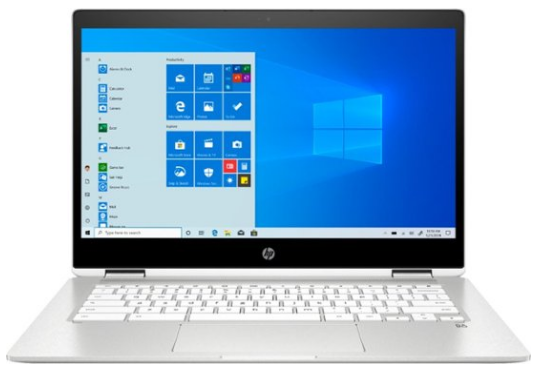
HP Chromebook

14-inch HD touchscreen (1366×768) | Intel Celeron N4000 | 4GB DDR4 SDRAM | 32GB eMMC flash storage | Intel UHD Graphics 600 | 3.48 lbs (1.6kg) | Google Chrome OS | WiFi; Bluetooth; 3xUSB slots | 1 year warranty


REASONS TO BUY

  • Elegant design 
  • 360 flip-and-fold 
  • Good system performance 
  • Expandable slot available to increase storage capacity 
  • Thin bezel edges 

REASONS NOT TO BUY

  • No backlit keyboard 
  • Average webcam quality

The HP Chromebook comes with an entry-level Intel Celeron processor, 4GB of system memory, and 32GB of interior storage. Another standard performing laptop with an elegant design, and a 14-inch HD display with thin bezel edges that widens the screen.   

This is another affordable Chromebook, staying comfortable at the less-than-$500 price range. With its elegant design, lightweight, and standard features, it’s a great 2-in-1 Chromebook to buy.


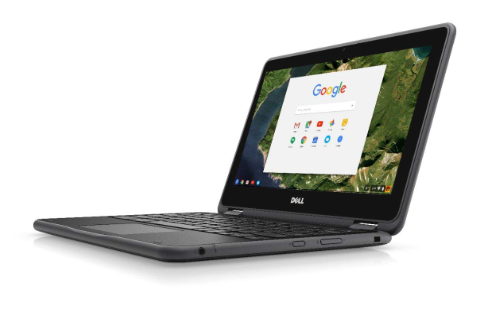
Dell Chromebook 11

11.6-inch HD IPS display (1366×768) | Intel Celeron N3060 | 32GB eMMC | 4GB DDR3 SDRAM | Intel HD Graphics 500 | Google Chrome OS | 10 hours Battery Life | 3.16 lbs (1.43 kg) | WiFi; Bluetooth | 1 year warranty


REASONS TO BUY

  • Very affordable price
  • Good battery life 
  • Spill-proof exterior 
  • 360 degree flip-and-fold

REASONS NOT TO BUY

  • Small screen 
  • No USB-C ports 
  • No Backlit Keyboard 
  • No Optical Drive 
  • No touchscreen 
  • No stylus included

The Dell Chromebook comes with an entry-level Intel processor, 4GB system memory, and 32GB internal storage. It has good battery life and is built using durable material.  

Sadly, it has a small display, no USB ports, no stylus, and no touch screen. This one is purely an entry-level Chromebook with no special features except it can fold like a 2-in-1. For an affordable standard 2-in-1 with standard features then consider this Chromebook as a next purchase. 


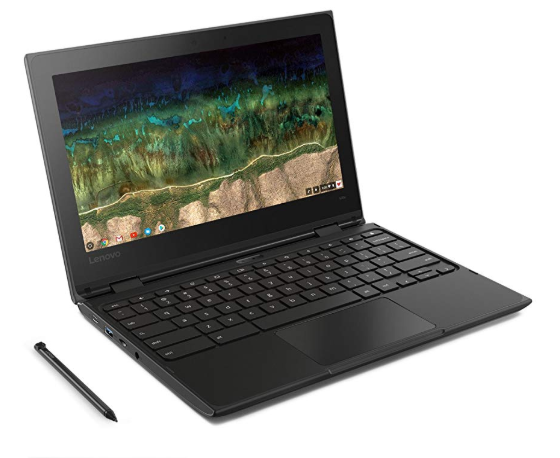
Lenovo 500e Chromebook

11.6-inch HD (1366 x 768) touchscreen | Intel Celeron N3450 | 4GB LPDDR4 SDRAM | 32GB eMMC | 2.97lbs (1.35kg) | Extra features: 2xUSB-C; 2xUSB 3.0; MicroSD;  headphone jack; WiFi; Bluetooth | 1 year warranty


REASONS TO BUY

  • Good for students
  • 2 USB-C and 2 USB 3.0 ports
  • Stylus included
  • Durable and spill-resistant
  • Lightweight

REASONS NOT TO BUY

  • Small inch diplay
  • No HDMI
  • Thick bezel edges

The Lenovo 500e Chromebook is perfect for students. It comes with an entry-level Intel processor, 4GB system memory, and 32GB internal storage. Exterior it’s made of durable material, includes a stylus, and comes with 4 USB slots.

The screen is small and the bezels around the screen make it look narrow. There is no HDMI slot to connect to an HD monitor, and because it’s an entry-level processor expect a few performance issues in the long-run.

So, if are a student and need a really cheap Chromebook, then get this one but for short term use, then sell it. It’s very affordable, durable, and can help get the job done.


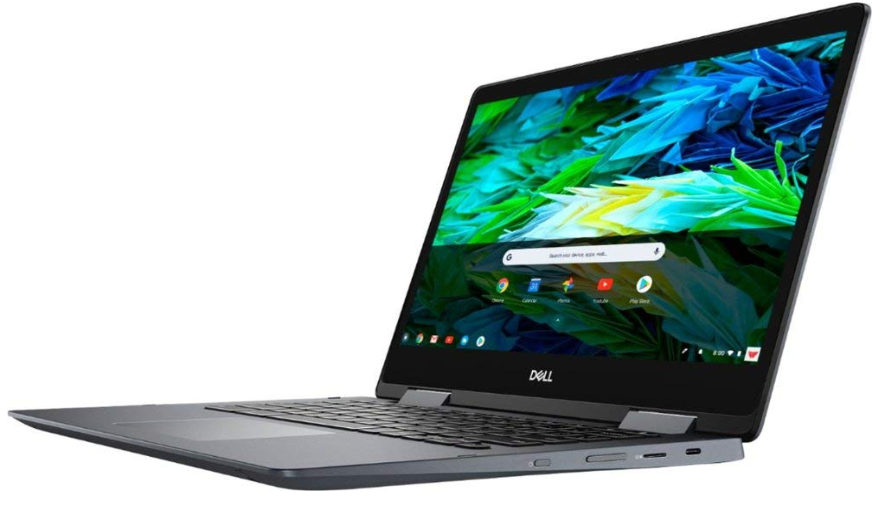
Dell Inspiron 14 Chromebook

Google Chrome OS | 14-inch FHD (1920×1080) touchscreen | 8th Gen Intel® Core™ i3-8130U | 4GB DDR4 SDRAM | 128GB eMMC storage | Intel UHD Graphics 620 | 5.77 lbs (2.6 kg) | Extra features: Bluetooth 4.0; 1xHDMI; 1xUSB; Intel Wireless-AC connectivity; Built-in webcam; Backlit keyboard | 1 year warranty


REASONS TO BUY

  • Stylish aluminum design
  • Stylus pen included
  • Comfortable backlit keyboard
  • Great mid-range specs
  • Good system performance

REASONS NOT TO BUY

  • Heavy for its size 
  • Only 1 USB port 
  • Thick bezel edges around the screen  
  • Expensive 

The Dell Inspiron Chromebook comes with an Intel i3 processor, 4GB system memory, 128GB internal storage, and a 14-inch screen. The black exterior finish, or urban grey as they call it, gives it that stylish professional look that is perfect for corporate users.

A stylus pen is included within the Chromebook, which has a special slot that you can easily slot in and out, and a backlit keyboard to help typing at night. It only has one USB slot, the bezels around the display are quite thick which makes the screen look smaller, and it’s quite heavy for a normal 2-in-1. But if you can manage those then this could be worth considering. It looks good, system performance works well, and comes at an affordable price tag.


Verdict

These here are the best affordable Chromebooks that are on offer right now. The reasons being are that Chromebooks are the most versatile, easy-to-use, lightweight, and let’s not forget affordable devices.

It is not like any modern laptop out there, and it’s perfect for someone who is looking for a budget device to work on it daily. Although the system memory and the hard drive is small, if you have internet access, it can open up more options for you to fully optimize the Chromebook.

So, if you’re looking for one, at a budget price then check these reviewed here, click and see what’s on offer – you really don’t have anything to lose, but a great experience with a Chromebook. Thank you for reading this amazing article. Leave your comments below and share this post with friends and family.

5 Best 2-in-1 Laptop tablets to Buy

Are you looking for a laptop? Do you know about 2 in 1 laptop? Stop searching right now because you are in the best place. Here’s a list of the best 2-in-1 laptop tablets, from the best detachable to the best Chromebook. 

But before you move on, I highly recommend you check out this article here just to get a background of what 2 in 1 laptop are, how different or similar it is to a normal laptop, and the awesome features and benefits it brings. Now you have an idea, let’s move on.


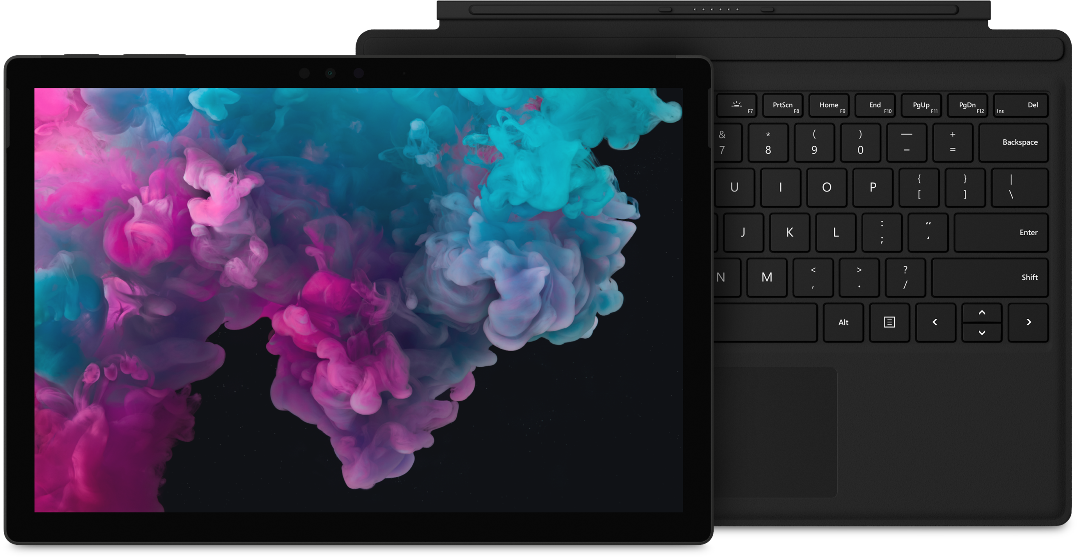
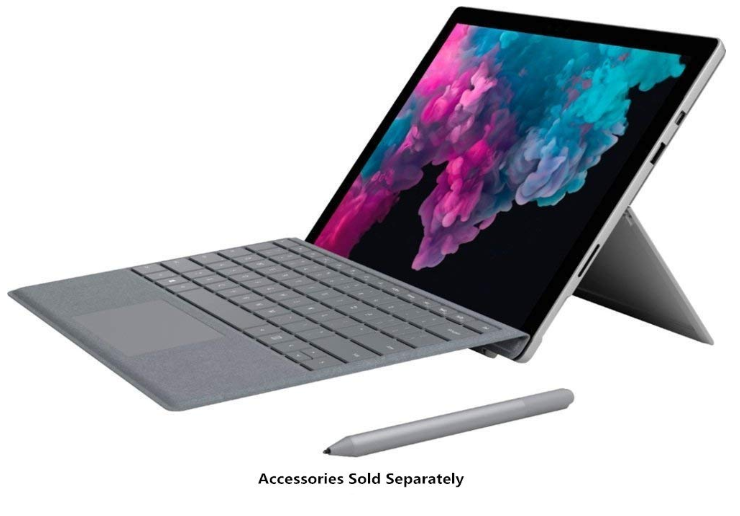
Microsoft Surface Pro 6

Best Detachable 2-in-1 Laptop


12.3-inch HD+ (2736 x 1824) touchscreen LCD | Intel HD Graphics 620 | Intel Core i5-8250U Quad-core | 8GB RAM | 128GB SSD | 1 x USB 3.0, 1 x Mini Display Port, 1 x Headphone Jack, Micro Card Reader (SD/SDHC/SDXC) | WiFi 802.11, Bluetooth 4.1 | 8MP Rear-Facing Camera, and 5MP Front-Facing Camera | Windows 10 Home | 1.7 lbs (0.8 kg)


Other features include:

    • Detachable and adjustable keyboard
    • Office 365 Personal (1 Year) Subscription Key Card

The Good Stuff

    • Slim, sleek and lightweight 
    • Battery life of 13.5 hours 
    • Good hardware specs 
    • Detachable keyboard 

The Not-So-Good Stuff

    • No USB-C ports 
    • Stylus pen, mouse, and protective cover sold separately
    • Display is quite small


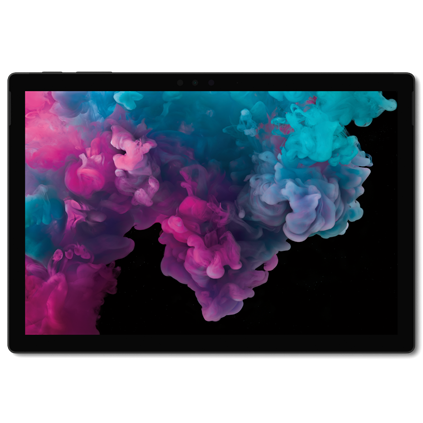
The Microsoft Surface Pro 6 comes with a keyboard that you can detach from the unit. It then switches from laptop mode to tablet mode.


It sucks that the other nice accessories are sold separately (with a bundle option available but at a higher price), and the 12-inch display is quite small, but it’s a slim 2-in-1 laptop that has a great hardware spec and a good battery life. Click above to find out more.

Verdict: 4 out of 5


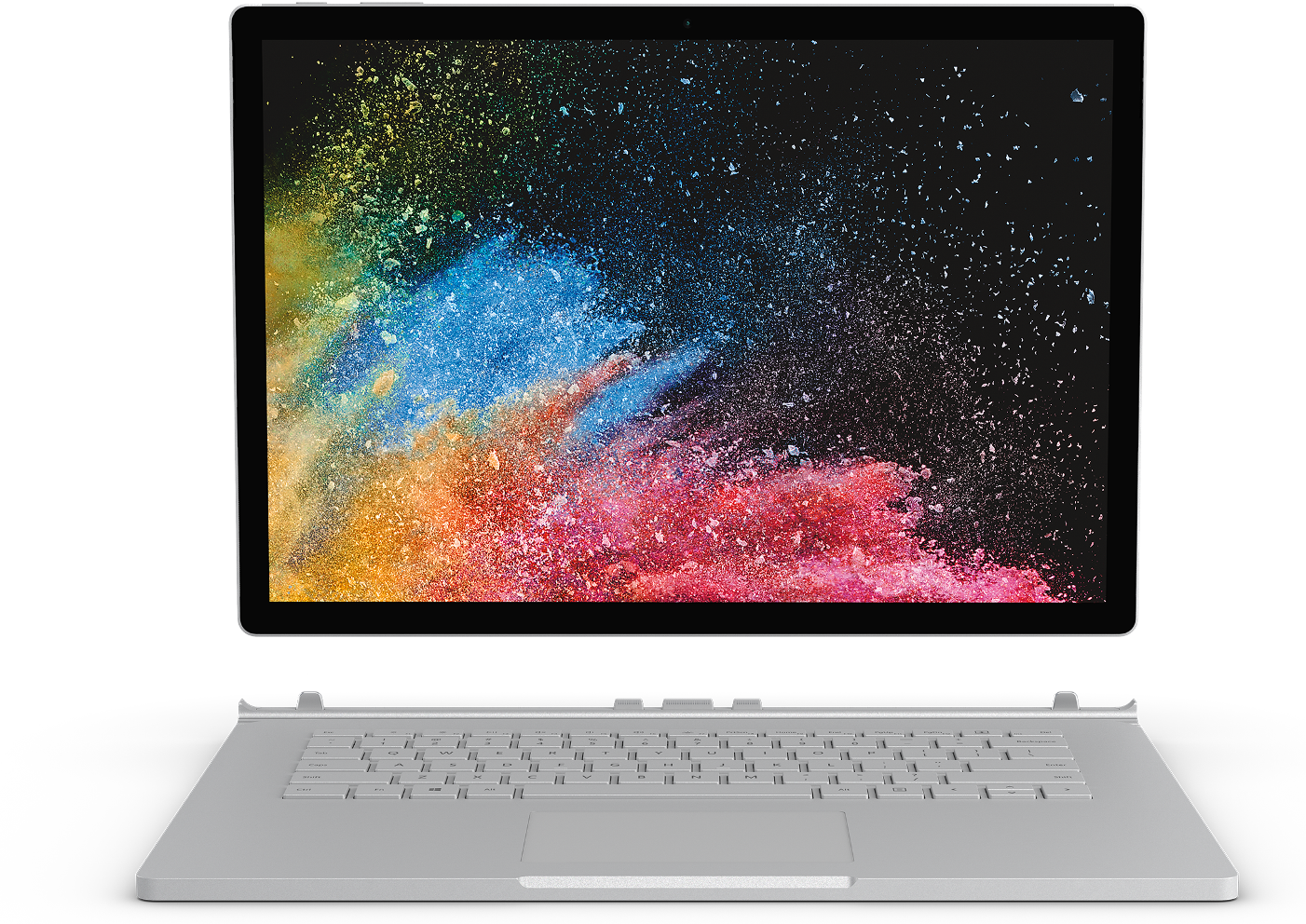
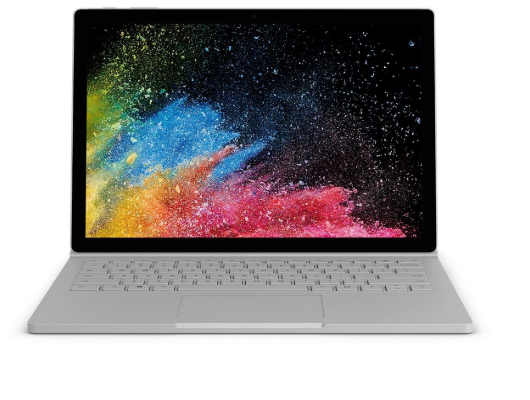
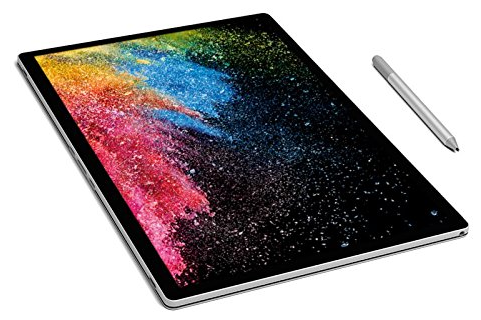
Microsoft Surface Book 2

Best 15-inch 2-in-1 Laptop


15-inch HD+ (3240 x 2160) touchscreen display | NVIDIA GeForce GTX 1060 GPU (6GB GDDR5) | Intel Core 8th Generation i7-8650U Quad-Core (Up to 4.2 GHz) | 16GB of RAM | 256GB SSD | SDXC Media Card Slot, USB Type-C, USB 3.0 Type-A | 802.11ac Wi-F, Bluetooth 4.1 | 8MP Rear-Facing Camera, and 5MP Front-Facing Camera | Windows 10 Pro (64-Bit) | 1.0 lbs (0.5 kg)


Other features:

    • Includes Microsoft Surface Pen Platinum
    • USB Type-C to HDMI / VGA / DVI Adapter
    • 1080 HD video recording
    • Built-in front-facing stereo speakers
    • Dual integrated microphones


The Good Stuff

    • Beautiful colour and design 
    • Long battery life at 17 hours 
    • Insane hardware specs 
    • NVIDIA graphics card included 
    • Gorgeous looking screen

The Not-So-Good Stuff

    • Expensive


Tablet mode with Microsoft Surface Pen


The Microsoft Surface Book 2 is the most impressive 2-in-1 laptop to buy as it tops the charts with a bigger 15-inch screen.


Not only that, but it also has long battery life, comes with a great hardware spec similar to a gaming laptop, and includes a stylus pen.


It’s no surprise though, it’s an expensive 2-in-1 laptop given what you get under the hood. But it’s a great 2-in-1 laptop that will last you a good couple of years.


There’s also the affordable 13-inch 2-in-1 laptop which comes with a smaller display and lower system memory, but the Surface Book 2 15-inch 2-in-1 laptop is the better option. 

Verdict: 4.3 out of 5


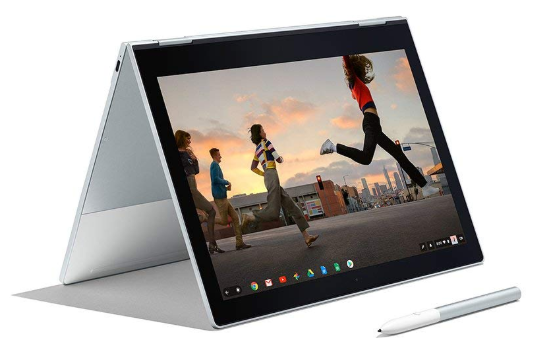
Google Pixelbook

Best Chromebook 2-in-1 Laptop


12.3-inch HD+ touchscreen display (2400 x 1600) | Intel HD Graphics 615 | Intel Core 7th Gen Intel Core 3.3 GHz i5 processor | 8 GB RAM | 128 GB SSD | 2xUSB 3.1 Type-C, headphone/mic jack | 802.11ac Wi-F, Bluetooth 4.2 | 720p webcam with 60 fps | Chrome OS | 2.45 lbs (1.1 kg)


Other features include: 

    • The first laptop with the Google Assistant built-in key. Press it on your keyboard or say “Ok Google” to get started
    • Access to apps including Google Drive, Gmail, YouTube, Evernote, Slack, Infinite Painter, Lightroom, Roblox, and many more 
    • Corning Gorilla Glass

The Good Stuff

    • Beautifully designed with a sleek aluminium body 
    • Excellent keyboard feel with back-lit function 
    • Powerful for a Chromebook 
    • Supports all Android apps 
    • Fast load up times 
    • Battery life at 10 hours with fast charging

The Not-So-Good Stuff

    • Lacks in audio performance 
    • Lacks bio-metric login functions 
    • Expensive 
    • Stylus pen sold separate


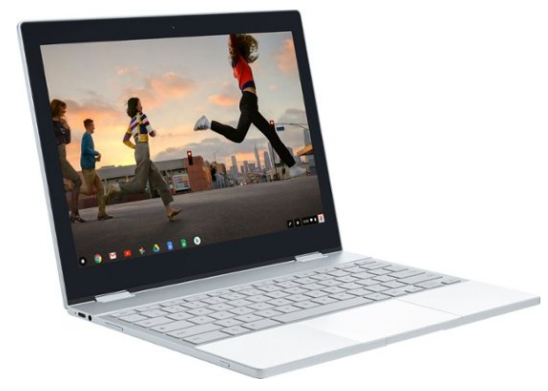
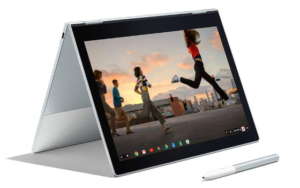
Google Pixelbook at “Tent” mode


Google Pixelbook is the best Chromebook 2-in-1 laptop to buy. I know this is not a 2-in-1 laptop, but I felt I must include it here because it has similar features. It comes with good hardware specs and access to all Android apps.


It may not be a Windows laptop but it sure has a great number of features to make you think twice about going back to Windows. 


It’s a solid Chromebook with good system performance, decent battery life, huge access to a selection of apps, and the features like a 2-in-1 laptop.


Sadly, it’s quite expensive, the audio works but not well, no biometric login, and the stylus pen is sold separately.   

Verdict: 4.5 out of 5


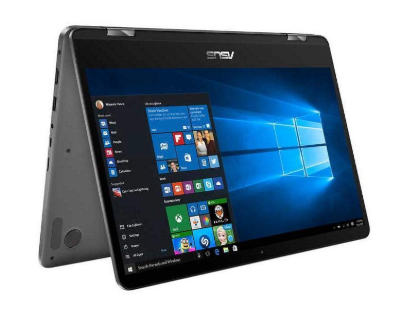
Asus Zenbook Flip

Best 2-in-1 Laptop for Graphics


14-inch FHD Nano Edge Touchscreen display (1920 x 1080) | NVIDIA GeForce MX150 | 8th-generation Intel Core i7-8550U Quad-Core | 16 GB of RAM | 512 GB SSD | 2xUSB-Type A, 1xHDMI, 1xUSB-C, MicroSD, Fingerprint scanner, headphone/mic jack | 802.11ac Wi-F Bluetooth 4.2 | 720p webcam | Windows 10 Home | 3.3 lbs (1.5 kg)


The Good Stuff

    • Well-made and elegance design 
    • NVIDIA graphics card included 
    • Powerful processor, and memory 
    • Fast charging 60% in 45 minutes 
    • Comes with a 14-inch HD display
    • Up to 10 hours of battery life

The Not-So-Good Stuff

    • No 4K display option 
    • Graphics card not good for high-end games 
    • No optical drive 
    • The stylus pen is expensive and is sold separately


Asus ZenBook Flip in Tablet mode


The added graphics card from NVIDIA makes it the best 2-in-1 laptop that can give you the highest quality graphics. It’s not powerful enough to run high-end PC games, but it’s still a high-performance laptop. 


It has decent battery life, fast charging, nicely designed. Out of all these reviewed it’s the only one that has a full HD screen, which is not really bad but it would be better if it was available in a better quality display. Click here above to find out more. 

Verdict: 4 out of 5


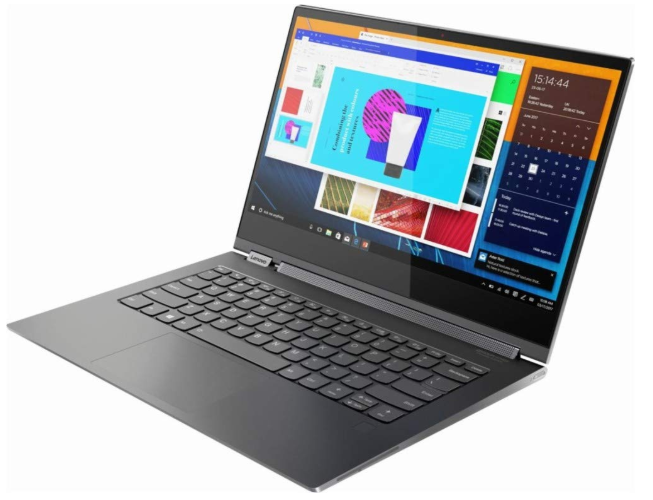
 2019 Lenovo Yoga C930

The Best Overall 2-in-1 Laptop


13.9-inch FHD touchscreen (1920 x 1080), IPS technology, LED backlight | Intel UHD Graphics 620 | 8th Gen Intel Core i7-8550U processor, Quad-core, 8-way processing, Intel Turbo Boost technology | 12GB DDR4 of RAM | 256GB SSD | 1x USB 3.0 Type A Ports, 2x Thunderbolt 3 Ports,1x Memory Slots | 802.11ac Wi-F Bluetooth 4.2 | 720p webcam | Windows 10 | 3.04 lbs (1.4 kg)


Other features include: 

    • Soundbar speaker hinge with Dolby Atmos 
    • A one-month trial of Microsoft Office 365

The Good Stuff

    • Great design 
    • Good sound quality 
    • Powerful specs for high performance 
    • Good selection of input ports 
    • Up to 12 hours of battery life

The Not-So-Good Stuff

    • Expensive 
    • Small full HD display


Lenovo Yoga C930 in its Tablet made, increasing its functionality.


2019’s Lenovo Yoga C930 is the king of all 2-in-1 laptops because of its unique design and hardware specs that aim to boost the performance of the laptop.


It also comes with a nice black matte finish and good battery life. It’s priced pretty high for a 2-in-1 laptop and comes with a smaller screen, but the specs are similar to top-ranked laptops but more expensive. Give this one a try. Click here above to find out more.

Verdict: 4.5 out of 5


To close off


Now that you know the best 2-in-1 laptops, you need to decide which one works best for you. They’re well designed with great hardware specs to make your life more productive, and your overall business and fun times much easier. 


So what do you think? Any thoughts on these 2-in-1 laptops? What are you looking for in laptops? Do these meet your criteria? Are going to stick to traditional laptops? Leave your comments below.


Introducing Chromebooks: Great, Affordable & Reliable


Nowadays, if you get a new laptop there is a good chance that you’ll get a Windows operating system, and for Apple notebooks, you’ll get MacOS. So here’s something interesting, have you heard of Chromebooks?
If yes, good for you. If not, don’t worry cause today you will. I’m going to tell you it, so that you see what is it,  how different is it to a normal laptop, what are the pros and cons, and then list your some Chromebooks out there in the market to look out for. Alright then, let’s get started.


What are Chromebooks?

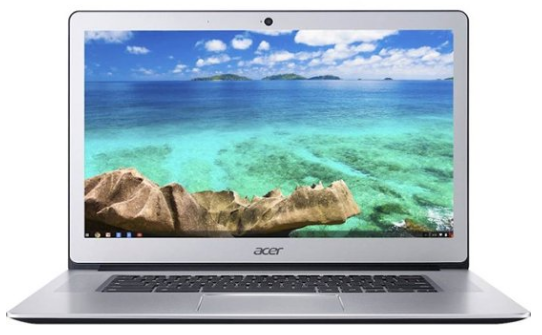
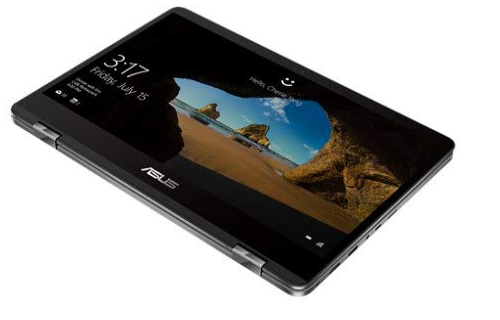
Acer Chromebook

Chromebooks are basically a type of laptop or notebook that runs Google’s Chrome OS as an operating system. If you are familiar with the Chrome internet browser, you already have a good idea of what Chrome OS is.

It is a web-based OS mostly useful when you are connected online, and gives you access to web-based apps and software. The Chromebooks themselves also come in slim and lightweight models.

In summary, Chromebooks are laptops or notebooks that use Chrome OS as an operating system. 


What makes it so different than your current laptop?

Well, I can’t really answer that cause I don’t know what OS your notebook uses. Let’s assume you’re using a notebook with Windows OS. Okay then, let’s compare. 


Windows Laptop

A typical Windows laptop or notebook has the following:

    • Pre-installed with Windows OS
    • Runs windows apps and third-party apps
    • Comes with internal storage ranging from 500GB upwards
    • Comes with either Intel or AMD processor
    • “Windows” key on the lower left side of the keyboard


Chromebook

Chromebooks come with the following:

    • Pre-installed with Chrome OS
    • Runs web-based apps from Google
    • Easily accessible from the web browser when connected online
    • Comes with smaller or no hard drives
    • Gives access to store documents, pictures, etc, on the cloud
    • Has a “Search” key located on the left side of the keyboard, where the Caps Lock button is usually located


Advantages of Chromebooks

    • Affordable models ranging from budget to top-of-the-line
    • Faster load times and have few apps to load-up on start-up
    • Easy to use and very user friendly
    • Slim, lightweight making it portability
    • Long battery life of up to 13 hours
    • Able to save documents onto the cloud


Disadvantages of Chromebooks

    • Need to always be online
    • Smaller or no internal hard drive
    • No optical drives like DVD drives


What Chromebooks are out now?

Well, there are lots of Chromebooks out now for you to see, and sadly, I cannot cover them all here, but here below is a link of the best Chromebooks recommended.


Final Thoughts

I definitely like to see and hear about new and innovative tech that we as the user can take advantage of that aim make our lives better. Chrome OS is one such tech that we can use that comes in the form of a notebook.

But since it’s a web-based OS we can easily go online and install Chrome web browser instead into our computers cause it works the same, for that reason I don’t see the need to get one. 

The idea of having access to a huge library of resources like apps, ebooks and audiobooks, podcasts and other media files, makes me want to get one so I can gain knowledge, find useful apps and tools (which are mostly free)  and interact with fun entertaining software such as games. For that reason, I’d purchase a Chromebook.

So now you know a little bit more about Chromebooks. I think that it can be a useful tool to help you get through the normal day.

As long as you have access to the internet, you can fully utilize it and gain so many benefits from it. If you’re interested, click here to see the Chromebooks on offer right now.

As always thank you for reading my post, check out the rest of the website, and take care until next time. Leave comments below.