

Lenovo Tab P12
Pros
- Great-looking display
- Impressive audio
- Includes a stylus pen
- Great battery life
- Feels like a desktop at 'Productivity Mode'
- Budget-friendly price
Cons
- 60Hz display instead of 120Hz
- LCD instead of OLED
- Average performance
- Poor charging speed
- Limited software/security updates
Lenovo Tab P12 review

Lenovo Tab P12
“It doesn’t have the blazing speed of an iPad Pro or the gorgeous OLED screen of a premium Samsung tablet, but it also doesn’t have their terrifying price tags.”
Let’s be real for a second: the tablet market used to be a two-horse race between the “I-want-it-all” iPad and the “I-need-a-stylus” Galaxy Tab. But then, Lenovo decided to crash the party with something that looks like a flagship, feels like a flagship, but carries a price tag that won’t break the bank. Enter the Lenovo Tab P12.
In this Lenovo Tab P12 review, we’re diving deep into whether this 12.7-inch beast is still the best bang-for-your-buck tablet that you can buy now in 2026, or if it’s just a giant screen with a mid-tier heart. Whether you’re a student drowning in PDFs, a digital artist on a budget, or just someone who wants to watch The Witcher on a screen bigger than their phone, stick around as we put this thing through the wringer.
Overview
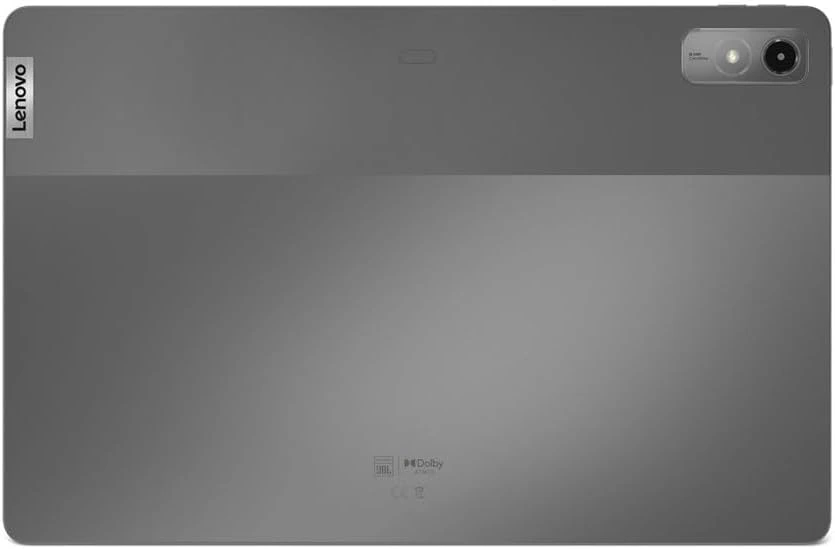
The Lenovo Tab P12 isn’t just another tablet; it’s a statement. When you first pull it out of the box, the sheer scale of it hits you. We’re talking about a 12.7-inch display—that’s almost the size of a standard laptop screen. For a device that usually sits in the mid-range price bracket, that’s almost unheard of. Lenovo designed the P12 to be a “do-it-all” machine for people who don’t want to spend $1,000 on an iPad Pro. It’s built with a premium aluminum chassis that feels incredibly sturdy. It doesn’t creak, it doesn’t flex, and it has that sleek, dual-tone “Storm Grey” finish that looks great in a boardroom or a coffee shop.
But the real magic isn’t just the hardware; it’s the value proposition. In 2026, where tech prices seem to be climbing faster than a cat up a curtain, the P12 remains a beacon of hope. It usually comes bundled with the Lenovo Tab Pen Plus, making it an instant productivity tool the moment you open the box. Is it perfect? No. Does it try really hard to be? Absolutely. Let’s break down the “nitty-gritty” specs that power this giant.
Specifications
Before we get into the “feels,” let’s look at the “math.” Here is what’s under the hood of the Lenovo Tab P12.

Why You’ll Love It
1. That Screen is a Productivity Playground
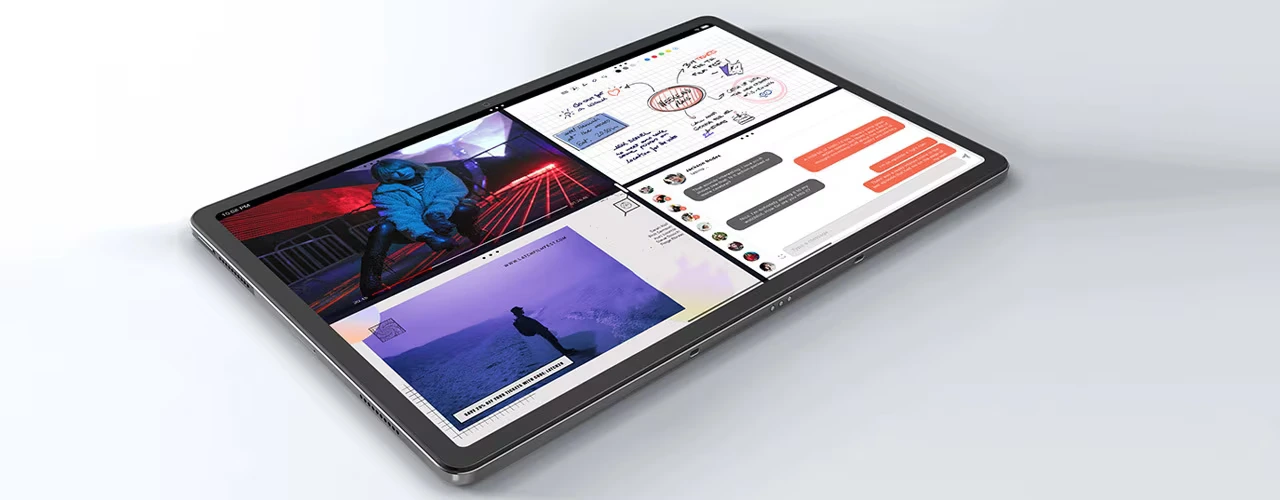
If you’ve ever tried to multitask on an 11-inch tablet, you know the struggle. Everything feels cramped. But on the Lenovo Tab P12, the 12.7-inch screen is a game-changer. Using Lenovo’s One-Vision software, you can split the screen into four windows or have up to five floating apps.
Using this feature has made working so much easier. Having a research paper on the left, my notes on the right, and Spotify floating in the corner is actually viable here. The 3K screen resolution makes text look incredibly sharp, which is a blessing for long reading sessions.
2. Audio That Actually Punches
Most budget tablets sound like a bumblebee in a tin can. Not the P12. Lenovo teamed up with JBL to pack four speakers into this aluminum frame, and THEY. ARE. LOUD! With Dolby Atmos support, the soundstage is surprisingly wide. When watching action movies, you can actually feel the directional audio as things blow up on screen.
It’s easily one of the best media consumption devices in its class. In fact, I often find myself reaching for this over my laptop just to stream YouTube or Netflix because the speakers are really that much better.
3. The “Free” Pen Experience
In a world where Apple charges you a small fortune for a Pencil, Lenovo comes with its own ‘Tab Pen Plus’ stylus in the box, which feels like a gift, as it comes with some interesting features. There is Pressure Sensitivity, at 4,096 levels— which is perfect for sketching. There’s the Tilt Detection, which is great for shading in apps like Concepts or Infinite Painter.
Then there’s the remote control feature, where you actually use a button on the pen to snap photos or skip music tracks from across the room. For students, this is the killer feature. Pair it with the pre-installed Nebo or MyScript Calculator, and you have a digital notebook that is actually enjoyable to use.
4. Battery Life for the Long Haul
With a massive 10,200 mAh battery, the P12 is built for endurance. In our testing, we consistently got about 9–10 hours of screen time with mixed usage (browsing, streaming, and some document editing). Even in 2026, that’s competitive. It’s the kind of device you can throw in your bag on a Monday and not worry about the charger until Wednesday if you’re just using it for light tasks.
5. PC Mode & Desktop Vibes
When you snap on the optional keyboard (which has a surprisingly nice trackpad, by the way), the tablet can switch into ‘Productivity Mode’. It gives you a taskbar and a windowed interface that mimics a desktop. It’s not quite a MacBook killer, but for knocking out emails or writing blogs, it’s fantastic.
The Trade-Offs
1. 60Hz instead of a 120Hz display
The biggest “bummer” of the Lenovo Tab P12 is the refresh rate. While most premium tablets have moved to 120Hz (ProMotion or similar), the P12 is stuck at 60Hz. Does it make the tablet unusable? Absolutely not. But if you’re used to the buttery-smooth scrolling of a high-end smartphone, you will notice a slight “ghosting” or “jitter” when scrolling quickly through long web pages. For gaming and movies, it doesn’t matter much, but for UI navigation, it’s a compromise.
2. LCD screen instead of OLED
The P12 uses an LTPS LCD panel. While the 3K resolution is sharp and colours are vibrant, it can’t match the deep, “inky” blacks of an OLED screen. If you’re watching a movie with dark scenes in a pitch-black room, you’ll see that slight greyish glow in the black bars. Also, the peak brightness is around 400 nits—enough for indoors, but you’ll struggle to see the screen if you’re sitting on a park bench in direct sunlight.
3. Average Performance
The processor is a solid mid-ranger, but it’s not a powerhouse, yet it handles 4K streaming and multitasking like a champ. Don’t expect to play Genshin Impact or Zenless Zone Zero at max settings, though. You’ll need to drop the graphics to “Medium” or “Low” to keep things smooth. For 90% of users, this chip is plenty. But if you’re a “power gamer,” you might find the limits of the Dimensity 7050 sooner than you’d like.
4. Poor Charging Speed
While it supports 30W charging, Lenovo often bundles a 20W charger in the box in some regions. Because the battery is so huge, it takes a long time to charge up from 0% to 100%—usually around 2.5 to 3 hours. Our advice? Plug it in overnight.
5. Software Support Longevity
Lenovo has improved, but they aren’t Samsung or Apple when it comes to updates. They’ve promised two major OS updates and four years of security patches. Since this launched with Android 13, it will likely see its final days on Android 15 or 16.
Lenovo Tab P12 vs. The Alternatives
If the Lenovo Tab P12 isn’t stacking up credits, let’s see how it stacks up against the rest of the 2025/2026 competition.
1. Vs. Samsung Galaxy Tab S9 FE+
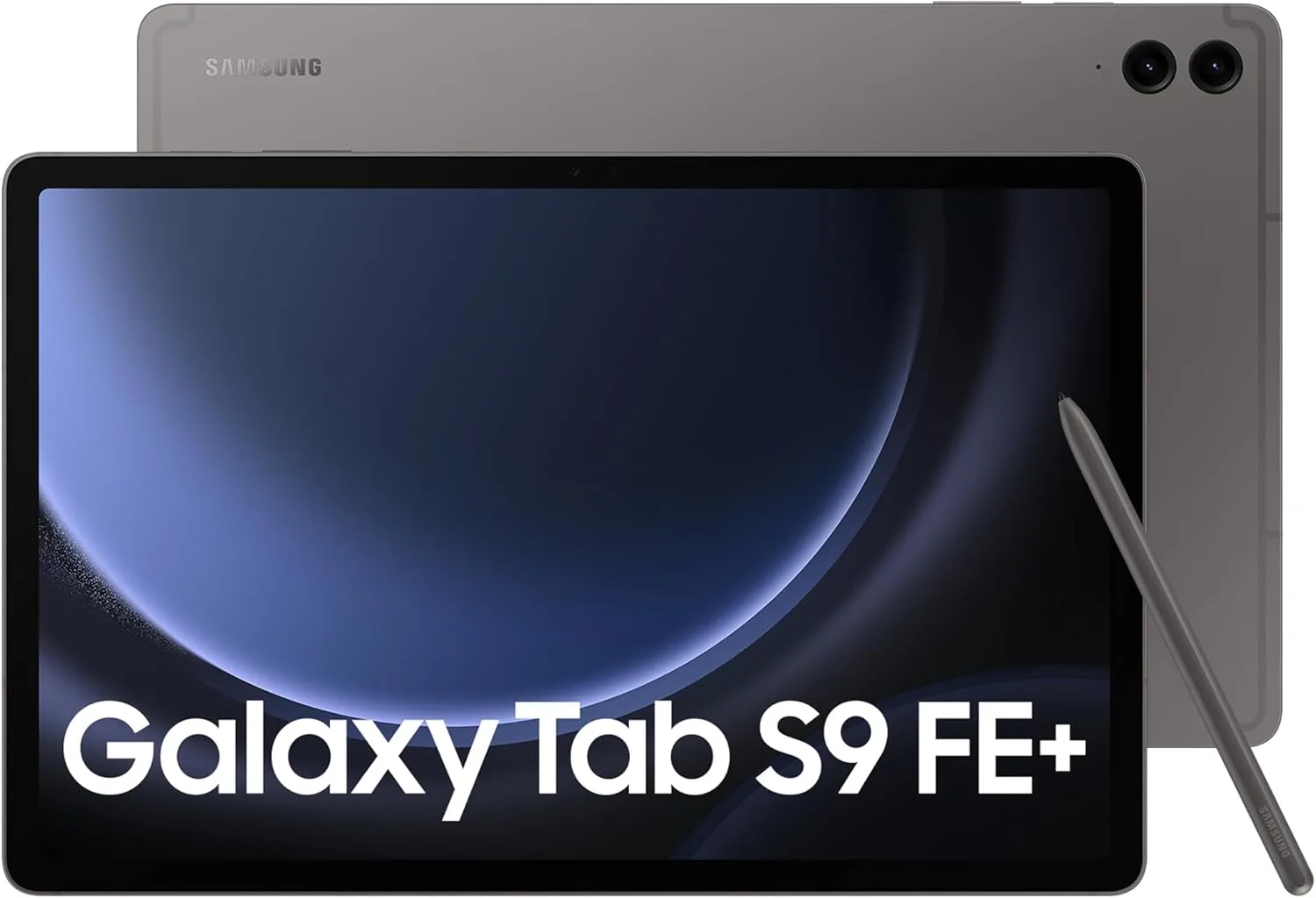
The Samsung Galaxy Tab S9 FE+ has better durability thanks to the IP68 water resistance rating, and the S-Pen feels slightly more premium. However, the Lenovo has a significantly higher screen resolution (3K vs. 2.5K) and usually costs $100–$150 less. If you don’t plan on using your tablet in the bathtub, the Lenovo Tab P12 is the better value option.
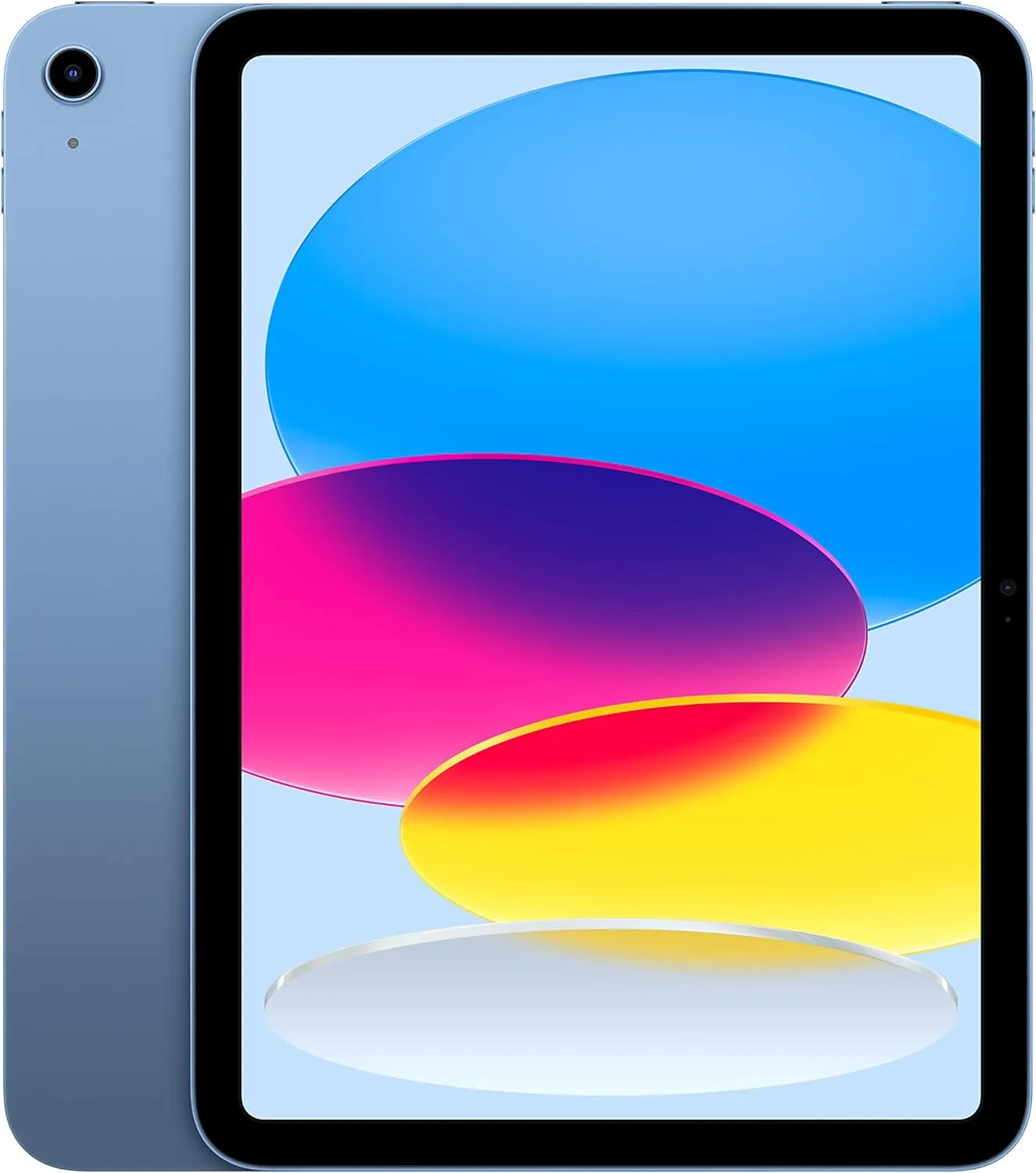
2. Vs. Apple iPad (10th Gen)
The iPad has the A14 Bionic chip, which is faster for video editing. But the iPad screen is smaller, not laminated (there’s a gap between the glass and the display), and you have to pay extra for the Pencil. For media consumption and note-taking, the P12’s massive screen makes the iPad feel like a toy.
3. Vs. Lenovo Tab P12 Pro
The Tab P12 Pro comes with a better 120Hz refresh rate AMOLED screen. But it also costs nearly double. Unless you are a professional colourist or a hardcore gamer, the standard P12 offers about 85% of the experience for 50% of the price.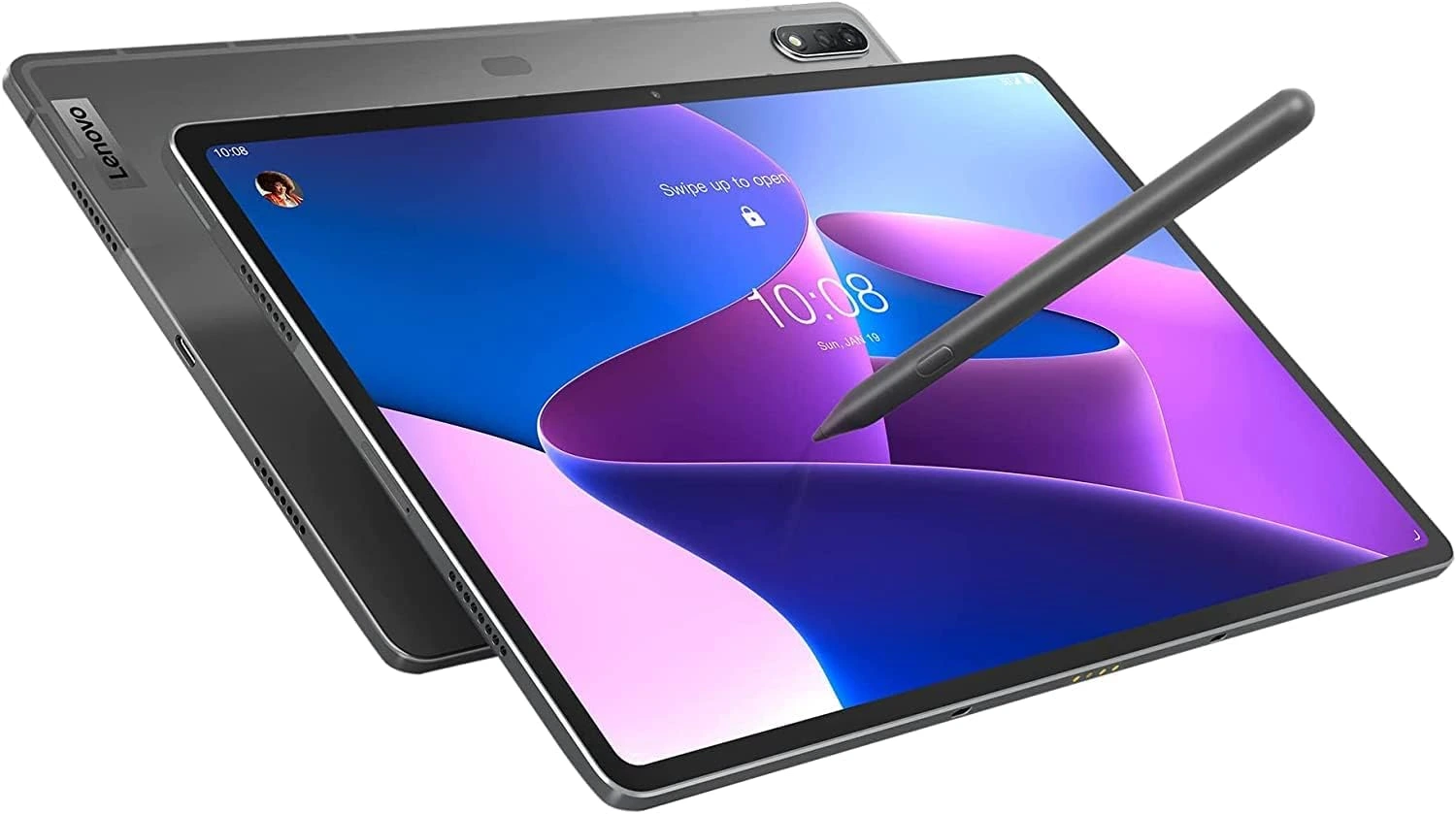
Verdict
So, what’s the final word on our Lenovo Tab P12 review? This tablet is the ultimate “middle ground” tablet. It doesn’t have the blazing speed of an iPad Pro or the gorgeous OLED screen of a premium Samsung tablet, but it also doesn’t have their terrifying price tags.
As you see it, it comes recommended for two types of people. The student who needs a massive digital notebook and a second screen for their laptop without spending their entire rent check. And the media junkie who wants a portable cinema with great speakers and a sharp screen for late-night binging.
In 2026, the P12 remains a standout because it focuses on what actually matters to most people: good visuals, good battery life, and out-of-the-box value. Bottom Line: If you want a giant, premium-feeling tablet for productivity and play, and you can live with a 60Hz screen, the Lenovo Tab P12 is arguably the best value on the market right now.
So what’s your take on the Lenovo Tab P12 review? Is it a tablet worth buying? Does it meet your expectations? What about the other tablet alternatives? Which one piques your interest? Let me know in the comments below. And don’t forget to check out the Tab P12 yourself by following this link HERE 😀

 LGMadyibi

+ There are no comments
Add yours