


Top Rated Laptops Under $1000
The Quick List


More Best Picks
If you struggle to find a premium business laptop, stop right now and listen. You do not need to spend thousands of dollars for a fast, reliable, and well-designed machine. Finding a budget laptop used to mean making painful compromises. You had to settle for dim screens, plastic bodies, and weak battery life.
Fortunately, that reality has completely changed. Today, laptops under $1000 deliver smooth multitasking, sharp displays, and all-day battery life. Whether you type essays as a student or jump between video calls as a professional, today’s market has something fantastic for you. Brands now bring top-tier features like bright OLED panels, fast processors, lightweight aluminum builds, and AI tools down to affordable prices.
After testing and comparing the top contenders, I am genuinely impressed by the value available right now. You no longer have to pay a premium price for a smooth user experience. Read through the full post below to pick one of the best laptops under $1000 for your needs and budget.
How to Choose the Top Rated Laptop Under $1000
Finding a reliable work laptop does not mean clearing out your bank account. A few years ago, buying a cheaper machine meant settling for slow speeds, clunky designs, and terrible screens. Today, technology has caught up. You can easily find a fast, well-built laptop under $1000 that handles your daily workload without skipping a beat. Whether you run a small business, work remotely, or manage daily office projects, this guide covers everything you need to pick the perfect option.
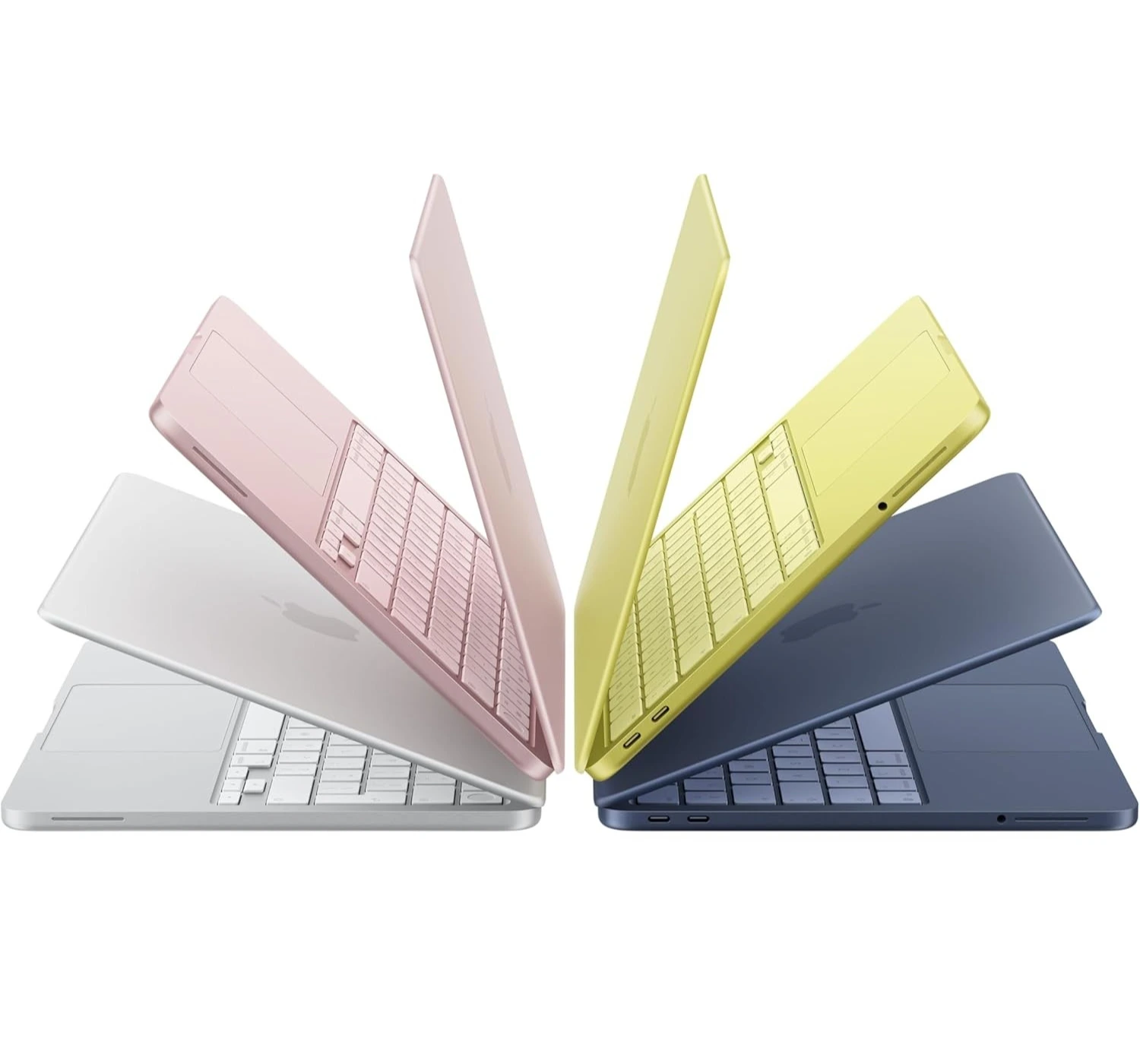
1) Why You Should Consider Budget Laptops
Most office work involves writing emails, managing spreadsheets, joining video calls, and browsing the web. You simply don’t need to spend $2,000 or more on a top-range machine (unless you’re a video editor and work on creating 4K videos, or build complex 3D models every day). So why should you consider cheaper laptops for your business:
- You save money: You get 80% to 90% of the performance of a flagship laptop at less than half the price.
- It’s built for everyday work: Unlike cheap home laptops, budget business machines focus on practical needs—like sturdy frames, comfortable keyboards, and solid security features.
- It comes with great battery life: Mid-range processors are more power-efficient than ever, meaning you can work through a full day without hunting for an outlet.
- It’s a lower replacement risk: If you travel often or work in dynamic environments, a less expensive laptop is much less stressful to replace if damaged or stolen.
2) The Pros and Cons of Going Budget
Before you buy, it helps to weigh the trade-offs so you know exactly what to expect.
PROS
- Unbeatable Value: Excellent performance-to-price ratio for administrative tasks, content creation, and management.
- Practical Features: Great keyboard designs, clear webcams, and plenty of built-in ports so you do not need extra dongles.
- Durable Construction: Many business-oriented budget models use reinforced plastic or aluminum frames built to last.
CONS
- Simpler Screens: Displays are bright enough for indoor work, but they may lack high color accuracy for professional graphics work.
- Average Speakers: Audio is clear enough for Zoom calls, but usually lacks deep bass for music or movies.
- Limited Heavy Gaming: Integrated graphics chips handle work easily, but struggle with heavy 3D games or massive video projects.
3) Practical Tips on How to Choose the Right Laptop
When shopping under $1000, ignore the flashy marketing terms and focus on these core specs:
a) Pick the right processor (CPU) – Look for an Intel Core i5 / Core Ultra 5, AMD Ryzen 5 or 7, or an Apple M-series chip. These chips give you snappy speeds for multitasking without killing your battery.
b) Aim for at least 16GB of RAM – Memory keeps your computer fast when you open dozens of browser tabs and apps at once. 8GB is the bare minimum, but 16GB is the sweet spot for smooth work performance.
c) Get a 512GB SSD – Storage speed matters just as much as storage size. Solid State Drives (SSDs) load your files and turn on your computer in seconds.
d) Check the port selection – Make sure it has the plugs you use daily, such as standard USB ports, USB-C/Thunderbolt charging, an HDMI port for monitors, and a headphone jack.
e) Prioritize the keyboard and screen – Since you’ll be looking at the laptop display for hours each day, choose an anti-glare screen (which is Full HD/1080p or higher), and a comfortable, responsive keyboard layout.
Top Rated Laptops Under $1000
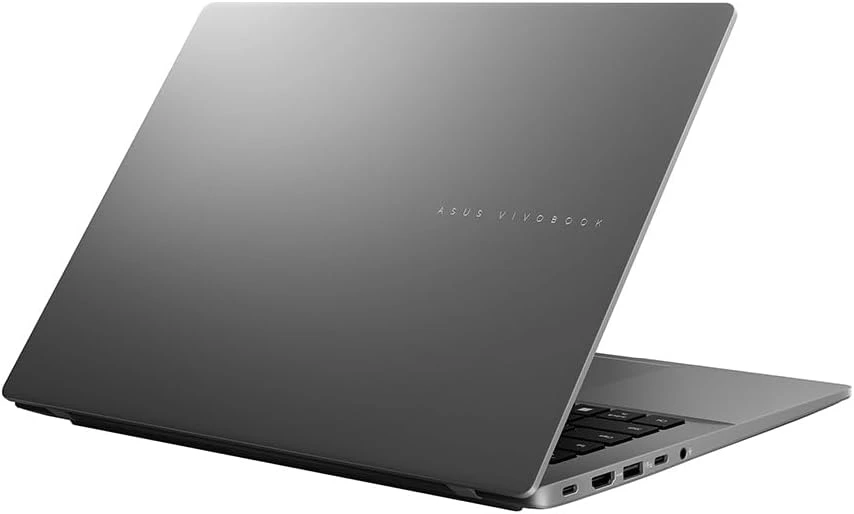
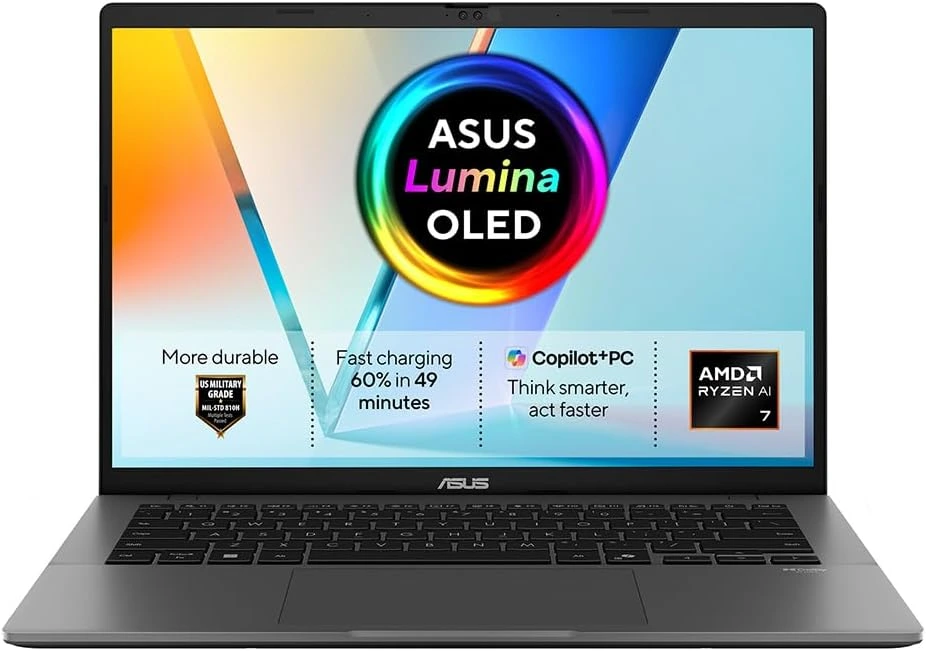
1) Asus ZenBook A14
★★★★☆ 4.0 Great
Best Windows OLED
Asus Zenbook A14 | 14-inch OLED 60Hz 1920 x 1200 resolution display | Qualcomm Snapdragon X Plus CPU | Qualcomm Adreno GPU | 16GB RAM | 512GB SSD | Windows 11 Home | Weighs 1 kg (2.4 lbs.) | Wi-Fi 6E, Bluetooth 5.3 | Up to 28 hours battery life on moderate use
PROS
- Excellent battery life
- Impressive OLED display
- Great set of input ports
- Lightweight & portable design
CONS
- Processor drives limited performance
- No touch screen
- Windows ARM compatibility still remains a problem
Imagine holding a laptop that weighs less than a bag of sugar. It looks like high-end art and runs for days without a charger. The Asus Zenbook A14 completely blew me away. First, you notice its unique Ceraluminum body. This blend of ceramic and aluminum feels silky smooth, resists fingerprint smudges, and keeps the machine featherlight. You can slip it into your bag and forget it is even there.
Performance is another major reason to consider this laptop. Powered by a next-generation Snapdragon processor, it boots instantly and glides through dozens of browser tabs. It handles daily tasks and video calls effortlessly without heating up or making fan noise. The screen is a visual treat. Its 14-inch OLED display produces rich, vivid colors and deep blacks, giving movies and photos a theater-like look. Battery endurance is unbeatable. You can leave your bulky charger at home and power through over twenty hours of work and play.
This laptop serves as the ultimate companion for frequent travelers, students, digital nomads, and busy professionals. If your daily routine demands maximum mobility, reliable speed, and endless battery life, this machine fits you perfectly. The Zenbook A14 sets a remarkable standard for modern ultra-portables. It combines gorgeous aesthetics, a jaw-dropping screen, and true all-day battery life into a lightweight frame.
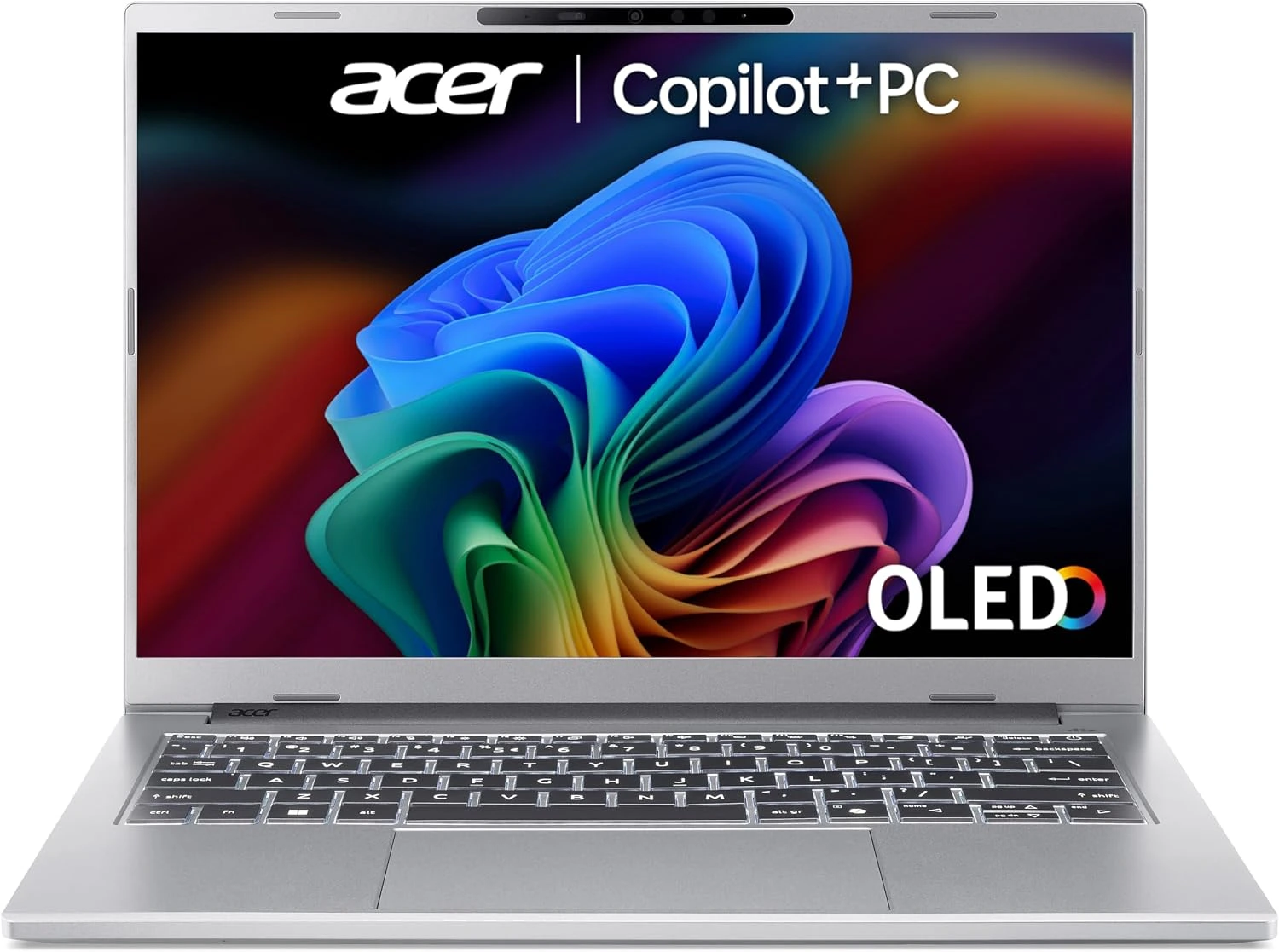
2) Acer Swift 14

★★★★☆ 4.0 Great
Best Budget 14-inch
Asus Swift 14 | 14.5-inch WQXGA 120Hz 2560 x 1600 resolution touch display | Qualcomm Snapdragon X Plus CPU | Qualcomm Adreno GPU | 16GB RAM | 1 TB SSD | Windows 11 Home | Weighs 1.5 kg (3.2 lbs.) | Wi-Fi 7, Bluetooth 5.4 | Up to 20 hours battery life on moderate use | Ports include 2x USB4, 2x USB Type-A, 1x 3.5 mm audio jack
PROS
- Colorful touch screen
- Impressive webcam
- Impressive battery life
- Great set of ports
CONS
- A little over $1000
- A little over 1kg
Want an affordable laptop that lasts all day and still has plenty of battery left at night? Take a look at the impressive Acer Swift 14 AI. Powered by an efficient next-generation processor and a dedicated AI chip, it delivers high speed while using very little power. You get a buttery-smooth experience whether you manage dozens of tabs, run smart productivity tools, or stream high-resolution video.
The physical design punches well above its price class. Its sleek aluminum body feels sturdy, yet light enough to carry effortlessly in a backpack or tote bag. The optional 3K LCD screen produces vibrant colors and deep contrast, making every task look sharp. A clear webcam with smart background noise cancellation handles video calls with ease. You get an ultraportable laptop that handles daily work without forcing you to hunt for a wall outlet.
This laptop works as a perfect match for students, remote professionals, creators, and business travelers. If you want a future-ready AI PC with quiet operation, a great display, and multi-day battery efficiency, it makes a smart investment. The Acer Swift 14 AI leaves a strong impression. It costs slightly over $1000 and weighs a bit more than competing ultra-portables, but its fantastic display and incredible battery life make battery anxiety a thing of the past.
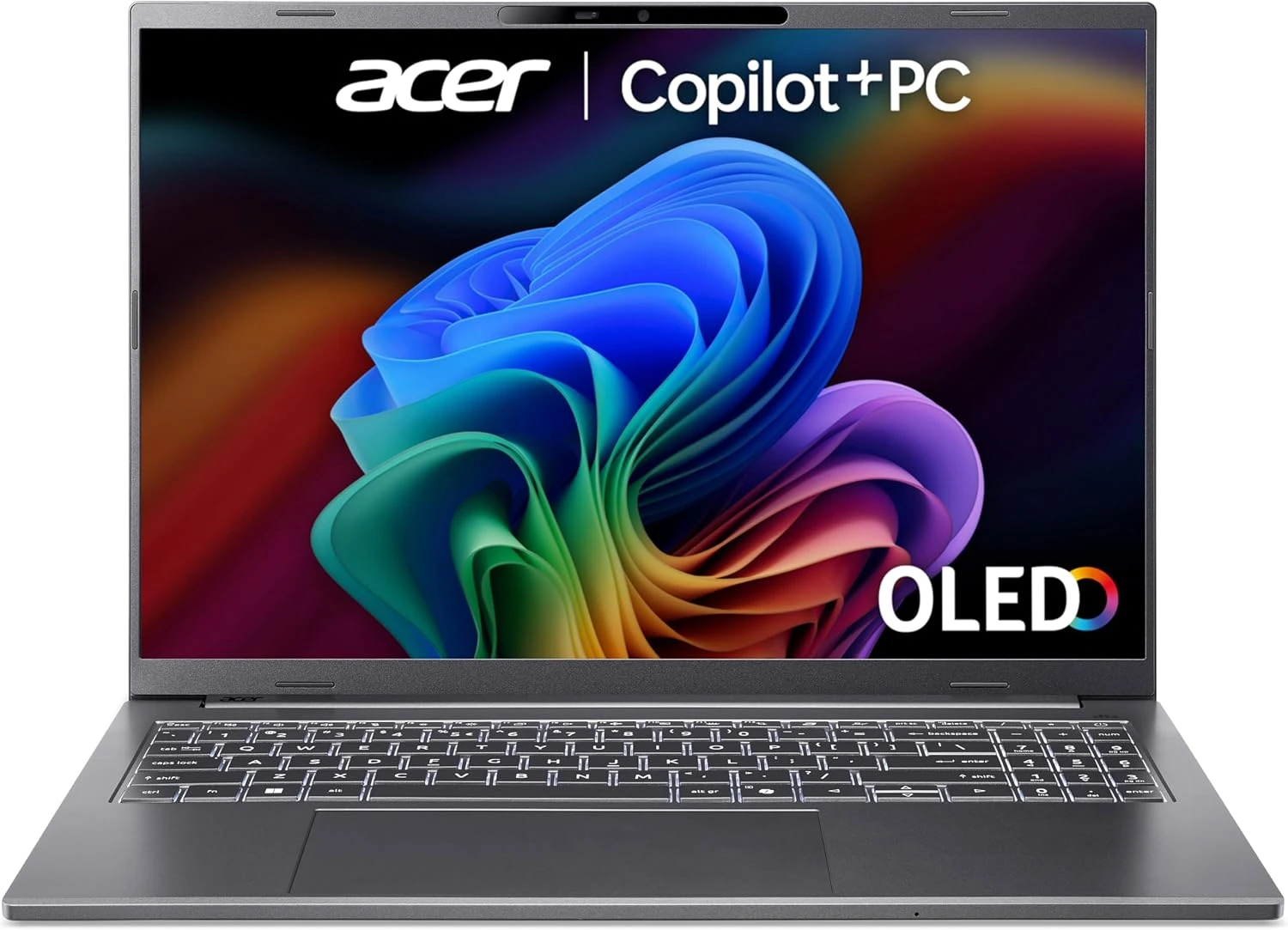
3) Acer Aspire 16 AI
★★★★☆ 4.0 Great
Best Budget 16-inch
Acer Aspire 16 AI | 16-inch LCD IPS, 120Hz, 1920 x 1200 resolution touch display | Qualcomm Snapdragon X CPU | Qualcomm Adreno GPU | 16GB RAM | 512GB SSD | Windows 11 Home | Weighs 1.55 kg (3.42 lbs.) | Wi-Fi 7, Bluetooth 5.4 | Up to 17 hours battery life on moderate use | Ports include 1x HDMI 2.1, 1x USB Type-A, 2x USB Type-C, 1x audio jack
PROS
- Affordable price
- High resolution webcam
- Colorful 120Hz display
- Good performance
- Long battery life
CONS
- Average speaker performance
- Typing experience not as good
Imagine getting an expansive screen, all-day battery life, and smart AI performance without spending a fortune. Meet the Acer Aspire 16 AI laptop. Most affordable laptops cap you at 14 inches, but this machine offers a generous 16-inch display. Working with side-by-side windows feels smooth and effortless. The panel supports a fast 120Hz refresh rate, keeping scrolling and video playback fluid and easy on your eyes.
Performance and battery efficiency are major highlights. Powered by next-generation Snapdragon X processors, it launches apps instantly and runs silently. Power management is so efficient that you can leave your charger at home for a full workday. You also get a sharp 1440p webcam for clear video calls, a full-size keyboard with a number pad, and a wide port selection that eliminates dongles.
This laptop fits students, remote workers, researchers, and budget-conscious buyers who need a big display. If you want extra screen space for spreadsheets, long documents, or streaming without overspending, this machine is tailored for you. The Acer Aspire 16 AI makes a very strong impression. It sets a high bar for big-screen budget laptops with its smooth 120Hz screen, dependable battery, and practical feature set.
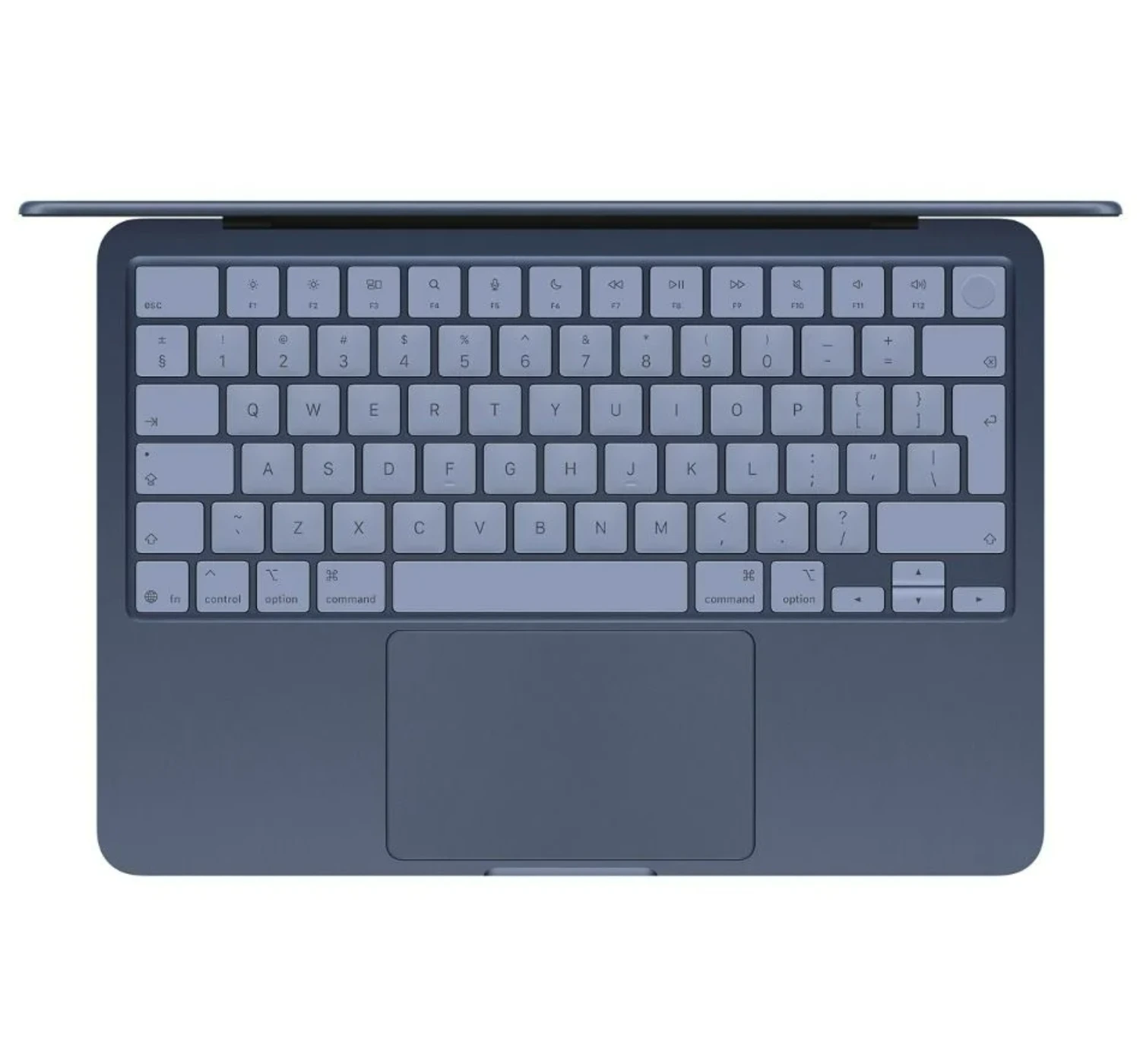
4) Apple MacBook Neo
★★★★⯪ 4.5 Excellent
New Entry-level MacBook
Apple MacBook Neo | 13-inch Liquid Retina IPS, 2408 x 1506 resolution display | Apple A18 Pro CPU | Apple GPU (5-core) | 8GB RAM | 256GB / 512GB SSD | macOS Tahoe | Weighs 1.5 kg (3.33 lbs.) | Wi-Fi 6E, Bluetooth 6 | Up to 13 hours battery life on moderate use | Ports include 2x USB Type-C, 1x 3.5 mm audio jack
PROS
- Affordable price
- Impressive overall performance
- Bright & vibrant display
- Premium aluminum build
- Impressive battery life
CONS
- Few input ports
- No backlit keyboard
Imagine getting iconic build quality, a sleek aluminum design, and rock-solid reliability at a budget price. Apple managed to lower the barrier to the MacBook ecosystem without sacrificing that premium feel. The MacBook Neo brings full macOS functionality to an accessible price while keeping the sturdy recycled aluminum chassis Mac users love.
Inside, it uses Apple’s efficient A-series chip. It runs fan-less and completely silent, staying cool on your lap whether you write documents, edit photos, or stream shows. The 13-inch display is bright and sharp, offering vibrant visuals that surpass almost anything else in this price range. You also get a comfortable Magic Keyboard, a snappy precision trackpad, and a crisp 1080p FaceTime webcam for video calls. Battery life easily powers you through a full day of web browsing, so you can leave the charging cable at home.
This laptop serves as the ultimate entry point for students, writers, researchers, and budget-conscious buyers who want a simple macOS experience. If you do not need heavy workstation power for complex 3D rendering or high-end gaming, this lightweight machine fits you perfectly. The Apple MacBook Neo leaves an extremely positive impression. It proves you do not need to pay a huge premium to enjoy sleek design, fast performance, and long-term durability.
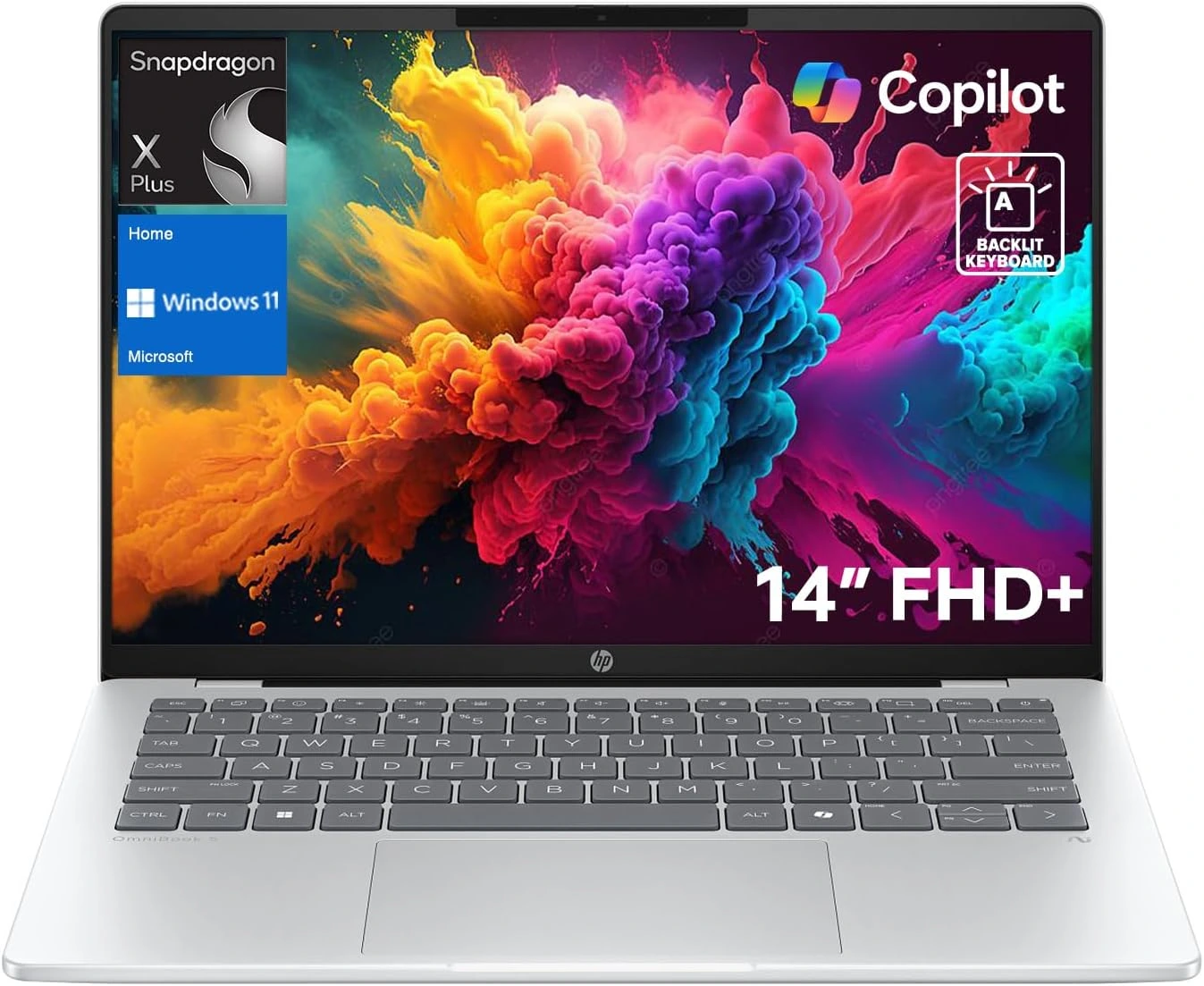
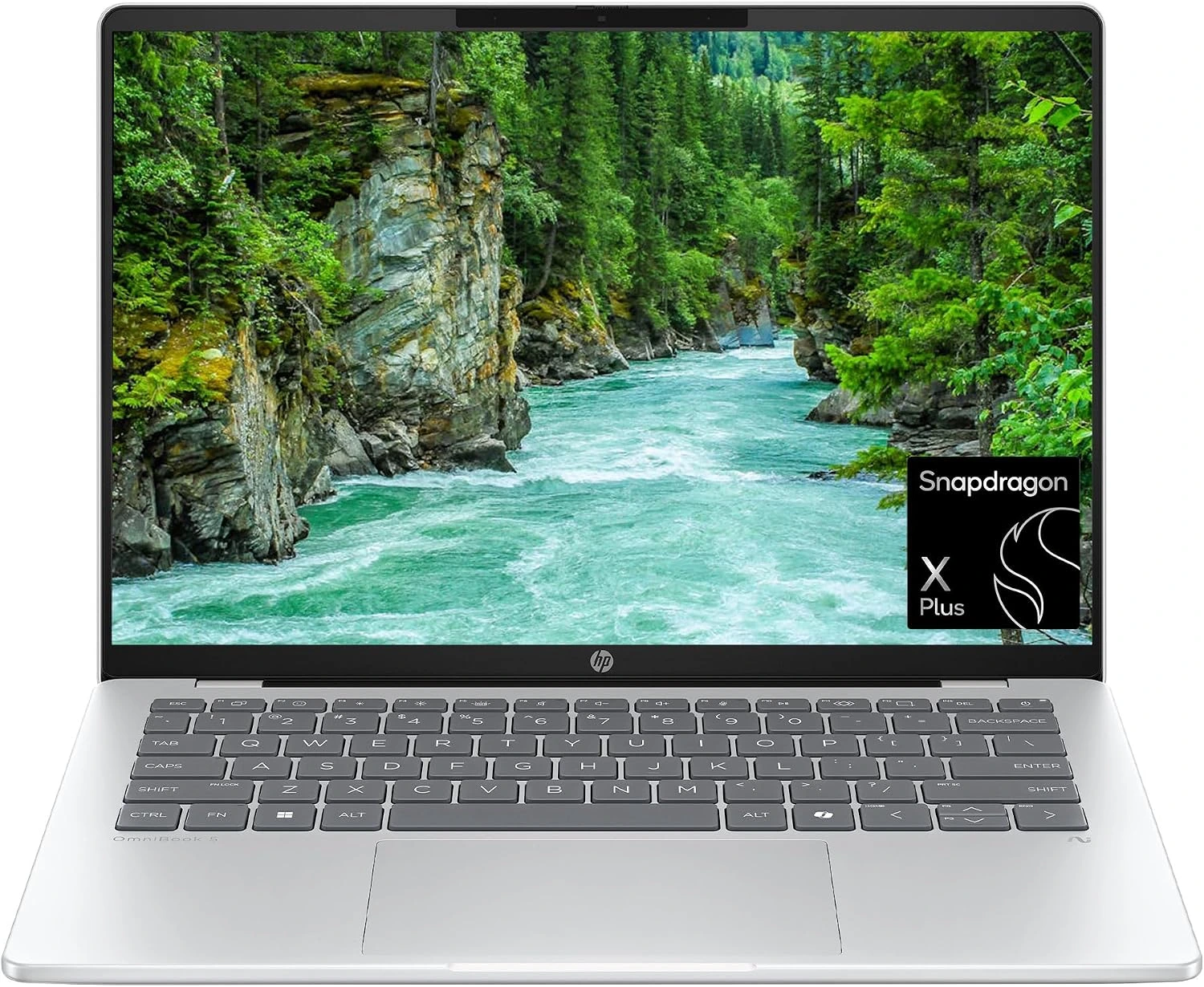
5) HP OmniBook 5 14 AI
★★★★☆ 4.0 Great
Best Battery Life & Performance
HP OmniBook 5 14 AI | 14-inch 2K OLED, 60Hz, 1920 x 1200 resolution display | Qualcomm Snapdragon X Plus CPU | Adreno GPU | 32GB RAM | 1TB SSD | Windows 11 | Weighs 1.35 kg (2.98 lbs.) | Wi-Fi 6E, Bluetooth 5.3 | Up to 35 hours battery life on moderate use | Ports include 2x USB Type-C, 1x 3.5 mm audio jack
PROS
- Excellent battery life
- Vivid OLED display
- Thin & lightweight design
- Fast performance
- Excellent battery life
CONS
- Average graphic performance
- Low refresh rate
Imagine packing your laptop for a trip, leaving your power adapter behind, and coming home with battery to spare. The HP OmniBook 5 14 AI delivers on that promise. Its standout feature is mind-boggling battery stamina. Thanks to efficient Qualcomm Snapdragon X processors, this machine stretches past thirty hours of real-world use on a single charge. You can work all day, stream movies all evening, and use it again the next morning without worrying about the battery icon.
Beyond its endurance, it offers a refined everyday experience. The sleek aluminum chassis weighs around three pounds, so it slips easily into any bag. An optional 14-inch OLED display delivers deep blacks and vivid colors for work or media. Built-in AI acceleration manages smart features, while a sharp webcam and clear microphones enhance video calls. You also get a full set of ports, including HDMI and standard USB slots, eliminating the need for dongles.
This laptop is a dream for travelers, remote workers, students, and busy professionals who value battery freedom. If your routine involves writing, web research, and video meetings, this lightweight machine fits your needs. The HP OmniBook 5 14 AI makes an excellent impression. It turns battery anxiety into a distant memory while offering a crisp OLED screen and sturdy build at an attractive price.
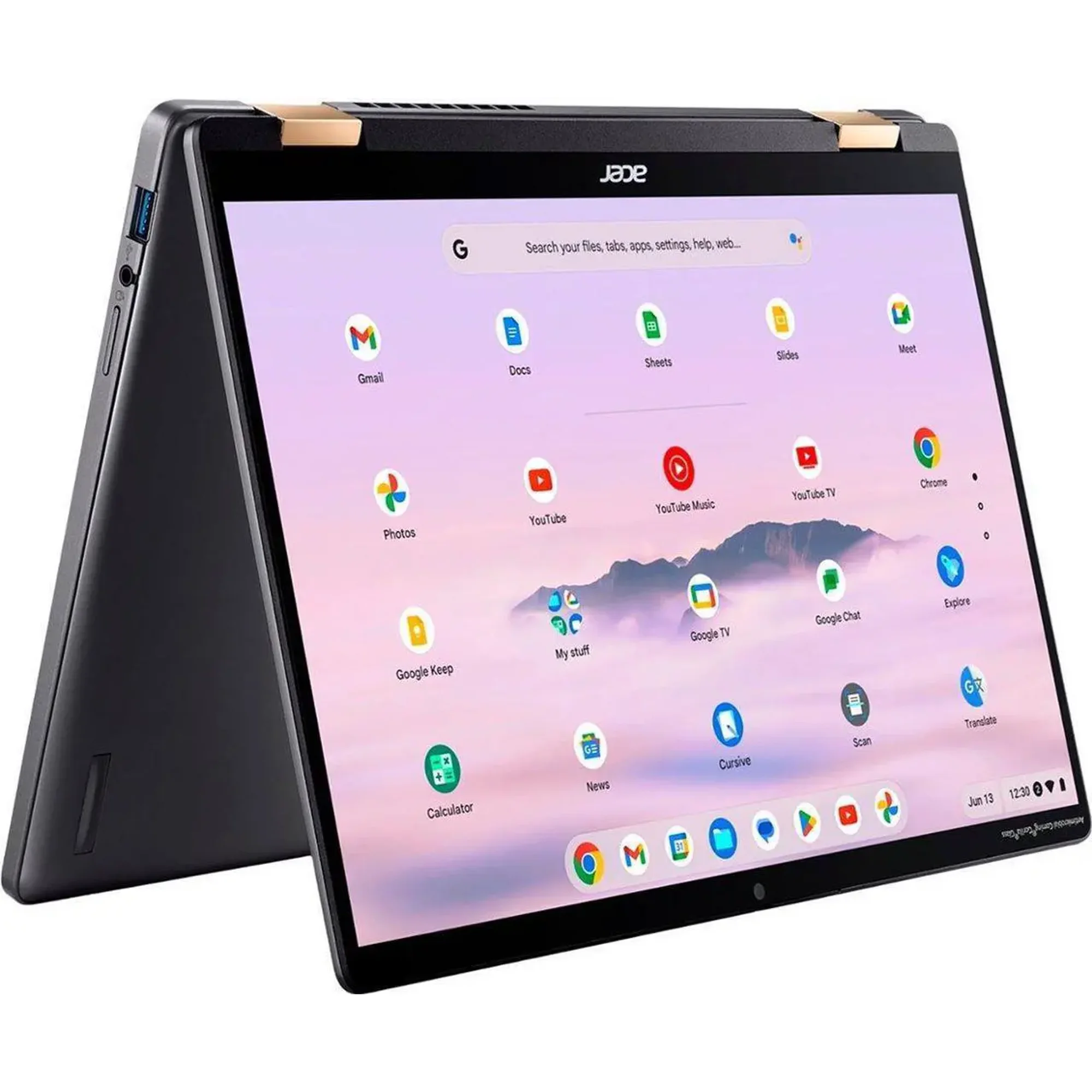
6) Acer Chromebook Plus Spin 714

★★★★★ 5.0 Masterpiece
Best Chromebook
Acer Chromebook Plus Spin 714 | 14-inch FHD+ IPS, 60Hz, 1920 x 1200 resolution touch display | Intel Core Ultra 5 115U CPU | Intel Graphics GPU | 8GB RAM | 256GB SSD | ChromeOS | Weighs 1.45 kg (3.21 lbs.) | Wi-Fi 6E, Bluetooth 5.2 | Up to 15 hours battery life on moderate use | Ports include 2x USB Type-C, 1x HDMI, 1x USB Type-A, 1x 3.5 mm audio jack
PROS
- ChromeOS with new AI features
- Includes 12 months free access to Google One
- Versatile & durable 2-in-1 design
- Includes Intel Core Ultra CPU
- Clear & colorful touch display
CONS
- Stylus pen not included
- Somewhat expensive
Imagine having a laptop that flips into a tablet with a quick twist. It works as fast as a traditional PC and keeps up with your busiest days. The Acer Chromebook Plus Spin delivers serious speed with fast Intel Core processors and smart ChromeOS features. You can run complex apps, handle dozens of browser tabs, and edit documents effortlessly.
The physical design gives you complete flexibility. Its 360-degree hinge converts the laptop into a tablet, tent, or stand. It works great for taking handwritten notes, sketching, or propping it up for movies. The sharp 14-inch touchscreen features tough Gorilla Glass and includes a built-in active stylus that docks right into the body. You also get a sharp 1440p webcam, a sturdy aluminum frame with military-grade durability, and all-day battery life.
This laptop is a top choice for students, educators, professionals, and creators who rely on Google Workspace. If you want ChromeOS speed paired with 2-in-1 versatility, a built-in pen, and a premium metal body, this machine fits you perfectly. The Acer Chromebook Plus Spin leaves a remarkably positive impression. It delivers flagship build quality, smart performance, and versatile touchscreen convenience in one durable package.
Summary
After all that you must feel overwhelmed. Don’t fret. Here’s a summary of the top-rated laptops under $1000 that we went through.
| Laptops/
Features |
Zenbook A14 AI | Swift 14 | Aspire 16 AI | MacBook Neo | HP OmniBook 5 14 AI | Chromebook Plus Spin 714 |
| Laptop type | Ultra portable | Ultra portable | Budget | Budget/Ultra portable | Ultra portable | Chromebook/2-in-1 |
| Screen | 14-inch, OLED, 60Hz | 14.5-inch, WQXGA, 120Hz, touch | 16-inch, LCD IPS, 120Hz, touch | 13-inch, LED IPS, 60Hz | 14-inch, OLED, 60Hz | 14-inch, FHD+, 60Hz |
| Chip | Snapdragon X Plus | Snapdragon X Elite | Snapdragon X | Apple A18 Pro (5-core) | Snapdragon X Plus | Intel Core Ultra 5 115U |
| Resolution | 1920 x 1200 | 2560 x 1600 | 1920 x 1200 | 2408 x 1506 | 1920 x 1200 | 1920 x 1200 |
| Memory | 16GB RAM | 16GB RAM | 16GB RAM | 8GB RAM | 32GB RAM | 8GB RAM |
| Storage | 512GB SSD | 1TB SSD | 512GB SSD | 256GB / 512GB SSD | 1TB SSD | 256GB SSD |
| Weight | 1 kg (2.4 lbs.) | 1.5 kg (3.2 lbs.) | 1.55 kg (3.42 lbs.) | 1.5 kg (3.33 lbs.) | 1.35 kg (2.98 lbs.) | 1.45 kg (3.21 lbs.) |
| Battery Life | 28 hrs | 20hrs | 17hrs | 13 hrs | 35 hrs | 15 hrs |
| Rating | 4.0/5 | 4.0/5 | 4.0/5 | 4.5/5 | 4.0/5 | 5.0/5 |
| Price | $780 – $860 | $1039 | $1029 | $688 – $799 | $569 | $699 |
Final Thoughts
Getting a top-rated laptop under $1000 comes down to knowing what you actually need. Focus on essential specs like a strong processor, 16GB of memory, and a solid keyboard. That way, you get a dependable tool that handles your work smoothly for years while leaving extra room in your wallet. Are you ready to upgrade your workspace without overspending? Check out the latest deals on our top models today and pick the machine that fits your workflow. What is the single most important feature you look for when buying a new laptop? Is it battery life, typing comfort, or price? Let us know in the comments below 😎

 LGMadyibi

+ There are no comments
Add yours