


neo vs air m2
The Quick List
MacBook Neo

Best New Entry-Level
Price: US$699 (256GB) – US$799 (512GB)
MacBook Air (M2)

Best New Entry-Level
Price: US$838 (256GB) – US$884 (512GB)
Buying a new laptop used to be simple. You picked the screen size you wanted, checked your budget, and grabbed the latest model off the shelf. But Apple just shook up the entire MacBook lineup, making that decision a whole lot trickier. If you’re shopping for a budget-friendly MacBook right now, you’re likely caught between two very tempting choices: the fresh, new and colorful MacBook Neo and the reliable, tried-and-tested but older MacBook Air M2.
On paper, both of these MacBooks offer incredible value, however they hit very different sweet spots. The MacBook Neo (2026) comes in with a surprisingly affordable price tag, powered by Apple’s A18 Pro chip to handle your daily tasks without breaking a sweat. On the flip side, the MacBook Air (2022), powered by Apple’s M2 chip, brings desktop-class power, a sleek premium finish, and extra ports that cater to slightly heavier workloads. So, which one deserves a spot on your desk? Does the ultra-budget Neo force you into too many compromises, or is the older yet still powerful Air worth the money?
Read on as we break down the head-to-head comparison in MacBook Neo vs MacBook Air M2 to help you figure out which entry-level Mac fits your needs—and your wallet—best.
Specs – Neo vs Air M2
Apple MacBook Neo (2026)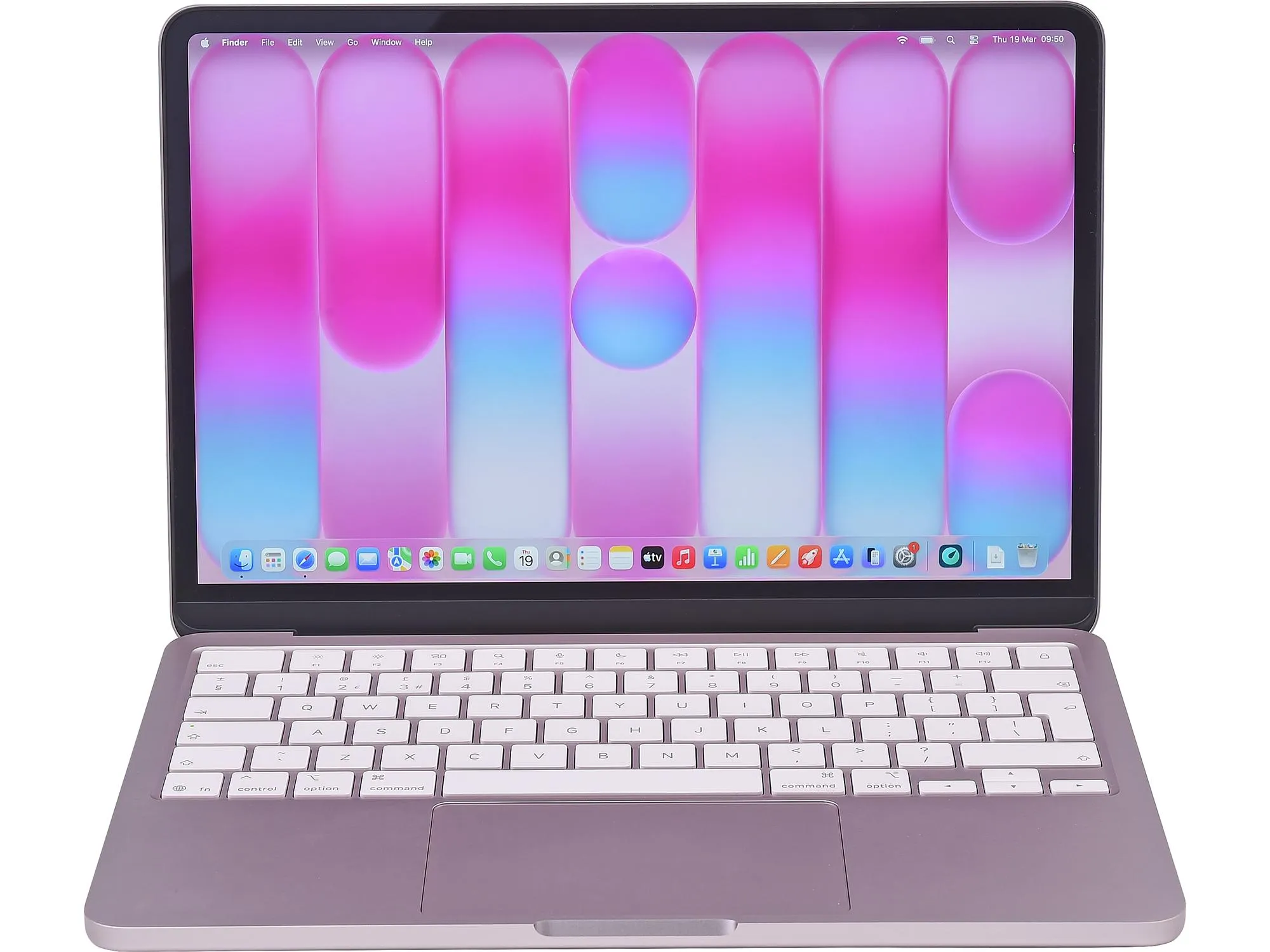
- Display: 13-inch, Liquid Retina IPS, 2408 x 1506 resolution
- Chipset: Apple A18 Pro (6-core)
- Graphics: Apple GPU (5-core)
- Memory: 8GB
- Storage: 256GB / 512GB SSD
- OS: macOS Tahoe
- Ports: 2x USB-C, 1x 3.5mm audio jack
- Other: 1080p ‘FaceTime’ HD webcam | Colors include Blush (pink), Citrus (yellow), Indigo (grey) & Silver | Fan-less build keeps MacBook quiet | Weighs 1.5 kg (3.33 lbs.) | Dual speaker sound system | Wi-Fi 6E wireless, Bluetooth 6
Apple MacBook Air (2022)
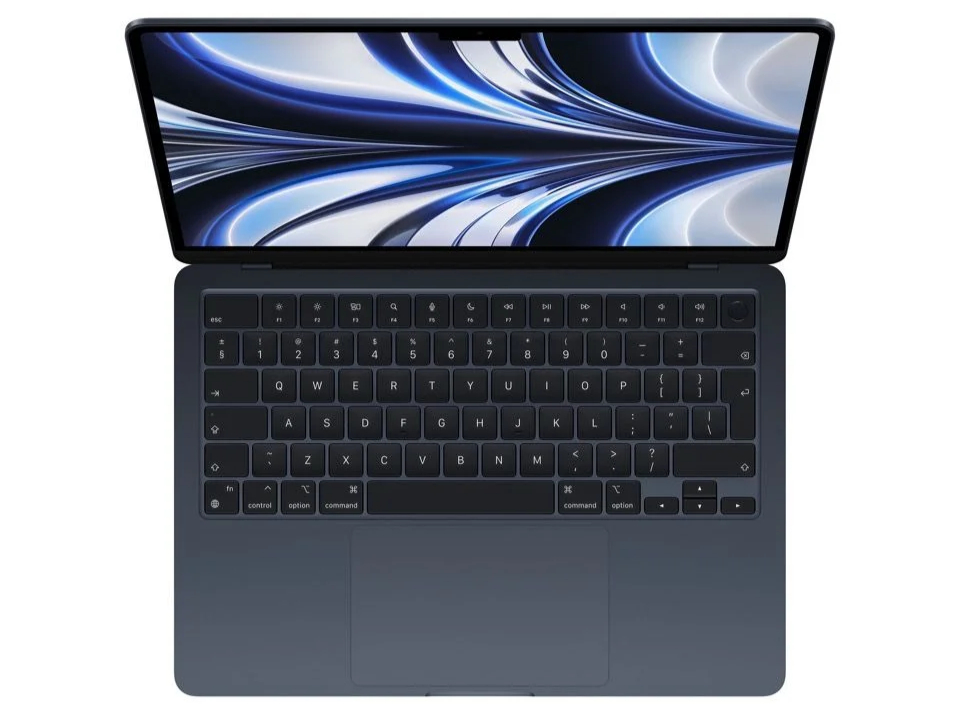
- Display: 13.6-inch or 15.3-inch, Liquid Retina LED, 2560 x 1664 resolution (13.6-inch) / 2880 x 1864 resolution (15.3-inch)
- Chipset: Apple M2 (8-core)
- Graphics: Apple GPU (8-core)
- Memory: 8GB / 16GB RAM
- Storage: 256GB / 512GB / 1TB SSD
- OS: macOS
- Ports: 2x Thunderbolt, 1x 3.5mm audio jack
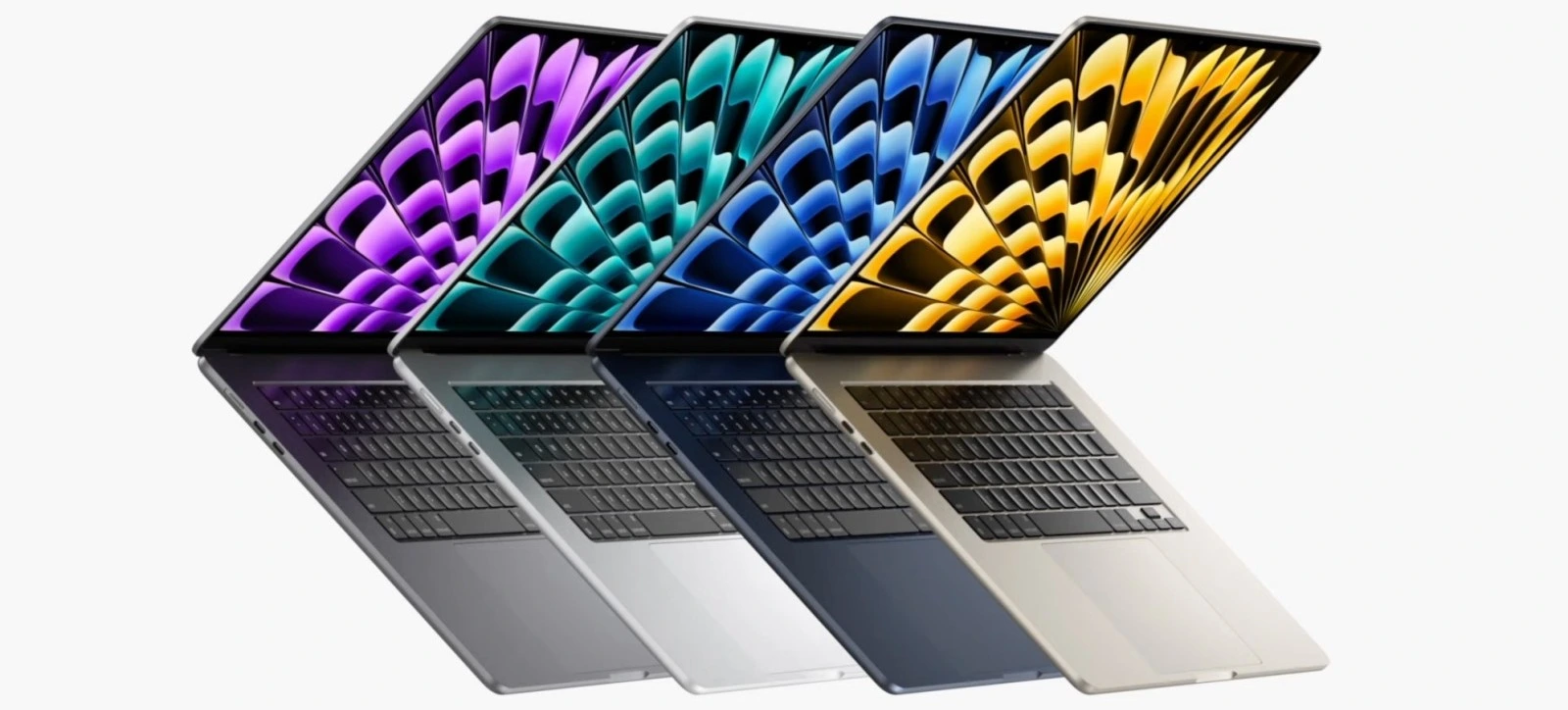
- Other: 1080p ‘FaceTime’ HD webcam | Colors include Midnight, Starlight, Space Gray & Silver | Fan-less build keeps MacBook quiet | weighs 1.23 kg (2.7 lbs.) | 6-speaker sound system with Spatial Audio | Wi-Fi 6 wireless
Neo vs Air M2: Which Best Affordable MacBook
Features Comparison
1. Design, Build & Display: Classic Air vs. Vibrant Neo
When you first open both MacBooks, the difference in design hits you immediately. Apple built these two machines for completely different tastes, and how they feel in your hands says a lot about what you’re paying for.
Design and Aesthetics
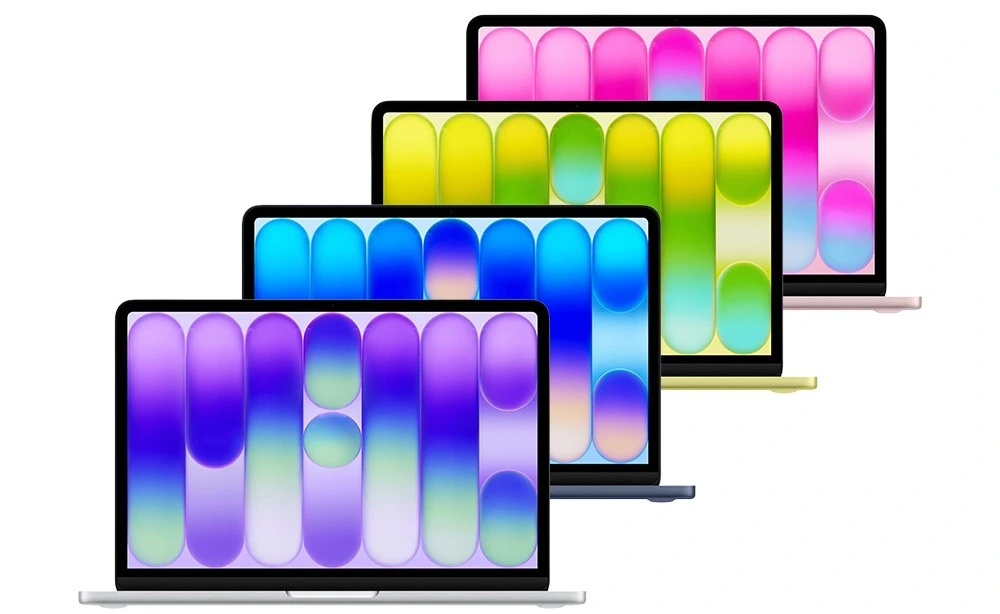
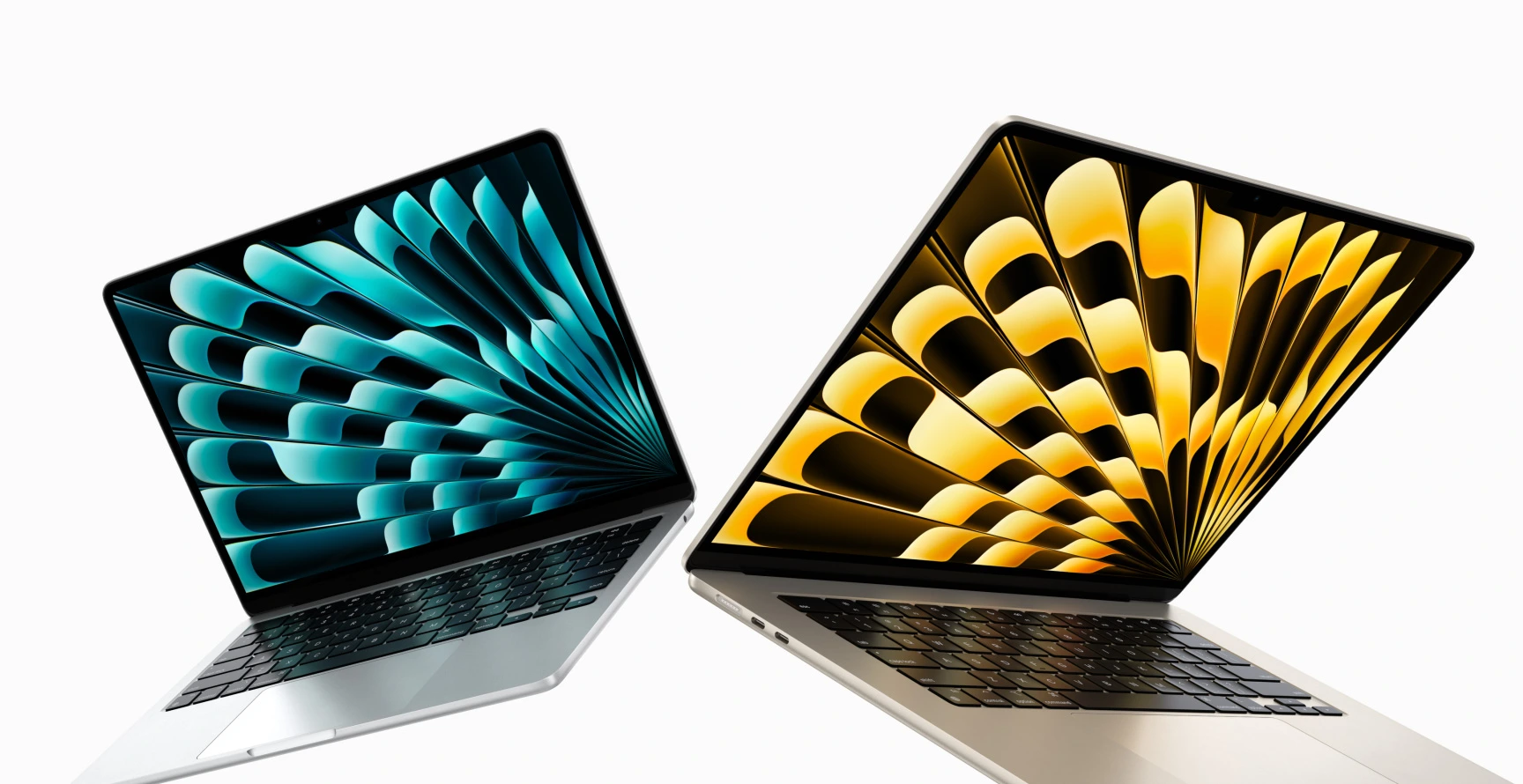
The MacBook Air M2 sports Apple’s modern, flat design language. It drops the older tapered wedge shape in favor of a clean, uniform aluminum chassis that feels incredibly solid and premium. It comes in understated, classic shades like Midnight, Starlight, Space Gray, and Silver. The MacBook Neo, on the other hand, leans into personality and fun. Built using an aluminum extrusion process, it comes in eye-catching, vibrant colors like Citrus, Blush, Indigo, and classic Silver. If you want your laptop to match your personal style or stand out in a classroom, the Neo makes a bold statement right away.
Display Differences
Both screens look sharp and vibrant, but there’re a few key details to keep in mind. With screen size and color, the MacBook Air M2 features a 13.6-inch Liquid Retina display with thin borders and Apple’s familiar camera notch at the top. The MacBook Neo offers a slightly smaller 13.0-inch display that skips the notch entirely for a clean, uninterrupted rectangular view.
With brightness and color, both panels hit a bright 500 nits, which is plenty for working near a window or outdoors. However, the Air M2 supports the wider P3 color gamut and True Tone technology, making colors pop with greater accuracy and adjusting automatically to lighting around you. The Neo sticks to standard sRGB colors, which works fine for browsing and writing, but falls a little short for color-critical photo or video work.
Typing and Daily Feel
As you type, the differences become even clearer. with the keyboard, the Air M2 comes with full-sized, backlit function keys and crisp backlighting so you can type comfortably in the dark. The Neo keeps things simple with standard keys and lacks keyboard backlighting. The n with the trackpad, you get Apple’s signature Force Touch trackpad on the Air M2, which lets you press anywhere on the glass surface with smooth haptic feedback. The Neo uses a physical mechanical trackpad that clicks toward the bottom half.
And The Winner is…
Overall, if design and screen quality are your main priorities, the MacBook Air M2 is the overall better laptop. While the MacBook Neo deserves plenty of credit for its fun color lineup, lightweight feel, and clean, notch-less screen, the MacBook Air M2 delivers a far more refined experience. The backlit keyboard, smoother Force Touch trackpad, richer P3 colors, and slightly larger screen make the Air M2 feel like a true long-term computer rather than a budget alternative. If your daily routine includes typing at night or editing photos, stepping up to the M2 Air is well worth it.
2. Performance Battle: Apple A18 Pro vs. Apple M2
Under the hood, these two laptops rely on fundamentally different chipsets. One is powered by Apple’s highest-end mobile processor designed for smartphones, while the other features a full-fledged, desktop-grade M-series chip. How that translates to your everyday work depends on what you actually do on it.
Chipset Architecture and Speed
The MacBook Neo features a 6-core CPU (2 performance and 4 efficiency cores) paired with a 5-core GPU. Because it inherits its architecture from Apple’s flagship mobile devices, it offers blisteringly fast single-core clock speeds. Apps open instantaneously, web pages render in a blink, and light tasks feel incredibly responsive.
Built specifically for everyday efficiency. It handles email, document drafting, web browsing with dozens of tabs, streaming high-definition video, and light photo edits without dropping a frame. It also powers through AI-assisted features like Apple Intelligence quickly thanks to its robust Neural Engine.
The MacBook Air houses a M2 chip, 8-core CPU (4 performance and 4 efficiency cores) along with an 8-core or 10-core GPU. While its single-core speeds are slightly lower than the newer A18 Pro, its additional performance cores give it a clear edge in multi-core processing power and raw graphics performance.
It thrives when you start pushing your machine harder. If your workflow involves compiling code, editing multi-track audio, working with large vector graphics, or rendering 4K video timelines, the M2’s wider memory bandwidth and extra GPU cores keep everything running smoothly without stuttering.
Memory and Thermal Design
The MacBook Neo is fixed at 8GB of unified memory with 60 GB/s bandwidth. The MacBook Air M2 offers 100 GB/s bandwidth and can be configured with up to 24GB of RAM, allowing heavy multitaskers to keep power-hungry apps open simultaneously. Both laptops run completely fan-less and silent, so you never have to worry about noisy fan whirring during quiet study sessions or meetings.
Which Chip Wins?
If performance for sustained productivity is what you need, the MacBook Air M2 wins this battle decisively. The A18 Pro in the MacBook Neo is undeniably impressive for snappy, daily tasks like launching apps or scrolling heavy websites. However, the M2 chip inside the MacBook Air brings desktop-grade muscle, double the GPU cores, higher memory bandwidth, and support for larger RAM configurations. For heavy multitasking, creative projects, or ensuring your laptop stays capable several years down the line, the M2 Air is the superior engine.
3. Battery Life and Charging
Whether you’re working in a coffee shop, attending back-to-back classes, or traveling, you want a laptop that lets you leave the power brick at home. Both of these MacBooks excel at all-day battery performance, but how they handle charging and connectivity differs significantly.
Real-World Battery Endurance
Thanks to the hyper-efficient smartphone lineage of the A18 Pro chip, the Neo squeezes impressive runtime out of a compact battery. You can expect up to an average of 13 hours battery life on moderate use, with about 16 hours of video streaming or roughly 11–13 hours of active web browsing and document editing on a single charge.
The Air M2, however, holds a slight edge in total capacity. Expect to get an average of 14 hours battery life on moderate us. It delivers up to 18 hours of video playback or about 13–15 hours of real-world productivity. Both machines easily survive a full workday without needing an outlet, but the MacBook Air M2 gives you that extra cushion when running brighter screen settings or heavier apps.
4. Other Features
Port Selection and Charging Convenience
This is where the user experience diverges sharply. The MacBook Neo relies purely on standard USB-C for power and data. It features one 10Gbps USB-C port and one USB 2.0 port. When you plug in the power cable, you occupy one of your primary data ports, leaving you with just one available port for external drives or accessories.
The MacBook Air M2, however, features Apple’s dedicated MagSafe 3 charging port alongside two high-speed Thunderbolt / USB 4 ports. MagSafe snaps into place magnetically, protecting your laptop if someone trips over the cord. Best of all, charging via MagSafe leaves both Thunderbolt ports completely free for peripherals, fast external SSDs, or external displays.
Camera, Audio & Biometrics
Beyond raw horsepower and battery life, how your laptop handles video calls, music playback, and secure logins makes a huge difference in your day-to-day experience. Here is how the MacBook Neo and MacBook Air M2 compare when it comes to communication and convenience.
Webcam & Microphone Quality
The MacBook Neo features a standard 1080p camera housed neatly in the thin top display bezel. Paired with a dual-microphone array, it delivers clear video and vocal clarity for online classes, family catch-ups, or basic Zoom calls.
The MacBook Air M2 also sports a sharp 1080p FaceTime HD camera (positioned inside the notch), but pairs it with an advanced image signal processor built into the M2 chip. It handles tricky lighting and low-light environments slightly better. On top of that, its three-mic array with directional beamforming isolates your voice more effectively in noisy rooms.
Speaker Performance
In terms of audio speakers, the MacBook Neo uses a dual side-firing speaker system. It produces clean sound for podcasts, YouTube videos, and casual listening, though it lacks deep bass punch at higher volumes.
The MacBook Air M2, however, implements a superior 4-speaker sound system tucked seamlessly between the keyboard and display. It delivers richer audio, wider spatial separation, and support for Spatial Audio when playing Dolby Atmos content. Music and movie playback feel noticeably fuller and more immersive.
And The Winner is
When it comes to power, port flexibility, and when daily convenience matters, the MacBook Air M2 takes the win. While the MacBook Neo offers fantastic battery life that easily gets you through a full day of school or work, the MacBook Air M2 combines slightly longer endurance with a vastly better charging setup. Having a dedicated MagSafe connector not only keeps your device safe from accidental tugs, but it also ensures you never have to sacrifice a valuable data port just to top up your battery.
The MacBook Neo covers the essentials well enough for basic video calls and casual media consumption. However, the MacBook Air M2 provides a distinctly premium setup. Standard Touch ID across all models, richer 4-speaker audio, and better noise-canceling microphones make the M2 Air far more enjoyable for video meetings, watching movies, and secure everyday use.
5. Price-to-Value Ratio: Where Should Your Money Go?
Hardware specs and benchmarks are important, but at the end of the day, your buying decision usually comes down to cost. Apple created a distinct price gap between these two laptops, making the choice clearer depending on how far your budget can stretch.
The MacBook Neo, positioned as Apple’s most budget-friendly laptop, starts at $599. It brings the full macOS ecosystem to an unprecedented low price point. While frequently discounted or available refurbished, the MacBook Air M2 typically starts closer to $999. Upgrading configurations for extra RAM or storage widens that price gap further. If your main goal is getting the absolute best value per dollar, the MacBook Neo takes the lead.
For everyday computing, web browsing, streaming, and student workloads, the MacBook Neo delivers 80% of the core Mac experience at a fraction of the cost. However, if your budget allows for the upgrade, the MacBook Air M2 remains the better overall investment. The backlit keyboard, MagSafe charging, richer display colors, and extra performance headroom make the M2 Air a more complete machine that ages remarkably well
Summary – Neo VS Air M2
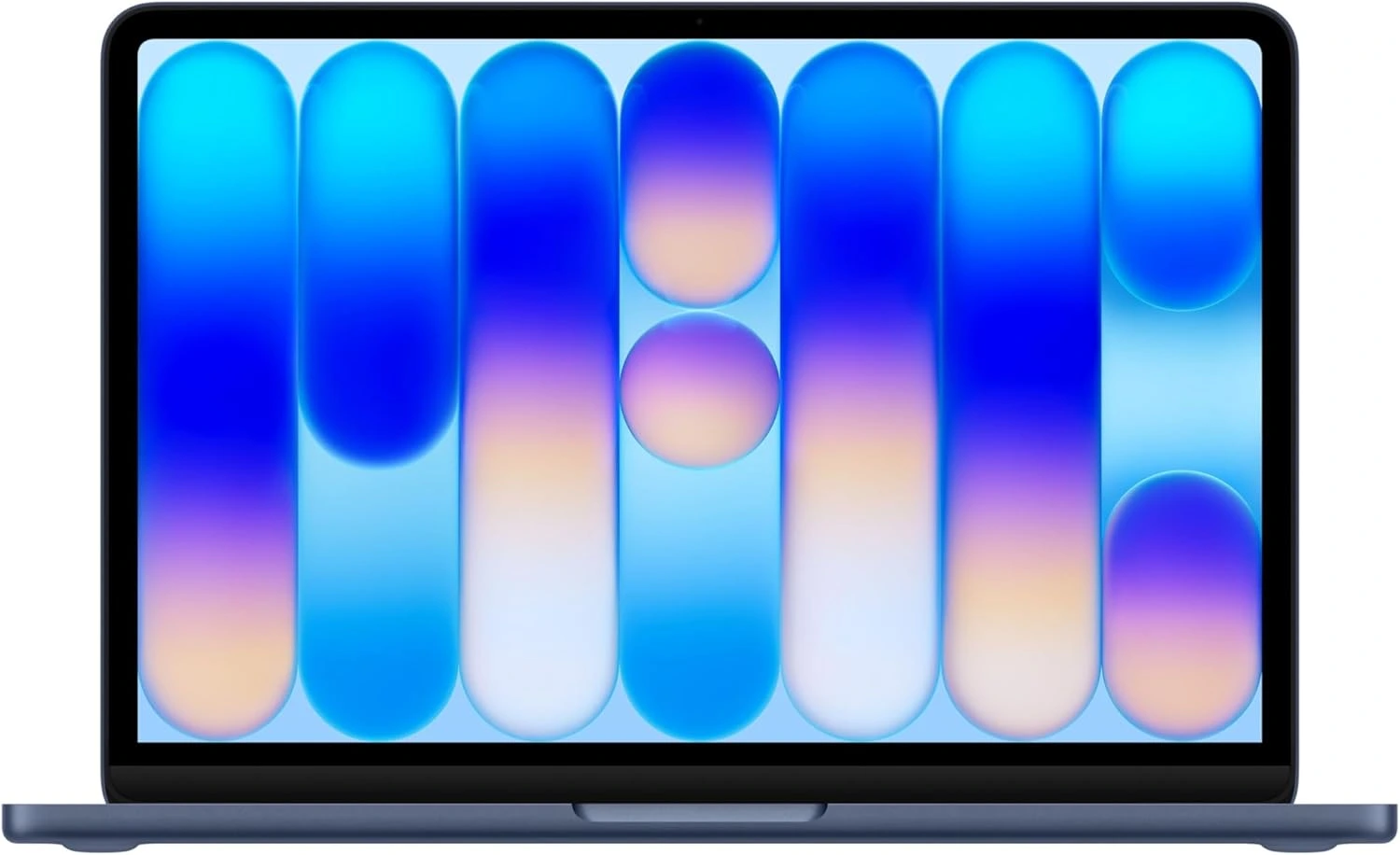
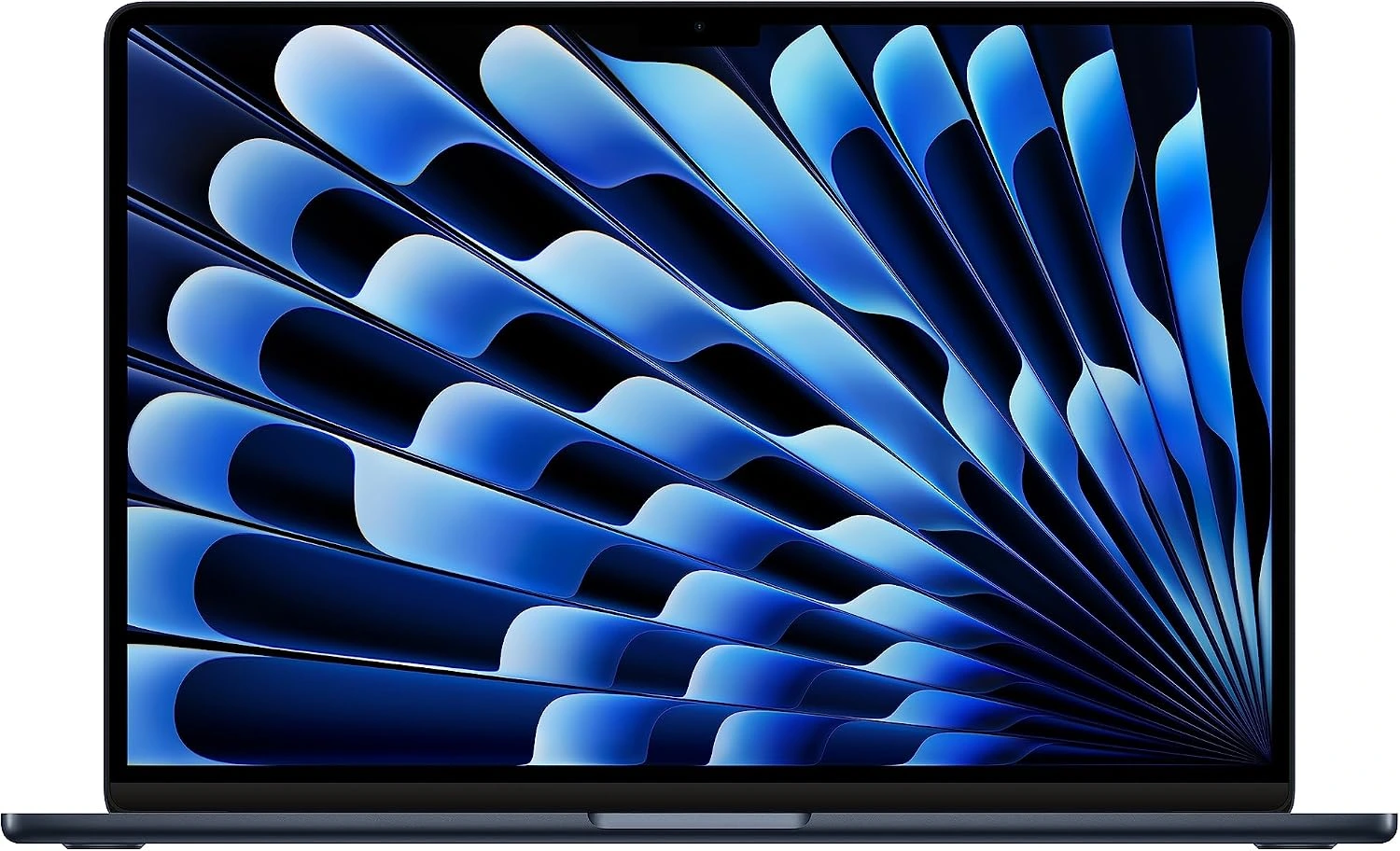
Apple MacBook Neo (2026)
- Sharp, colorful display
- Better performance for mobile apps
- More affordable price
- Trendy bright color designs
- No backlit keyboard
- Shorter battery life
- Dual speaker system
Apple MacBook Air (2022)
- Larger, vibrant display
- Refurbished models available
- 14 hours battery life
- Better build & design
- Better performance for desktop apps
- 6-speaker system
- More expensive
- Heavier
- Visible camera notch on display
Final Verdict
Choosing between the MacBook Neo and the MacBook Air M2 comes down to balancing your immediate budget against your long-term daily needs. Apple has drawn a clear line between an accessible everyday machine and a versatile workstation.
Both laptops are incredible achievements in their respective price brackets. If every dollar counts and your daily tasks revolve around web apps, documents, and streaming, save your money and grab the MacBook Neo—it delivers everything essential with style. However, if you can stretch your budget, the MacBook Air M2 remains the champion of entry-level Macs. The daily quality-of-life upgrades make it a machine that won’t just suit your needs today, but will comfortably power your workflow for years to come.


 LGMadyibi


+ There are no comments
Add yours