


Best Laptops Under $1000
Not too long ago, spending under $1,000 on a laptop meant making painful sacrifices. You had to settle for plastic bodies that flexed under pressure, washed-out displays, sluggish processors, and battery life that barely got you through a morning commute. That’s no longer the case. Today, $1,000 is the ultimate sweet spot in consumer tech. Thanks to intense competition between chipmakers and huge leaps in efficiency, affordable laptops now deliver premium aluminum builds, gorgeous OLED and IPS displays, 10+ hours of battery life, and enough processing power to handle modern multitasking, 4K video editing, and light gaming.
However, navigating the budget-to-midrange laptop market remains a minefield. Manufacturers love packing spec sheets with marketing buzzwords, pushing outdated stock, or cutting crucial corners—like giving you a fast processor paired with a terrible display or a skimpy 8GB of non-upgradable RAM. Whether you’re a student hunting for an all-day battery powerhouse, a remote worker needing a reliable daily driver, or a casual gamer looking for decent frame rates, this article will help you choose from one of the best laptops under $1000. So what are you waiting for? Let’s get to it.
The Quick List
The Reliable and Budget Friendly ★★★★☆ 4.0 Great ±US$ 700 – Wallmart
The Affordable MacBook ★★★★⯪ 4.5 Amazing ±US$ 700 – WallmartAcer Aspire Go 15
Apple MacBook Neo

The Everyday Tool for College ★★★★☆ 4.0 Great ±US$ 800 – Wallmart ★★★★☆ 4.0 Great ±US$ 750 – Wallmart
Asus Zenbook A14
HP OmniBook 5
 The Affordable Yet Premium
What to Expect for Under $1000 (Buying Criteria)
To get the most value out of your money, you need to know your baseline specs. Here is what you should expect—and demand—from a laptop in this price range:
1. Processor (CPU): Modern Efficiency
For a laptop under $1000, you should get the best working hardware for your laptop. However, you need to look out for the best processing chip included with the laptop before you buy it. If you’re looking for a Windows laptop, check the specs to look for out for either an Intel Core Ultra 5/7 or AMD Ryzen 7000/8000 series (specifically Ryzen 5 or 7).
These feature dedicated neural processing units (NPUs) to help with AI functions and tasks, and also help massively with battery efficiency. The cheaper ones are usually the laptops including the AMD Ryzen series processing chips. They work the same way as the Intel Core Ultra chips.
If you’re an Apple fan, and prefer MacBooks, then look out for M2 or M3 processing chips included with MacBooks. They remain unmatched in performance-per-watt efficiency, making them ideal for users prioritizing silent operation and battery longevity. For the purpose of this article, the MacBook featured here is powered by a processing chip also found in the iPhone 16 Pro, which is still a great performer.
2. Memory & Storage: 16 GB, 512 GB is the New Baseline
Don’t get confused. There’s a difference between Storage and Memory in computer language. Memory or RAM helps to ensure that the laptop runs smooth with no lag or laptop freeze. The bigger the RAM, the smoother your laptop experience. As for storage, the bigger the number, the more apps, documents, media and other files you can keep in your laptop.
In this instance 8 GB of RAM is still fine but I recommend you get a laptop with 16 GB of RAM or more. With modern web browsers and OS features, having bigger memory or RAM is essential for smooth multitasking. As for storage, aim for at least a 512 GB SSD (oh, and make sure it says ‘SSD’ not ‘HDD’, totally different hard drive). Avoid getting a laptop with 256 GB storage or less unless you rely entirely on cloud storage, as system files and media will quickly fill up smaller hard drives.

3. Display Quality: Crisp & Bright
Next is the display. You’ll be staring at this colorful screen for hours… and hours, so make sure it meets there requirements or better. No compromises. Firstly, make sure that the screen resolution is 1080p (Full HD) or bigger. It should normally read ‘1920 x 1080’. Other will read ‘2K’ or ‘3K’ which are so much better quality.
Secondly, the IPS panel type. Next thing you do, you need check for IPS panels as they deliver good color accuracy, or if it’s OLED screen as it delivers vibrant colors and infinite contrast ratios. Just know that OLED panels are more expensive, if budget is a priority, get a Full HD IPS panel as it also looks good.
Then lastly, it’s the brightness. Check the overall brightness of the screen as it’ll help you work well indoors or outdoors. The target here is 300 nits which is standard but if you can find a laptop with even more brightness (400 nits+ preferred), then you’re there.
4. Battery Life & Portability
Then it’s the battery life of the laptop. Are you going to walk around with a power charger for when the battery runs out or are you getting a laptop with long battery life. There are two things to consider: battery life and the weight of the laptop.
When looking for a laptop, you need to expect a battery life between 9 to 15 hours for daily productivity usage. There are laptops that last even more, and the only way to know for sure is to check out reviews of these laptops.
Then there’s the weight. You really don’t want to be walking around or travelling with a heavy laptop. So a good weight would ideally sit under 3.5 lbs. (1.6 kg) for traditional ultra-books, making them effortless to slip into a backpack. There’s plenty of laptops out there that are slim and light so no worries there, unless you want a gaming laptop which can weigh up to 6.6 lbs. (3 kg).
Best Laptops Under $1000 To Buy Now
So that’s the buying criteria I recommend you use for getting your affordable beast of a laptop. Let’s move on and see which one of these laptops I recommend for you.
Specs
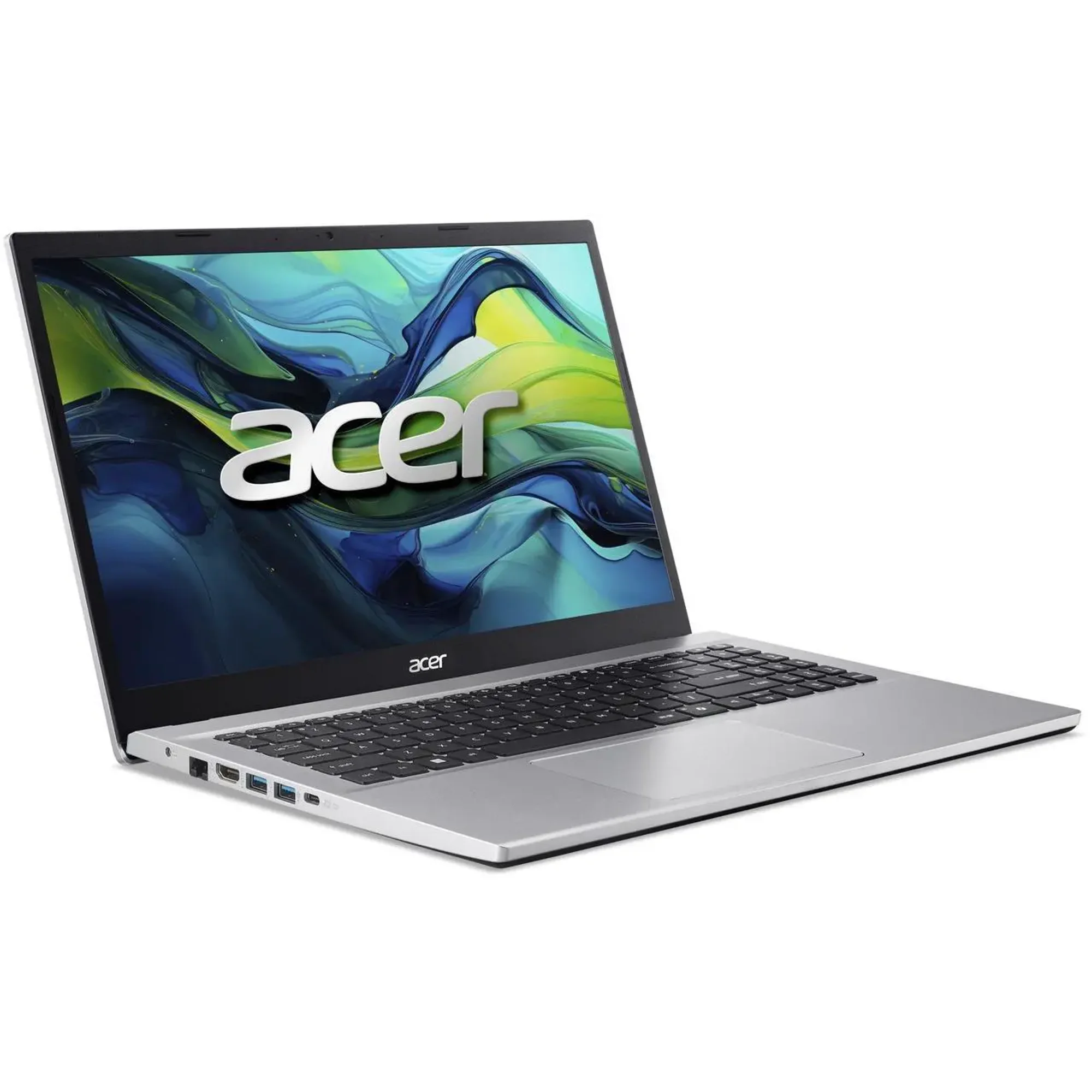
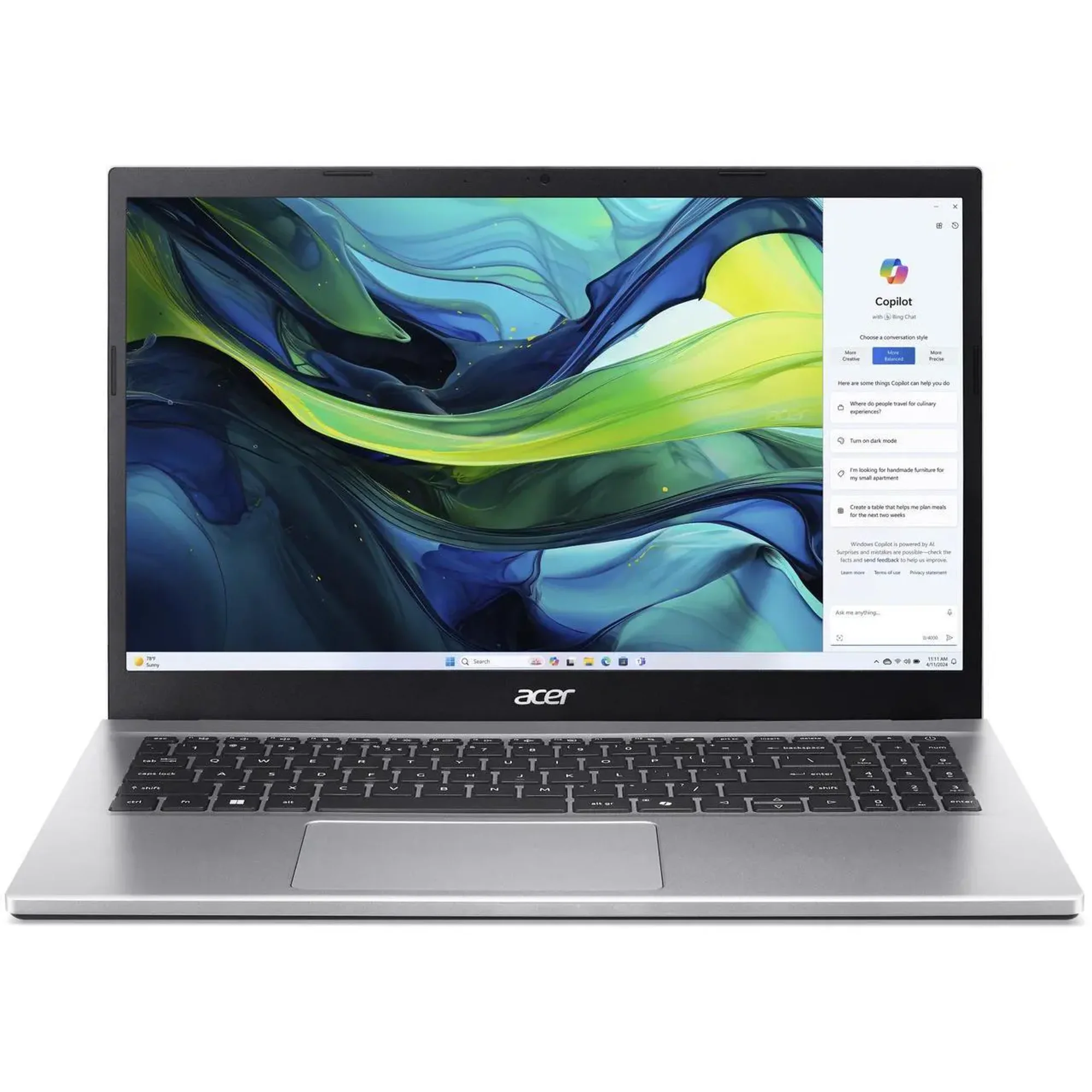
Acer Aspire Go 15
Pros Cons
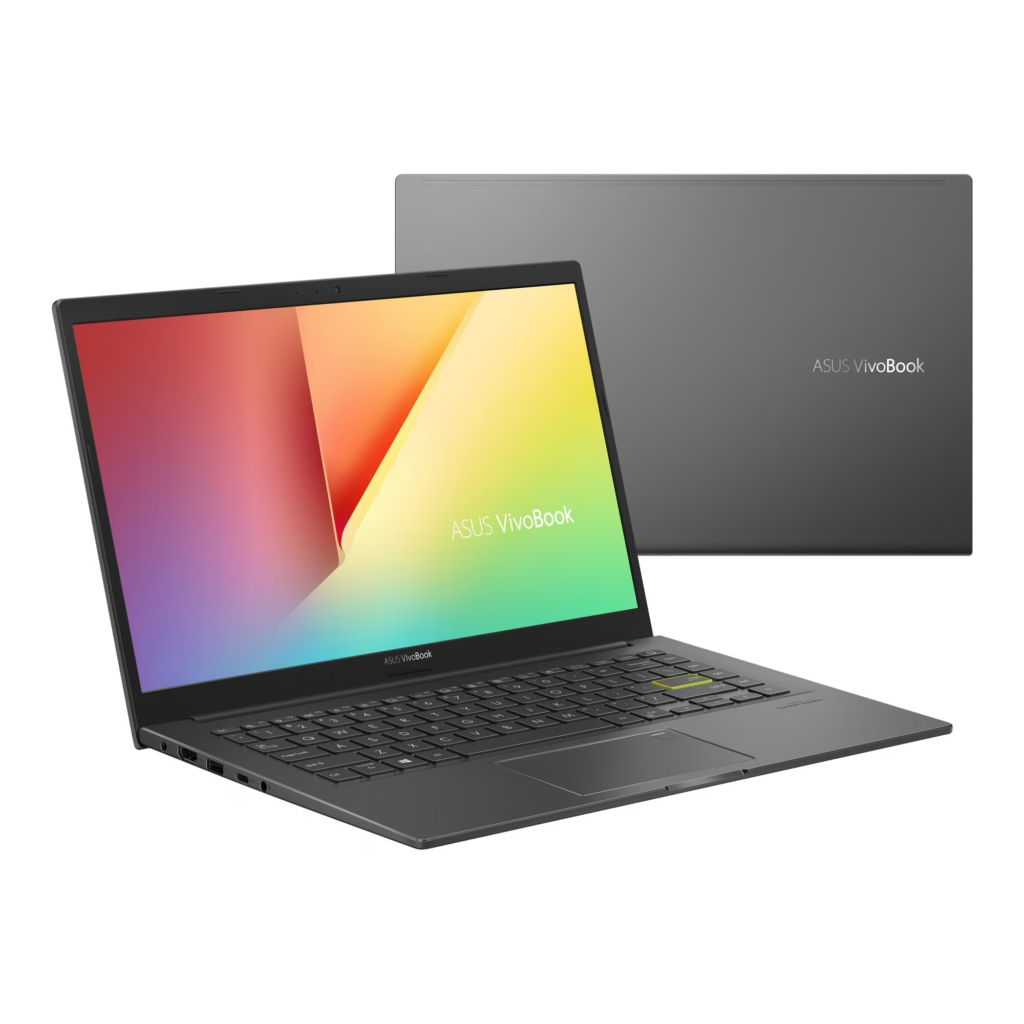
The Acer Aspire Go 15 offers a budget-friendly Windows experience with hardware that handles daily tasks well. It features a slim, lightweight build that makes traveling with it a breeze. While its silver finish looks stylish, a few awkward angles slightly spoil the look. The build quality does fall short, as the plastic materials used make the chassis feel less sturdy than it should. Opening the lid past 90 degrees pushes the back of the laptop off the table, creating an awkward tilt.
On the bright side, you get plenty of useful ports here, including three standard USB ports, an HDMI port, and an Ethernet port. However, it only includes one USB-C port and misses an Micro SD card reader. Performance remains decent during basic daily work and video streaming. Since it lacks a graphics card, heavy gaming will slow it down to a crawl, though it handles simple light games well without overheating or making much fan noise.
The large display stands out as the biggest drawback though. It looks grainy, with washed out colors, making the screen look average. However, the battery life remains strong, lasting nearly 12 hours when playing movies, though there’re other laptops out there in its price range, that last even longer.
Overall, the Aspire Go 15 laptop delivers great value for its low price. While other laptops such as Chromebooks offer better screens for even less money, this laptop remains a top choice if you want an affordable Windows laptop, and don’t really mind the average display.
Apple MacBook Neo

Specs
Pros
- Excellent premium aluminum build
- Comes in 4 design colors
- Great battery life
- More affordable MacBook
- Great performance for day-to-day tasks
Cons
- Available only at 8GB of memory
- No keyboard backlight
- Slow USB ports
Apple released the MacBook Neo at a crucial time. With soaring costs, new global tariffs driving up gadget prices, and everyday expenses climbing, us consumers simply have less money to spend. While people often label Apple as a luxury brand, it’s no surprise that they released a MacBook that proves that the company can offer great value.
With the MacBook Neo, Apple steps directly into the budget laptop market to compete with other cheap laptops like Chromebooks and other Windows laptops. Rather than stripping down the device to cut costs, Apple built a stylish aluminum laptop available in four bright colors.
The screen offers a sharp resolution that easily beats the dull displays found on similarly priced competitors. With excellent audio speakers, a clear high-definition webcam, and the full version of the macOS, make the overall package feel premium, fully functional, and offers a satisfying MacBook experience.
Daily performance feels smooth and reliable for basic work, making this an ideal laptop for students. The price starts at just around $599, with extra discounts available for school use. You’ll struggle to find a rival laptop at this price point that matches its speed and solid feel.
To keep the price low, Apple made a few small sacrifices. The Neo includes a modest amount of memory and little storage, lacks a backlit keyboard for dark rooms, and includes older, and slower USB ports. Despite these flaws, Apple has produced the finest budget laptop on the market, forcing competing Windows laptops and Chromebook makers to step up their game.
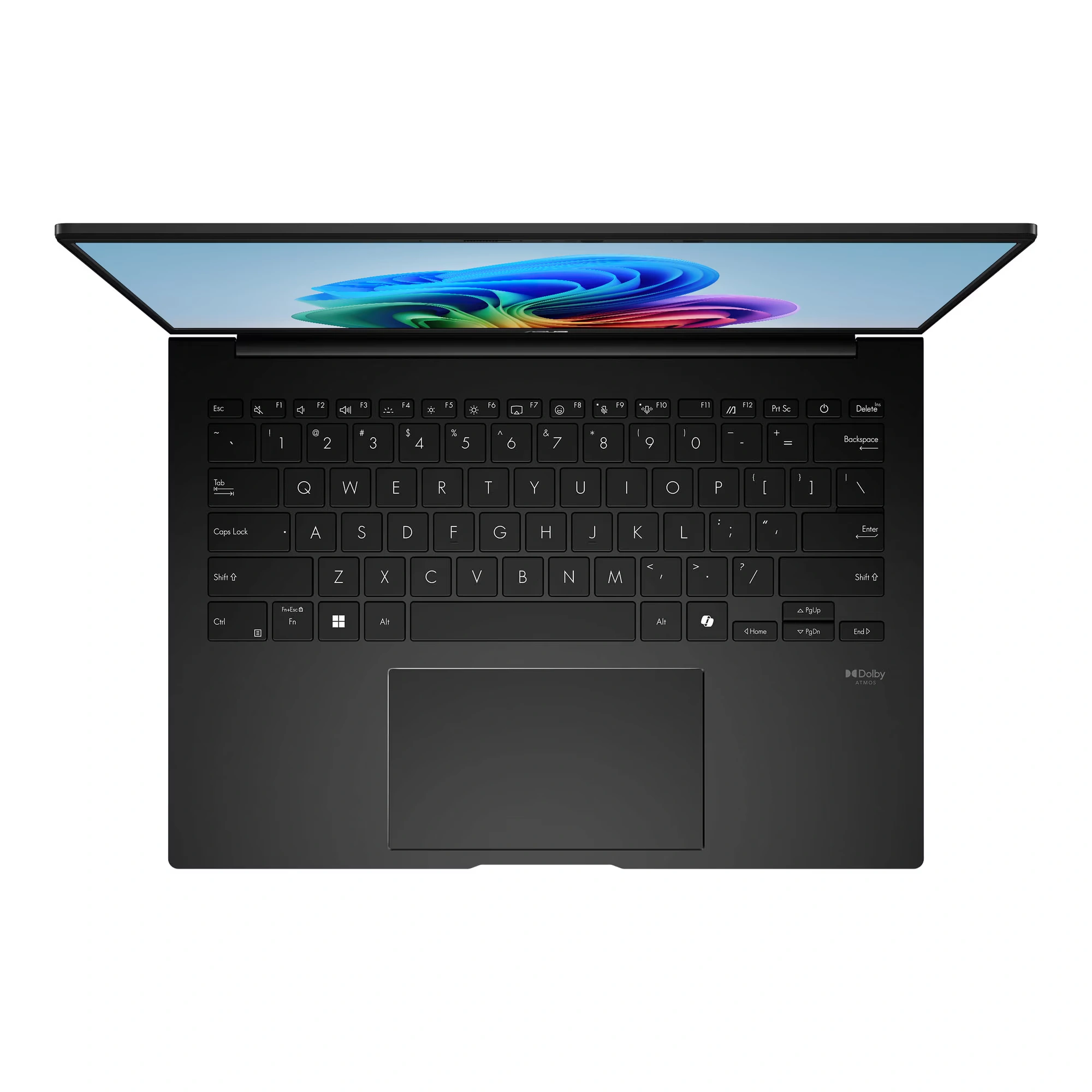
Asus Zenbook A14
Specs
Pros
- Slim & lightweight design
- Great performance
- Comfortable typing experience
- Excellent battery life
- Includes backlight keyboard
Cons
- Not the brightness display
- Expensive
- Fair noise generated from cooling fans
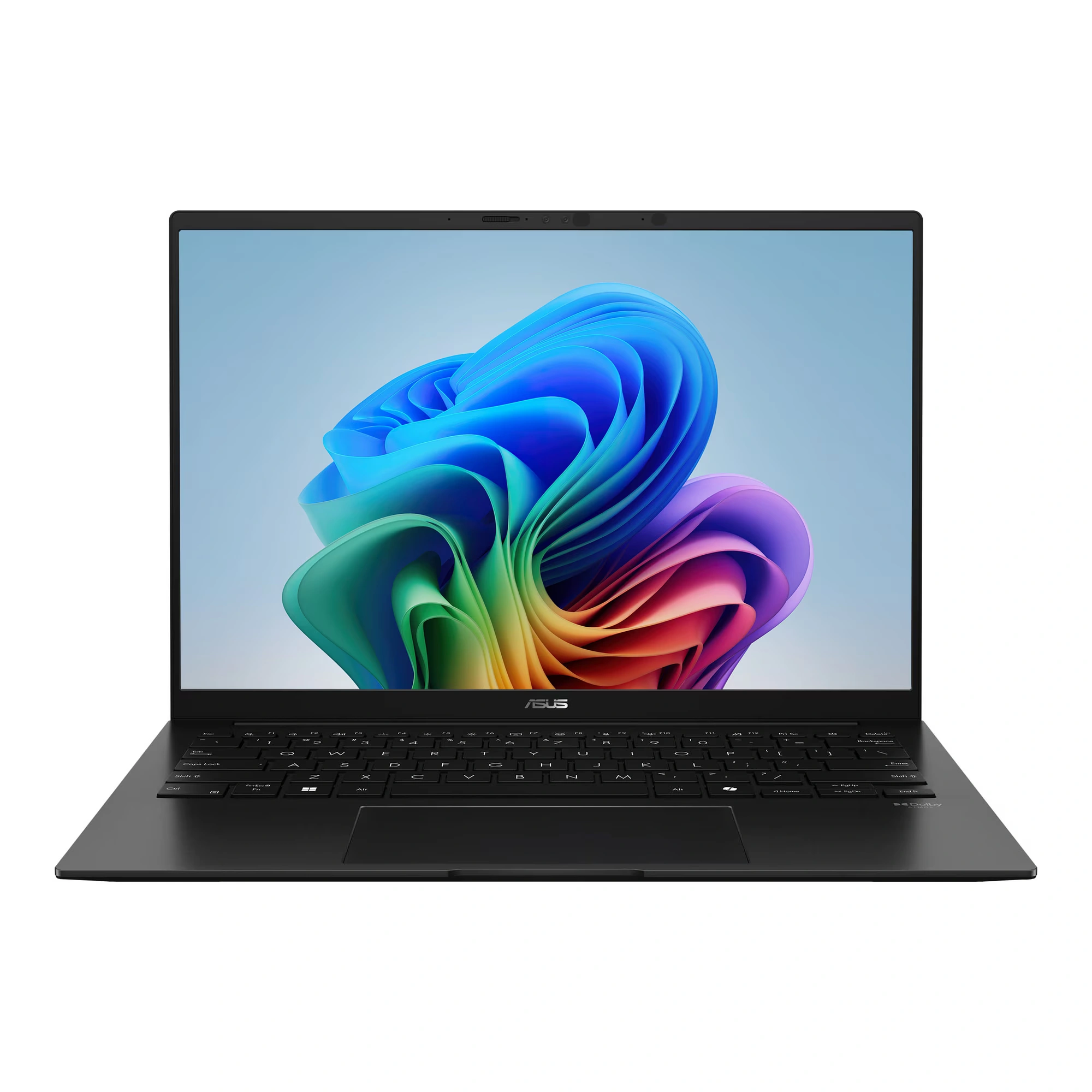
The Asus Zenbook A14 offers a light and compact design that makes it a great travel companion. Its smooth, beige finish and rounded corners give it a soft, clean, premium look. The laptop feels solid and well-made, though the lid flexes slightly because it’s so thin. You get a surprising number of ports for such a thin device, including two multiple use USB-C ports, but placing almost all ports on the left side might irritate some users.
The laptop delivers impressive speed thanks to its powerful AMD processor and a good 16 GB of memory. It handles everyday tasks effortlessly and even handles light gaming without a separate graphics card. While the cooling fans kick on and the body warms up under heavy workloads, the noise and heat stay at manageable levels.
The OLED screen displays sharp images with vivid colors, though it’s not the best as it lacks in good brightness and also reflects some glare in bright rooms. The keyboard feels fantastic, offering bouncy keys with plenty of space for fast typing. The smooth touchpad works well, though its smaller size can feel a bit cramped. Battery life stands out as the laptop’s best feature, running for up to 28 hours. While the Zenbook A14 costs a fair amount of money, its long battery, high performance, and easy portability make it worth every single penny.
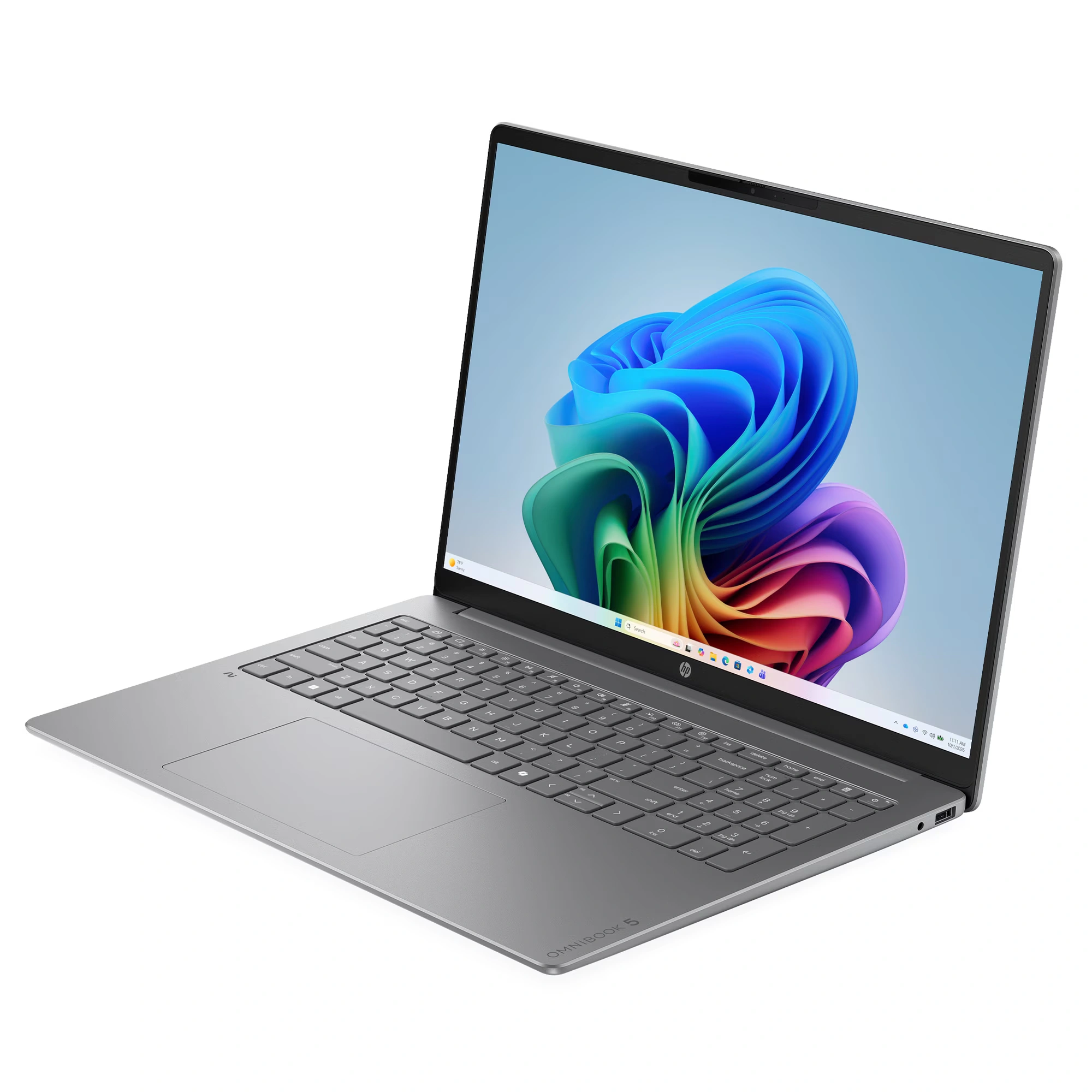
HP OmniBook 5
Specs
Pros
- Amazing battery life
- Sharp & vibrant OLED display
- Thin & lightweight design
- Good performance overall
- Comfortable typing experience
Cons
- Expensive
- Plastic build
- Not suitable for heavy gaming
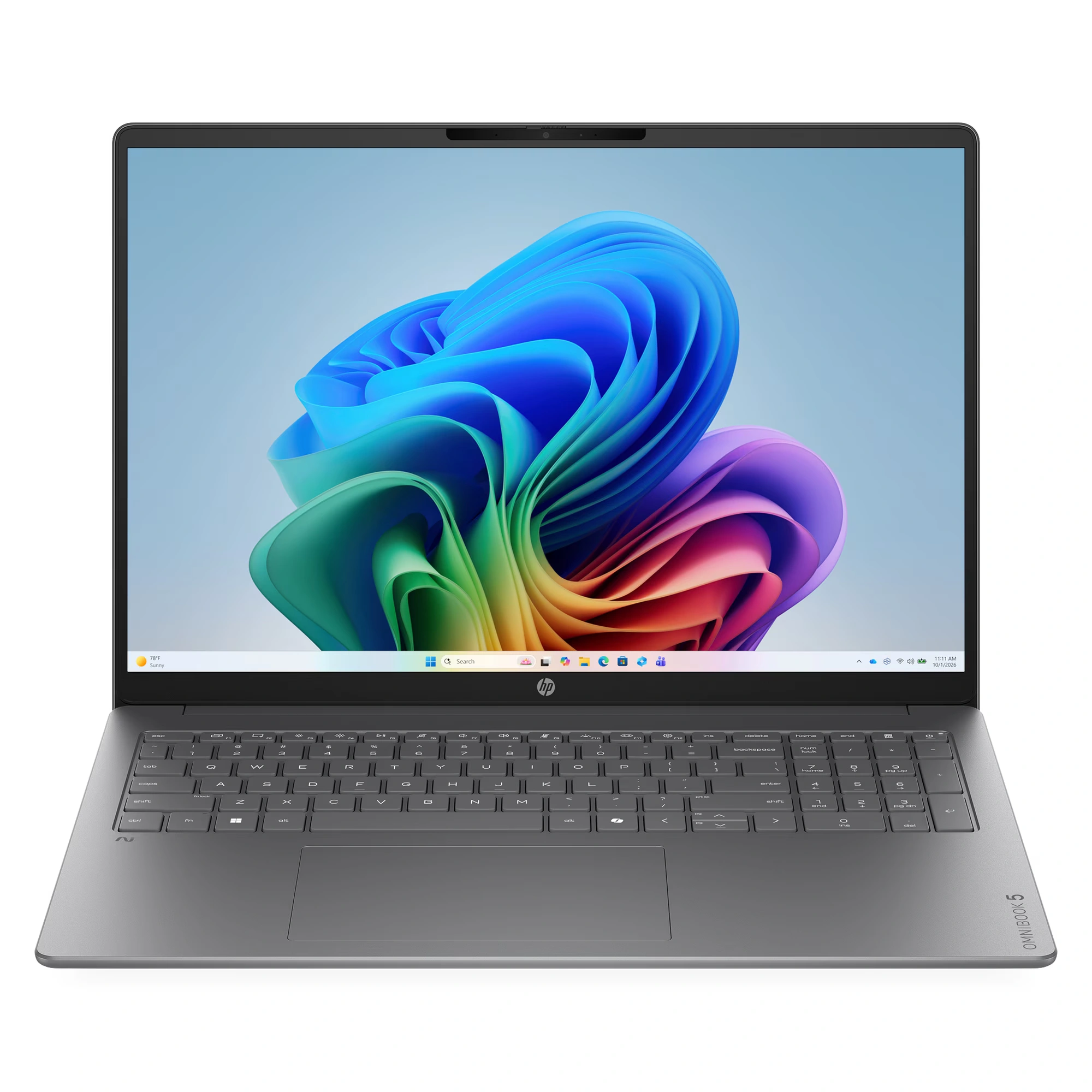
If you want a lightweight laptop that literally lasts all day, the HP OmniBook 5 deserves your attention. This smart, slim ultraportable notebook brings next-generation AI power to everyday users at a truly reasonable price. Inside, you get a fast Snapdragon processor that handles daily school and daily tasks with total ease. It pairs that smooth speed with an exceptionally bright OLED screen that makes photos and videos pop. Best of all, it sips power so slowly that it outlasts almost every standard laptop on the market.
While it cannot beat the MacBook Air’s ultra-sturdy metal body or handle heavy 3D gaming, it still offers high-end style and top-tier reliability. Overall, HP hits a home run here by delivering unbeatable battery life, a stunning screen, and great value for money in one portable package. If you’re a student or work remotely, and looking for your next reliable laptop, put your money on the OmniBook 5, at the top of your shopping list today.
Summary: Best Laptops Under $1000 To Buy Now
Let’s recap with a short summary just to tie everything together.
Features
Acer Aspire Go 15
Apple MacBook Neo
Asus ZenBook A14
HP OmniBook 5
Display
15.6-inch, Full HD
13-inch, Liquid Retina
14-inch, WUXGA OLED (bright, colorful)
14-inch, 2K OLED (vibrant, high contrast)
Processor
AMD Ryzen 7
Apple A18 Pro
AMD Ryzen 7
Qualcomm Snapdragon X Plus
Everyday Performance
Best for daily tasks, web browsing
Best for daily tasks & school work
Fast & efficient, effortless multitasking
Fast, highly efficient, AI-accelerated
Battery Life
Good (Up to 16 hours)
Good (Up to 15 hours)
Impressive (Up to 28 hours)
Impressive (Up to 35 hours)
Weight
1.7 kg (3.8 lbs.)
1.7 kg (3.8 lbs.)
980 g (2.16 lbs.)
1.35 kg (2.98 lbs.)
Keyboard
Standard QWERTY with number pad, non-backlit
Magic Keyboard (non-backlit)
Tactile, bouncy keys
Standard QWERTY keyboard with backlit
Best for
Budget users looking for an affordable laptop
Budget users looking for an affordable MacBook
Budget users or freelancers looking for a portable laptop
Budget users looking for laptops with good battery & good display
Price
$624.99
$699.00
$799.00 (Expensive)
$899 (Expensive)
If by now you’re still not sure which laptop to pick, then here are my recommendations. If you’re looking for an affordable package just for work and for daily web browsing, reading and answering emails, I recommend getting the Aspire Go 15. It’s a large laptop, yet still portable and light in weight. Just remember to work in a well-lit room.
If you want a more powerful laptop I recommend you choose either the ZenBook A14 or the OmniBook 5. They’re more expensive, yes, but they’re under the $1000 price range. They both are better performers with longer battery life, and both come with better displays. Let’s not forget they’re both lightweight too.
As for the MacBook users, if you can’t afford the stronger, more expensive MacBooks, then give the new budget MacBook Neo a shot. It comes with a choice of bright colors, with a bright screen, and all the features that are present in the current MacBooks. It’s not as powerful but it gets the job done. Enriched with the familiar macOS experience, you’ll feel right at home here.
Final Thoughts
Finding a reliable laptop on a budget is much easier than you think. You don’t need to spend more than thousands of dollars on high-end features to get a fast, reliable computer. It all comes down to knowing your personal needs and then cutting out all the extras you won’t really use. Whether you need an affordable Chromebook for simple web browsing, or a 2-in-1 touchscreen for drawing, you can easily find the best laptops under $1000. Smart shoppers like you, who set realistic budgets, can get high-performing laptops that’ll comfortably last you for years.
So let me ask you, Are you ready to pick your next best affordable laptop? Compare the features in the chart above, click on the red buttons to find out more, and if you’re tempted, buy that laptop you’ve got your one eye on. Who knows, it just might be that one laptop you’ve been searching for. Don’t forget to please leave your comments and suggestions on the comments section below. That’s all from me 😀


 LGMadyibi





This is very helpful! Thank you for explaining what each laptop is best suited for as well as listing the specifications. That makes it much easier for someone like me, who is not tech-savvy, to choose the right one!
Thanks again!
Hi Heather. Thank you for your comments. Much appreciated. Pass this post to your friends and family. I’m sure there’s one or two of them out there looking for a budget laptop.
This was a helpful guide because buying a laptop today can feel overwhelming. Every manufacturer advertises the latest processor, AI features, or display technology, and it’s hard to know which specs actually matter. I like how you broke down what people should realistically expect under $1,000 before jumping into the recommendations.
I’m in the market for a new laptop myself, and reliability is probably my biggest priority. I mostly use it for web browsing, writing, spreadsheets, video calls, and occasional photo editing, so I don’t need a gaming powerhouse. Your explanations of the trade-offs between the different models made it much easier to narrow down what would fit my needs instead of simply chasing the highest specs.
One question I had is this: if you were buying a laptop today with the goal of keeping it for five or six years, would you spend a little more now for 16 GB of RAM and 1 TB of storage, or do you think 8 GB and 256 GB is still enough for the average user over the long term?
– Scott
Hi Scott. Thank you for your comments. I appreciate it very much. To answer your question, I would recommend spending a bit more money and get an affordable laptop with 16 GB of RAM and 512 GB or 1 TB of SSD storage. It’ll definitely last you 5 years or more. If your budget is really tight then you can get an 8 GB of RAM, 512 GB of storage laptop. However, the laptop must be upgradeable i.e. increase RAM or memory from 8GB to 16GB. Sadly these four laptops on review here can’t be upgraded as the RAM has been soldered onto the motherboard. In future, I’ll create a post that focuses on affordable laptops that can be upgraded. Thanks again.
Hey,
Thank you for sharing an informative article.
I will have a good look at the laptops you have recommended and let you know which one I choose.
Keep up the great work.
All the best,
Tom
Excellent article, thanks. I really enjoyed reading this comparison because it’s clear you’ve put thought into recommending laptops for different types of users rather than taking a one-size-fits-all approach. The explanations are easy to follow, and I like that you focus on balancing performance, features, and value, which is exactly what most people are looking for in this price range.
I’d like to ask: If someone wanted a laptop primarily for video editing (using platforms such as Final Cut, Adobe Premier or CapCut) while staying under the $1,000 budget, which model from your list would you personally recommend and why? I am asking because some of my previous laptops could not cope with the video processing and kept crashing.
Hi there, Lucie. Thank you. I appreciate your positive remarks on this article, and the great question you’ve raised. Before I get to it, you need to know that if you’re looking for a laptop for video editing you’re gonna need to dig a deeper into your pocket as the laptop you’re looking for will cost more. Next, you need to make sure that the laptop has 3 key features: a graphics chip or GPU, at least 16 GB of RAM, and at least 512 GB SSD storage. For graphics if you prefer a Windows laptop, then look out for a laptop with an NVIDIA RTX GPU (preferably RTX 4050 or 5050), and if you prefer MacBooks then consider getting the MacBook Air or the MacBook Pro. My next article will focus on this topic, so keep your eyes peeled for the next one.
Thanks for laying out the baseline specs so clearly, especially the reminder that 16 GB RAM and a 512 GB SSD should be the new default for most buyers! One thing I’d love to see added is a quick note on upgradeability and thermals, since those can make a huge difference over time even when the spec sheet looks strong.
The HP OmniBook 5 and Zenbook A14 both feel like standout picks for people who care about portability and battery life, but I think many readers would also appreciate a short “best for” breakdown by use case, like work, school, travel, or light creative work. Do you think the MacBook Neo’s 8 GB RAM makes it too limiting for 2026, or is the value still there for lighter users?
Thanks!
Yes, you’re correct. The MacBook Neo is a great addition to the Apple MacBook family, looking towards the budget segment, i.e. students, and college students, and the specs are too limiting with only 8 GB of RAM and 256 GB of storage. However, if I was asked to recommend a laptop to an Apple user, and can’t afford a normal MacBook, then I would recommend the MacBook Neo. You can’t upgrade the memory or RAM unfortunately, as it’s soldered onto the motherboard, but you can upgrade the storage.
Overall, it’s a great laptop for daily normal use, i.e. checking emails, typing or working on documents, spreadsheets, presentations, check out social media, and even video editing for content creators. I believe that it’s more valuable for daily light usage rather than for complex usage. Thank you for your comments. I greatly appreciate it.